
The Three Valheim List Files: adminlist, permittedlist and bannedlist
Valheim's entire access control is three text files. adminlist.txt grants admin. permittedlist.txt is the whitelist. bannedlist.txt is the ban list. All three live in the same folder, all three take one ID per line, and the ID format is the thing most people get wrong — because it is not the name shown in game.
On sourcing. Iron Gate do not publish system documentation. The figures below come from the community wikis and can change with any patch.
The Three Files
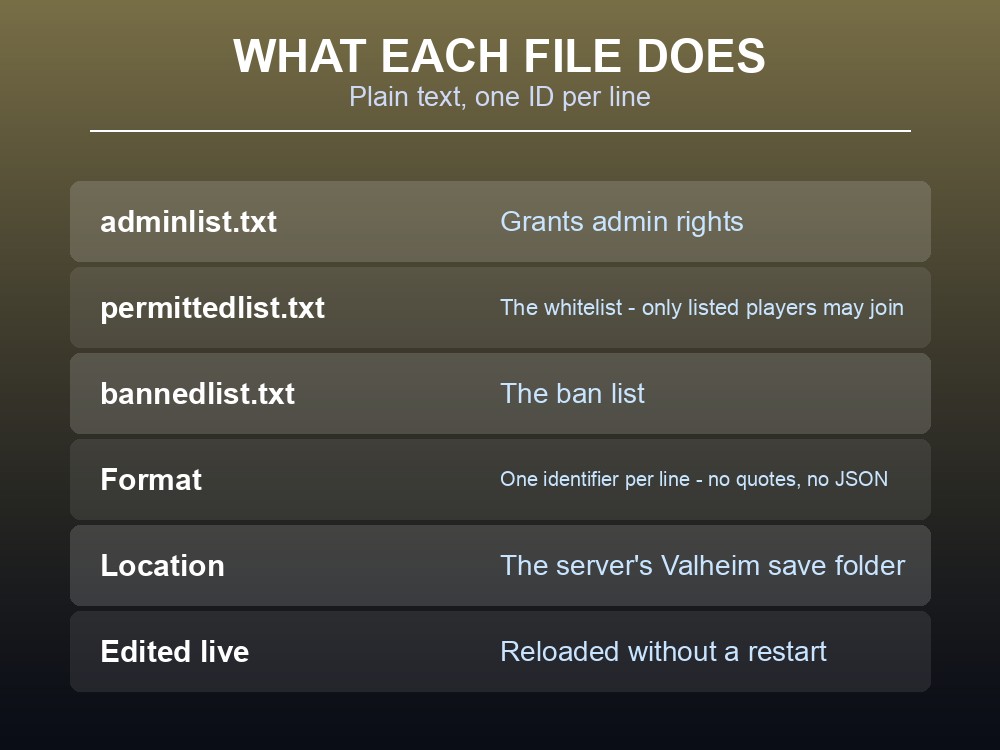
| File | What it does |
|---|---|
| adminlist.txt | Grants admin rights |
| permittedlist.txt | The whitelist — only listed players may join |
| bannedlist.txt | The ban list |
All three sit in the same location:
%UserProfile%\AppData\LocalLow\IronGate\Valheim
They are plain text. One identifier per line, no punctuation, no quotes, no JSON. If you have edited a Minecraft whitelist you will find this simpler than you expect.
The ID Format Is the Hard Part
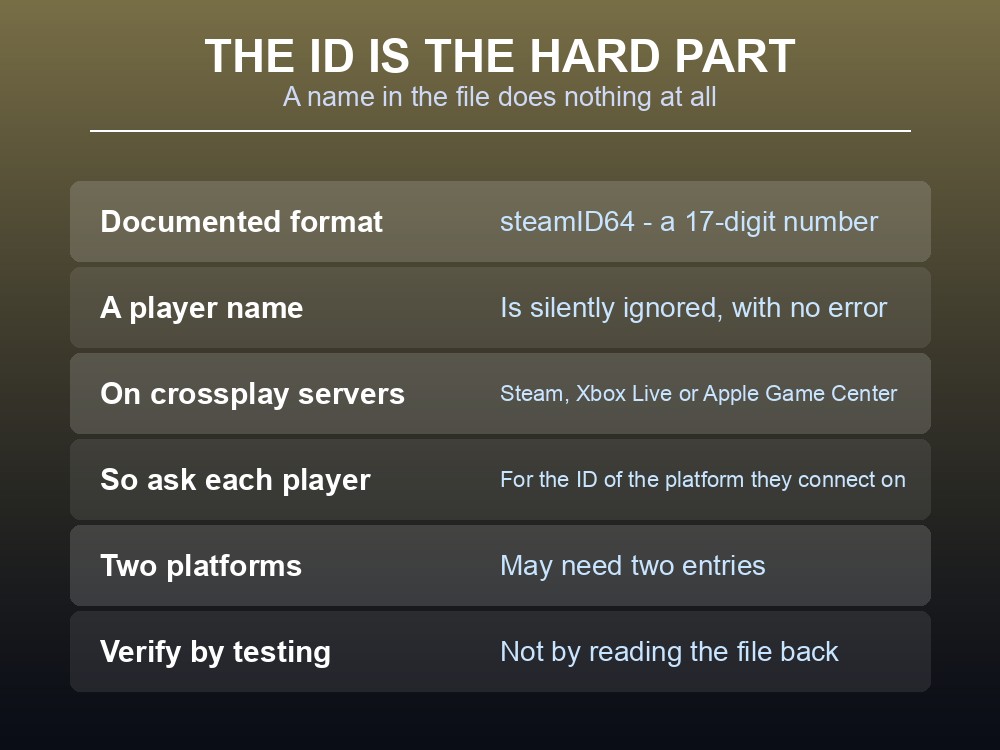
Each file uses the steamID64 of a user, and that is a 17-digit number — not the player's display name, not their Steam vanity URL, and not the short Steam ID.
This is the single most common mistake. A name in adminlist.txt does nothing at all, silently. The server does not warn you, the player does not become an admin, and there is no error to search for.
Crossplay complicates it further. Valheim can "connect, identify, elevate or ban players using their Apple Game Center, Steam or Xbox Live identities" — so a crossplay server may need to list a player by an identity that is not a steamID64 at all, depending on which platform they connect from.
The practical rule: ask each player for the ID that matches the platform they will actually connect on, and add that. A player who owns the game on two platforms may need two entries.
The Whitelist Is Opt-In and Total
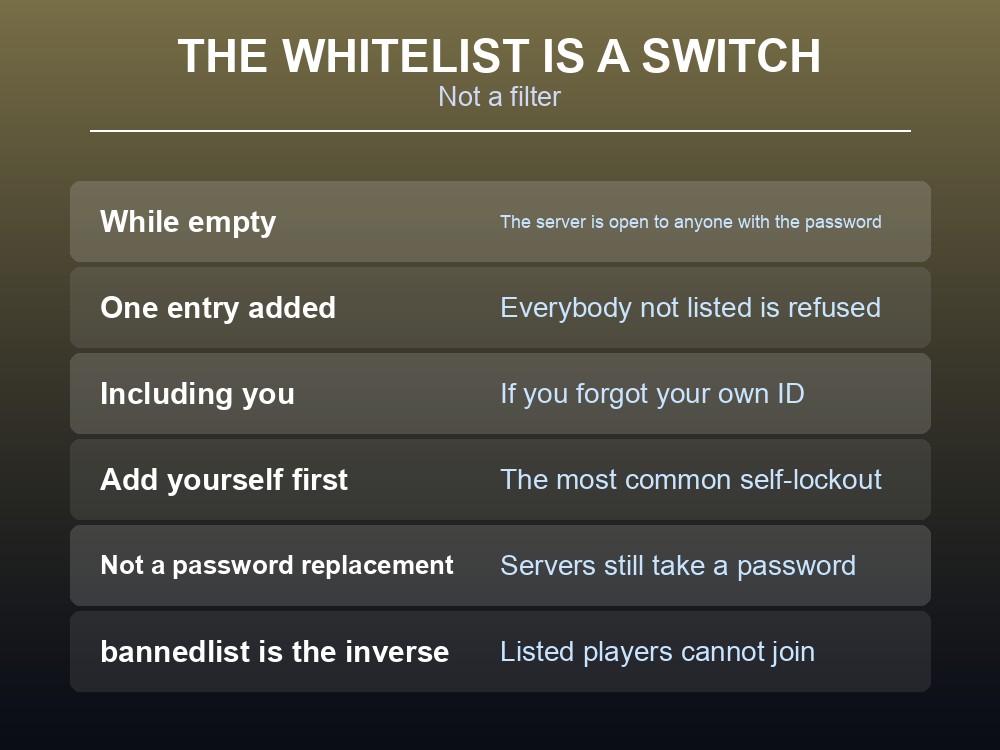
permittedlist.txt behaves as a switch, not a filter. While it is empty, the server is open to anyone with the password. The moment it contains a single entry, everybody not on it is refused — including you.
Two consequences worth planning for:
- Add yourself first. The most common way to lock yourself out of your own server is to whitelist a friend and forget your own ID.
- A whitelist is not a password replacement. Valheim servers still take a password; the whitelist is an additional layer, not an alternative one.
Already have the whitelist turned on? We cover the panel-side steps separately in How to enable whitelist on a Valheim server, and the launch-argument side in Every Valheim Server Startup Argument (& the Permitted-List Trap).
bannedlist.txt is the inverse and behaves as you would expect: listed players cannot join, everybody else can.
Editing Them Without Restarting
The files are read by the server, so a change needs to reach the running process. On a hosted server the reliable sequence is:
- Stop the server, or use the panel's file editor if it offers one.
- Edit the file, one ID per line.
- Save it as plain text — not
.txt.rtf, not with a BOM, not with Windows smart quotes. - Restart, and confirm the player's status in game rather than assuming.
Verify by having the player try something admin-only, rather than by reading the file back. A file can look correct and still contain an ID with a trailing space.
What Admin Actually Grants
This is where expectations usually break, and it deserves stating plainly: being on adminlist.txt gives you server management commands — kick, ban, save, and the ability to see and use the admin subset of the console. It does not turn on cheats.
god, fly, spawn and tod are devcommands, and devcommands are a separate system with separate rules. Adding your ID to adminlist.txt will not give you any of them.
That distinction catches out enough people that it is worth its own article, and it is the difference between "my admin is broken" and "admin is working exactly as designed."
Running your own Valheim server
Three text files are simple until you are editing them over FTP at midnight. A gamever Valheim server puts them in a panel, alongside up to 10 players, one-click backups and automatic updates.
Conclusion
Valheim's access control is three plain text files in one folder — %UserProfile%\AppData\LocalLow\IronGate\Valheim — with one identifier per line. adminlist.txt grants admin, permittedlist.txt is the whitelist and bannedlist.txt is the ban list. Each takes a steamID64, a 17-digit number rather than a display name, and putting a name in instead fails silently — the most common configuration mistake on a Valheim server. On a crossplay server the picture widens, since Valheim can identify and elevate players by their Apple Game Center, Steam or Xbox Live identities, so a player may need the ID matching the platform they actually connect on. The whitelist is a switch rather than a filter: empty means open, and one entry means everyone not listed is refused, including you — so add yourself first. And admin rights grant server management, not cheats: god, fly, spawn and tod belong to devcommands, which adminlist.txt does not touch.
Want those files in a panel instead of over FTP? Rent a Valheim server at gamever.io — instant setup, up to 10 players, one-click backups and updates, and 24/7 uptime. Start with a free trial and use promo code WELCOME.