
Every Valheim Server Startup Argument (& the Permitted-List Trap)
A Valheim dedicated server is configured almost entirely through startup arguments, and two details in Iron Gate's own documentation are worth knowing before you touch anything else: enabling crossplay removes the need for port forwarding entirely, and adding a single name to the permitted list bans everyone else from your server. Here is the full reference, the access-control files, and the traps.
The Core Arguments
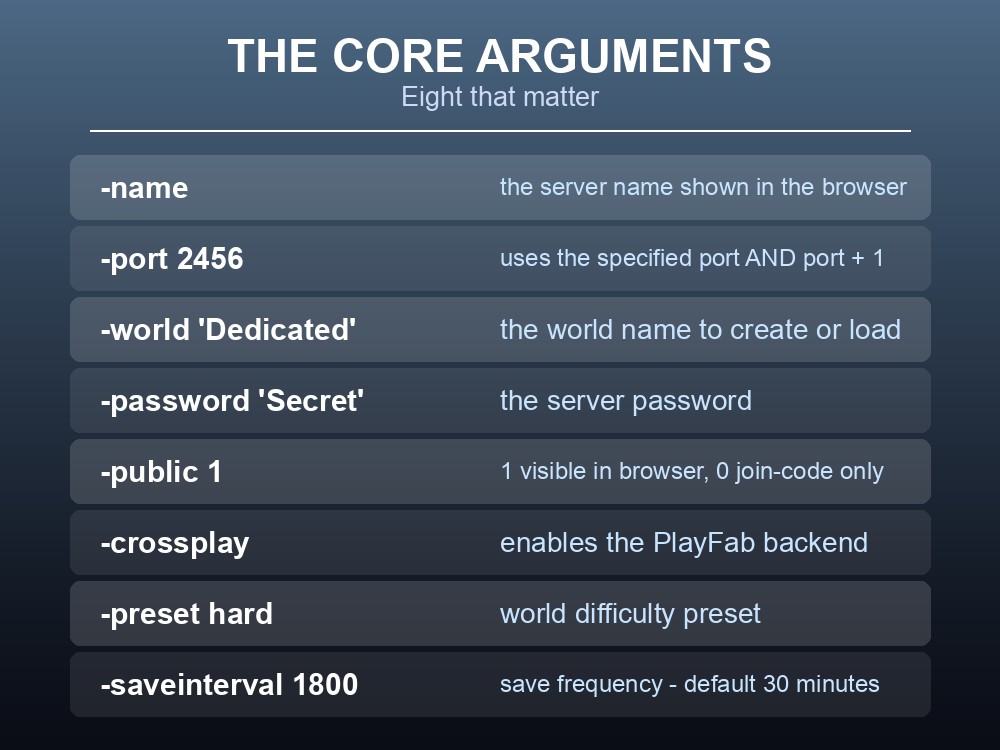
| Argument | What it does |
|---|---|
-name | The server name shown in the browser |
-port 2456 | Communication port — the server uses the specified port AND that port + 1 |
-world "Dedicated" | The world name to create or load |
-password "Secret" | The server password |
-public 1 | 1 = visible in the browser, 0 = join-code only |
-crossplay | Enables the PlayFab backend for cross-platform play |
-preset hard | World difficulty preset |
-saveinterval 1800 | Save frequency in seconds — default 30 minutes |
Note the port behaviour. Setting -port 2456 opens 2456 and 2457. If you are running more than one server, space them by at least two.
-saveinterval is worth lowering on a busy server. Thirty minutes is a long time to lose after a crash, and the argument takes plain seconds — -saveinterval 900 gives you fifteen minutes instead.
On Linux, check your libraries. Iron Gate list minimums of GLIBC_2.29 and GLIBCXX_3.4.26. An older distribution will not start the binary.
Crossplay Removes Port Forwarding
This is the most useful thing in the whole guide, and it is easy to miss because it reads as a compatibility feature rather than a networking one:
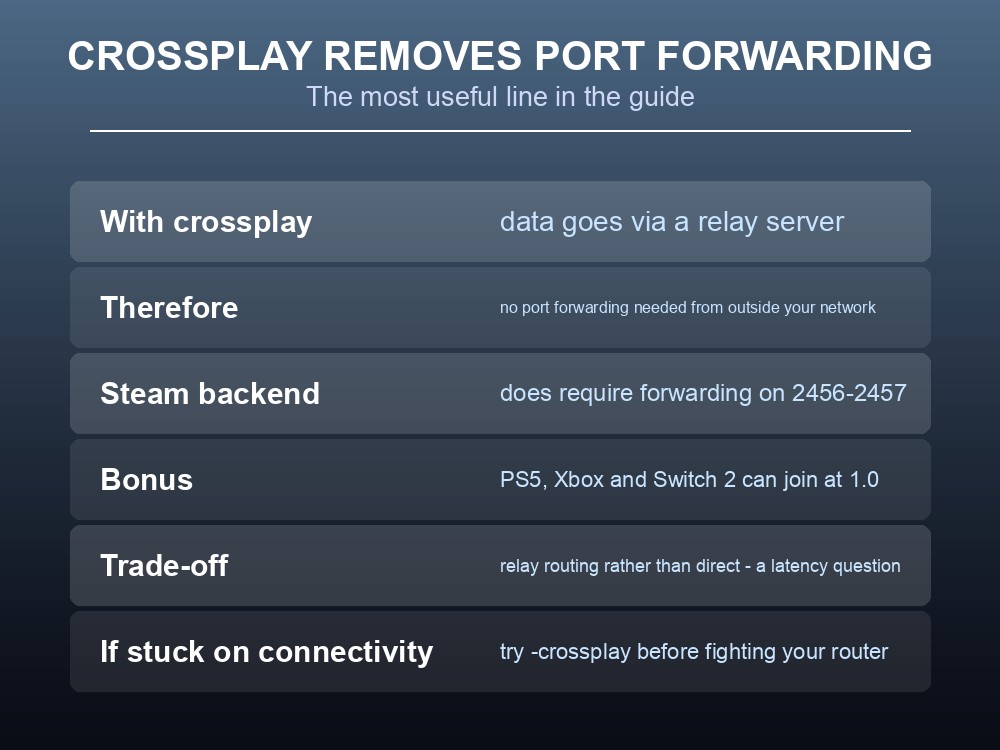
With Crossplay enabled, "the server transmits data via a relay server and therefore does not require Port Forwarding to be accessible from outside of your local network."
The Steam backend, by contrast, does require port forwarding on 2456–2457 to reach players outside your network.
So -crossplay solves two problems at once: it lets PlayStation 5, Xbox and Nintendo Switch 2 players join alongside PC — all of which are on the platform list for 1.0 on 9 September — and it removes the router configuration that stops most self-hosting attempts.
The trade is that you are routing through a relay rather than connecting directly, which is a latency consideration rather than a functional one. For a 1–10 player co-op world it is rarely the deciding factor.
If you are self-hosting and stuck on connectivity, try -crossplay before you fight your router. It is a one-argument change.
Access Control: Three Files
Access is managed by three plain text files in the save directory:
| File | Purpose |
|---|---|
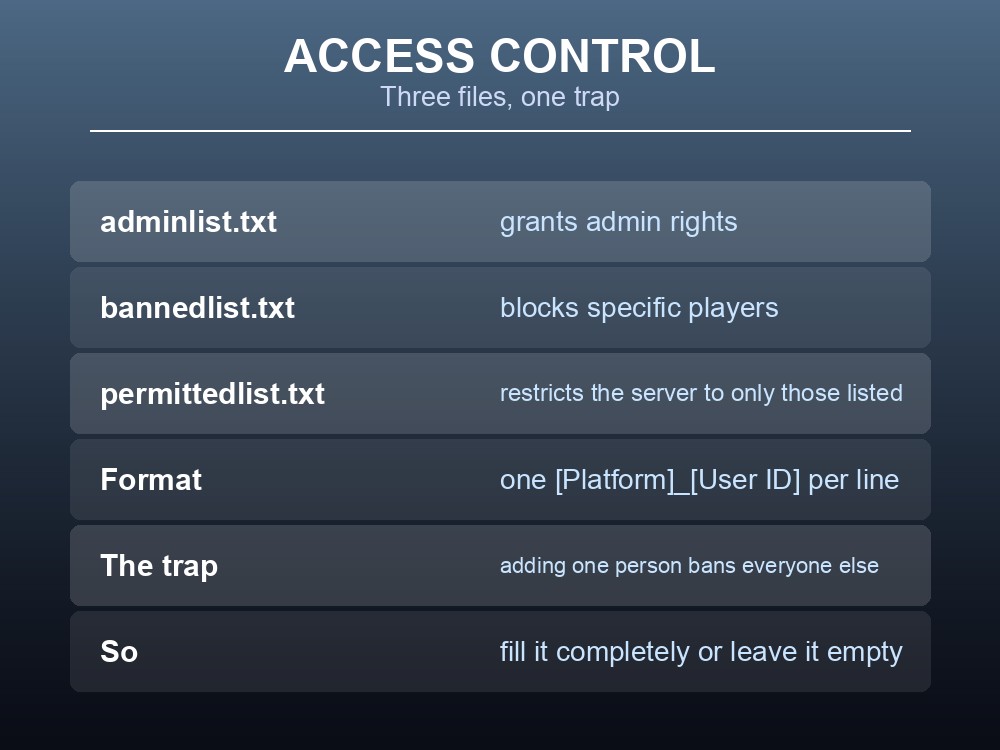
adminlist.txt | Grants admin rights |
bannedlist.txt | Blocks specific players |
permittedlist.txt | Restricts the server to only the listed players |
The format is one Platform User ID per line, written as [Platform]_[User ID].
And here is the trap, in Iron Gate's own words:
"Please note that adding a person on the permitted list will ban everyone else from the server."
The permitted list is exclusive, not additive. Add one friend to test it and your entire group is locked out until you either add all of them or empty the file. This is the single most common way people accidentally take their own server offline.
Use it deliberately or not at all. If you want a closed server, fill the list completely in one go. If you want an open one, leave the file empty and use -password instead.
Where the files live:
| OS | Path |
|---|---|
| Windows | %USERPROFILE%/AppData/LocalLow/IronGate/Valheim |
| Linux | ~/.config/unity3d/IronGate/Valheim |
That is also where your world saves are, which makes it the folder to back up before 9 September.
Preparing for 1.0
There is no public test branch for 1.0. Iron Gate confirmed "No. We want everyone to get to experience 1.0 at the same time!" — so the first time your server runs the new build is the moment it goes live for everyone, and nobody has rehearsed it, including mod authors.
A short configuration checklist:
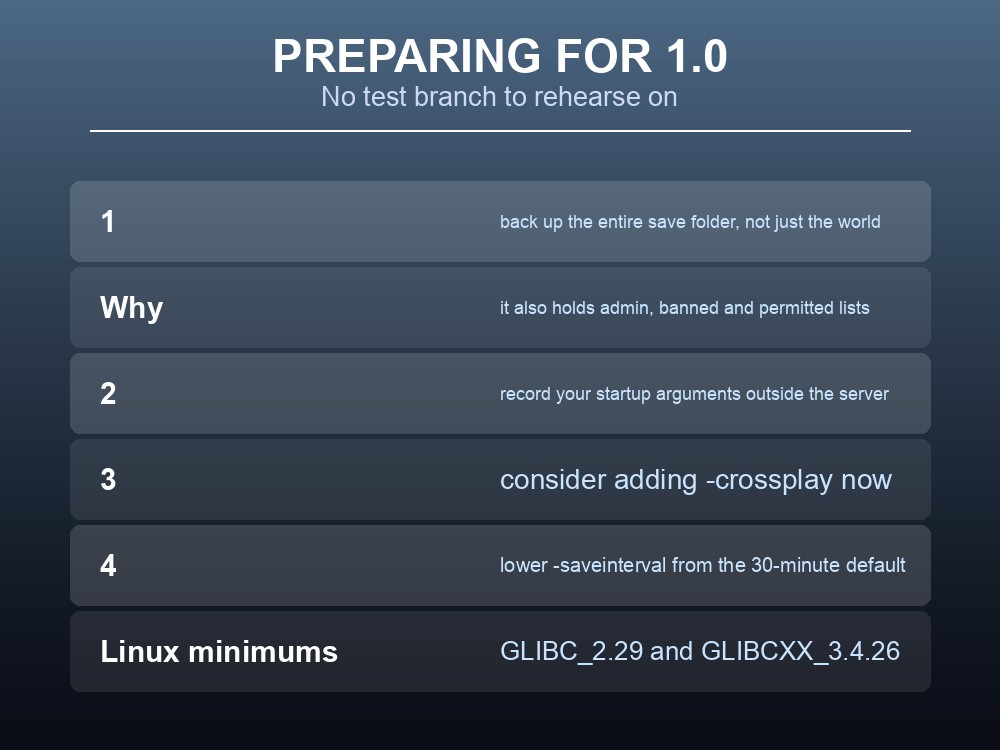
- Back up the entire save directory, not just the
.dbworld file — that folder also holds youradminlist,bannedlistandpermittedlist. - Write your startup arguments down somewhere outside the server. If you have to rebuild, the fastest recovery is a clean server plus your old world and your old flags.
- Consider adding
-crossplaynow, since PS5 and Switch 2 join the platform roster at 1.0 and the argument also removes your port-forwarding dependency. - Check your
-saveinterval. A version-bump day is a bad day to discover it was still on the 30-minute default. - Confirm your Linux libraries if you are self-hosting — GLIBC_2.29 and GLIBCXX_3.4.26 minimum.
Remember the player cap does not change. Iron Gate confirmed 1.0 remains a game for 1–10 players, so no sizing decision follows from the update itself.
Practical tips
-port 2456opens 2456 and 2457. Space multiple servers by at least two.-crossplayroutes through a relay and removes the port-forwarding requirement.- The permitted list is exclusive — one entry bans everyone else. Fill it fully or leave it empty.
- Access files use
[Platform]_[User ID], one per line.- Lower
-saveintervalfrom its 30-minute default on an active server.-public 0hides the server; players join by code.- Back up the whole save folder before 9 September, not just the world file.
Running your own Valheim 1.0 server
Every argument above is something managed hosting sets for you through a panel instead of a command line — and crossplay, the permitted list and save intervals are exactly the settings people get wrong once and then spend an evening undoing. A gamever Valheim server keeps your world online around the clock for the full 1–10 player group, applies the 9 September update automatically with a one-click backup taken first, and supports the complete crossplay roster including PlayStation 5 and Nintendo Switch 2.
Conclusion
Valheim's dedicated server is configured through startup arguments — -name, -port, -world, -password, -public, -crossplay, -preset and -saveinterval — with -port 2456 occupying both 2456 and 2457. The two details worth internalising are that -crossplay routes traffic through a relay and therefore removes the port-forwarding requirement entirely, which is the fastest fix for most self-hosting connectivity problems, and that permittedlist.txt is exclusive: "adding a person on the permitted list will ban everyone else from the server." Access files use [Platform]_[User ID], one per line, and live in the same folder as your world saves — which is the folder to back up before 9 September, since 1.0 ships with no public test branch.
Want these set through a panel instead of a command line? Rent a Valheim server at gamever.io — instant setup, one-click backups and updates, full crossplay and 24/7 uptime. Start with a free trial and use promo code WELCOME.