
The Palworld REST API: Every Endpoint, and Why Not to Expose It
Palworld ships a REST API with twelve endpoints — read your player list, poll server FPS, announce a message, kick, ban, save, shut down. It is genuinely useful for anyone running a community. It also comes with a warning in Pocketpair's own documentation that most people never see: "These APIs are not designed to be exposed directly to the Internet." Here is every endpoint, and what that warning actually means for you.
The Five Read Endpoints
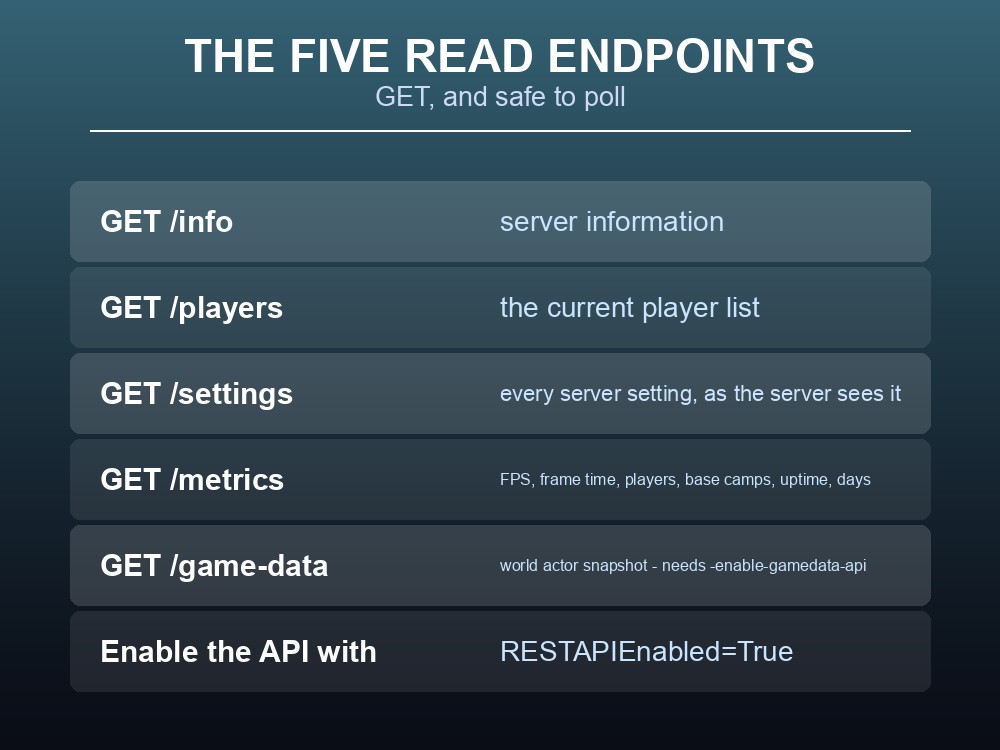
First, the API has to be switched on: RESTAPIEnabled=True in the server configuration. Nothing responds until it is.
| Endpoint | Returns |
|---|---|
GET /info | Server information |
GET /players | The current player list |
GET /settings | Every server setting, as the server sees it |
GET /metrics | serverfps, serverframetime, currentplayernum, maxplayernum, basecampnum, uptime, days |
GET /game-data | A world actor snapshot — every Character and PalBox with its InstanceID |
GET /settings is the underrated one. It returns the settings the server is actually running, which is not always what you think you configured — a typo in the ini or a value silently clamped will show up here and nowhere else. When behaviour does not match the config file, this endpoint settles it.
GET /metrics is the one to poll. It is cheap, it returns seven plain integers, and serverframetime is the number that tells you whether the server is healthy — around 16.7 ms is roughly 60 FPS. Reading basecampnum alongside it tells you whether a rising frame time is coming from bases rather than players.
GET /game-data is the heavy one, and it needs the -enable-gamedata-api launch argument before it will respond at all. One parsing detail: its Time field is "YYYY-MM-DD HH:MM:SS" in server local time, not ISO 8601.
The Seven Write Endpoints
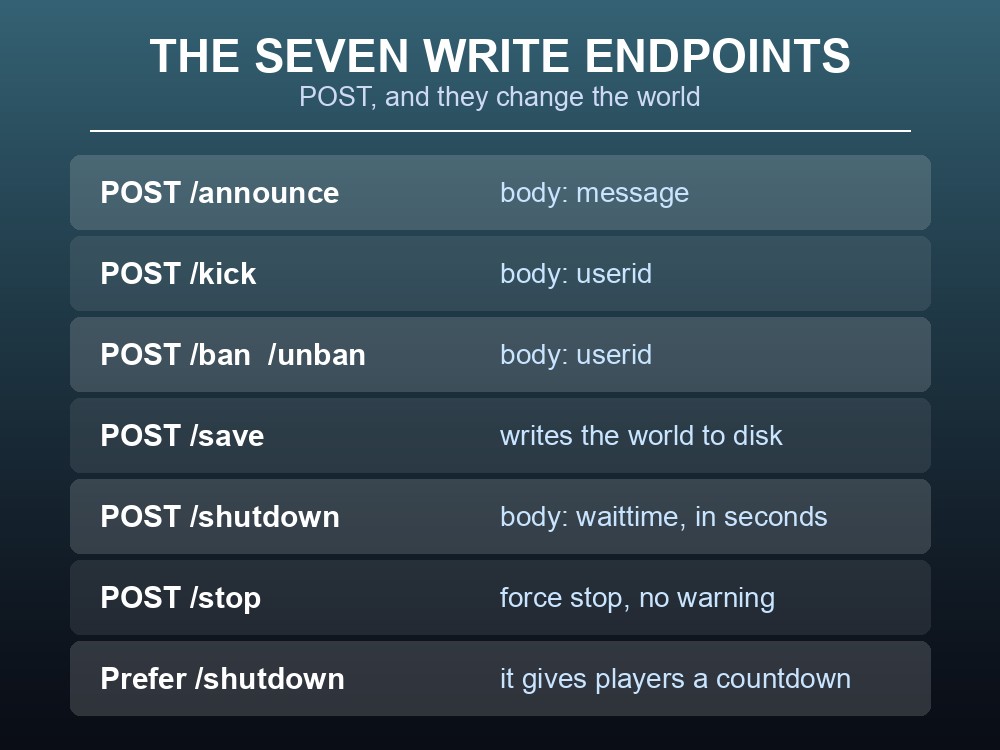
| Endpoint | Body | Effect |
|---|---|---|
POST /announce | message (string) | Message to everyone connected |
POST /kick | userid (string) | Kick a player |
POST /ban | userid (string) | Ban a player |
POST /unban | userid (string) | Lift a ban |
POST /save | — | Write the world to disk |
POST /shutdown | waittime (integer) | Shut down after a delay |
POST /stop | — | Force stop immediately |
/shutdown takes a wait time; /stop does not. As with the admin commands, prefer the one that gives players warning — and call /save first if the session has been productive, since Palworld autosaves on a timer rather than on demand.
/announce is what makes scheduled restarts humane. A script that posts a message at fifteen, five and one minute before calling /shutdown turns a disruptive restart into a predictable one.
Note that kick, ban and unban all take userid, not a display name — the same constraint as the in-game commands. Read them from /players first.
Do Not Put This on the Internet
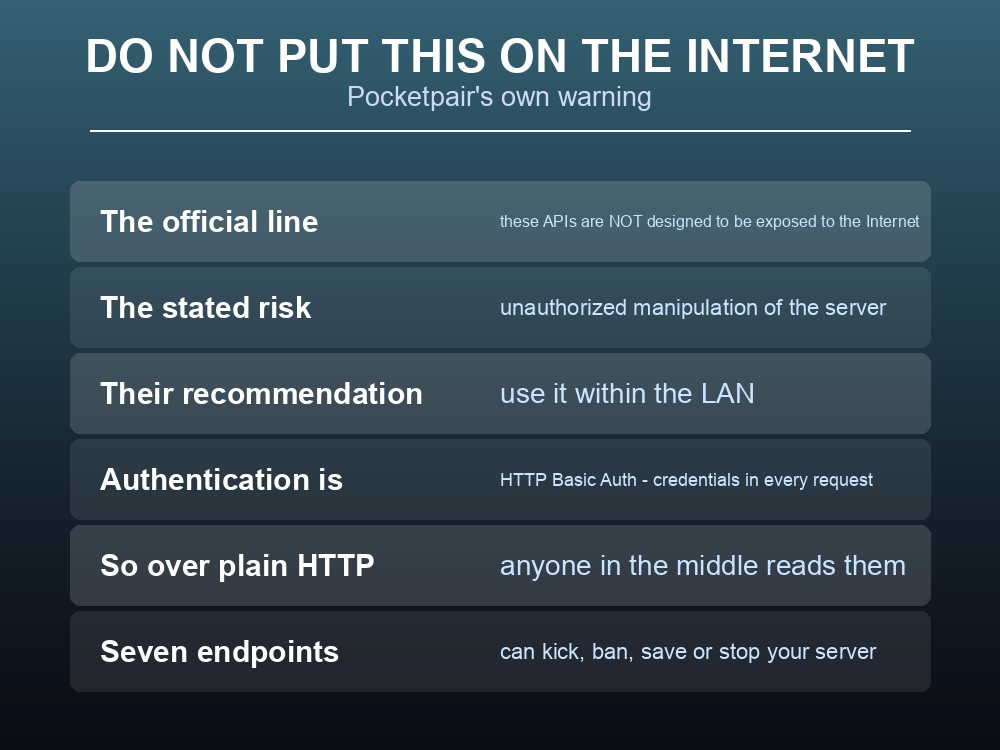
The documentation is unambiguous:
"These APIs are not designed to be exposed directly to the Internet. Publishing directly to the Internet may result in unauthorized manipulation of the server, which may interfere with play. It is recommended that they be used within the LAN."
The reason is the authentication scheme. The API uses HTTP Basic Auth, which means your credentials travel in every single request, encoded but not encrypted. Over plain HTTP on the open internet, anyone positioned between the client and the server can read them.
And then consider what those credentials unlock. Seven of the twelve endpoints are write operations — kick, ban, unban, save, shutdown and force-stop. An attacker with the password does not need to exploit anything; they simply call /stop.
So the practical rule is: reach the API over a private path, never a public one. Bind it to localhost and use an SSH tunnel, keep it inside a VPN or private network, or use a control panel that fronts it — anything except opening the port to the world.
This is one of the clearest cases where managed hosting is doing something for you. A panel that exposes player lists, announcements and restarts through an authenticated web interface is solving exactly this problem: you get the functionality without the API itself ever being reachable from the internet.
One more detail worth knowing: the API is licensed Apache 2.0, and the documented version is v0.2.0.0 against server version 1.0.3 — so treat the shape of these endpoints as still settling, and pin nothing you cannot easily change.
Practical tips
- Set
RESTAPIEnabled=Trueor nothing responds.- Poll
GET /metricsand watchserverframetime— about 16.7 ms is 60 FPS.GET /settingsshows what the server is actually running, which beats re-reading your ini.GET /game-dataneeds-enable-gamedata-api, and its timestamps are not ISO 8601.- Pocketpair say to keep the API on the LAN — Basic Auth sends credentials on every request.
- Announce before you shut down, and
/savebefore either.
Running your own Palworld 1.0 server
The REST API is powerful and, by its own documentation, not safe to expose — which is an awkward combination if you want to check on your server from somewhere other than your living room. A gamever Palworld server gives you the useful half through the panel: player lists, announcements, scheduled restarts and one-click backups, without the API ever needing a public port. Full crossplay and 24/7 uptime come as standard.
Conclusion
Palworld's REST API has twelve endpoints behind RESTAPIEnabled=True: five reads — /info, /players, /settings, /metrics and /game-data — and seven writes — /announce, /kick, /ban, /unban, /save, /shutdown and /stop. For monitoring, /metrics is the one to poll and serverframetime the number to watch; for debugging configuration, /settings reports what the server is genuinely running. The part to take seriously is Pocketpair's own guidance: these APIs "are not designed to be exposed directly to the Internet" because doing so "may result in unauthorized manipulation of the server", and they recommend keeping them within the LAN. With HTTP Basic Auth sending credentials on every request and seven endpoints that can kick, ban or stop the server outright, that is advice worth following exactly.
Want the useful half without a public API port? Rent a Palworld server at gamever.io — instant setup, one-click backups and updates, full crossplay and 24/7 uptime. Start with a free trial and use promo code WELCOME.