
Every Palworld Admin Command (& the Setting That Bans Technologies Outright)

Palworld has thirteen documented admin commands, typed straight into the in-game chat — moderation, teleports, broadcasts, saves and a spectator mode. Getting access to them takes two separate steps, and skipping the second is the usual reason someone reports that the commands "do not work". There is also a configuration setting almost nobody uses that goes further than any command: DenyTechnologyList, which removes chosen technologies from your server entirely.
The Thirteen Commands
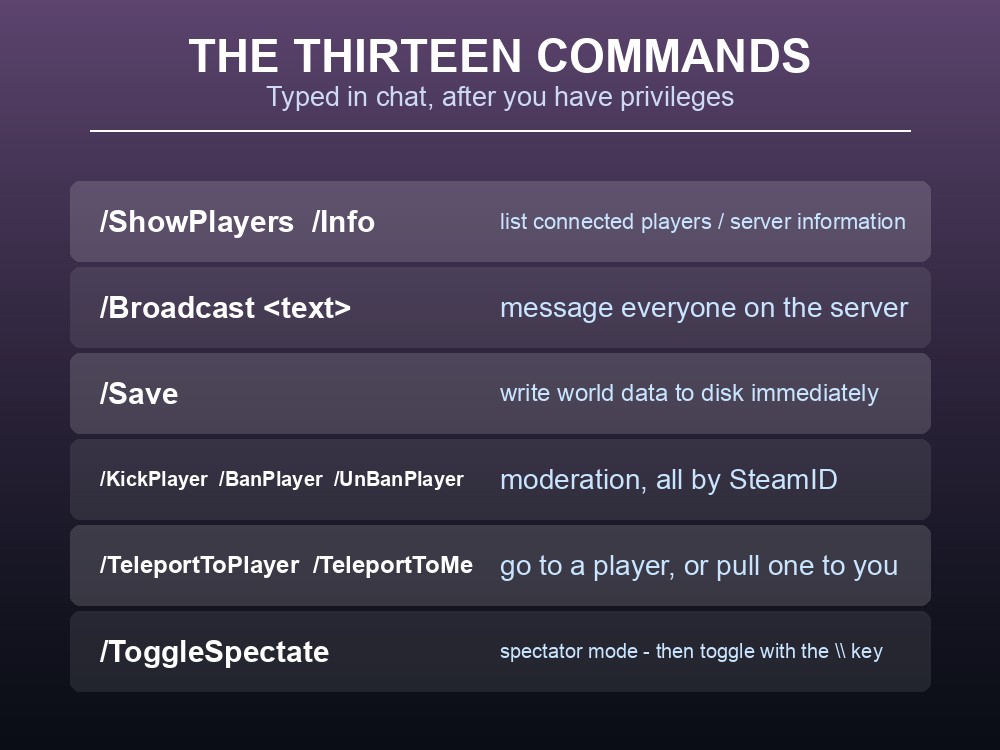
Press Enter and type the command into chat.
| Command | What it does |
|---|---|
/AdminPassword <password> | Obtain administrative privileges |
/ShowPlayers | Show information on all connected players |
/Info | Show server information |
/Broadcast <MessageText> | Send a message to everyone on the server |
/Save | Save the world data |
/KickPlayer <SteamID> | Kick a player |
/BanPlayer <SteamID> | Ban a player |
/UnBanPlayer <SteamID> | Unban a player |
/TeleportToPlayer <SteamID> | Teleport yourself to that player |
/TeleportToMe <SteamID> | Teleport that player to you |
/ToggleSpectate | Switch to spectator mode |
/Shutdown [Seconds] [MessageText] | Shut down after a delay, with a message |
/DoExit | Force stop the server immediately |
The two teleport commands are easy to mix up, and they do opposite things. /TeleportToPlayer moves you; /TeleportToMe moves them. On a support call the second is usually what you want — pulling a stuck player to somewhere safe rather than going to them.
/ToggleSpectate is the one nobody mentions. With admin privileges it drops you into spectator mode, and once you are in it you change view with the \ key. For moderating a report — checking whether someone is really griefing a base — it beats flying over in person, because you are not present in the world while you look.
Everything takes a SteamID, not a display name. Get them from /ShowPlayers first; there is no name-based form of these commands.
Getting Admin Is Two Steps
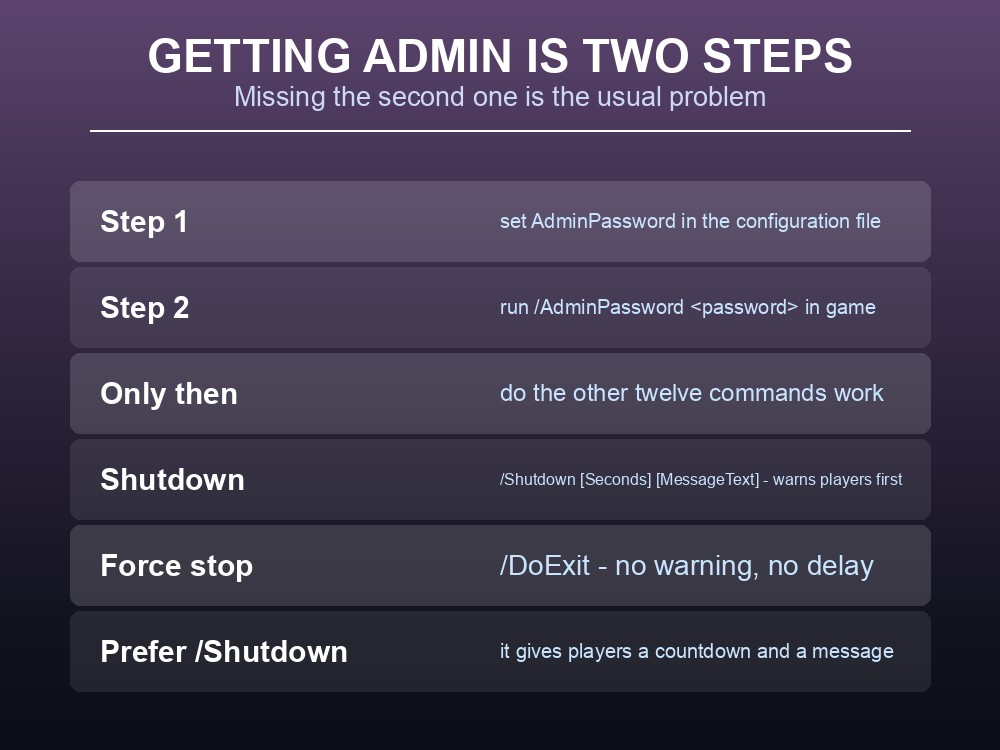
Step one: set AdminPassword in the configuration file. Without it, there is nothing to authenticate against, and the documentation is explicit that it "must be set in the configuration file beforehand in order to execute the command."
Step two: run /AdminPassword <password you set> in game. Setting the password in the config does not by itself make you an admin — you have to claim the privileges in your session, and you do it again after every reconnect.
That second step is where people get stuck. The symptom is that /ShowPlayers silently does nothing despite a correctly configured server, and the cause is almost always that nobody ran /AdminPassword this session.
On shutdowns, prefer /Shutdown over /DoExit. /Shutdown [Seconds] [MessageText] gives a countdown and shows your message to everyone connected — so people can get somewhere safe and stop what they are crafting. /DoExit force-stops immediately with no warning. Both are appropriate; only one of them is polite, and given that Palworld saves on a timer, the countdown also gives the world a chance to save cleanly. Pair it with /Save first if the session has been eventful.
DenyTechnologyList
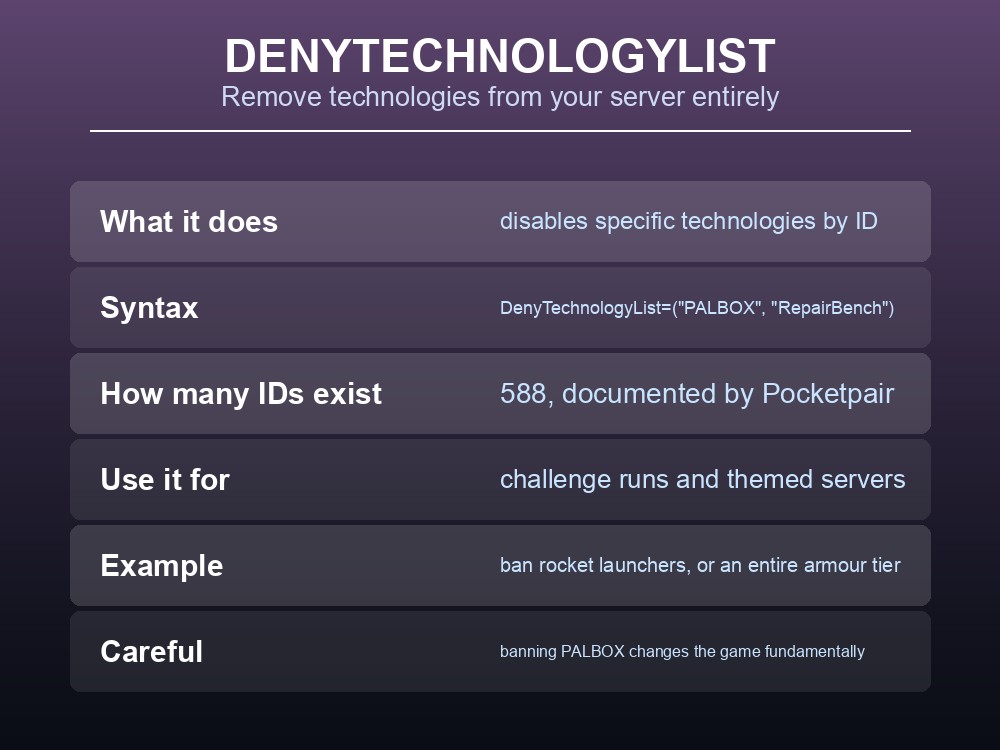
Buried in the configuration reference is a setting that does something no command can: DenyTechnologyList disables specific technologies for everyone on the server.
The syntax takes Technology IDs:
DenyTechnologyList=("PALBOX", "RepairBench")
Pocketpair document 588 Technology IDs for it — every craftable item, structure and piece of gear in the game, each with a stable identifier like Accessory_JumpCount_Increase1 (Double Jump Boots) or Accessory_AirDash3 (Triple Air Dash Boots).
This is the tool for a themed or challenge server, and it is far cleaner than asking players to observe a rule voluntarily:
- A no-firearms server — deny the gun technologies and leave bows and melee.
- A hardcore run — deny the higher armour tiers so everyone stays fragile.
- A mobility-free world — deny the jump and dash boots and the Air Walker line.
- A no-automation base — deny the assembly lines so everything is hand-crafted.
Two cautions before you use it. First, denying PALBOX changes the game fundamentally — the Palbox is how bases and Pal storage work at all, and the example in the docs is illustrative rather than a recommendation. Second, deny lists apply to everyone including you, so test on a throwaway world before applying one to a server people have invested in.
And it pairs badly with an existing save. Technologies a player already unlocked and structures already built are a different question from what the setting blocks going forward, so introduce a deny list at the start of a world rather than partway through.
Practical tips
- Two steps for admin: set
AdminPasswordin the config, then run/AdminPassword <pw>in game, every session./TeleportToMepulls a player to you;/TeleportToPlayersends you to them./ToggleSpectategives you spectator mode, and\changes the view once you are in it.- All moderation commands take SteamIDs — read them off
/ShowPlayers.- Use
/Shutdown [Seconds] [Message], not/DoExit, and run/Savefirst.DenyTechnologyListbans technologies outright across 588 documented IDs.
Running your own Palworld 1.0 server
Admin commands assume you can reach the config file to set AdminPassword in the first place, and a deny list assumes you can restart cleanly after editing it. A gamever Palworld server gives you the settings file directly with one-click restarts, so setting up admin access or trying a themed deny list is a two-minute job rather than an SSH session — and automatic backups mean a deny list you regret is a restore rather than a rebuild. Full crossplay and 24/7 uptime come as standard.
Conclusion
Palworld's thirteen admin commands cover moderation (/KickPlayer, /BanPlayer, /UnBanPlayer, all by SteamID), visibility (/ShowPlayers, /Info, /ToggleSpectate with \ to change view), communication (/Broadcast), world safety (/Save, /Shutdown [Seconds] [MessageText]) and two teleports that do opposite things — /TeleportToMe moves the player, /TeleportToPlayer moves you. Access is a two-step process: AdminPassword in the configuration file, then /AdminPassword <password> in game each session, and forgetting the second step is why commands appear to do nothing. Beyond the commands, DenyTechnologyList disables chosen technologies server-wide across 588 documented Technology IDs — the cleanest way to run a no-firearms, no-automation or hardcore server, provided you set it before the world has history.
Want the settings file and one-click restarts in one place? Rent a Palworld server at gamever.io — instant setup, one-click backups and updates, full crossplay and 24/7 uptime. Start with a free trial and use promo code WELCOME.