
Palworld Server Launch Arguments in 1.0 (and the Multithread Flags Worth Retesting)

Almost every Palworld server guide written since launch tells you to add -useperfthreads -NoAsyncLoadingThread -UseMultithreadForDS to your server's startup arguments. Pocketpair's own documentation now says something different: "In v1.0 and later, leaving this parameter unset may improve performance." That is a reversal of standard advice — and, as we will get to, the same documentation page still uses the flags in its own examples. Here is the full argument list, what changed, and how to settle it on your own server rather than on someone's word.
Every Documented Argument
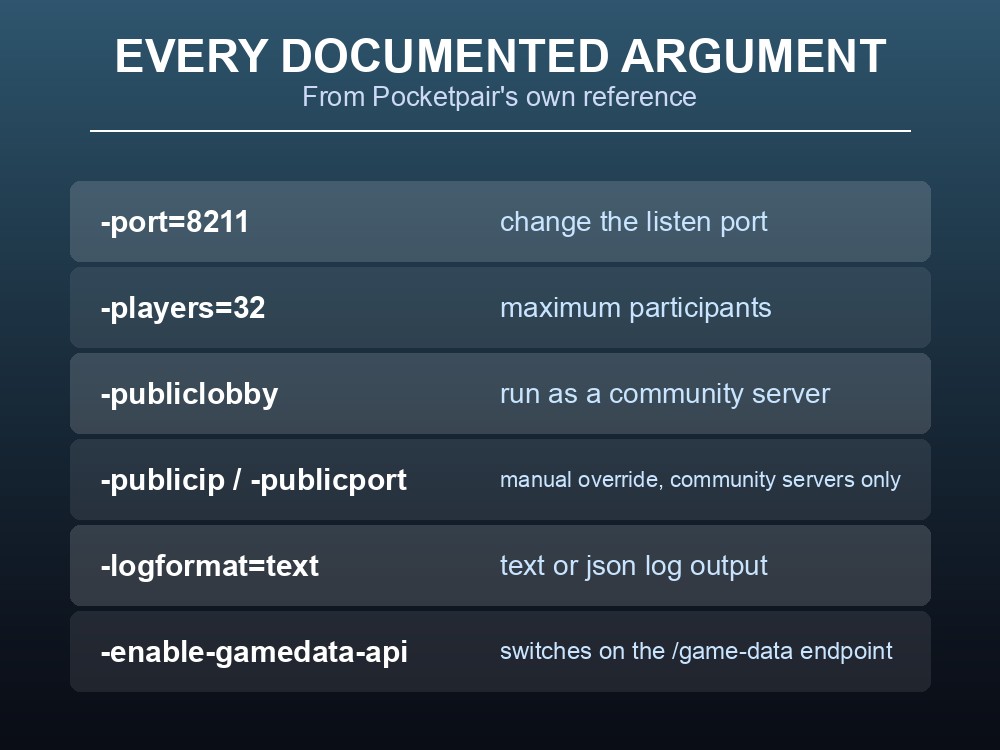
| Argument | What it does |
|---|---|
-port=8211 | Changes the port the server listens on |
-players=32 | Maximum participants on the server |
-useperfthreads -NoAsyncLoadingThread -UseMultithreadForDS | The multithread set — see below |
-NumberOfWorkerThreadsServer=X | Sets the process count. Only works alongside the multithread flags |
-publiclobby | Runs the server as a community server |
-publicip=x.x.x.x | Manually specify the global IP. Auto-detected if unset; community servers only |
-publicport=xxxx | Manually specify the public port. Does not change the listen port |
-logformat=text | Log output format — text or json |
-enable-gamedata-api | Enables the /game-data endpoint |
Two of these are easy to misread. -publicport does not change the port your server actually listens on — that is -port. It only changes what the server advertises, and only for community servers. And -publicip and -publicport both do nothing on a private dedicated server.
-logformat=json is worth knowing if you monitor anything. Structured logs are dramatically easier to ship into a log aggregator than parsing text, and it costs nothing to switch.
The Multithread Flags
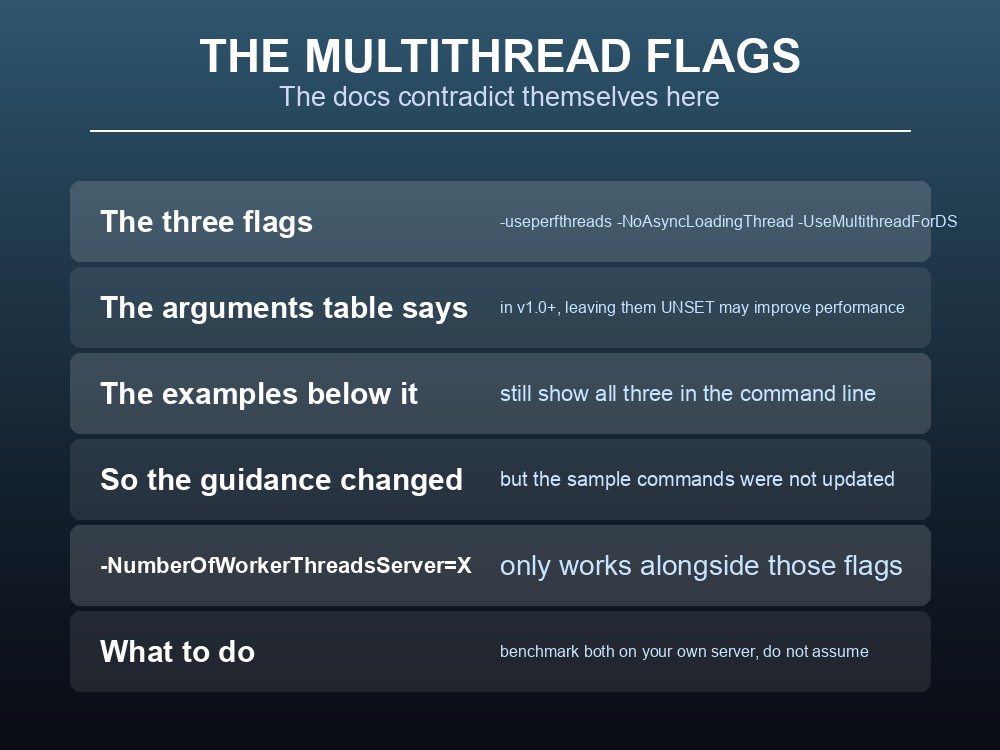
The three flags -useperfthreads, -NoAsyncLoadingThread and -UseMultithreadForDS have been standard advice since Palworld's early access launch. They still appear in most guides, most hosting panels and most forum answers.
The official arguments table now carries this note against them:
"In v1.0 and later, leaving this parameter unset may improve performance."
But the same page's example commands still include all three:
-useperfthreads -NoAsyncLoadingThread -UseMultithreadForDS
So the guidance was updated and the samples were not. That is worth stating plainly rather than pretending the documentation is unanimous — it is not, and anyone who scrolls past the table to copy the example gets the old behaviour.
Note also the wording: "may improve performance," not "will." Pocketpair are describing a change in the engine's threading between early access and 1.0, not issuing a blanket instruction.
And -NumberOfWorkerThreadsServer=X depends on them. The docs state it must be used "with improve multi-threaded CPU performance arguments" — so if you drop the three flags, that argument stops doing anything, and any worker-thread tuning you had goes with it.
The only honest answer is to measure it on your own server. Run a busy evening with the flags, then a busy evening without, and compare — which is exactly what the next section is for.
The /metrics Endpoint
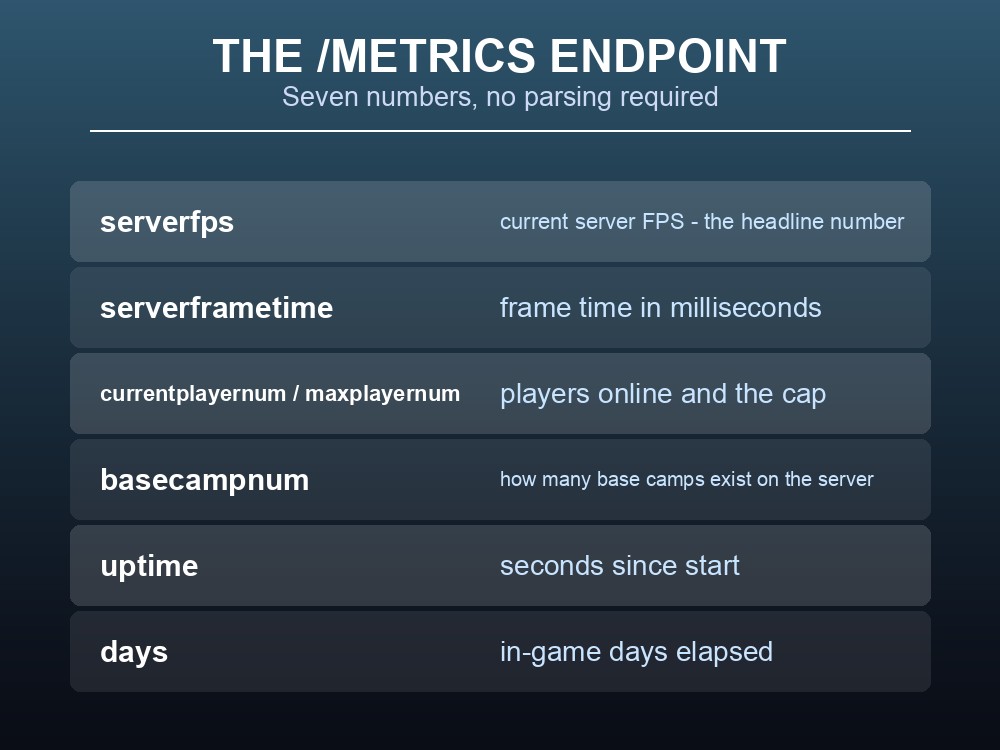
Palworld's REST API exposes GET /metrics, which returns exactly what you need to answer the question above:
| Field | Meaning |
|---|---|
serverfps | Current server FPS — the headline number |
serverframetime | Frame time in milliseconds |
currentplayernum | Players online right now |
maxplayernum | The configured cap |
basecampnum | How many base camps exist on the server |
uptime | Seconds since start |
days | In-game days elapsed |
The documented example response shows a healthy server: serverfps 57, serverframetime 16.7671 ms, with 10 of 32 players connected.
Frame time is the number to watch, not FPS. 16.77 ms is roughly 60 FPS; if frame time climbs while player count stays flat, something in the world got more expensive — which usually means bases. basecampnum in the same response is what tells you whether that is what happened.
This is how you settle the multithread question. Poll /metrics every minute across a busy evening with the flags on, restart without them, repeat, and compare serverframetime at similar player counts. That is a measurement rather than an argument.
There is a second, heavier endpoint. GET /game-data returns a world actor snapshot — a timestamp, instantaneous and average FPS, and an array of every Character and PalBox actor in the world with its InstanceID. It requires -enable-gamedata-api at launch. One parsing gotcha from the docs: its Time field is "YYYY-MM-DD HH:MM:SS" in server local time, not ISO 8601, so anything ingesting it needs to know the server's timezone.
Practical tips
- Pocketpair now say the multithread flags may be better left unset in v1.0+ — but their own examples still use them.
-NumberOfWorkerThreadsServer=Xonly works alongside those flags. Drop them and it stops applying.-publicportdoes not change the listen port —-portdoes.-logformat=jsonmakes logs far easier to monitor, and costs nothing.- Watch
serverframetime, notserverfps, and readbasecampnumalongside it./game-dataneeds-enable-gamedata-api, and its timestamps are not ISO 8601.
Running your own Palworld 1.0 server
Testing a launch argument means editing a startup command, restarting cleanly, and getting the old configuration back if it turns out worse — three things that are tedious over SSH and trivial on managed hosting. A gamever Palworld server gives you the startup arguments and settings file directly, with one-click restarts and automatic backups taken before changes, so benchmarking the multithread flags against your own serverframetime is an evening's work rather than a project. Full crossplay and 24/7 uptime come as standard.
Conclusion
Palworld's documented launch arguments cover ports, player caps, community-server networking, log format and the -enable-gamedata-api switch — but the one that matters most is the set everyone still recommends. Pocketpair's own reference now notes that in v1.0 and later, leaving -useperfthreads -NoAsyncLoadingThread -UseMultithreadForDS unset may improve performance, while the example commands on that same page still include all three. Treat that as a prompt to measure rather than an instruction to obey: poll GET /metrics across a busy evening and compare serverframetime — 16.77 ms is roughly 60 FPS — at matching player counts, with and without the flags. Remember that -NumberOfWorkerThreadsServer=X stops applying if you drop them, and that serverframetime rising while currentplayernum holds steady usually points at basecampnum.
Want to test a startup flag without an SSH session? Rent a Palworld server at gamever.io — instant setup, one-click backups and updates, full crossplay and 24/7 uptime. Start with a free trial and use promo code WELCOME.