
How to host Valheim server with Mistlands update

If you want to host a Valheim server with Mistlands update with a completely free trial for you and your friends - we highly recommend you to use Gamever.io!
To do so, you need to follow some easy steps (for shortness of this guide, we decided not to repeat on some steps):
1) Register and log into your account. If you have any issues - use THIS guide.
2) Click on "Game Servers" button (in the left column) and then choose "Valheim Mistlands BETA"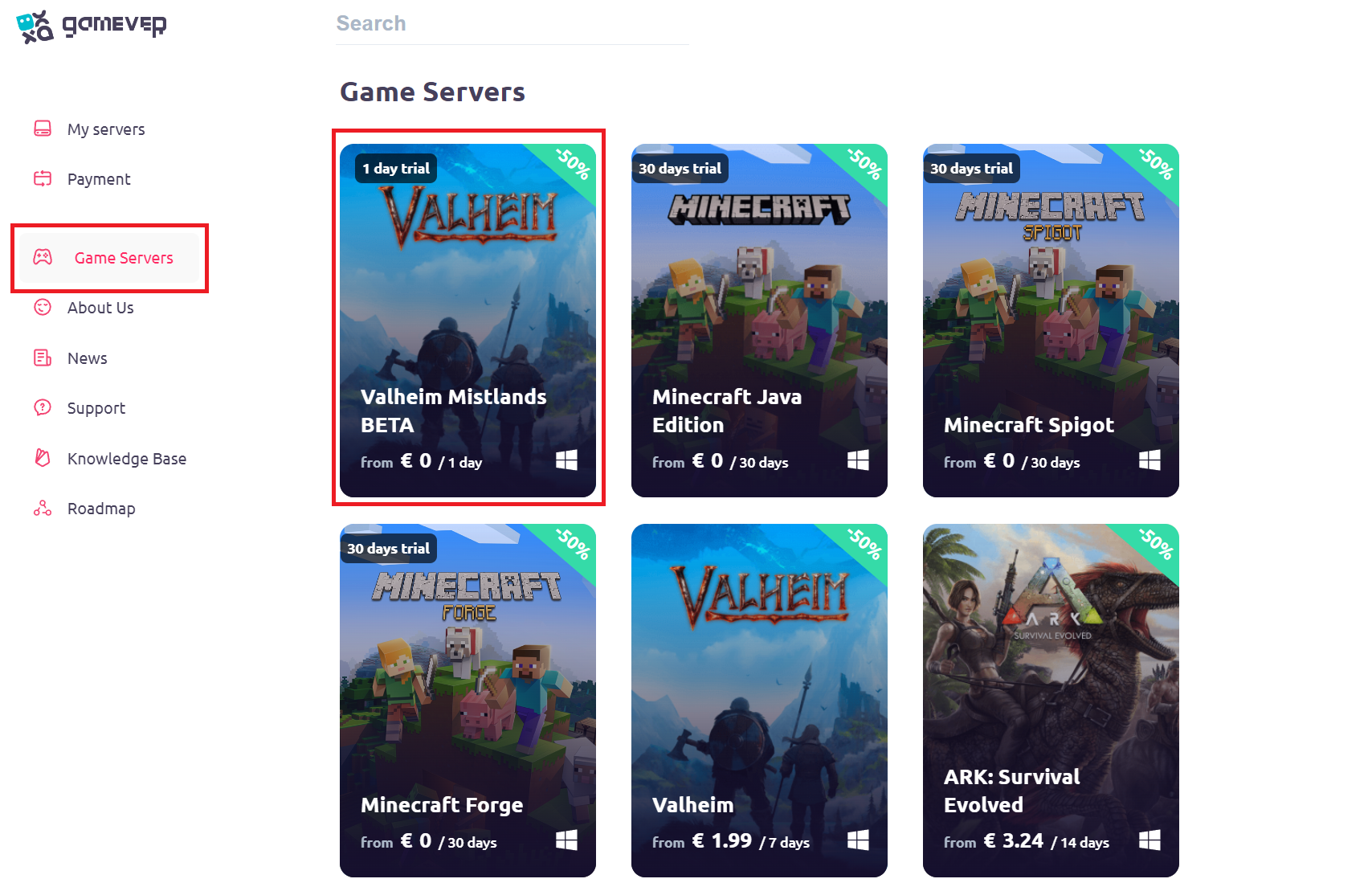
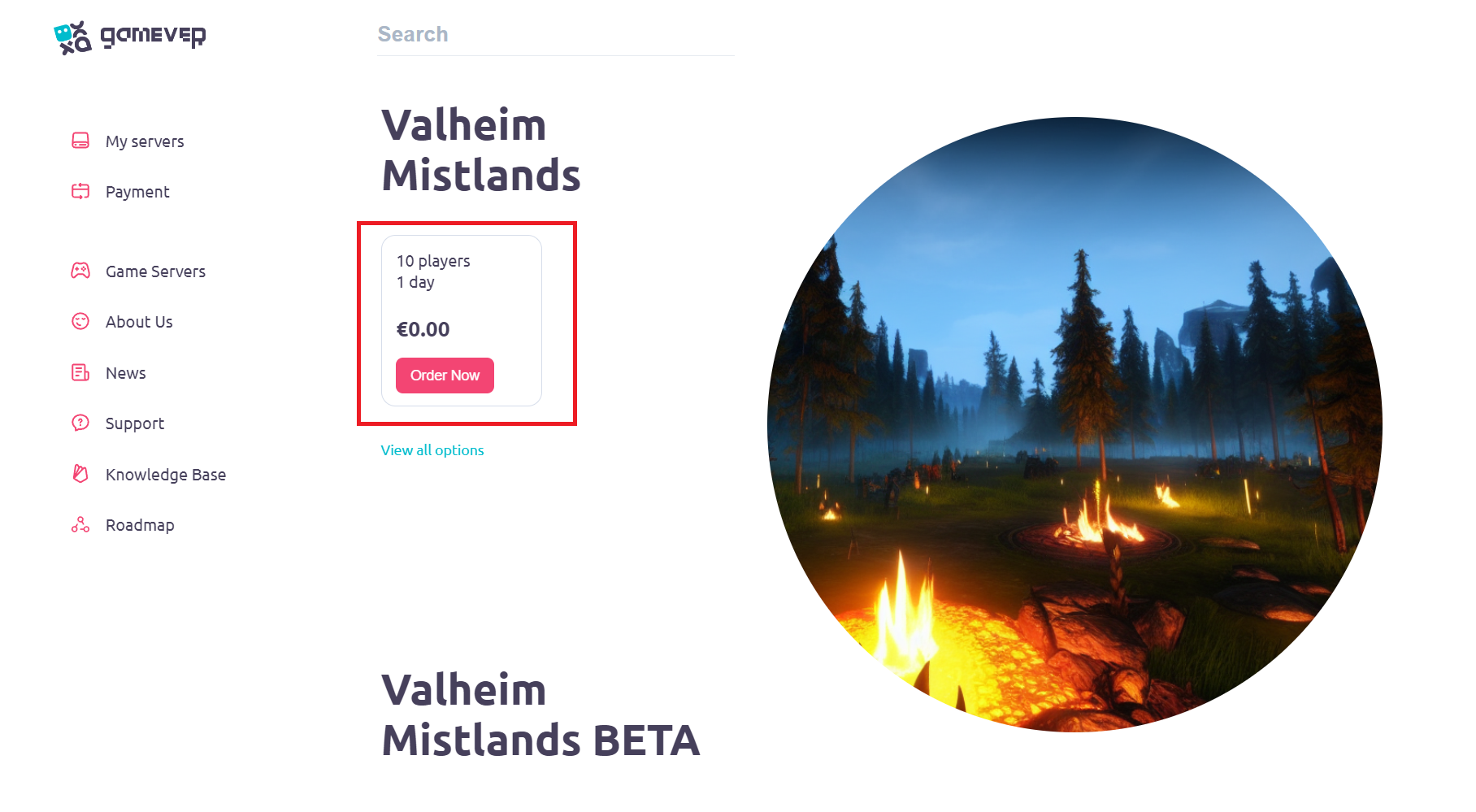
3) Click on "Order now" button.
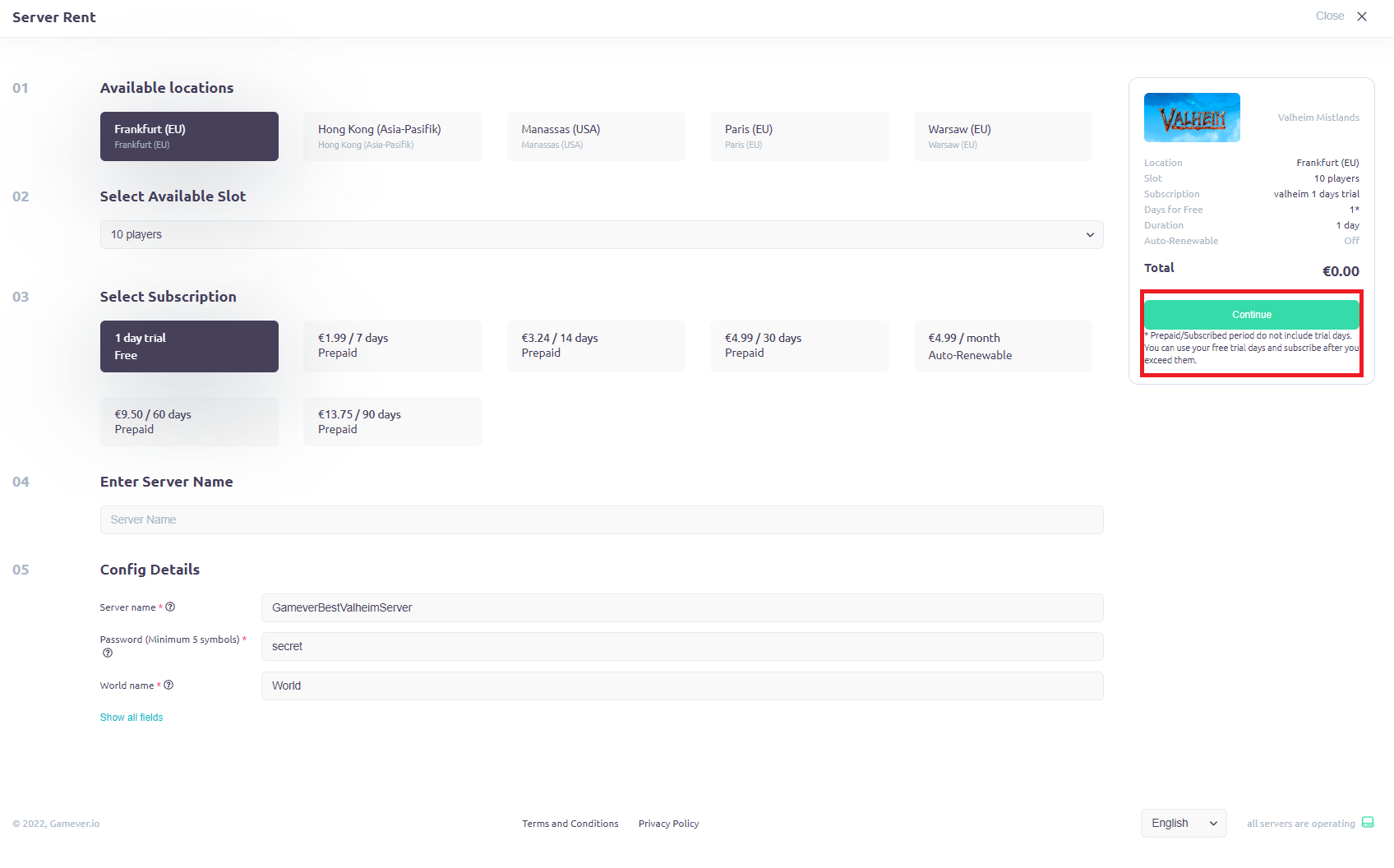
4) Choose all the settings of a server that suits you and press "Continue" in right upper corner.
5) By this point, your server should be starting! If you have problems finding it - we recommend you to use THIS guide.
PS
If you have any issues with installing Valheim Mistlands Update beta, here is a guide how to do so via Steam!