
Finding your server
Once the server is up and running and “my servers” webpage displays “on” status, you can use different ways to find and connect to your server.

Server status button – left upper corner
There are three ways of getting to your server. Either using the Steam server browser, adding the IP manually or using the in-game “Community” server list.
In-game
When in-game, click on “Join Game” and select “Community”. Wait for the game to load the list of all 4000+ servers. Only 200 servers will be shown at a time so we will have to enter part of our server name to filter the view.
Joining Directly via Hostname/IP
Valheim has since added the ”Join IP” button to the ”Join Game” tab. If you click the ”Join IP” button, you are prompted to enter your server's IP address and port number. Your IP address and port will be listed right next to your server status button. Or you can copy your server address directly from server data panel by clicking “Open server” button and then scrolling down until you see “Server info” panel. You can copy server address by simply clicking on small right button in the right upper corner (you could also do so, by finding same button on “My servers” webpage.
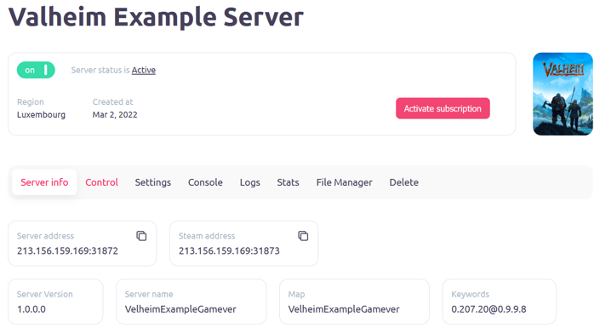
“Server info” panel
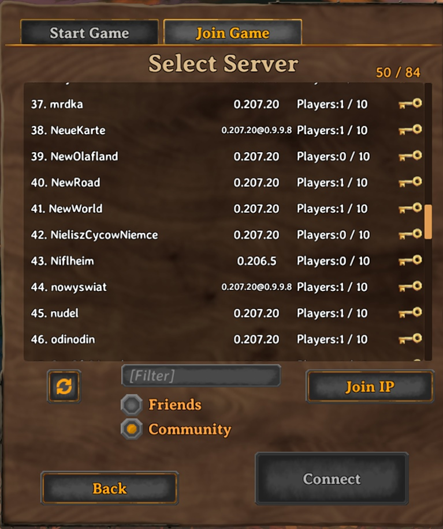
All active servers loaded ingame list
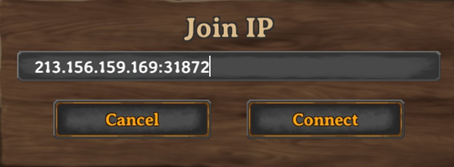
Enterning your server address right after pressing “Join IP” button
Steam Server Browser
When using the Steam server browser, in Steam go to View -> Servers. Click on “Change filters” and select Game “Valheim”. Wait for Steam to load all 4000+ Servers then sort the “Srevers” column by clicking on its title. Scroll down until you find your server. From there you can right-click it and add as a favourite.
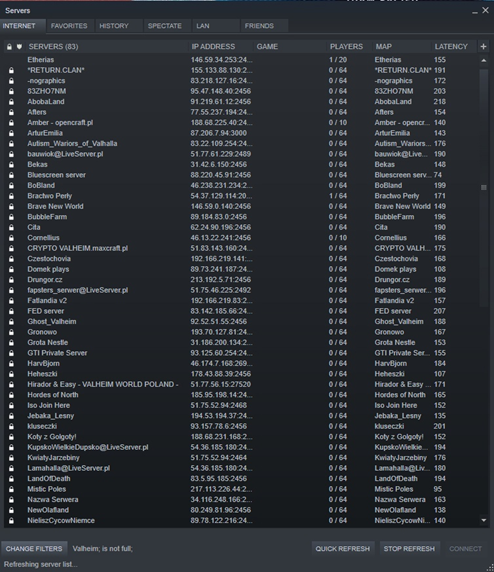
Steam Server Favorites & LAN Play
A third option within Steam is to add the server manually by IP. This also allows for LAN play without the need to open or forward any firewall ports.
Steps:
1. Within Steam click on “view” -> “servers”
2. Click on the “Favorites” button
3. Click on the “Add Server” button
4. Enter Server IP and port.
5. Click on the “Find games at this address” button
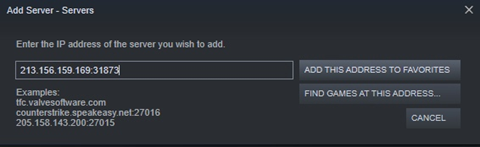
6. Click on the “Add this address to favorites” button
After successfully dealing with all steps listed, you should be able to connect to your Valheim server via steam “favorite” servers panel.
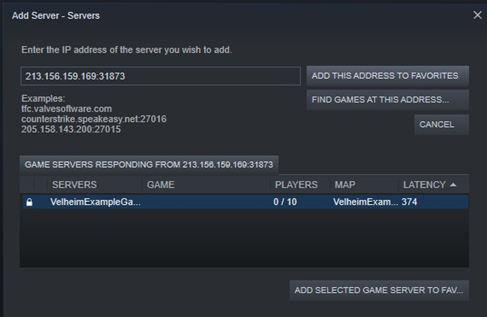
Favorite servers steam panel is now including our recently added server