
Valheim 1.0 Crossplay: PlayStation 5 and Switch 2 Join the Party
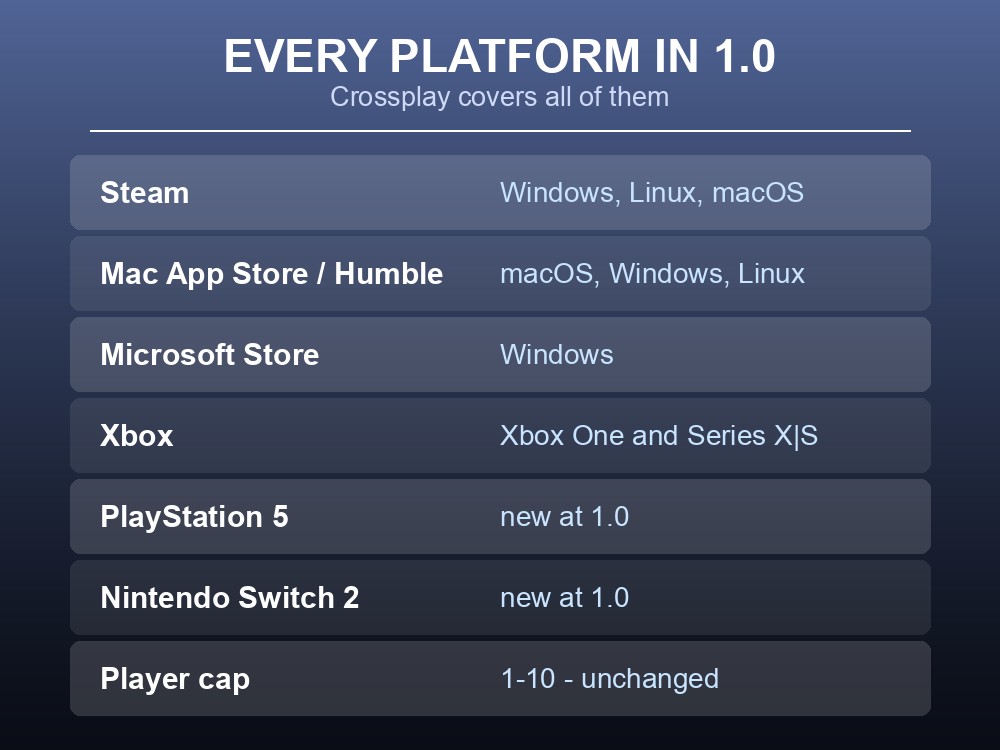
Valheim already had crossplay. What 1.0 changes on 9 September is who is invited: PlayStation 5 and Nintendo Switch 2 join the existing PC and Xbox line-up, and Iron Gate confirm "Valheim will support crossplay between all platforms." For anyone running a dedicated server that turns a nice-to-have into the main reason to have one — because a group spread across four console families and four PC storefronts has exactly one practical way to play together.
Every Platform in 1.0
| Where | Platforms | |
|---|---|---|
| Steam | Windows, Linux, macOS | |
| Mac App Store | macOS | |
| Humble Store | Windows, Linux, macOS | |
| Microsoft Store | Windows | |
| Xbox | Xbox One, Xbox Series X\ | S |
| PlayStation | PlayStation 5 — new at 1.0 | |
| Nintendo | Switch 2 — new at 1.0 |
Crossplay covers all of them. That is unusually complete — plenty of games with crossplay carve out a platform or a storefront, and Valheim does not.
The player cap does not change: 1.0 remains a game for 1 – 10 players. Crossplay widens who those ten can be, not how many.
What Crossplay Does Not Include
Here is the distinction that trips people up, and the FAQ is precise about it.
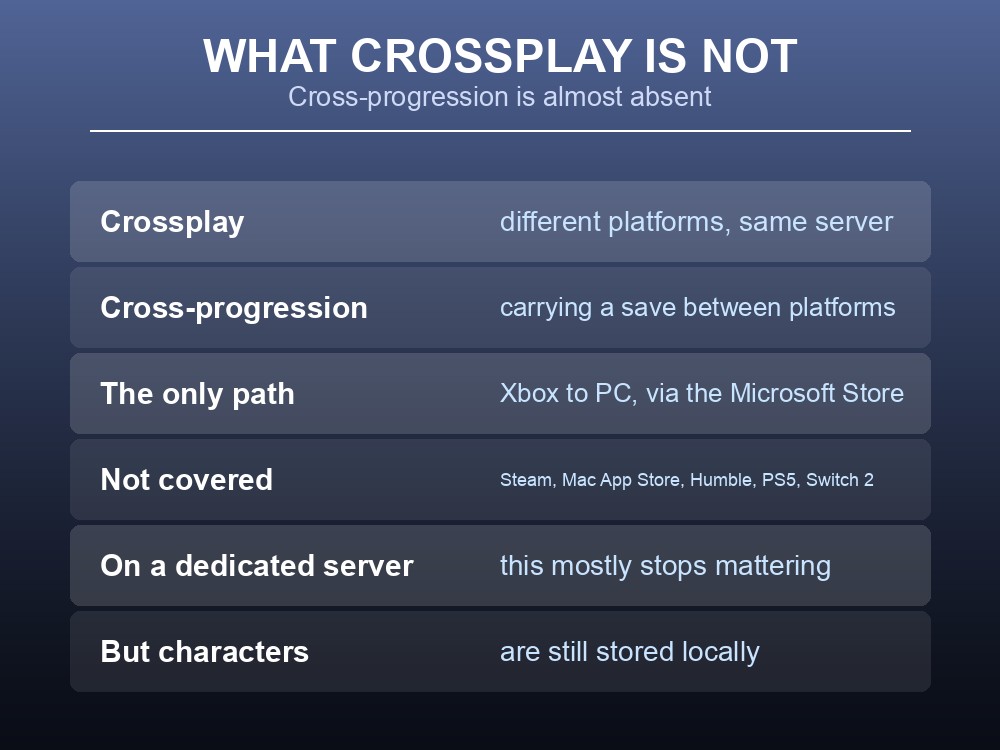
Crossplay means players on different platforms can join the same session or server. Cross-progression means carrying your character and world between platforms. Valheim has the first in full and the second barely at all:
"If you are playing on an Xbox, you will be able to access your saves from a PC, provided that you launch the game from the Microsoft store."
That is the only documented path. Xbox to PC, and only through the Microsoft Store version — not Steam, not the Mac App Store, not Humble. There is no PlayStation-to-PC sync, no Switch-to-anything sync, and no Steam-to-Xbox sync.
On a dedicated server this mostly stops mattering, and that is the point worth making. When the world lives on a server rather than on somebody's console, nobody is carrying a save anywhere — everyone connects to the same world from whatever hardware they own. The save-syncing gap is a single-player and local-hosting problem.
What each player does still need locally is their character. Valheim stores characters separately from worlds, so your Viking lives on your machine and the world lives on the server. Switch platforms and you leave the character behind even though the world is fine.
Why This Matters More on a Server
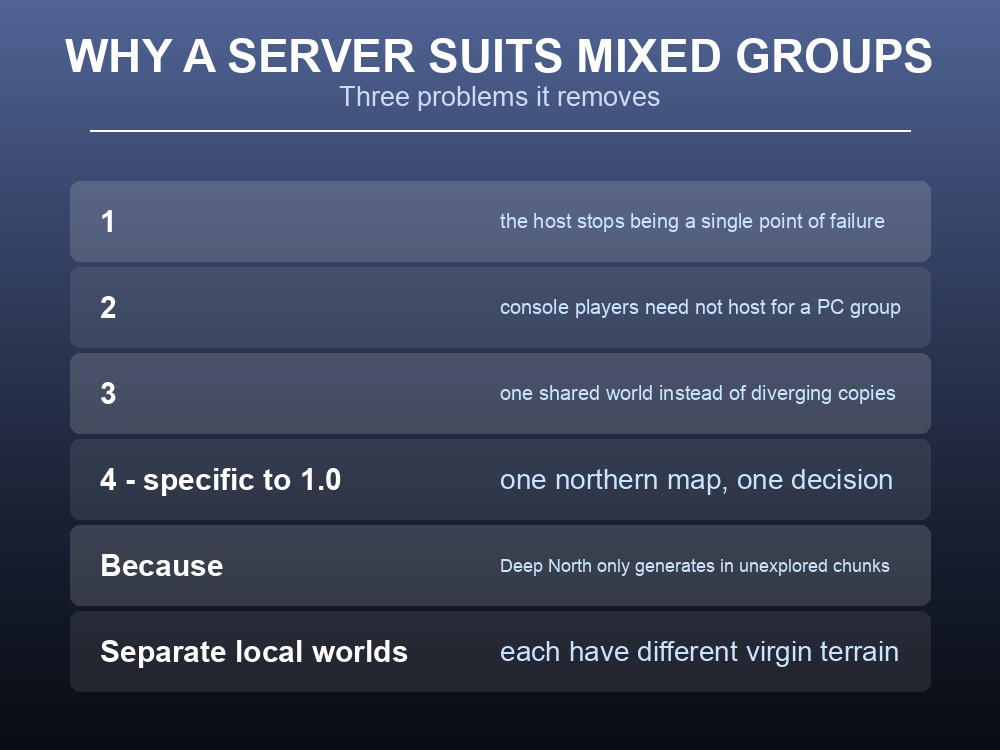
A mixed-platform group hits three problems that a dedicated server solves and a host-and-play session does not.
1. The host stops being a single point of failure. In a player-hosted session the world only exists while one specific person is online. Across time zones and four console families, that person becomes a scheduling bottleneck. A dedicated server is always the host.
2. Console players cannot host for a PC group comfortably. Hosting from a console ties the world to that machine and that person's play habits. Moving the world to a server puts everyone on equal footing.
3. Progress stops being uneven. With a persistent world, someone on a Switch 2 during a commute and someone on a PC at the weekend are playing the same world, not two divergent copies.
And there is a fourth, specific to 1.0. Since the Deep North only generates in unexplored chunks, a group scattered across separate local worlds will each have a different amount of virgin northern terrain. On one shared server there is one world, one northern map, and one decision to make about it rather than five.
Setting Up for a Mixed Group
Xbox players cannot host. Iron Gate are explicit: "you can't set up a dedicated server on an Xbox." Xbox players can join one when crossplay is enabled, but a console-heavy group has no self-hosting option at all — someone needs a desktop machine, or the group rents a server. On desktop, self-hosting runs through StartHeadlessServer.bat in the Server folder.
Join codes are the other route. Iron Gate describe it simply: a Join code is available from the pause menu, and friends on other platforms paste it under "Join Game" → "Add server." That works for a host-and-play session; a dedicated server is what removes the dependency on that host being online.
One thing to check before blaming the game: on Xbox, parental controls can block crossplay outright — "you might need to adjust your parental control settings."
And note the storefront split. Buying on the Microsoft Store grants both that version and Xbox, but Steam and Microsoft Store remain separate purchases — owning one does not unlock the other. Iron Gate confirm there are no functional differences, and "all versions of Valheim will continue to be updated at the same pace."
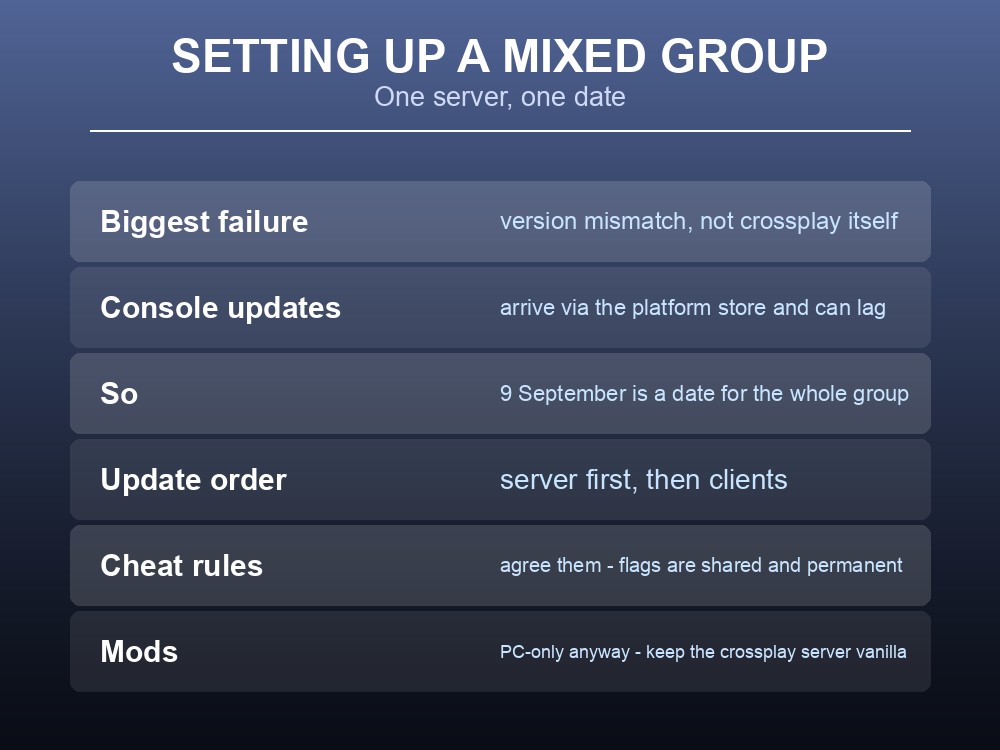
Get everyone on the same version on the same day. This is the most common crossplay failure and it has nothing to do with crossplay — it is a version mismatch. Console updates land through the platform store and can lag behind, so 9 September is a date everyone in the group needs, not just whoever runs the server.
Update the server before the clients, so the world is ready when people start connecting.
Agree the cheat rules before you start, because in 1.0 they are shared. Cheat usage permanently flags characters and worlds and blocks achievements — and spawned items are visibly marked and temporarily restrict any non-cheated player who picks one up. On a ten-person crossplay server, one person's console command reaches everyone.
Mods are a PC-only concern, and 1.0 may break them anyway. The FAQ states plainly that with no official mod support, "we cannot guarantee that any mods will be functional when 1.0 releases." On a mixed-platform server, mods were never an option for the console players regardless — which is a decent argument for keeping a crossplay server vanilla and running a separate modded one for the PC contingent.
One practical note on the download. Sizes vary by platform — 4.3 GiB on most, 3.0 GiB on Xbox One, 6.5 GiB on the Mac App Store and Microsoft Store — so tell the group to start downloading before your session rather than at the start of it.
Practical tips
- Crossplay covers every platform — Steam, Mac App Store, Humble, Microsoft Store, Xbox One, Series X|S, PS5, Switch 2.
- The cap stays at 1 – 10 players. Crossplay changes who, not how many.
- Cross-platform saves are Xbox↔PC via the Microsoft Store only — nothing else syncs.
- On a dedicated server the save gap barely matters — the world lives on the server.
- Characters are still local. Switching platform leaves your Viking behind.
- Xbox players cannot host a dedicated server — they can only join one.
- Parental controls can block crossplay on Xbox. Check there before blaming the server.
- Steam and Microsoft Store are separate purchases; Microsoft Store includes Xbox.
- Everyone updates on 9 September — version mismatch is the usual crossplay "bug".
- Keep a crossplay server vanilla; run mods on a separate PC-only one.
Running your own Valheim 1.0 server
Crossplay across eight storefronts is exactly the situation dedicated hosting exists for: no host to wait for, no console tied to the world, and one shared map instead of five diverging ones. A gamever Valheim server supports the full 1.0 crossplay roster, stays online around the clock so a group across several time zones plays the same world, and applies the 9 September update automatically with a one-click backup taken first. Standing up a second vanilla or modded server beside it takes minutes.
Conclusion
Valheim 1.0 adds PlayStation 5 and Nintendo Switch 2 to a line-up that already spans Steam, the Mac App Store, Humble, the Microsoft Store and both Xbox generations — with crossplay between all of them and the player cap unchanged at 1 – 10. The limitation to understand is that cross-platform saves are Xbox to PC via the Microsoft Store and nothing else, though on a dedicated server that gap largely disappears because the world lives on the server rather than on any player's machine. For a mixed group the server also removes the host bottleneck, keeps everyone on one northern map — which matters when the Deep North only generates in unexplored chunks — and sidesteps the mod question entirely by staying vanilla.
Want your whole group on one world regardless of platform? Rent a Valheim server at gamever.io — instant setup, one-click backups and updates, full crossplay and 24/7 uptime. Start with a free trial and use promo code WELCOME.