
The Owner ID in Dragonwilds: The One Value Without Which Your Server Will Not Start
A Dragonwilds dedicated server has four mandatory configuration values, and one of them is absolute: the server will not start without your Owner ID. It is not a name, not a password, and not something you invent — it is your RuneScape: Dragonwilds Player ID, and it is printed at the bottom of the in-game Settings menu.
Get it wrong and the server does not boot. Get it right and you are the one account that can unban people.
The Four Mandatory Values
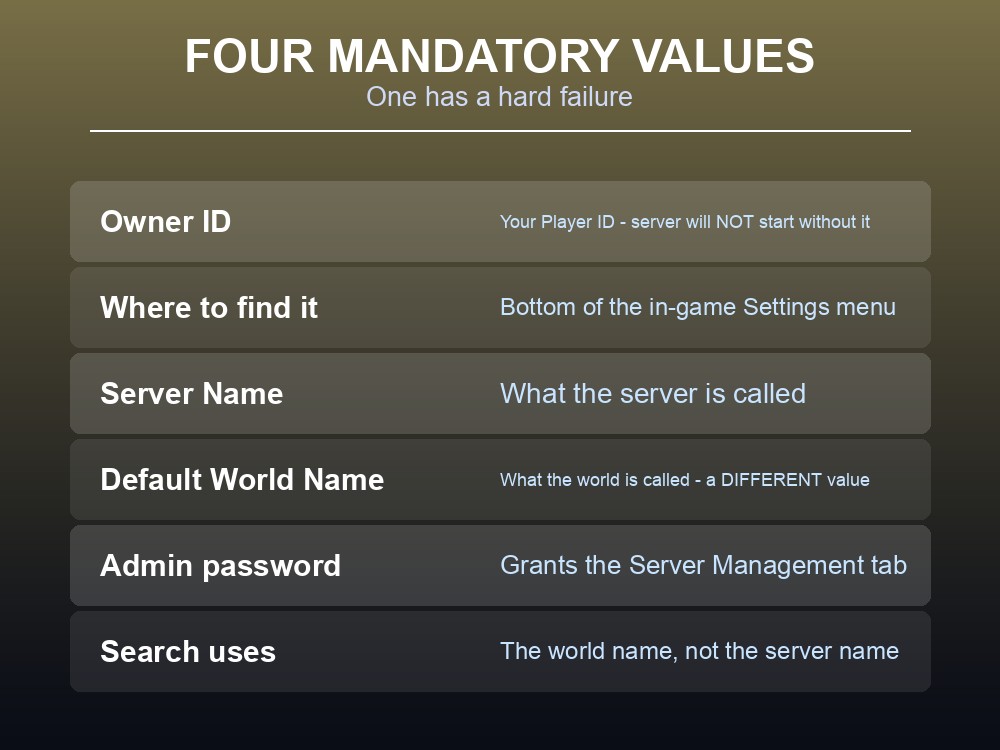
| Value | What it is |
|---|---|
| Owner ID | Your Dragonwilds Player ID — found at the bottom of the in-game Settings menu. The server will not start without it. |
| Server Name | The name of your server, whatever world it happens to be running |
| Default World Name | The name given to the world the server creates on first startup |
| Admin password | Grants access to the Server Management tab |
The Owner ID is the only one with a hard failure attached. A missing server name is untidy; a missing Owner ID is a server that never comes up.
Server Name and World Name are different things, and confusing them is the most common reason a working server cannot be found — the search screen wants the world name, not the server name.
The admin password is not the owner. It grants a lesser role, covered in our server roles guide.
Where the Values Live
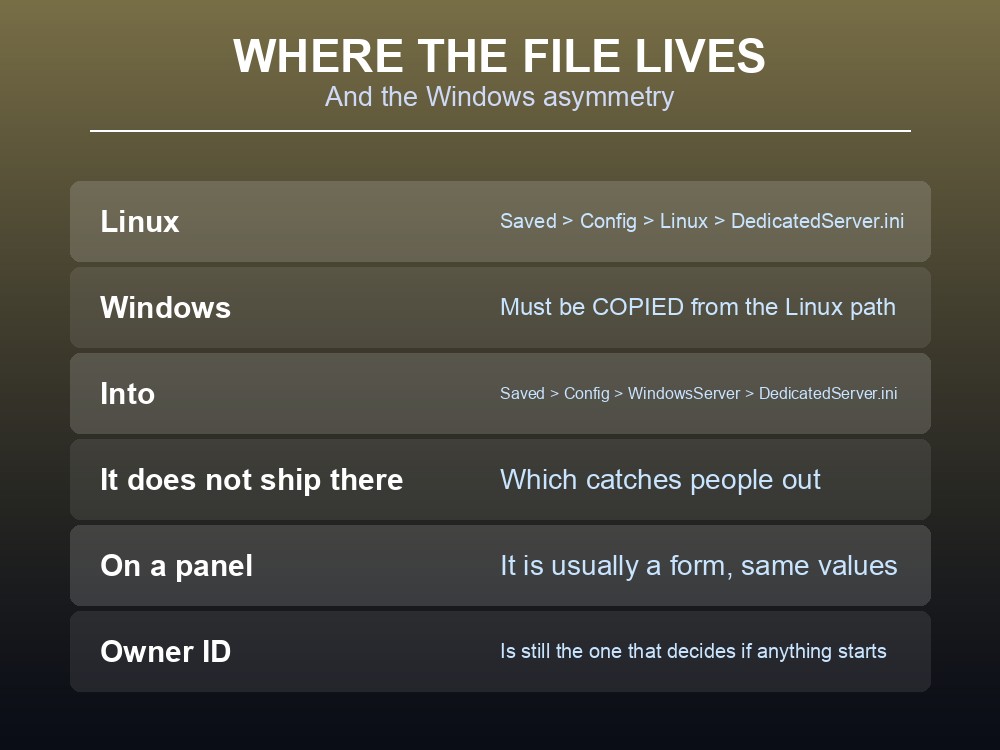
On Linux, the configuration file sits at:
Files > RSDragonwilds > Saved > Config > Linux > DedicatedServer.ini
On Windows there is a wrinkle worth knowing: the file has to be copied from the Linux path and created at:
Files > RSDragonwilds > Saved > Config > WindowsServer > DedicatedServer.ini
That asymmetry catches people out. A Windows server does not ship the file in the place you would expect it; you take the Linux one and put it where Windows looks.
On a hosted panel this is usually a form rather than a file — the values are the same either way, and the Owner ID is still the one that decides whether anything starts.
The Rule That Silently Discards Your Work
The wiki lists this under Known issues, and it is the single most expensive thing to learn by accident:
Changing
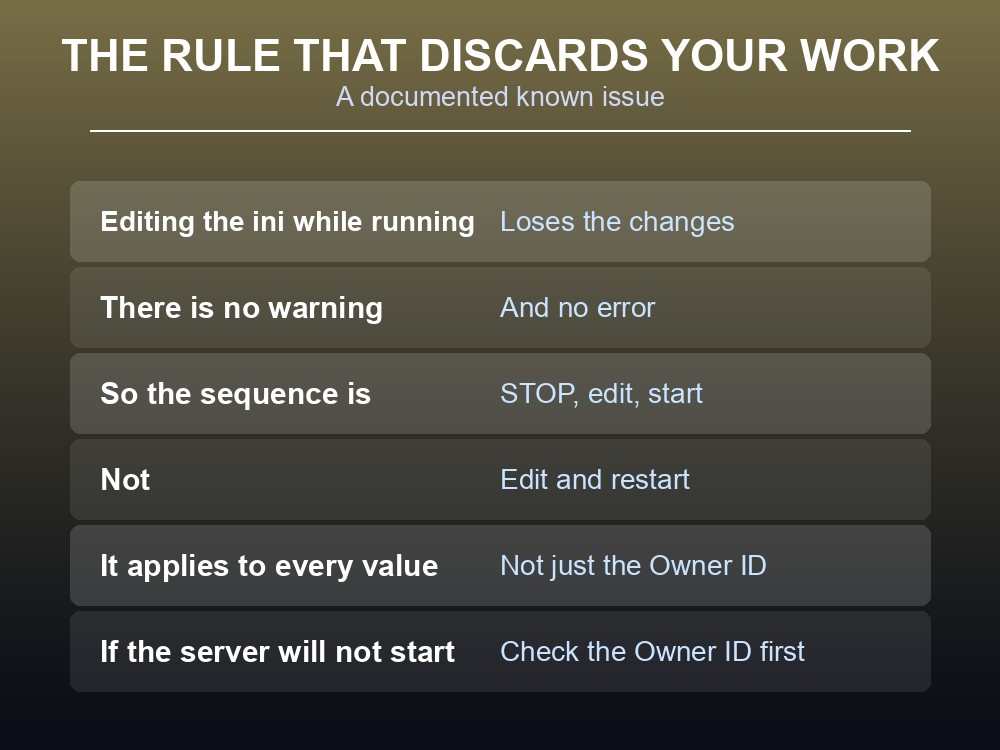
dedicatedserver.inivalues while the server is running will result in those changes being lost.
There is no warning and no error. You edit the file, you save it, the server keeps running on the old values, and your edit is gone the next time the file is written.
So the sequence is always: stop, edit, start. Not edit-and-restart — stop first.
This applies to every value, not just the Owner ID. Server name, world name and admin password all vanish the same way.
On a panel, "save and restart" is not the same as "stop, save, start." If your host offers both, use the second.
Getting Your Player ID
- Open the in-game Settings menu and scroll to the bottom. Your Player ID is printed there.
- Copy it exactly. It is an identifier, not a display name, and a typo produces a server that will not start rather than a server that starts wrongly.
- It is per account, not per character, so it does not change when you make a new character.
- Only one Owner ID exists per server. Ownership is not a list — it is one Player ID, and it is what the ban system checks against.
- Write it down somewhere outside the game. You will need it again the next time you move hosts or rebuild a server.
If the server refuses to start and nothing in the log looks obviously wrong, check the Owner ID before anything else. It is the documented cause.
Running your own Dragonwilds server
Four config values, one of which stops the server outright, is exactly the kind of thing worth having in a panel rather than a text file. A gamever Dragonwilds server keeps Ashenfall persistent with automatic updates and one-click backups.
Conclusion
A Dragonwilds dedicated server needs four mandatory configuration values — Owner ID, Server Name, Default World Name and Admin password — and only one of them has a hard failure attached: the server will not start without the Owner ID. That value is your Dragonwilds Player ID, printed at the bottom of the in-game Settings menu, and it is what the ban system checks to decide who can unban. The file lives at Files > RSDragonwilds > Saved > Config > Linux > DedicatedServer.ini, and on Windows it must be copied from the Linux path into a WindowsServer folder that does not ship with it. And the rule that costs people the most time is a documented known issue: changing dedicatedserver.ini while the server is running discards the changes silently, so the sequence is always stop, edit, start — never edit and restart.
Want the config in a panel instead of a text file? Rent a RuneScape: Dragonwilds server at gamever.io — instant setup, one-click backups and updates, and 24/7 uptime. Start with a free trial and use promo code WELCOME.