
The Three Dragonwilds Server Roles, and Why Admins Cannot Unban
Dragonwilds divides everyone on a dedicated server into three roles, and the interesting part is not who can ban — it is who can unban. An Admin can ban an online player but cannot reverse it. Only the Owner can unban, and only the Owner can act on somebody who is offline.
That asymmetry is a design decision, and it changes how you should hand out the admin password.
The Three Roles
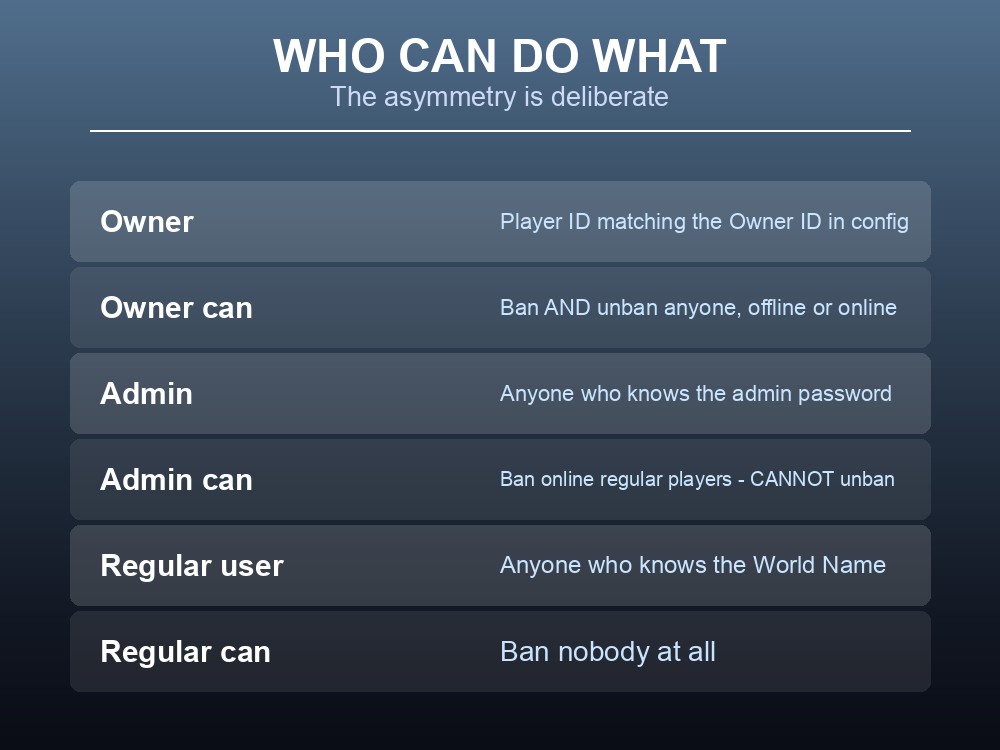
| Role | How you get it | What it can do |
|---|---|---|
| Owner | Player ID matching the Owner ID set in config | Ban and unban anyone, whether they are offline or online |
| Admin | Knowing the admin password | Ban regular players who are online. Cannot unban. |
| Regular user | Knowing the World Name | Cannot ban or unban anyone, including admins and the owner |
There is exactly one Owner, defined by the Owner ID in the config file — not a list, not a group.
Admin is a password, not an account. Anyone who enters the admin password becomes an admin, and the wiki is explicit that they "will be considered as Admins until the Admin Password is changed again."
A regular user is anyone with the World Name. Access to the server is knowledge of the world name; there is no whitelist layer above it.
The Three Limits on Admin Power
Admins cannot unban. Whatever an admin does is permanent until the Owner reverses it — so a mistaken ban during a heated moment needs the Owner to be around.
Admins cannot ban offline players. They can only act on someone who is currently connected, which means the classic "ban them before they log back in" is an Owner-only action.
Admins cannot ban other admins or the Owner. The permission list is explicit that regular users are the only target.
Together those three make Admin a moderation role rather than an administration one. It is enough to remove a disruptive player mid-session and not enough to reshape the server.
How to Grant It Safely
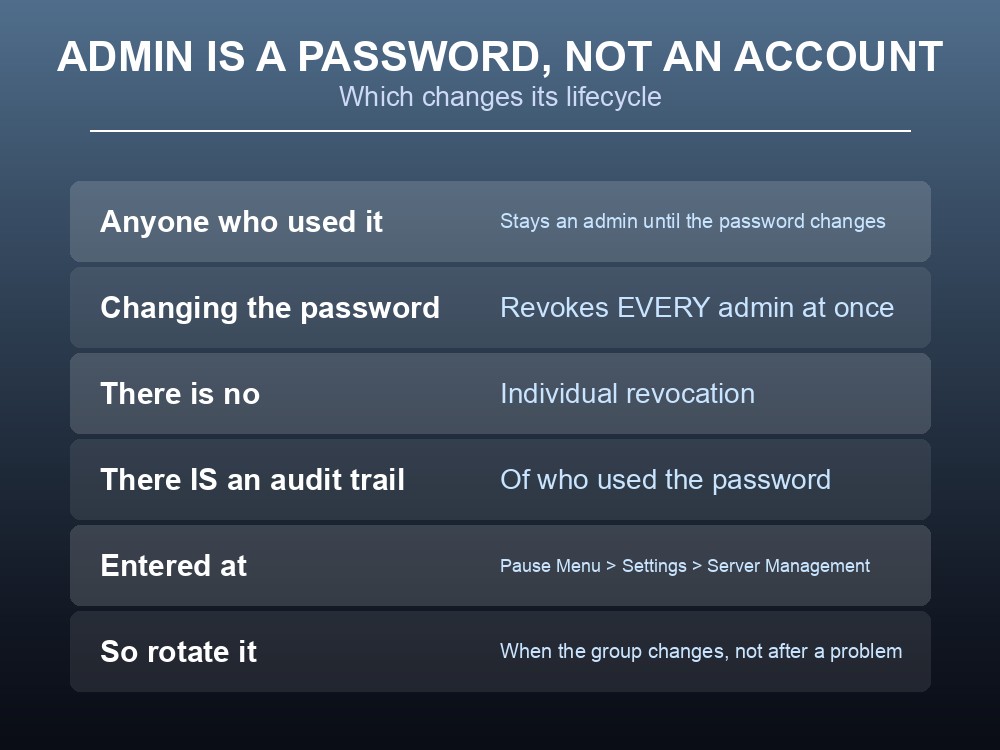
Because admin status comes from a password rather than an account list, its lifecycle is unusual:
- Anyone who has ever used the password stays an admin until the password is changed.
- Changing the password revokes every admin at once. There is no way to remove one person's access individually.
- There is an audit trail. The wiki notes you can see the list of people who used the Admin Password to reach the Server Management screen — so "who banned that player" is answerable.
- The password is entered at Pause Menu > Settings > Server Management, in game.
Rotate the password when your group changes, not when something goes wrong. Since revocation is all-or-nothing, the only maintenance model that works is periodic rotation and re-sharing with whoever should still have it.
Do not put the admin password in the same place as the world name. The world name is how people join; the admin password is how people moderate. Sharing them together makes every player an admin.
Practical Guidance for a Group
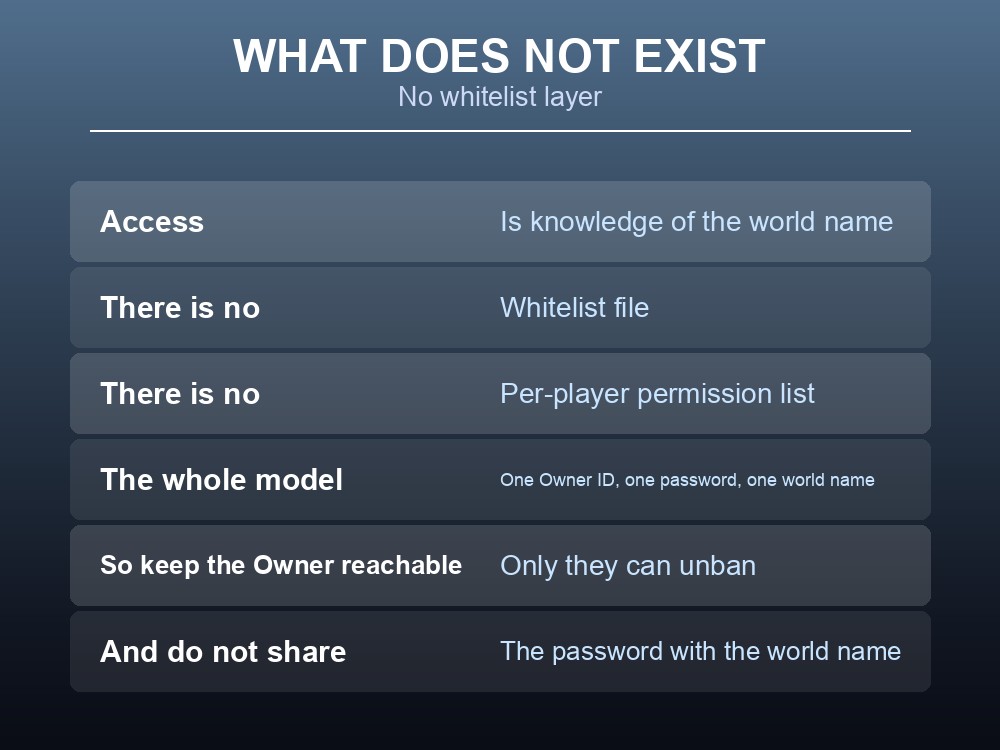
- Keep the Owner account available. Only the Owner can unban, so a group whose owner plays rarely will accumulate bans nobody can reverse.
- Give the admin password to one or two people, for the specific job of removing a disruptive player mid-session.
- Tell admins what they cannot do — unban, act on offline players, or touch each other — before they need to find out.
- Rotate the password after anyone leaves the group, because there is no individual revocation.
- Remember the config rule. The admin password lives in
dedicatedserver.ini, and editing that file while the server is running discards the change — stop the server first.
And note what does not exist here. Dragonwilds has no whitelist file and no per-player permission list; the whole model is one Owner ID, one shared password, and a world name.
Running your own Dragonwilds server
A moderation model built on one owner and a shared password works best when the server is up and the owner is reachable. A gamever Dragonwilds server keeps Ashenfall persistent with automatic updates and one-click backups.
Conclusion
Dragonwilds splits a dedicated server into three roles, and the permissions are deliberately asymmetric. The Owner — the account whose Player ID matches the Owner ID in config — can ban and unban anyone, online or offline. An Admin, which is anyone who has entered the admin password, can ban online regular players only and cannot unban at all. A regular user is anyone who knows the World Name and can ban nobody. Because admin status is a password rather than an account, everyone who has used it stays an admin until the password is changed, and changing it revokes every admin simultaneously — so rotation, not individual removal, is the only maintenance model available. There is an audit trail of who used the password, the Owner is a single Player ID rather than a group, and there is no whitelist layer: knowing the world name is access.
Want the config in a panel instead of a text file? Rent a RuneScape: Dragonwilds server at gamever.io — instant setup, one-click backups and updates, and 24/7 uptime. Start with a free trial and use promo code WELCOME.