
Player-Built Storage in Dragonwilds: 12 to 64 Slots, and the Checkbox That Lets You Craft From Them
Dragonwilds' player-built general storage — as opposed to the world chests you loot — runs from a 12-slot Personal Chest to a 64-slot Iron chest, and the ladder unlocks almost entirely by picking things up rather than by levelling. But the most useful thing in the whole system is not a container at all — it is the "Linked" checkbox, which lets you craft from a container up to 12 metres away without the materials being in your inventory.
The Five General Containers
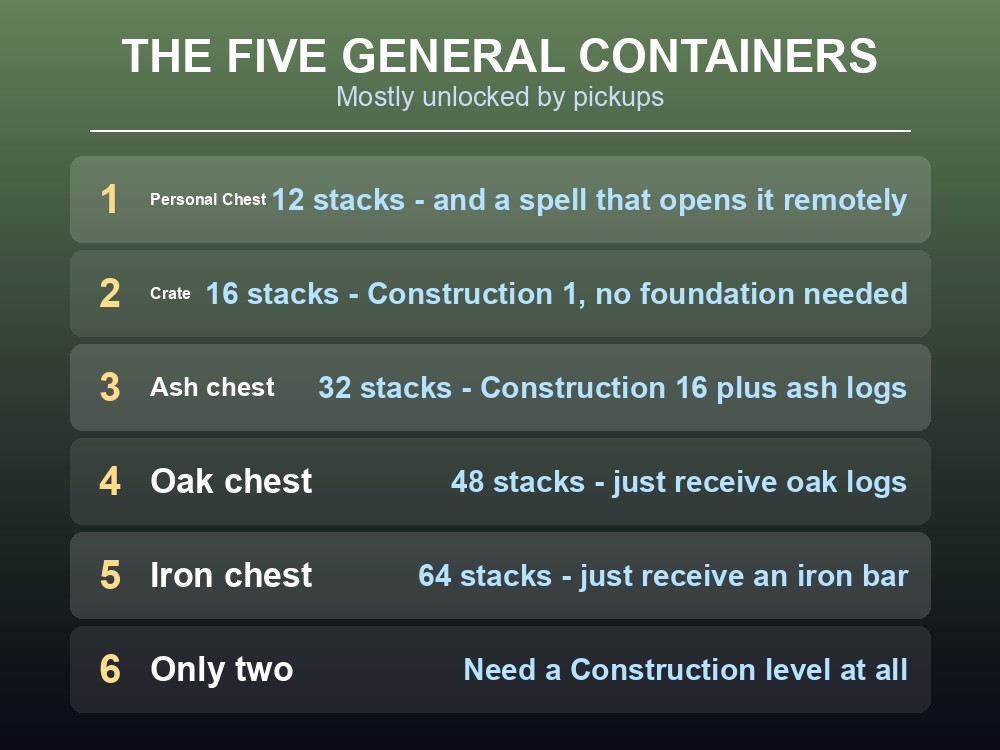
| Container | Capacity | How you unlock it |
|---|---|---|
| Personal Chest | 12 item stacks | Has a spell of the same name that opens it remotely |
| Crate | 16 item stacks | Construction level 1 |
| Ash chest | 32 item stacks | Construction 16, and receiving ash logs |
| Oak chest | 48 item stacks | Receiving oak logs for the first time |
| Iron chest | 64 item stacks | Receiving an iron bar for the first time |
The capacity ladder doubles twice and then adds a third: 16 → 32 → 48 → 64, in even steps of 16 after the first jump.
Only two of the five need a Construction level. The Crate needs level 1 and the Ash chest needs 16; Oak and Iron chests unlock simply by holding the material, which means they arrive when your smelting does rather than when your building does.
The Crate has no placement restrictions at all. It is a tier 1 constructed object that does not require a foundation and can be built indoors or outdoors — the only container in the list with that freedom.
The Personal Chest is the odd one. At 12 slots it is the smallest, but it has a spell of the same name that opens its contents from elsewhere, which makes it a portable bank rather than a storage container.
The Linked Checkbox
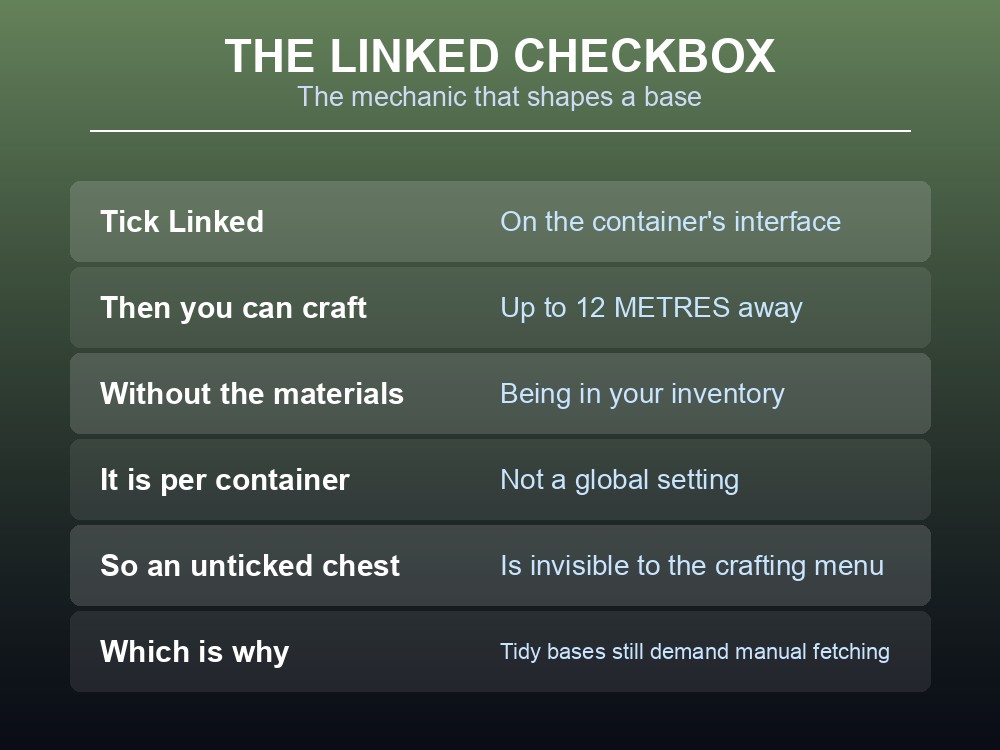
This is the mechanic that changes how a base is laid out:
To craft or process an item without having the required items in their inventory, players must have the required items in their crate and check the "Linked" checkbox in the crate interface. This will allow players to craft up to 12 metres away from the crate.
Twelve metres is the whole design constraint of a Dragonwilds workshop. Every station you want to craft at should be inside a 12-metre radius of the chests holding its materials.
It has to be enabled per container. Linked is a checkbox in the interface, not a global setting — a chest you have not ticked is a chest the crafting menu cannot see.
Which means the classic base mistake is a tidy one: sorting materials into chests around the perimeter, none of them ticked, and wondering why every craft still demands a manual fetch.
Tick everything you craft from. There is no published downside, and the alternative is carrying materials by hand.
Where the Ladder Actually Bites
- Crate at Construction 1 is enough for a first camp, and its lack of a foundation requirement makes it the right thing to drop at a temporary outpost.
- Ash chest at Construction 16 doubles you to 32, and it is the first container that needs a genuine level rather than a pickup.
- Oak chest at 48 arrives with your first oak logs — which, since oak needs a bronze axe, tracks your smithing progress.
- Iron chest at 64 arrives with your first iron bar, the same event that unlocks a great deal else.
- Personal Chest is worth building for the spell rather than the 12 slots.
Locking is a separate system. Chests can be set to private per container by whoever built them, which our storage and gear-theft guide covers in full — and Personal Chests can be both linked and private at once.
Note what is not in this list: a bank. Dragonwilds has no shared storage across bases; every chest is a physical object in one place, which is why the Linked radius matters so much.
Laying Out a Base Around 12 Metres
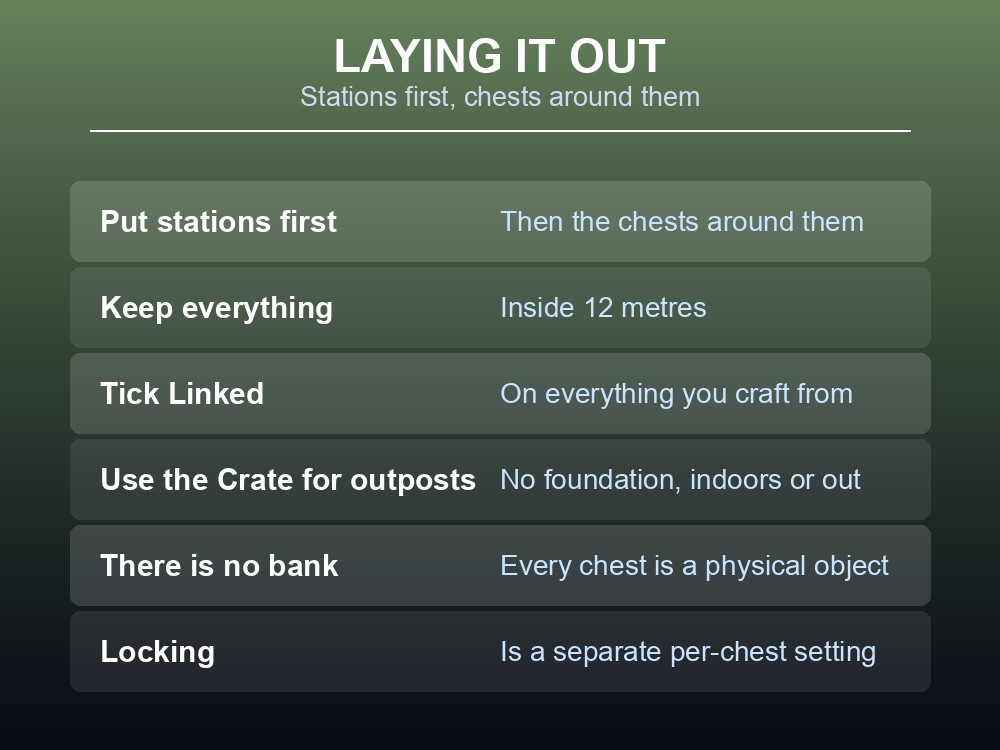
- Put the crafting stations first, then the chests around them — not the other way round.
- Keep everything inside 12 metres of the stations you actually use.
- Tick "Linked" on every container you intend to craft from.
- Use the Crate for outposts. No foundation, no roof requirement, buildable anywhere from Construction 1.
- Upgrade by pickup, not by plan. Oak and Iron chests unlock the moment the material reaches your inventory, so the ladder climbs itself.
- Remember the specialist containers exist, and hold far more of their own category — lumber, ore, fish and gear each have a dedicated storage.
One practical note for groups. Since chests are physical and there is no bank, a shared base wants its Linked chests clustered tightly and its personal storage kept separate — otherwise every craft becomes a negotiation over who moved what.
Running your own Dragonwilds server
A base laid out around a 12-metre crafting radius is an investment in a world that has to persist. A gamever Dragonwilds server keeps Ashenfall persistent with automatic updates and one-click backups.
Conclusion
Dragonwilds' general storage runs Personal Chest 12, Crate 16, Ash chest 32, Oak chest 48 and Iron chest 64 item stacks — a ladder that climbs in even steps of 16 after the first jump, and which mostly unlocks by picking up a material rather than by levelling: only the Crate (Construction 1) and the Ash chest (Construction 16) need a level at all, while Oak and Iron chests arrive with your first oak logs and first iron bar. The Crate is the flexible one, needing no foundation and working indoors or outdoors; the Personal Chest is the smallest but has a spell of the same name that opens it remotely. The mechanic that matters most is the "Linked" checkbox: ticking it on a container lets you craft up to 12 metres away without holding the materials — which makes 12 metres the design radius of every workshop, and an unticked chest the most common reason crafting still demands a manual fetch.
Want storage that is still there next session? Rent a RuneScape: Dragonwilds server at gamever.io — instant setup, one-click backups and updates, and 24/7 uptime. Start with a free trial and use promo code WELCOME.