
Storage in Dragonwilds & How to Stop Players Taking Your Gear
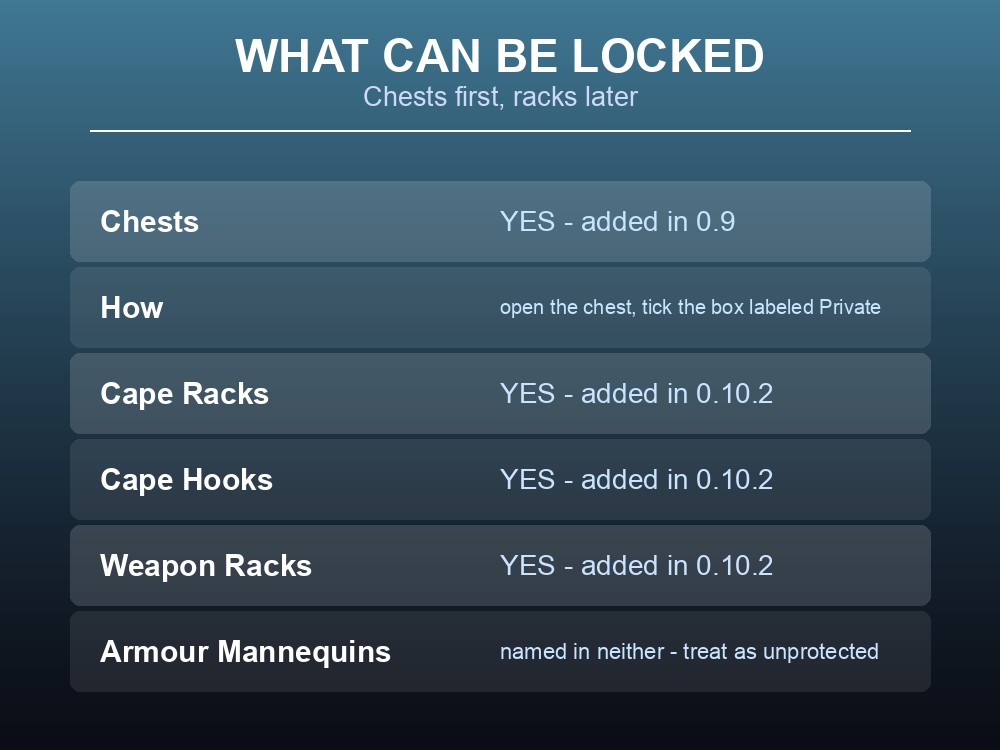
Shared bases in RuneScape: Dragonwilds have an obvious problem: everything on display is also within reach. Jagex have addressed it in two stages — Chest Privacy arrived in 0.9, and 0.10.2 extended locking to Cape Racks, Cape Hooks and Weapon Racks "so that other players cannot steal gear." Here is what that covers, what it does not, and how the rest of the storage system works after its overhaul.
Locking Your Storage and Display Gear
| Furniture | Can be set Private | Since |
|---|---|---|
| Chests | Yes | 0.9 |
| Cape Racks | Yes | 0.10.2 |
| Cape Hooks | Yes | 0.10.2 |
| Weapon Racks | Yes | 0.10.2 |
Chests came first, and the method is simple. Jagex's 0.9 notes: "Chest Privacy: Chests can now be locked by the owner. Just open the chest and check the box labeled Private."
So a locked chest is genuinely private, and it is a per-chest setting owned by whoever built it — not a server-wide toggle. A related fix confirms the same applies to Personal Chests, which can be linked and set to private.
This solves a specific, real problem. Racks and hooks exist to display your best gear — a Fishing Trophy from a Pristine Fish, Agility Gold Medals, a skillcape earned at level 99, a weapon you spent a full crafting chain on. Displaying them meant leaving them reachable.
Jagex's wording is direct: these "can now all be set to Private and locked so that other players cannot steal gear."
Worth doing before you invite anyone, not after. A rack set up during a solo session and forgotten about is still open when six people arrive.
One caveat about mannequins. Armour mannequins have their own quirk, documented around the skillcape changes: a cape left on a mannequin stays there while you swap armours, and can be dragged back to your inventory — but if your skill has fallen below 99 you will not be able to equip it again. That is a level rule rather than a theft rule, but it means a mannequin is not a safe place to park something you might want back.
A known display bug, so you do not think you have misplaced something: Ava's Attractor "can be placed on Cape Racks, Hooks and Mannequins but currently sits further from the decoration than desired." It is a positioning issue, not a lost item.
The Chest Overhaul
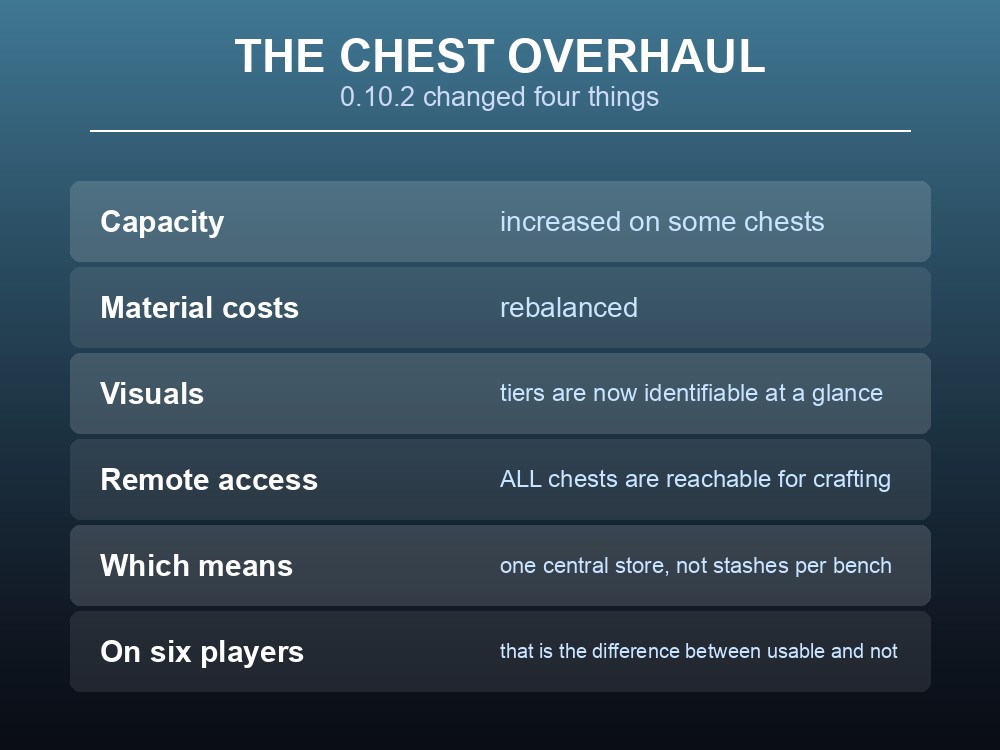
0.10.2 reworked chests on four fronts:
| Change | Effect |
|---|---|
| Increased storage capacity | On some chests |
| Rebalanced material costs | Cheaper or more sensibly priced to build |
| Visual update | "To make their progression a little more identifiable" |
| Remote access for crafting | "All chests will now be remotely accessed for crafting" |
Remote crafting access is the change that reshapes a base. If crafting stations can pull from any chest, you no longer need materials sitting next to the bench that uses them — which means storage can be centralised rather than scattered by purpose.
On a six-player server that matters more than it does solo. Six people each maintaining their own material stash near their own preferred bench is how a shared base becomes unusable. With remote access, one storage room serves everyone and every station.
The visual progression update is a small quality-of-life win worth knowing about: chests now look different by tier, so you can tell at a glance which is which rather than opening each one.
What Is Not Protected
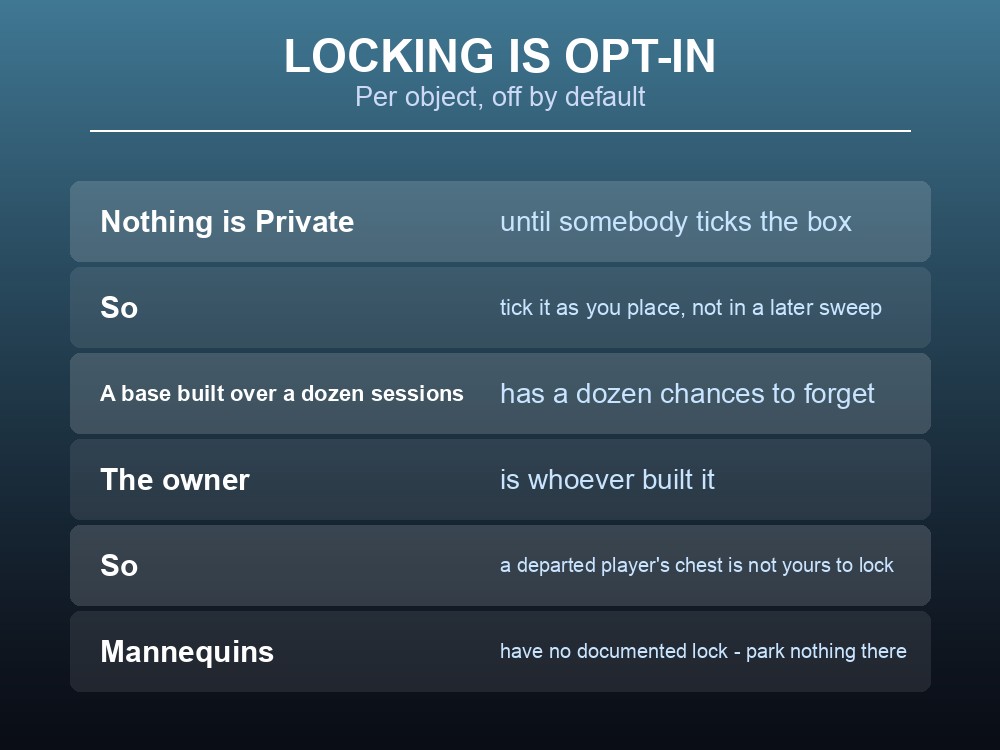
The gap is not what can be locked — it is what you remember to lock. Chests, Cape Racks, Cape Hooks and Weapon Racks all support Private. Armour Mannequins are not named in either announcement, so do not assume they behave the same way.
And locking is opt-in per object. Nothing is Private until someone ticks the box, which means a base built across a dozen sessions will have a dozen chances to forget one.
So plan your server's trust model accordingly:
- Tick Private as you place each chest and rack, not in a sweep afterwards.
- Do not park anything you care about on a mannequin — it is the one display object with no documented lock.
- Remember the owner is whoever built it, so a chest built by a departed player is not yours to lock.
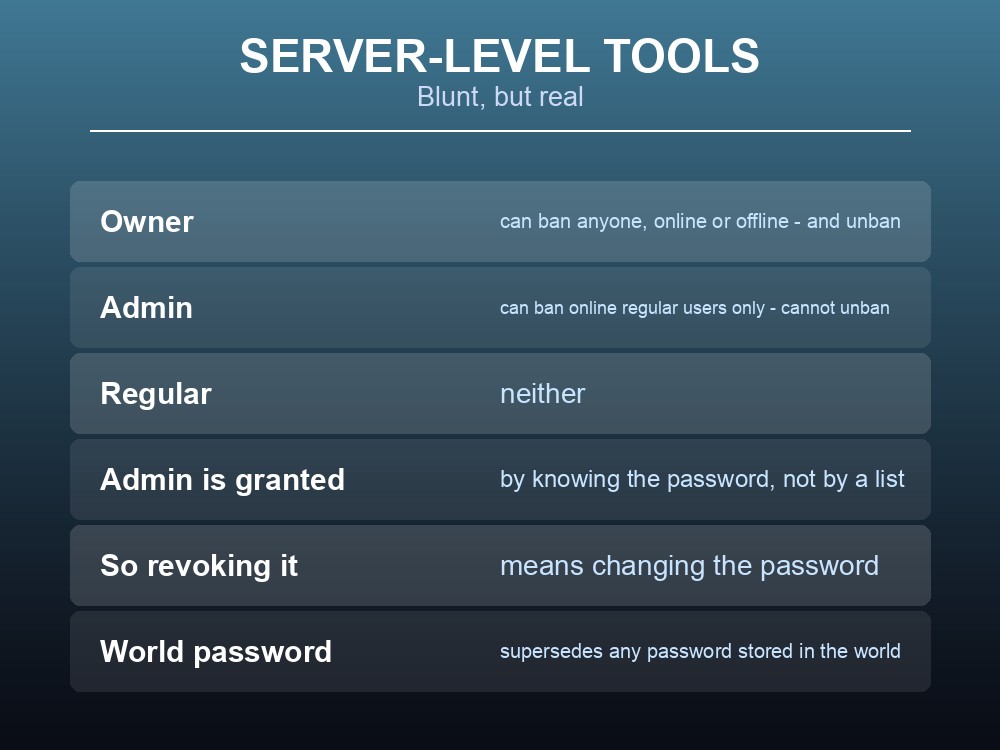
The server-level tools are blunt but real. Dragonwilds splits users into Owner, Admin and regular:
| Role | Can ban | Can unban |
|---|---|---|
| Owner | Anyone, online or offline | Yes |
| Admin | Online regular users only | No |
| Regular | No | No |
Only the Owner can unban, and Admin is granted by knowing the password rather than by a list — so changing the admin password is the only way to revoke it. The list of everyone who has used that password is written into DedicatedServer.ini, which makes an audit a file read.
A world password is the other lever. It is an optional config value and "will supersede any password stored in the world" — leave it empty and anyone can join.
Building a Storage Room
With remote crafting access, the efficient layout changed. A workable plan for a shared base:
- One central storage room rather than stashes by each bench — remote access means the benches reach it anyway.
- The four crafting benches grouped: Armour, Blacksmith, Fletching and Mystic Forge. The chains cross between them — crossbow limbs are forged at the Blacksmith Bench and the crossbow assembled at the Fletching Bench — so distance between them costs real time.
- Beds placed where people work, not in one bedroom. Proximity to a bed reduces Hunger, Thirst and Fatigue drain, and that only reaches whoever is near it.
- Chairs by the benches, since sitting reduces all three meters and you spend real time waiting on crafts.
- A Grill indoors — same processing as a campfire, no fuel cost.
- Racks and hooks set to Private as you build them.
One thing to remember when rebuilding: if your base predates the crafting bench split, your old Fletching Bench and Smithing Anvil were destroyed on login when Umbral Sands released, with the resources dropped on the floor where they stood.
Practical tips
- Chests can be locked — open the chest and tick the box labeled Private. Added in 0.9.
- Cape Racks, Cape Hooks and Weapon Racks can be set to Private too, since 0.10.2.
- Do it before you invite people, not after — locking is opt-in per object.
- All chests are remotely accessible for crafting — centralise storage instead of scattering it.
- Chest tiers are visually distinct now, so you can tell them apart at a glance.
- Armour Mannequins are not named as lockable. Treat them as unprotected.
- Only the Owner can unban. Admin is granted by password and revoked by changing it.
- A mannequin will hold a skillcape, but you cannot re-equip it below level 99.
Running your own RuneScape: Dragonwilds server
Trust management is easier when the server itself is under your control: the Owner role belongs to whoever holds the config, the admin password can be rotated in a restart, and a bad session can be rolled back rather than argued about. A gamever Dragonwilds server gives you one-click backups for exactly that, keeps the world online around the clock for up to six players, and updates itself so client and server versions never drift out of sync.
Conclusion
Dragonwilds addressed shared-base gear theft in two stages: 0.9 added Chest Privacy — "Chests can now be locked by the owner. Just open the chest and check the box labeled Private" — and 0.10.2 extended the same lock to Cape Racks, Cape Hooks and Weapon Racks, "so that other players cannot steal gear." Armour Mannequins are named in neither, so treat them as unprotected. Locking is opt-in per object, so tick Private as you build rather than in a later sweep. The 0.10.2 update also overhauled storage: some chests gained capacity, material costs were rebalanced, tiers became visually distinguishable, and — most importantly — all chests became remotely accessible for crafting, which means a shared base should centralise storage rather than scatter stashes by bench. Beyond furniture, your tools are the Owner / Admin / regular split, where only the Owner can unban and admin is revoked by changing the password, plus an optional world password that supersedes the world's own.
Want backups you can roll back to after a bad session? Rent a Dragonwilds server at gamever.io — instant setup, one-click backups and updates, and 24/7 uptime. Start with a free trial and use promo code WELCOME.