
How to wipe your Ark Survival Evolved server
To wipe your Ark: Survival Evolved server you need to delete all your current map data. To do so, you need to follow these steps:
1) Log into your Gamever profile.
2) Open “My servers” tab.

3) Click “Open Server” button.
4) Turn OFF your server.
5) Click on “File Manager” button.

6) Go to “Root/server/ShooterGame/Saved/SavedArks” directory.
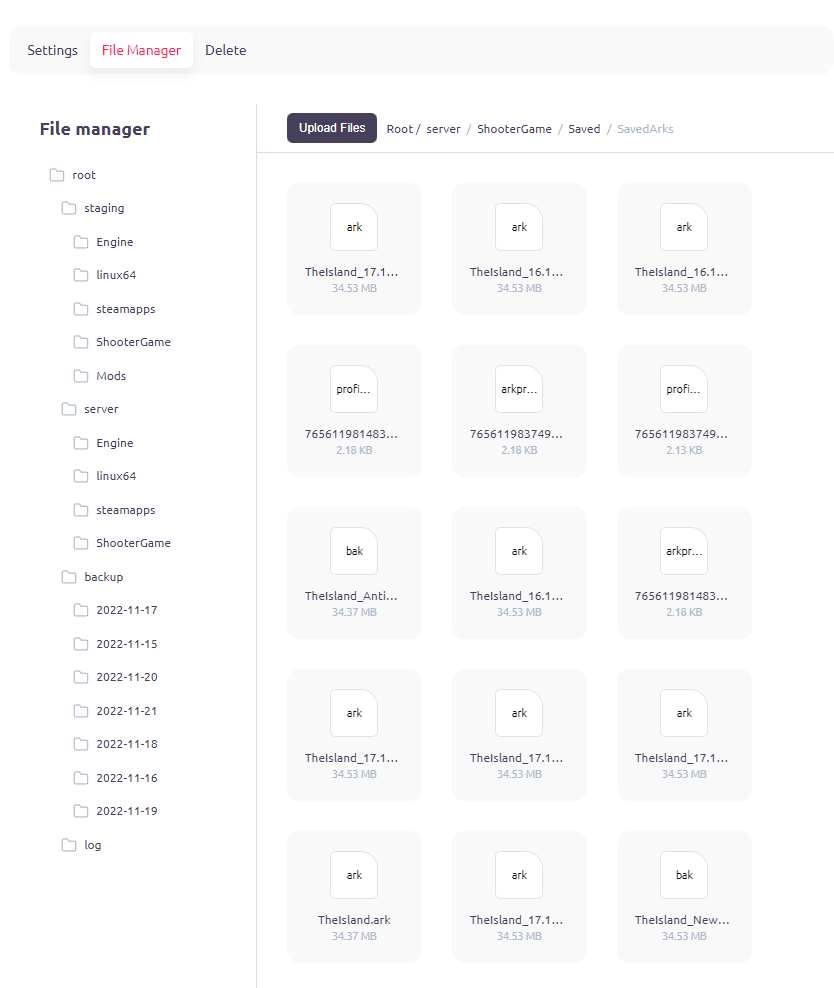
7) Right click on each and every file in this directory, and select “delete”.
8) When done with deleting files – turn back ON your server. By this moment – its should be successfully wiped.
PS
You also can select all files and delete them simultaniously by using FTP.