How to connect via FTP
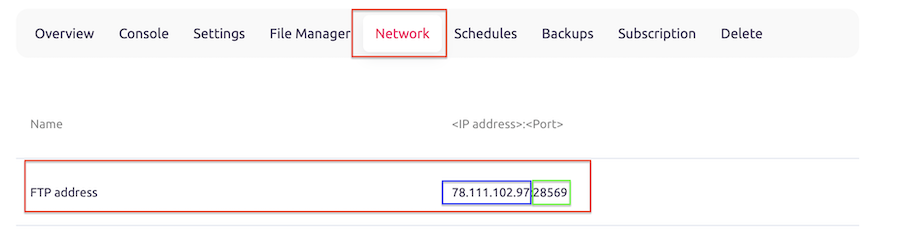
To connect to a minecraft server via FTP, you will need to know the server's IP address. Once you have that, you can use any FTP client to connect (we will use Filezilla for demonstration purposes).
In the client:
1. Enter the IP address as the host (blue), and use the port listed after ":" symbol (green).
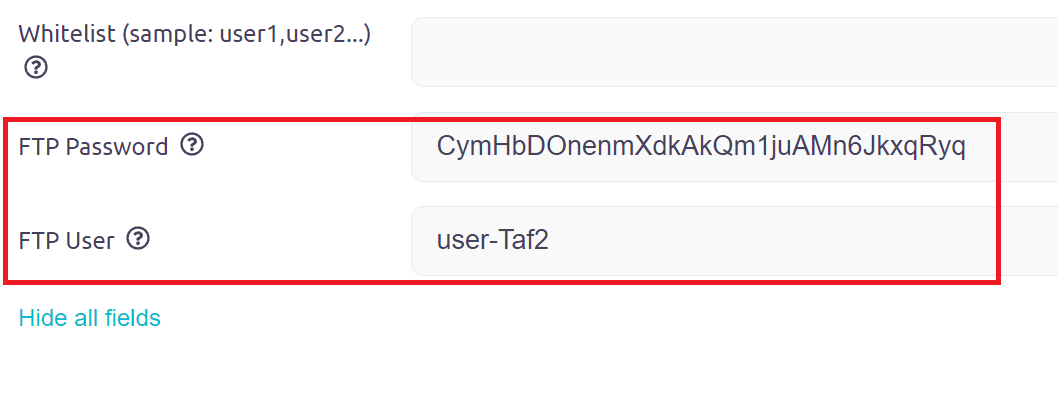
2. Log in with the username and password provided by the server owner. It is located in the "settings" tab of your server (you need to click blue button "show all fields" first).
3. Once you have entered all 4 parameters, click "Quickconnect" button.

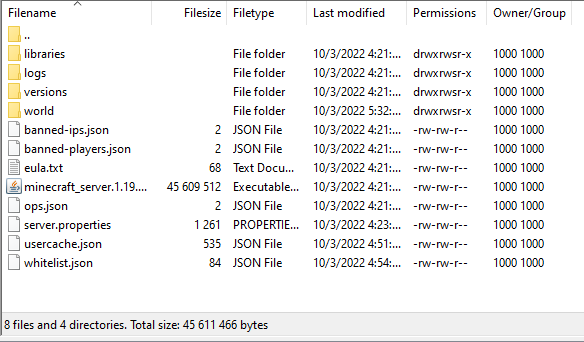
4. Now you can explore the server's files and folders, and upload and download files as needed (lower right window in Filezilla).