
How to make a simple flying machine in Minecraft
In the vast world of Minecraft, where the only limit is your imagination, building a flying machine is a delightful challenge that blends the game's basic mechanics with a touch of creativity. Whether you are a seasoned builder looking for a new project or a curious newbie eager to explore the heights of your Minecraft world, constructing a flying machine can be an enriching experience.
This guide is designed to walk you through the process of creating a basic, yet fully functional, flying machine using readily available materials in the game. The beauty of this machine lies in its simplicity and the ease with which it can be constructed, making it accessible to players of all skill levels.
Components of a Simple Flying Machine
Observers: These blocks detect changes in the blocks they face, emitting a redstone signal upon detection. They are crucial for triggering the movement of the flying machine. Slime Blocks: When fastened to a piston, these blocks may move one another. Sticky Pistons: These are used to push and pull blocks, including slime blocks, allowing for the propulsion of the machine. Solid Blocks: Any solid blocks will serve as a platform or barrier to ensure the player does not fall off the machine during flight.
Constructing Your Flying Machine
Step 1: Laying the Foundation
Begin by placing your first observer block, ensuring it faces the direction you want your machine to fly. Directly attach a sticky piston to the observer, with the piston facing away from the observer.
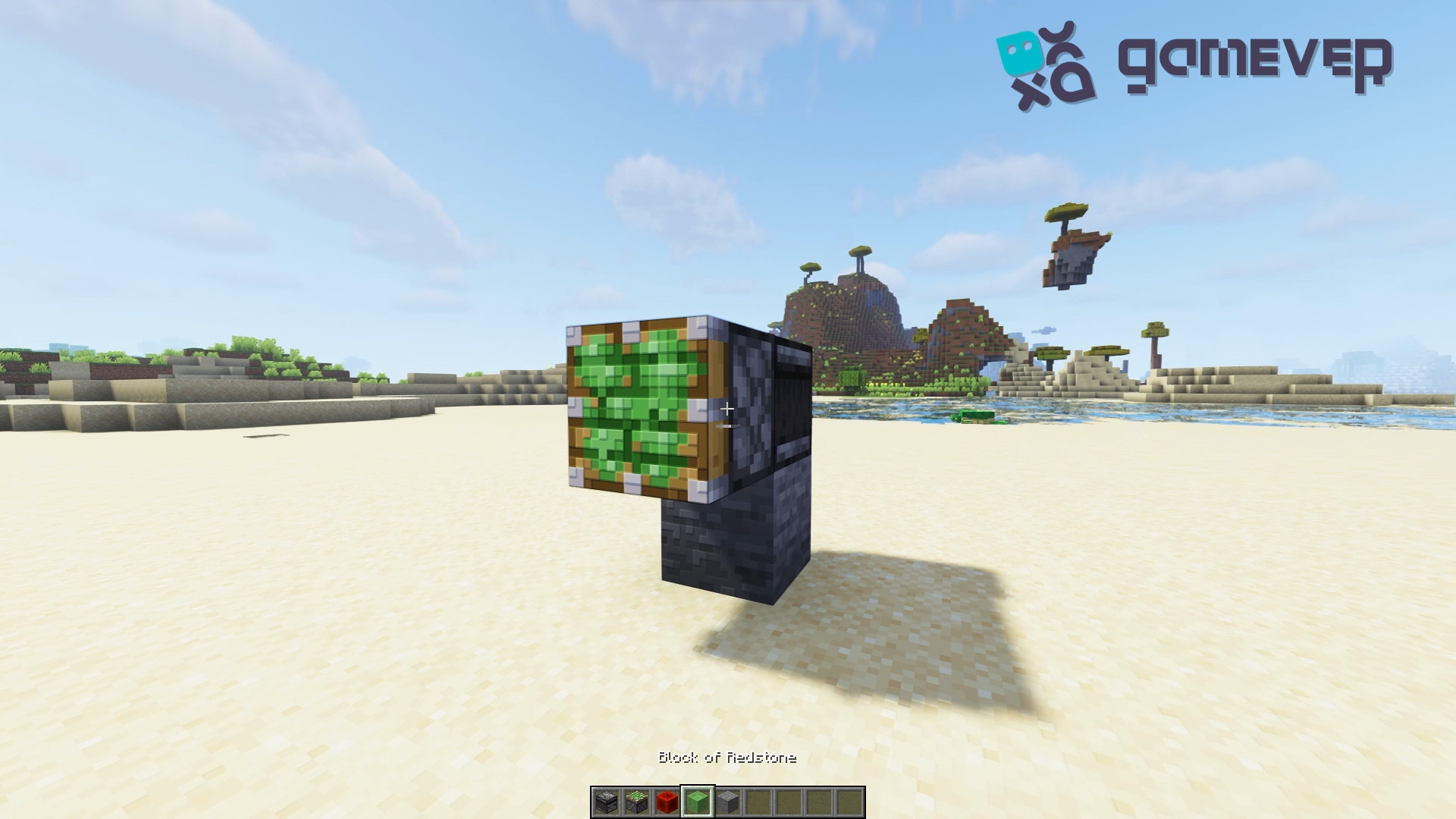
Step 2: Adding the Body
Attach four slime blocks to the sticky piston. These slime blocks will serve as the main body of your flying machine, carrying you through the air.
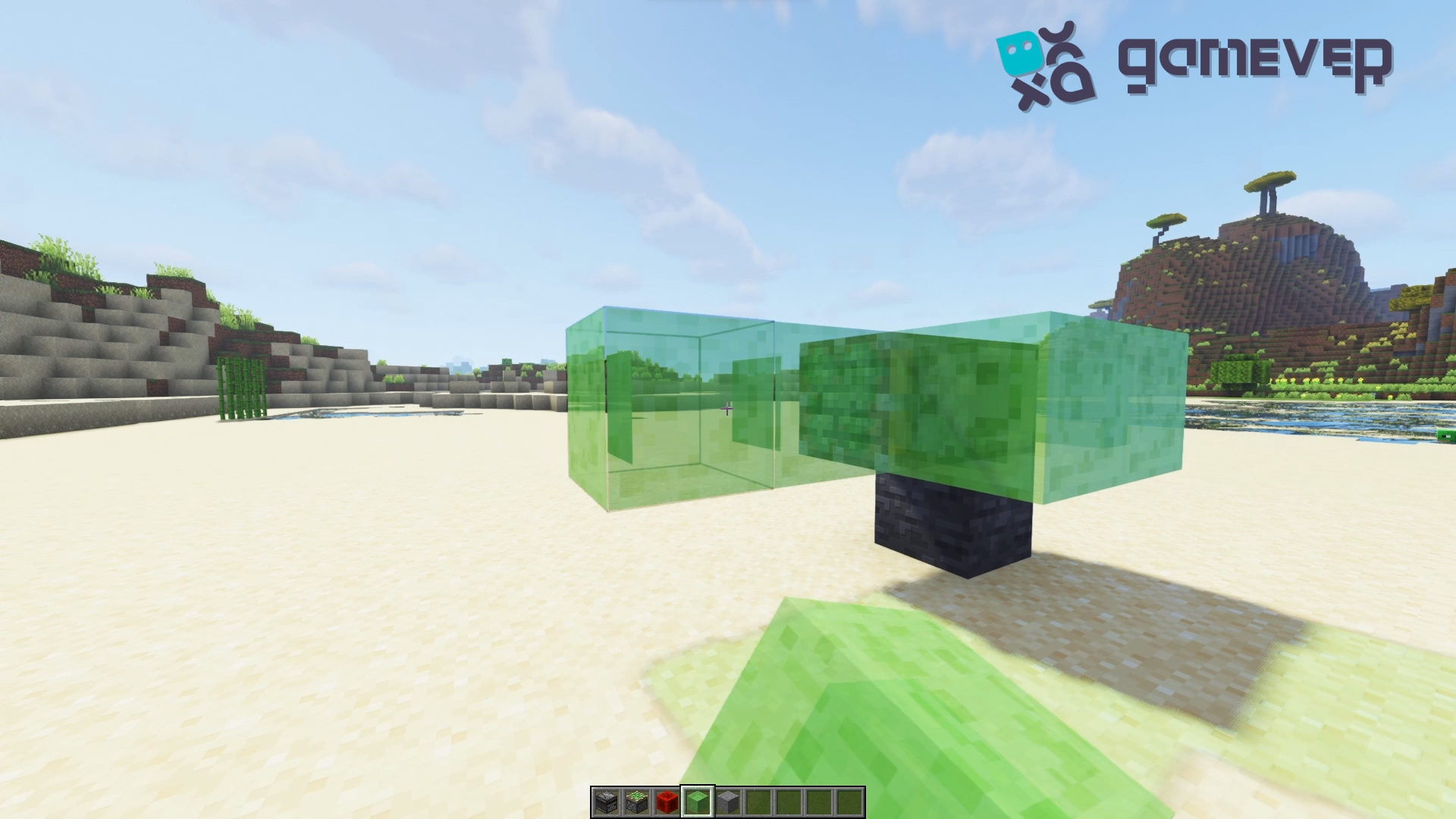
Step 3: Installing the Propulsion System
Next, place the second sticky piston at the end of the slime block chain, ensuring it faces back towards the observer. This piston will act as the rear propulsion system of the machine.
Step 4: Completing the Circuit
Attach the second observer to the rear sticky piston, with the face of the observer looking away from the piston. This placement is crucial for the back-and-forth motion necessary to propel the machine.
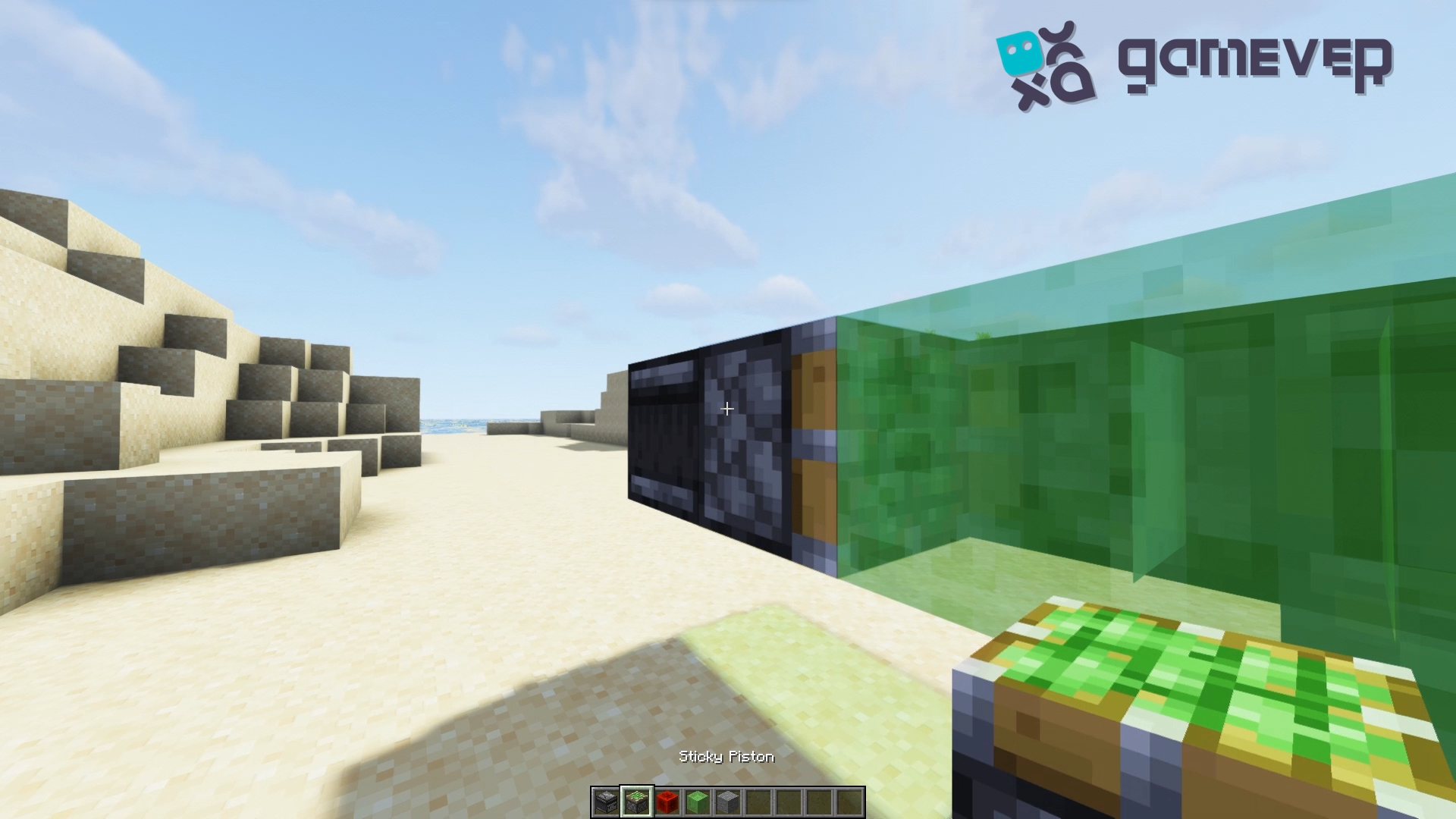
Step 5: Securing the Platform
Finally, place two solid blocks on the slime blocks near the front of the machine. These blocks will serve as a platform for the player, preventing accidental falls during flight.
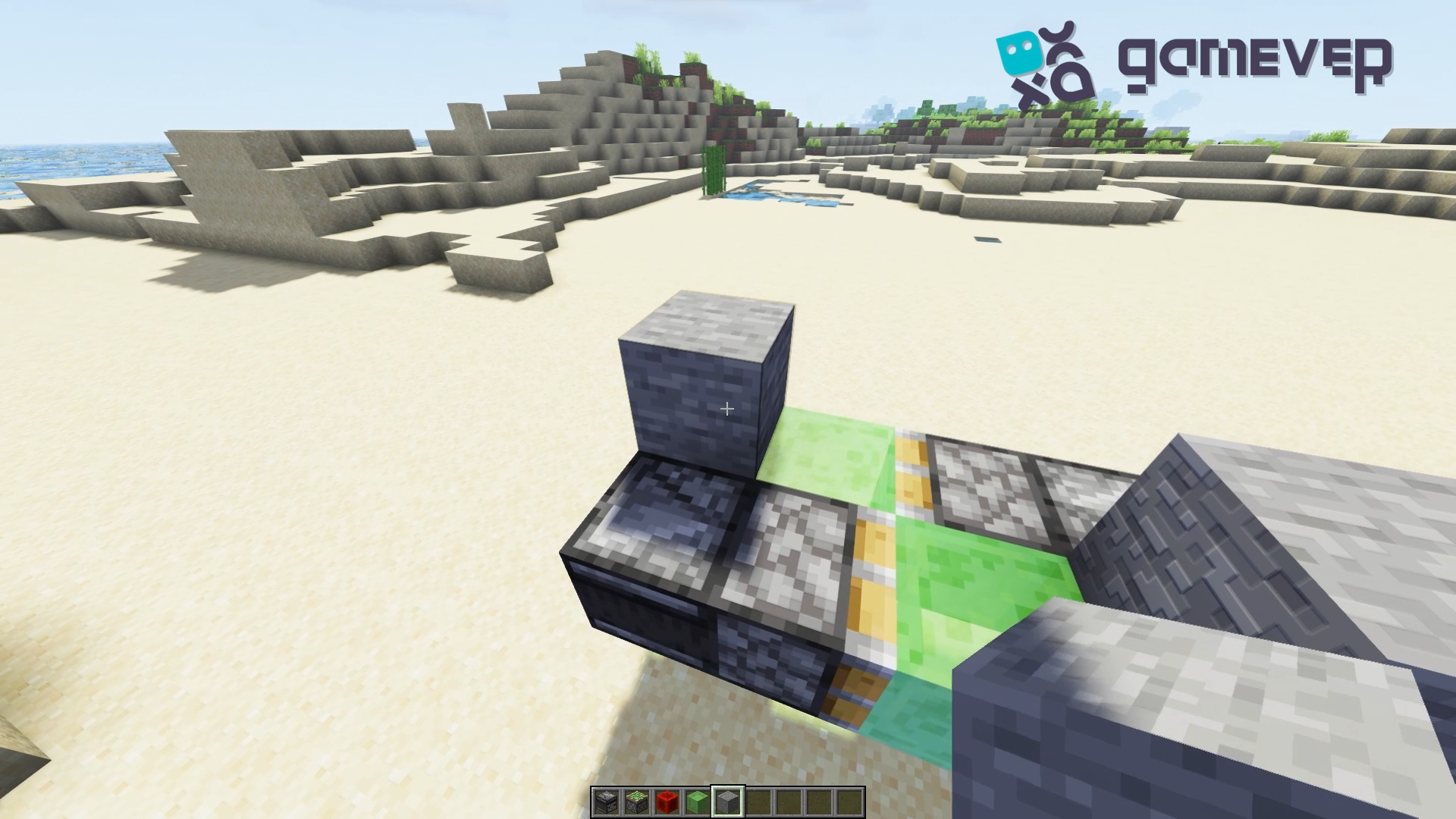
Operation and maintenance
To operate your flying machine, simply trigger the observer by updating the block it's facing. The machine will then begin its journey, carrying you along. Maintenance is minimal, but always ensure the path is clear of obstacles that could obstruct or break the machine.
Expanding Your Horizons with Gamever Servers
Constructing and operating an aerial vehicle is merely the start. Minecraft servers, particularly those available on Gamever, present a special chance to collaborate on technical difficulties, explore with others, and share your creations. For you and your buddies to explore the limits of what's possible in Minecraft, from building intricate mechanized farms to racing aircraft, Gamever servers offer a dependable, adaptable platform.
The community aspect
Playing on a server such as Gamever's has several benefits, one of which is the community. Your Minecraft experience can be greatly improved by collaborating on projects, sharing your creations, and receiving comments. There's always something new to discover and learn together, regardless of experience level or level of inexperience with the game.
Conclusion
A fun and easy activity that provides an introduction to the wider realm of Redstone engineering is building a basic flying machine in Minecraft. You can quickly build a simple flying contraption and start exploring the sky of your Minecraft world by following this method. The thrill of seeing your product take off is unmatched, regardless of whether you're working on your project alone or with others on a Gamever server.
Take into consideration Gamever servers as a helpful and entertaining platform to share your creations and travels with a like-minded community as you continue to push the limits of what's possible in Minecraft.