
How to make a piston door in Minecraft
Piston doors have gained immense popularity among Minecraft players as an innovative entrance solution. Not only do these doors exhibit an air of elegance, but they also possess the remarkable ability to be easily concealed and transformed into covert passageways.
In addition to their aesthetic appeal, piston doors offer enhanced security against hostile players and Minecraft mobs that may inhabit the server. These doors can be designed to be either intricate or simple, with the level of complexity being dependent on the player's proficiency in Redstone mechanics.
A Simple and Elegant Minecraft 1x2 Design
The most basic design for a piston door involves a 1x2 configuration, also known as a single door. This design utilizes sticky pistons, two door blocks, some Redstone wiring, and either a pressure plate or a lever to facilitate the door's opening and closing mechanism.
The functionality of this piston door is based on the attachment of sticky pistons to the two blocks that act as the door. When the sticky pistons extend, the door is closed, and when they retract, the door opens. Players simply need to connect the sticky pistons to the activation switch through the application of Redstone wiring.
Step #1
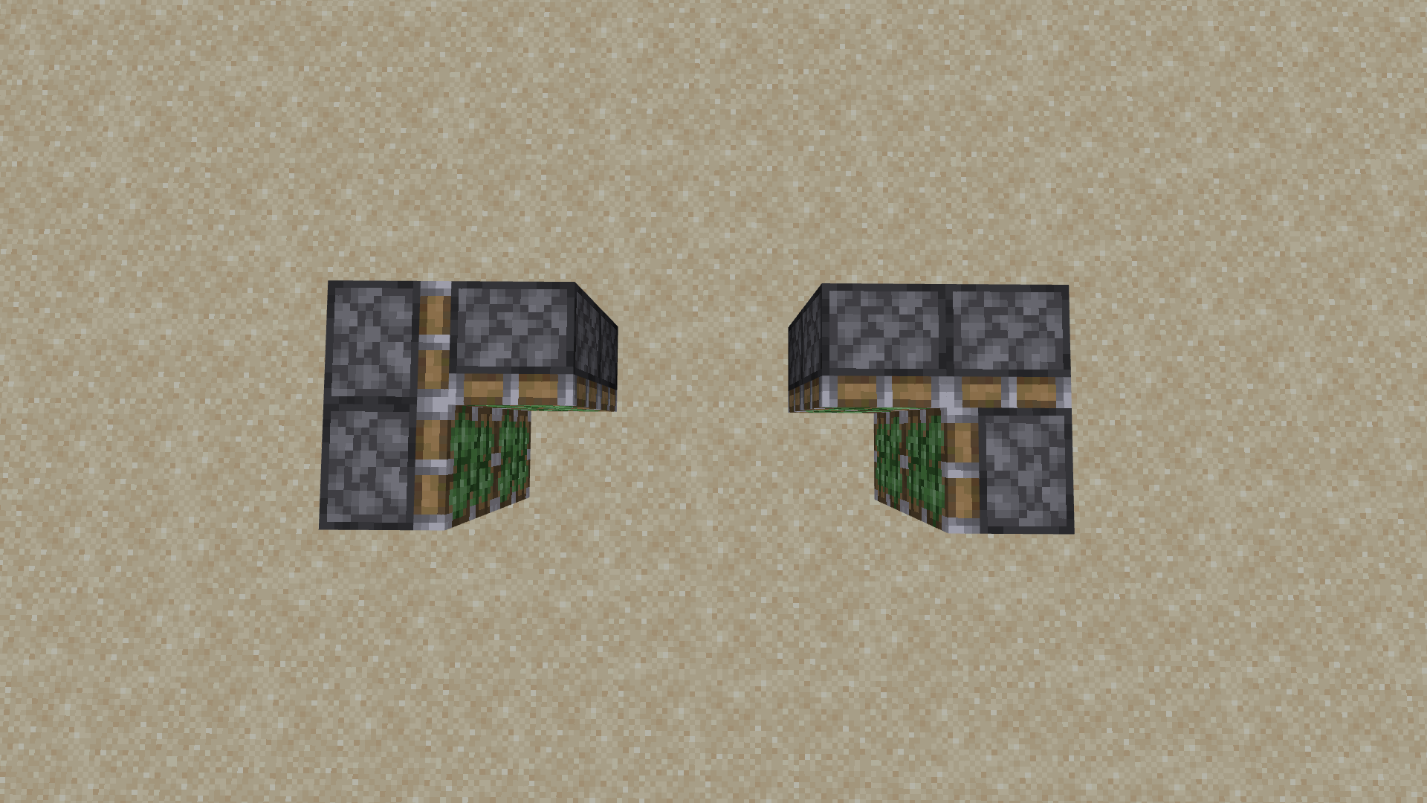
To begin constructing the door, position two sticky pistons at a distance of two blocks from where the door will be located. Ensure that the sticky side of the pistons faces the door's intended position. Attach the two door blocks to the pistons.
Step #2
Establish a connection between the pistons and a lever by utilizing Redstone wiring. Activate the lever to extend the pistons. At this point, players should have a closed door, which can be reopened by simply flipping the lever.
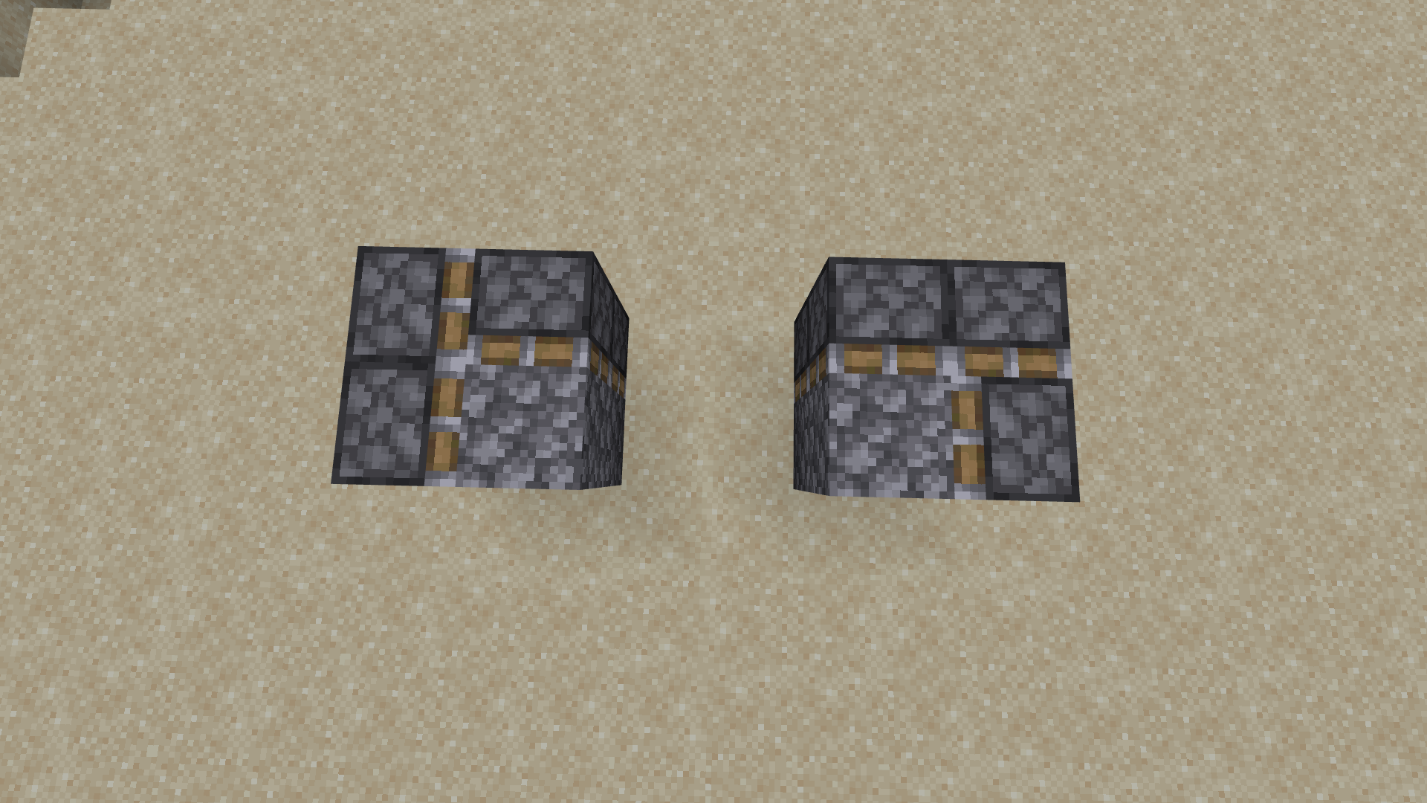
This door mechanism is characterized by its simplicity and efficiency, requiring only a few basic components to complete.
A Beloved Minecraft Classic: The 2x2 Design
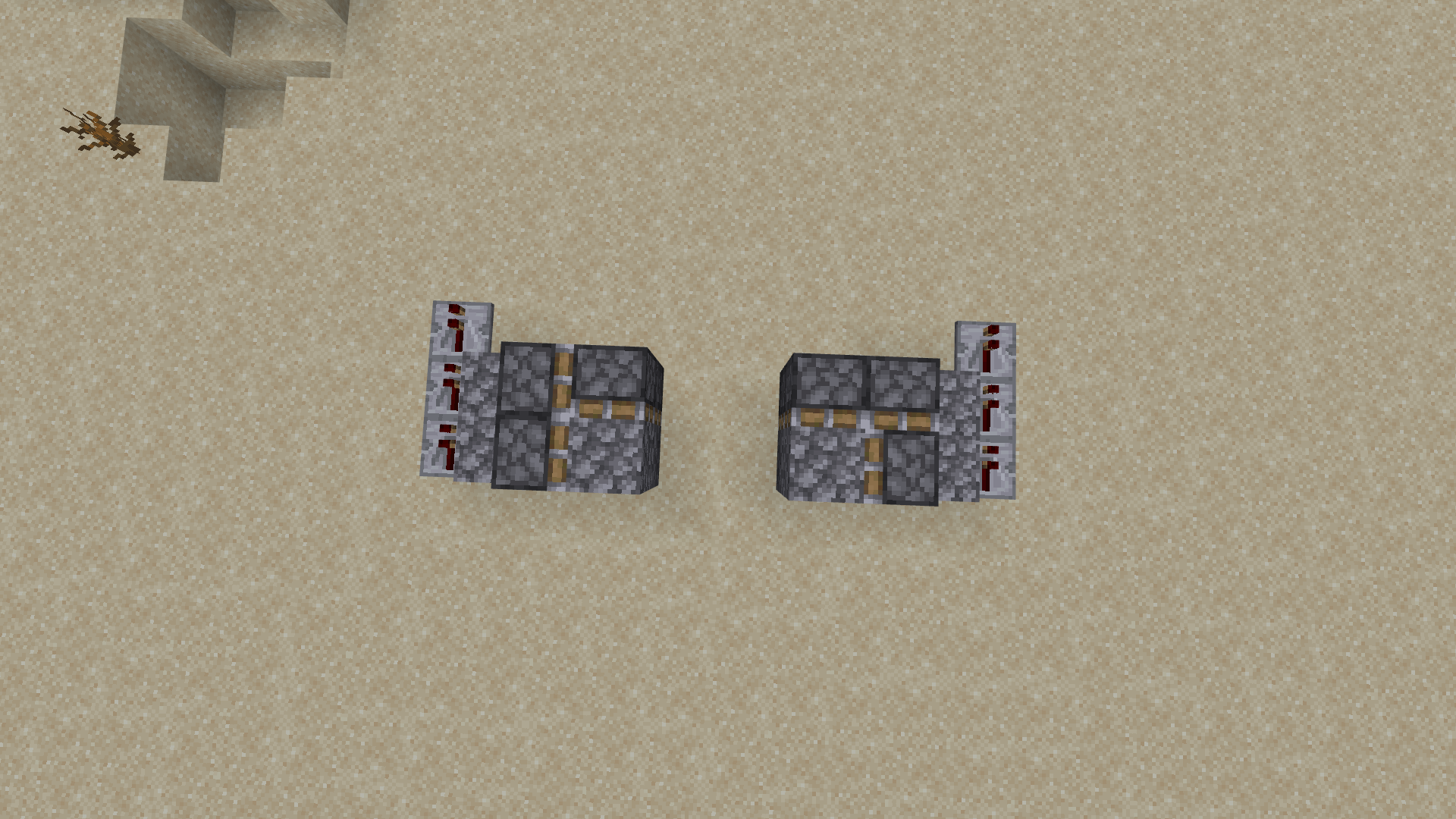
The 2x2 piston door is arguably the most widely used piston door design in Minecraft. Not only does it possess a visually appealing aesthetic compared to the 1x2 design, but it also maintains a manageable level of complexity.
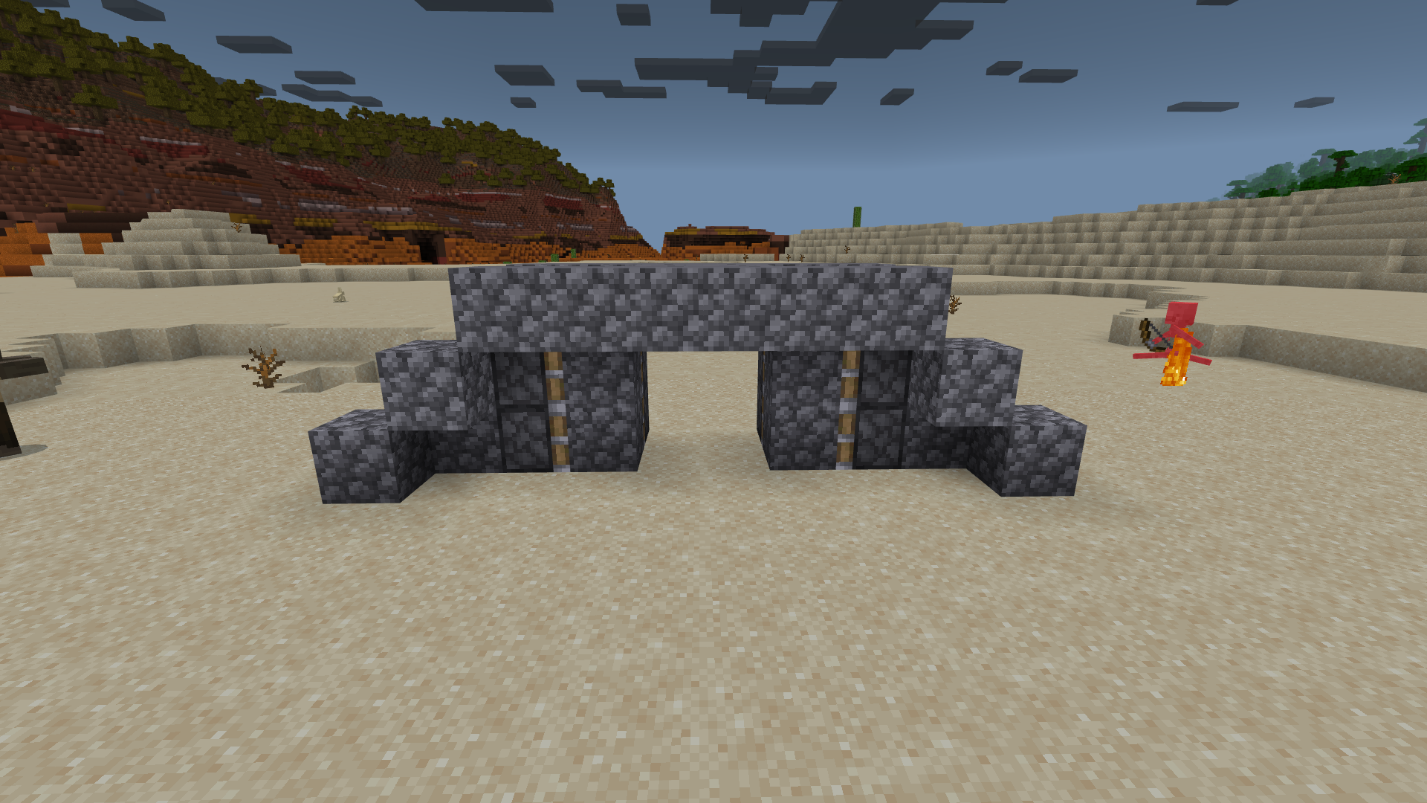
To create a 2x2 piston door, players will need Redstone dust, four sticky pistons, two Redstone torches, four pressure plates, and a few additional blocks of their choosing.
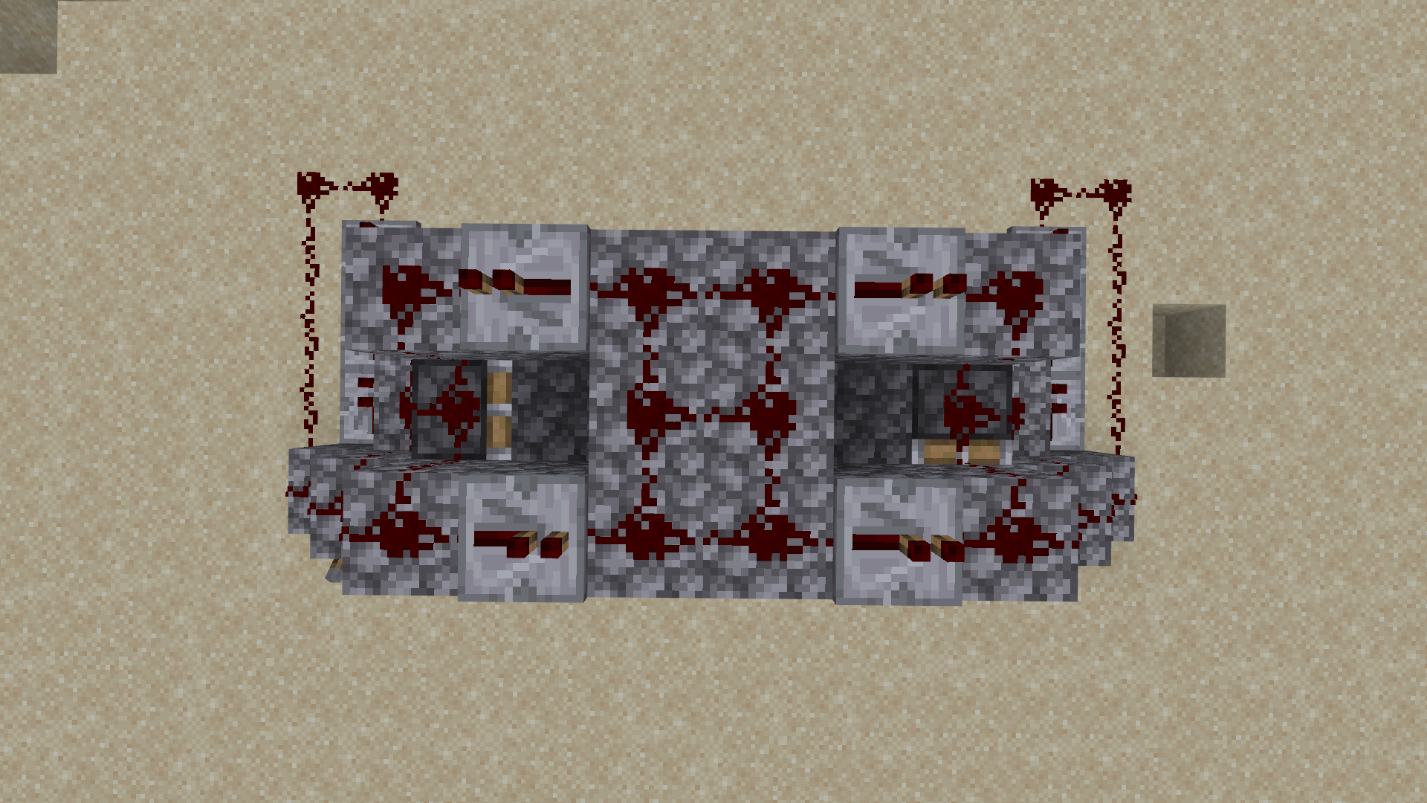
Step #1 - Excavating a Recess
Begin by digging a rectangular recess that measures 2 blocks wide and 3 blocks tall. Extend the recess by an additional 2 blocks on each side, ensuring that this extension is also 2 blocks deep. The recess should resemble the following shape:
Step #2 - Embracing the Power of Redstone
Place Redstone dust along the bottom of the recess, ensuring that each block is adequately covered. Proceed to remove one block from each of the extended sections and position a Redstone torch in the vacant spaces. Conceal the Redstone torches by placing blocks of your choice on top of them, and then cover these blocks with a layer of Redstone dust.
Step #3 - Enveloping the Contraption
Subsequently, cover the entire recess with blocks of your choice, leaving space for the door to be placed. Next, position two sticky pistons vertically adjacent to the block containing Redstone dust on both sides. Upon placement, the sticky pistons should immediately extend. Ensure that the door blocks are properly affixed to the sticky pistons.
Step #4 - Incorporating the Activation Mechanism
The final step involves installing pressure plates directly before and after the door, allowing access from both sides. Stepping on the pressure plates temporarily opens the door. Refer to the Minecraft video provided above for comprehensive instructions.
The Minecraft Concealed Flush Door
The flush door design represents the most intricate and sought-after piston door configuration on this list. What sets the flush door apart is its seamless integration with the surrounding wall, making it exceptionally discreet in Minecraft environments. Due to its complexity, players should exercise caution and follow the instructions meticulously.
Step #1 - Placing Sticky Pistons
Begin by positioning 2x2 vertical sticky pistons facing the direction of the wall. Place 1x2 vertical sticky pistons facing the door, attaching them to the sticky pistons on the opposite side. Mirror this arrangement on the other side, ensuring that two blocks are left for the door. One side of the structure should resemble the following diagram, and add an additional sticky piston atop the 1x1 configuration.
Step #2 - Introducing the Blocking Component
Attach the door block to the remaining space to complete the square. The resulting piston mechanism should resemble the following illustration:
Step #3 - Utilizing Redstone Repeaters
Enclose the pistons with a line of stone bricks along the outer perimeter. Position three Redstone repeaters parallel to the pistons. The configuration should appear as follows:
Step #4 - Establishing Redstone Connections
Construct a stone brick line in the form of a staircase, ensuring that the top of the pistons is covered with stone bricks as well. Connect Redstone wiring from the repeaters, spanning across the staircase and covering the pistons entirely.
Additionally, place Redstone repeaters at the top of the staircase and above one of the pistons. Right-click these repeaters three times. The resulting arrangement should resemble the following diagram:
Step #5 - Activating the Mechanism
Attach a lever to the side of the pistons adjacent to the Redstone repeaters.
Step #6 - Employing Redstone Torches
Proceed to enter the entrance and dig two blocks down. Install two Redstone torches at this level. Extend one block further and dig down one more block, where two Redstone repeaters should be placed facing the Redstone torches. Attach Redstone dust to the repeaters and connect it to another Redstone torch. This final Redstone torch should be positioned on the side of the first block in the staircase. The arrangement should resemble the following illustration:
To operate the concealed flush door, simply flip the lever and conceal the door. Each time the lever is switched, the Minecraft door will open accordingly.
Conclusion
In conclusion, piston doors provide Minecraft players with a captivating and functional way to enhance their in-game experiences. Whether you opt for a simple 1x2 design or venture into the more complex 2x2 or concealed flush door configurations, these entrances offer both aesthetic appeal and added security against threats on your server.
If you're looking to further explore the possibilities of Minecraft and enjoy a dynamic multiplayer experience, I highly recommend playing on the Gamever servers. Gamever offers a vibrant community of players, a wide range of game modes, and an immersive environment to showcase your piston door creations. Joining Gamever will allow you to interact with like-minded players, share your innovative designs, and collaborate on exciting projects.
So, dive into the world of piston doors and unleash your creativity on the Gamever servers. Experience the thrill of crafting intricate entrances and connecting with a passionate Minecraft community. Embark on an adventure where your imagination knows no bounds, and let the wonders of Gamever elevate your Minecraft journey to new heights.