
How to install Valheim Mistlands update

If you want to experience new MASSIVE Mistlands update for Valheim - you need to install beta version of the game.
To do so, you need to follow these easy steps (WARNING: update is still in beta and can be unstable, so, developers higly reccomend to do local back up save):
1) Launch Steam.
2) Find Valheim in your Library.
3) Right click on Valheim and choose "properties"
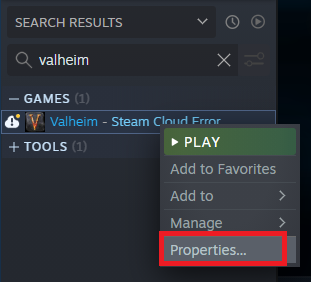
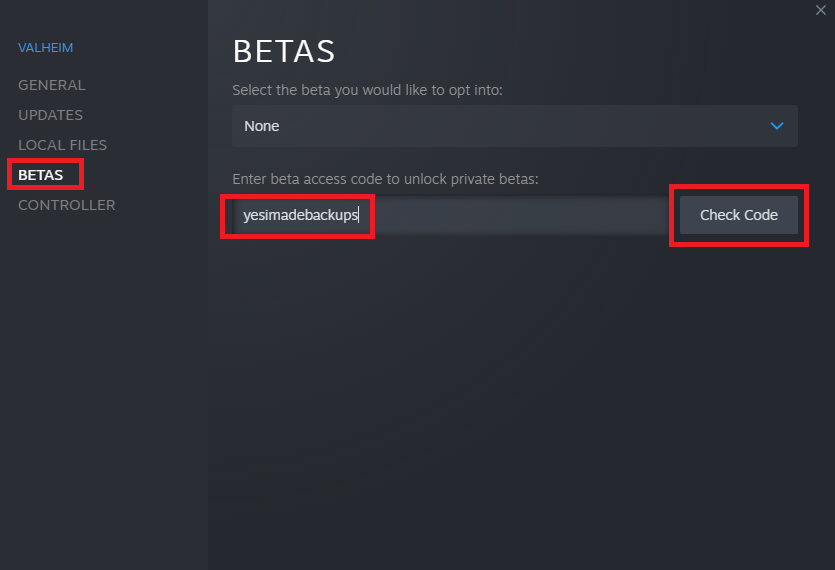
4) Click on "Betas" in left column
5) Insert "yesimadebackups" in beta access pole and push on "Check Code" button.
6) After this, click on blue button.
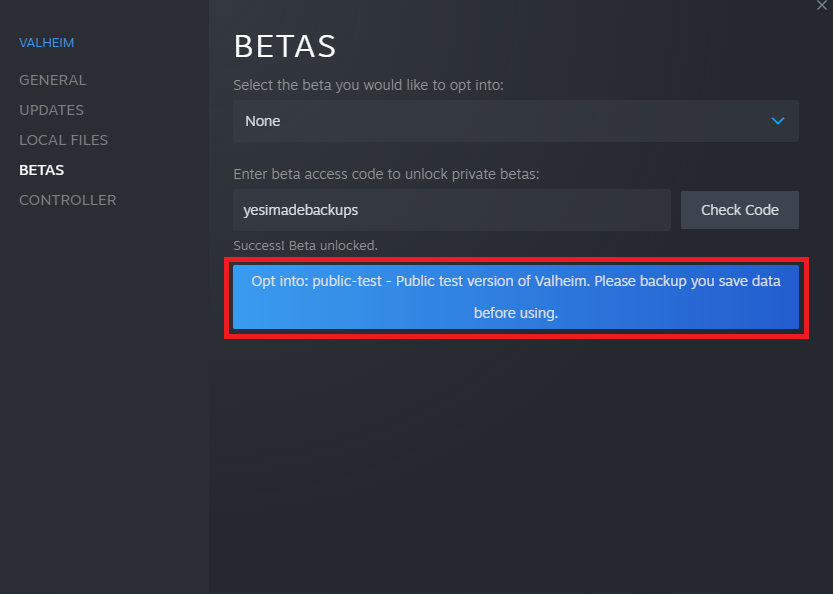
7) By this point, your Valheim update should be downloading, and once dowload is completed - you are ready to go!
PS
Don't forget that you can easily host a Valheim server with Mistlands update with our project to play with your friends!