
How to Install Target Dummy Mod for Minecraft
Sharpen your combat skills and refine your weapon strategies with the Target Dummy mod for Minecraft. This mod provides a unique way to test your weapons, enchantments, and strategies in a controlled environment, making it essential for both new and experienced players. In this guide, we’ll show you how to install the Target Dummy mod, craft dummies, and use their features to improve your gameplay. Plus, we’ll explore why this mod is a great addition when playing on Gamever servers.
Step 1: Download the Target Dummy Mod
To start, download the Target Dummy mod from a trusted site like CurseForge or Modrinth.

Download the version that matches your Minecraft installation.
Step 2: Install Moonlight Lib
The Target Dummy mod requires Moonlight Lib to function. Make sure to download and install this library alongside the mod.
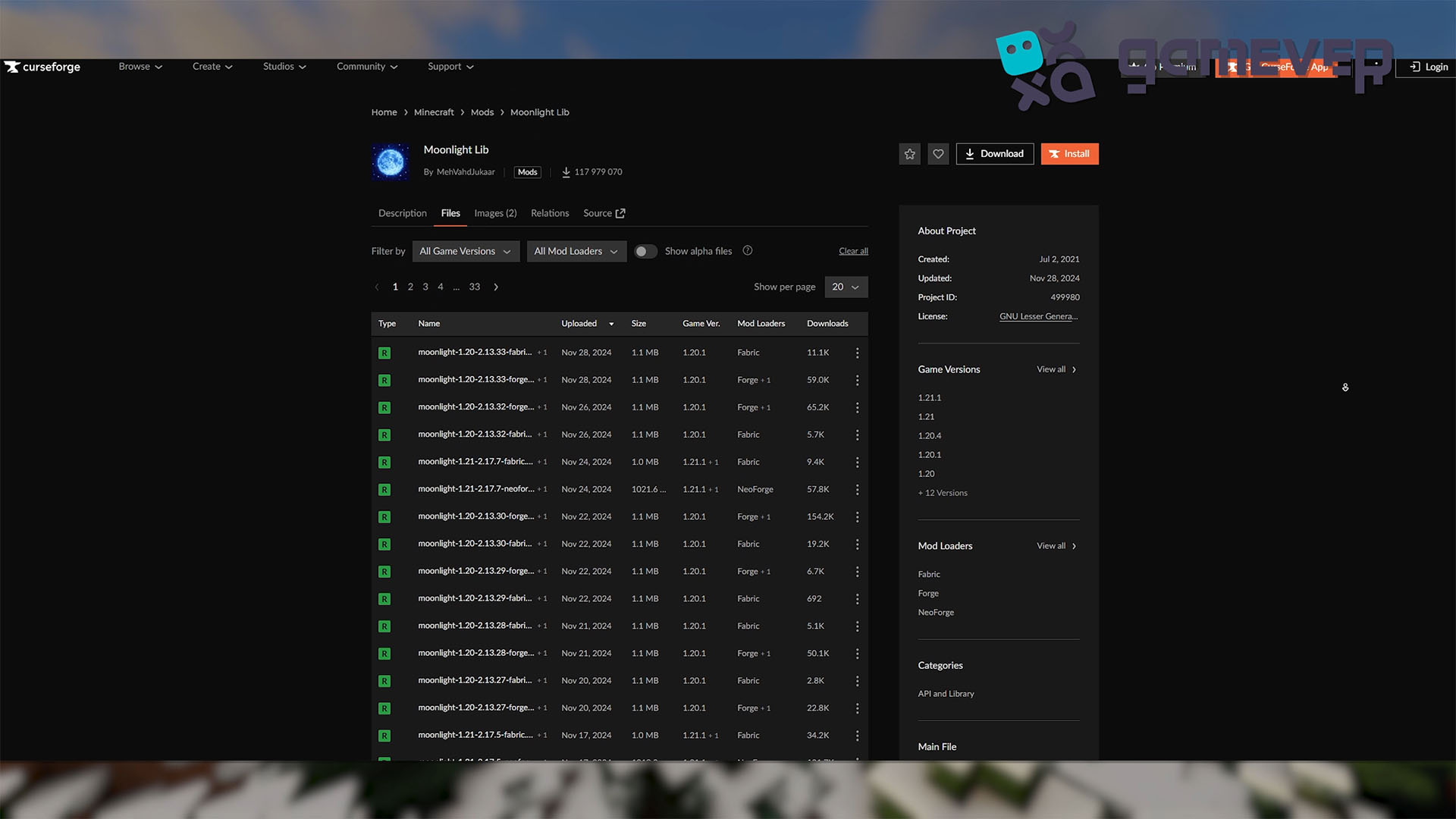
Download the version compatible with your Minecraft and mod loader.
Step 3: Install Minecraft Forge or NeoForge
The mod works with Minecraft Forge or NeoForge, so ensure you have one installed:
- Download Forge from Forge’s official site or NeoForge from its site.
- Install the appropriate version for your Minecraft game.
- Select the Forge or NeoForge profile in your Minecraft launcher.
Step 4: Place the Mods in the ‘Mods’ Folder
After downloading the Target Dummy mod and Moonlight Lib, place the .jar files in Minecraft’s mods folder.
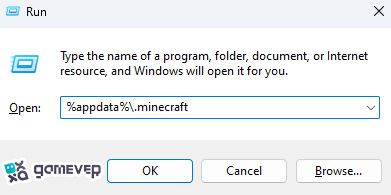
If the mods folder doesn’t exist, create it manually. Then, drag and drop the .jar files into it.
Step 5: Launch Minecraft
Open Minecraft using the Forge or NeoForge profile. Once loaded, the Target Dummy mod will be active and ready to use.
Crafting and Using the Target Dummy Mod
1. Crafting a Target Dummy
To craft a Target Dummy:
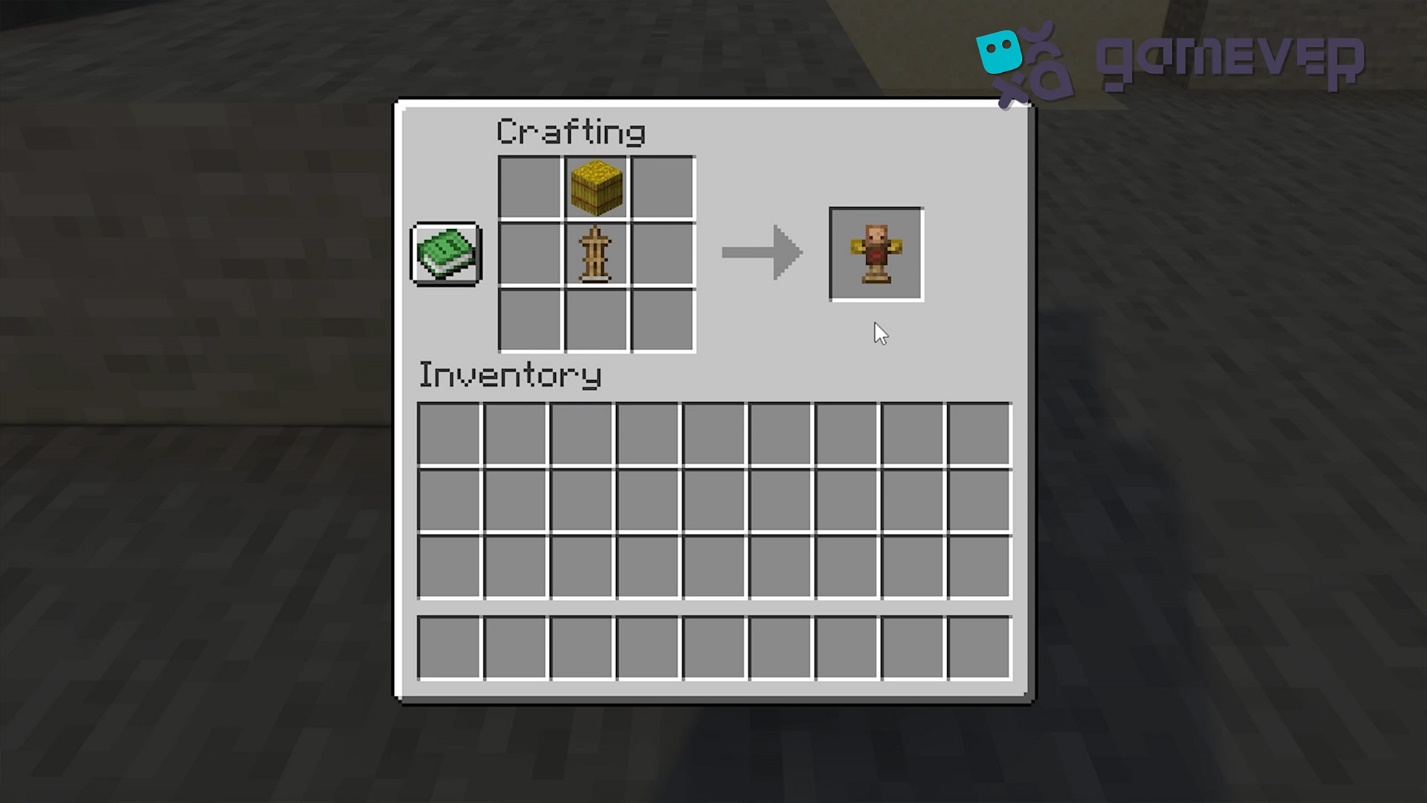
Combine 1 hay bale and 1 armor stand in the crafting grid.
This simple recipe creates your dummy, ready for testing your weapons and combat strategies.
2. Testing Damage Output
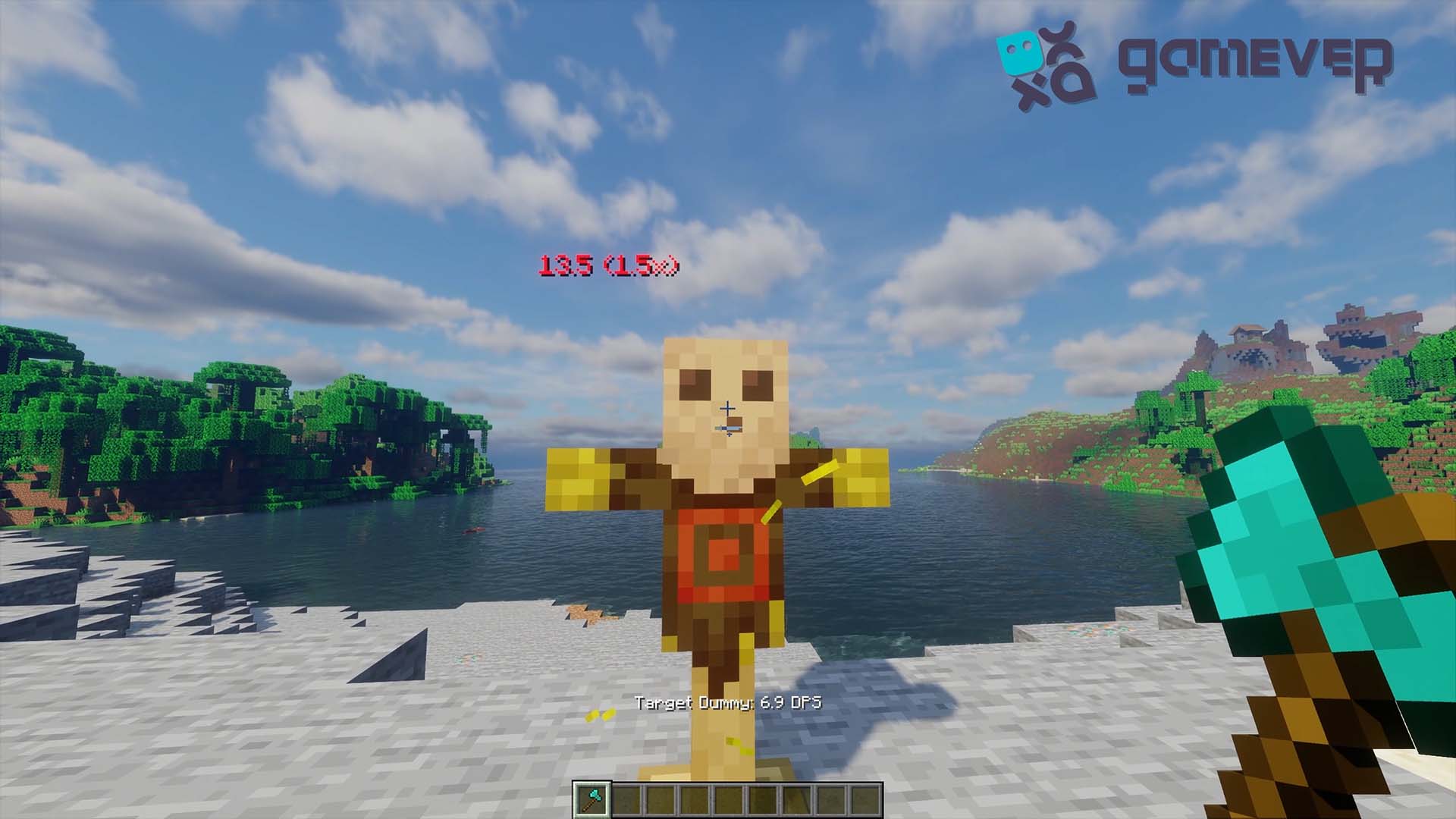
Strike the dummy with any weapon to see the exact damage dealt, displayed above its head. This feature is perfect for determining the strength of your gear and enchantments.
3. Simulating Enemy Defenses
Equip the dummy with armor to simulate different levels of defense. This allows you to test how effective your weapons are against armored foes, helping you prepare for combat scenarios.
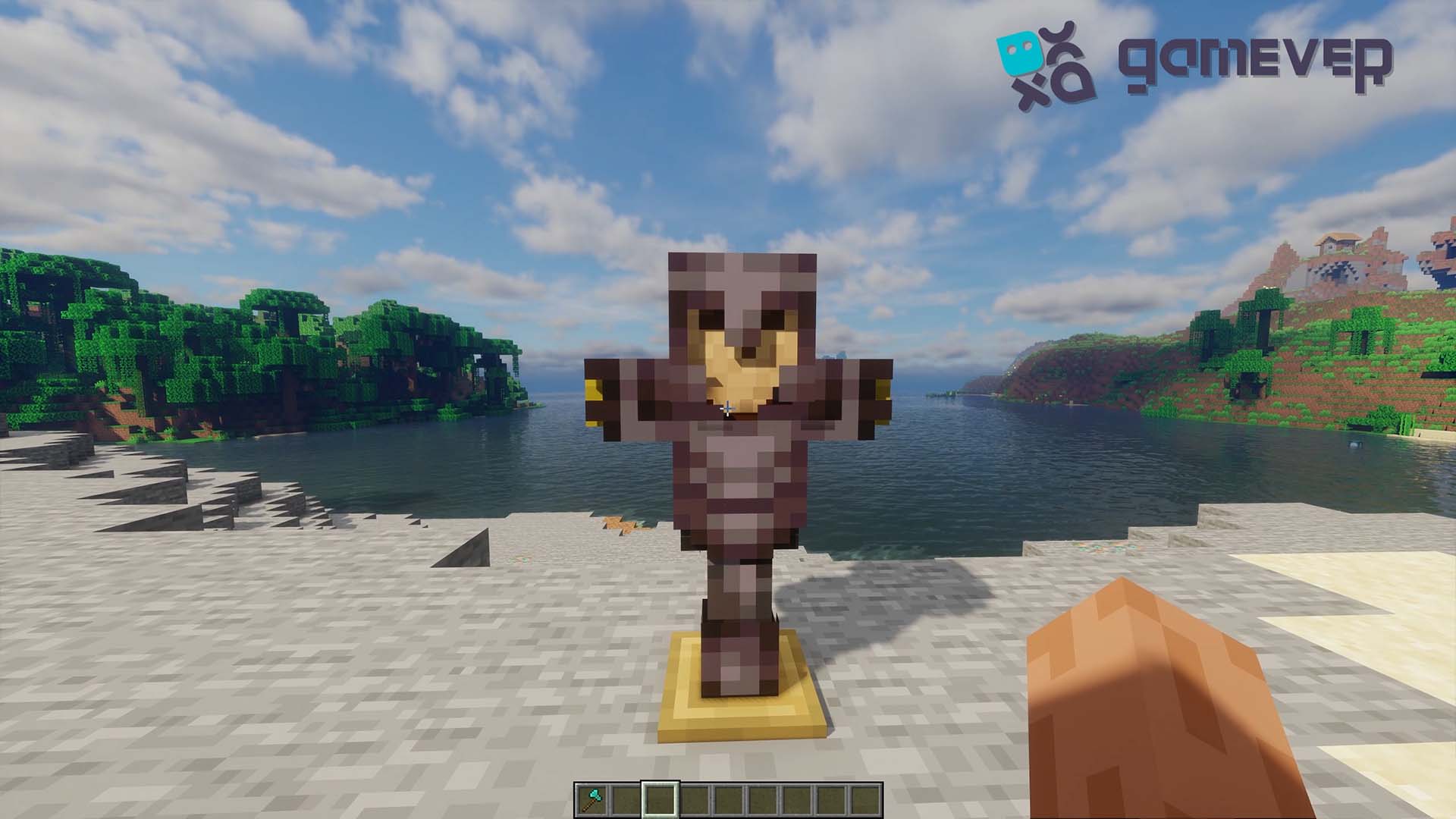
4. Customizing the Dummy
- Mob Simulation: Equip the dummy with mob heads or items like a turtle shell helmet to mimic specific mobs. Test enchantments like Smite or Bane of Arthropods against these setups.
- Scarecrow Mode: Place a pumpkin on the dummy to turn it into a scarecrow, which deters nearby animals.
- Appearance Tweaks: Use shears to customize the dummy’s appearance, adding a personal touch to your training setup.
Benefits of Target Dummy Mod on Gamever Servers
When playing on Gamever servers, the Target Dummy mod offers several advantages for multiplayer settings:
- Team Training: Collaborate with friends to test weapons, enchantments, and strategies before entering PvP or challenging mobs.
- Base Defenses: Use dummies with scarecrow functionality to manage animals near your base.
- Custom Scenarios: Create role-playing setups or test complex strategies with customized dummies.
Conclusion
The Target Dummy mod is a fantastic tool for any Minecraft player looking to refine their combat skills and optimize weapon effectiveness. With its damage display, customizable setups, and additional features like scarecrow mode, this mod enhances both solo and multiplayer gameplay. On Gamever servers, the Target Dummy mod takes group combat training and strategy testing to the next level.