
How to get elytra in Minecraft
Exploring the vast world of Minecraft can be quite a challenge, requiring hours of rowing a boat or tedious walks to reach your desired destinations. Horses and the newly introduced Camels in Minecraft 1.20 may offer some assistance, but they don't provide a significant advantage. However, there is a secret method to soar through the skies in Minecraft - the Elytra. In this guide, we will delve into the easiest ways to obtain and use the Elytra in Minecraft, without any reliance on advanced technology or artificial intelligence.
Step-by-Step Guide to Acquiring the Elytra in Minecraft (2023)
To facilitate easy comprehension, we have divided the information into sections covering the fundamental mechanics, spawn locations, and practical applications of the Elytra. If you are already familiar with these aspects, feel free to skip ahead to the steps for obtaining and utilizing this remarkable item for in-game flight.
Introduction to the Elytra in Minecraft and its Functionality
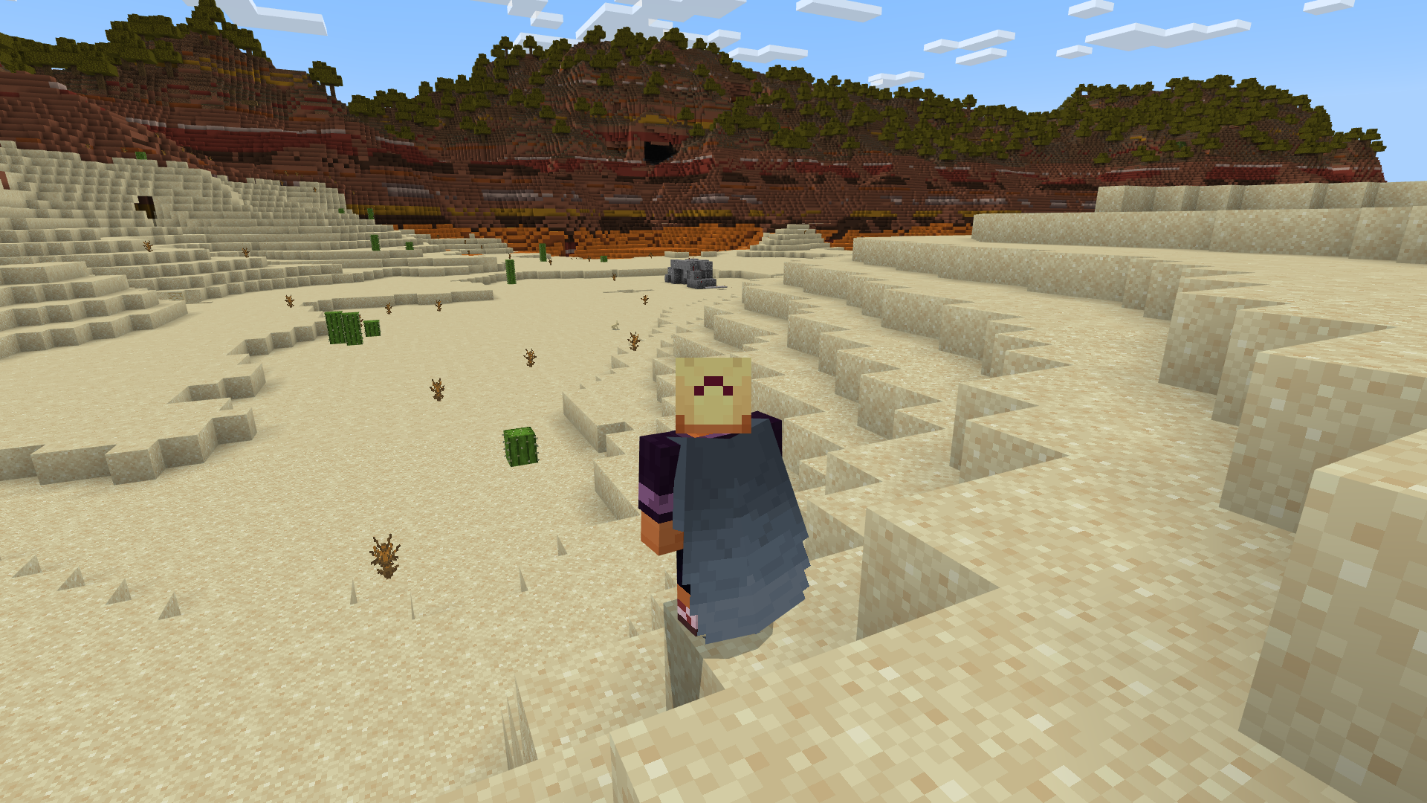
The Elytra is a rare wearable item in Minecraft that serves as the sole means of achieving flight in the survival mode. Resembling wings, the Elytra unfurls gracefully during flight but retracts to appear as a cape when you're on foot. To equip the Elytra, it replaces your chest plate, becoming an essential component of your combat and armor ensemble. However, keep in mind that this substitution diminishes your overall protection. Nevertheless, the ability to take flight more than compensates for this drawback, enabling you to extricate yourself from challenging predicaments.
Understanding the Elytra
Although the Elytra is often referred to as "wings" in Minecraft, it does not facilitate instantaneous flight. Its primary purpose is to enable players to glide through the air, requiring some manual intervention to initiate the gliding process. Here's how you can make the most of it:
1. Jump: Leap from a considerable height, and you can harness the potential energy to glide for an extended period. However, it's important to note that you cannot ascend further during gliding.
2. Firework Rocket: Employ firework rockets to propel yourself while airborne or even on the ground. This feature enables you to move forward and gain altitude in the sky.
3. Trident: The Riptide enchantment on a trident allows you to hurl yourself in any desired direction. Exploit this ability to initiate your flight and navigate through the Minecraft world.
How to Obtain the Elytra in Minecraft
Unlike many other sought-after items, the Elytra cannot be acquired from chests or by eliminating Minecraft mobs. It exclusively spawns as a framed item in a specific location. Numerous players even regard it as an "end-game" item, a reward for vanquishing the formidable Ender Dragon.
Method 1: Natural Spawning
Elytra only appears within the End dimension of Minecraft, specifically within the structures known as End ships. These ship-shaped structures sporadically manifest on the peripheries of End cities in Minecraft. To obtain the Elytra through natural means, follow these steps:
1. Locate the End portal in Minecraft, situated within the stronghold structure, and use it to traverse to the End dimension.
2. Defeat the Ender Dragon if you haven't done so already.
3. Once the dragon is vanquished, locate the End gateway portal on the outskirts of the primary End island. Due to its small size, you cannot directly enter it. We recommend using an Ender pearl to access it.
4. Explore various End islands until you encounter an End city adjacent to an End ship. For assistance in swiftly finding End cities, refer to our comprehensive Minecraft guide.
5. Enter the End ship and locate the Elytra, placed on an item frame within its main hall. To claim it, simply break the frame using your primary mouse button.
Method 2: Creative Inventory
If you prefer not to engage in battle with the Ender dragon or explore the End dimension in survival mode, you can follow these steps to acquire unlimited Elytras in creative mode:
1. Enable cheats in your Minecraft world. In Minecraft Java edition, you can find this option under LAN World settings, while in Bedrock edition, it is available within the world settings. Toggle the "Activate Cheats" or "Allow Cheats" option accordingly.
2. Execute the following command to switch to creative mode in Minecraft. Alternatively, you can create a new Minecraft world with creative mode set as the default game mode.
/gamemode creative
3. Press the "I" key or the designated inventory key to open your creative inventory. Utilize the search bar to locate the Elytra. Once found, simply add it to your inventory.
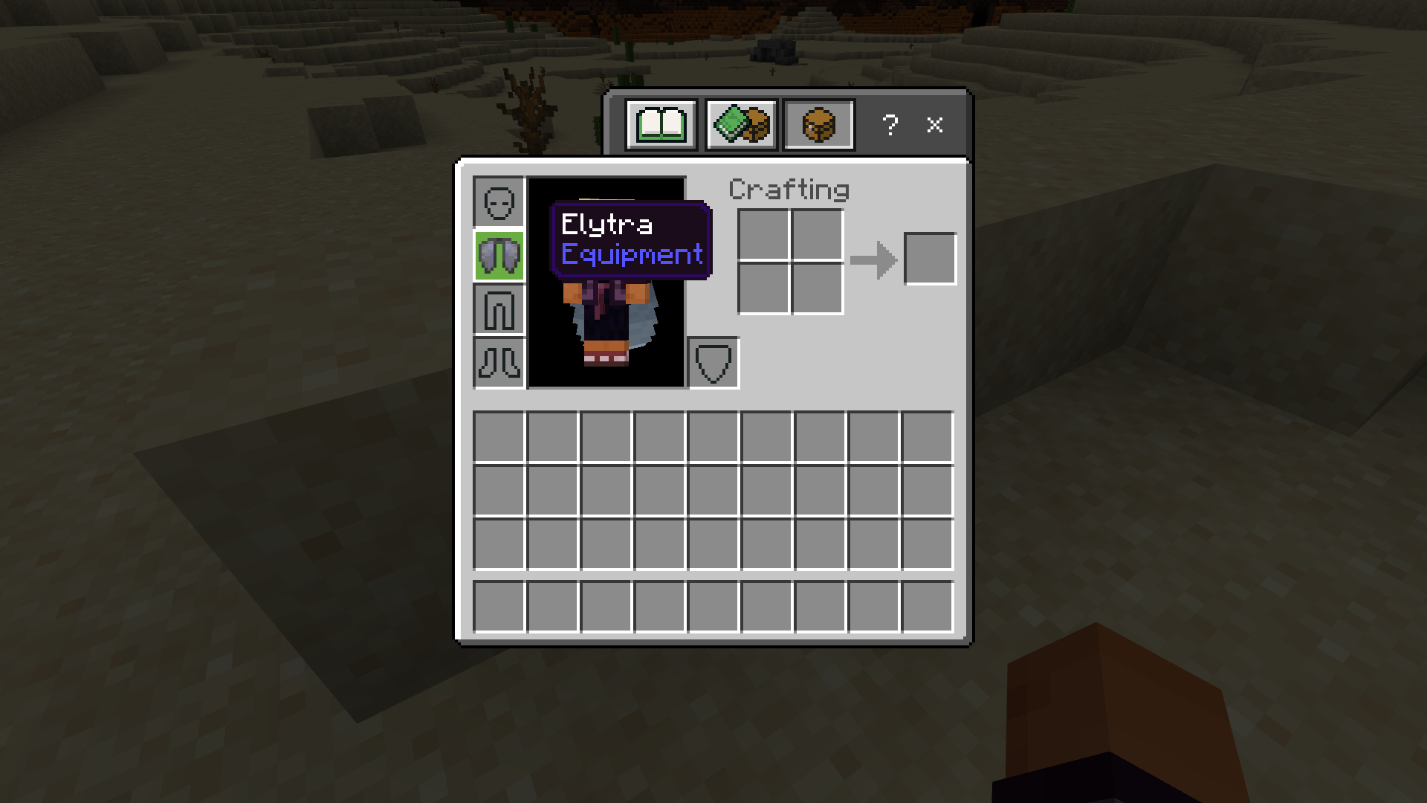
4. After acquiring the Elytra, equip it in the chest plate slot of your player inventory, as elucidated in the usage section below. You can now embark on thrilling flights across the expansive Minecraft world.
Method 3: Utilizing Minecraft Commands
To instantly obtain an Elytra in your Minecraft inventory, employ the following command in your Minecraft world. Prior to executing the command, ensure that you have enabled cheats, as described in the previous section.
/give @s minecraft:elytra
How to Use the Elytra for Flight in Minecraft
Once you possess the Elytra in your inventory, follow these steps to utilize it effectively in Minecraft:
1. Ascend to a high point in the Minecraft world, such as a mountain summit. You can save time by employing the best Minecraft mountain seeds available.
2. Equip the Elytra by placing it in the chest plate slot within your inventory.
3. Jump from the elevated position and hold down the "Space" key or the assigned jump key. This action activates the Elytra, initiating your glide through the air.
4. While gliding, you can equip and launch firework rockets to propel yourself in the direction you desire.
By following these instructions, you can fully embrace the exhilarating experience of gliding through the virtual landscapes of Minecraft with the aid of the Elytra. Leave no corner unexplored as you soar to new heights and discover the wonders that await you. Enjoy the freedom of flight and unleash your imagination within the limitless possibilities of the Minecraft universe.
Conclusion
Now that you've learned how to acquire and utilize the Elytra in Minecraft, it's time to take your gaming experience to the next level. If you're looking for a vibrant and engaging multiplayer environment to showcase your newfound flying skills, we highly recommend joining the Gamever servers.
Gamever provides a unique and immersive Minecraft experience, with dedicated servers that offer countless opportunities for exploration, collaboration, and friendly competition. Whether you want to embark on epic quests, engage in thrilling PvP battles, or build magnificent structures, Gamever has a server tailored to your preferred playstyle.
Joining the Gamever community opens up a world of possibilities. Interact with like-minded players, form alliances, and embark on incredible adventures together. The servers are meticulously designed to provide a seamless and enjoyable experience, with responsive moderators ensuring a fair and inclusive environment for all participants.
Soar through the skies with your Elytra-equipped avatar, taking in the breathtaking landscapes and awe-inspiring creations on Gamever servers. Share your achievements, seek inspiration from other players, and let your creativity flourish in this thriving Minecraft community.
Don't miss out on the opportunity to enhance your Minecraft journey by joining Gamever servers. Immerse yourself in a world where the possibilities are endless, and the excitement never ceases. Fly high, embrace the freedom, and forge unforgettable memories with fellow Minecraft enthusiasts on the Gamever servers.