
How to Create a Map in Minecraft
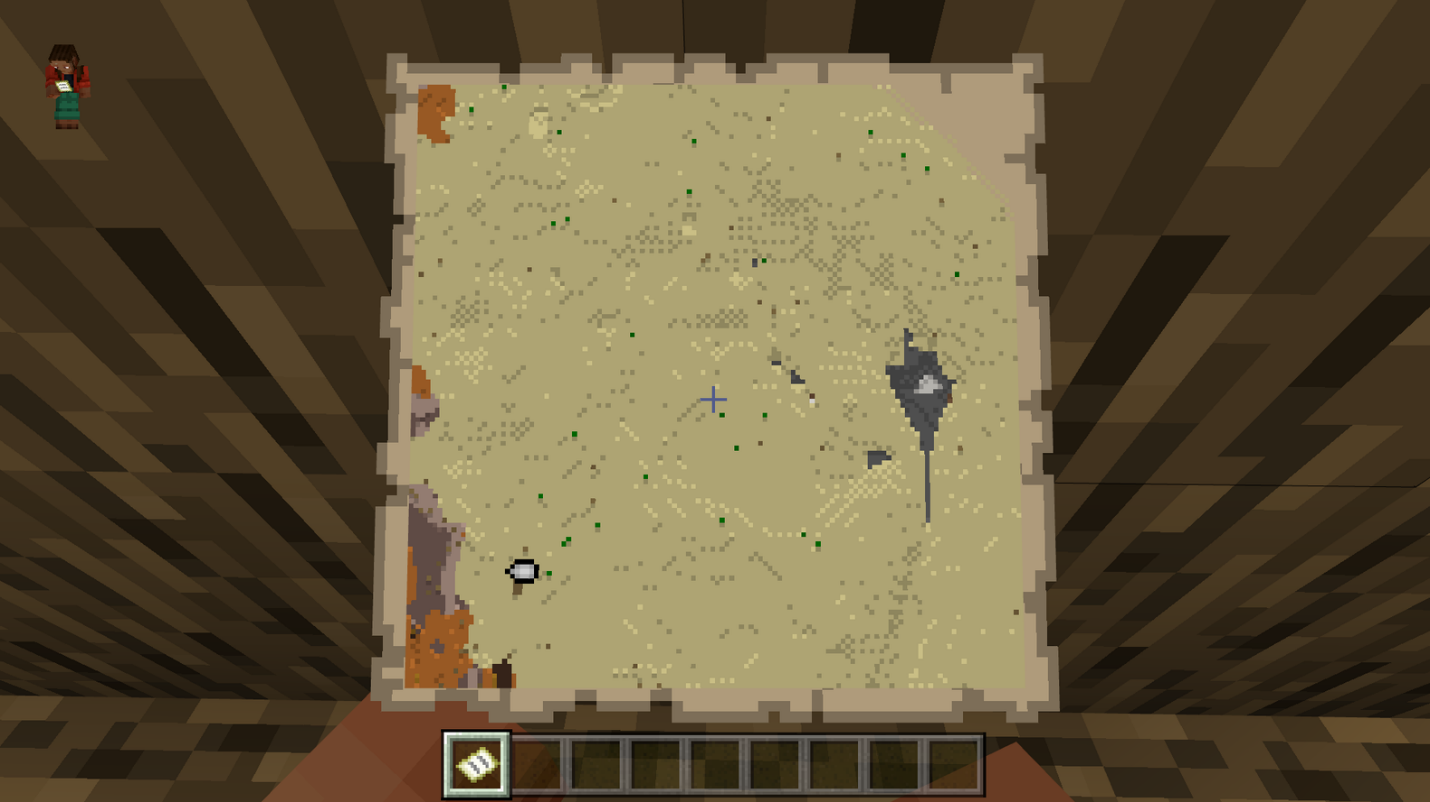
If you're an avid "Minecraft" player, you know how vast and immersive the game's worlds can be. It's easy to lose your way or miss out on exciting landmarks if you venture too far from your base. That's where maps come in handy. In this guide, we'll walk you through the process of creating and utilizing maps to help you navigate and explore your "Minecraft" world.
Crafting a Map
To create a map in "Minecraft," you'll need a compass and eight pieces of paper. You can obtain these items through crafting, trading, or finding them in chests.
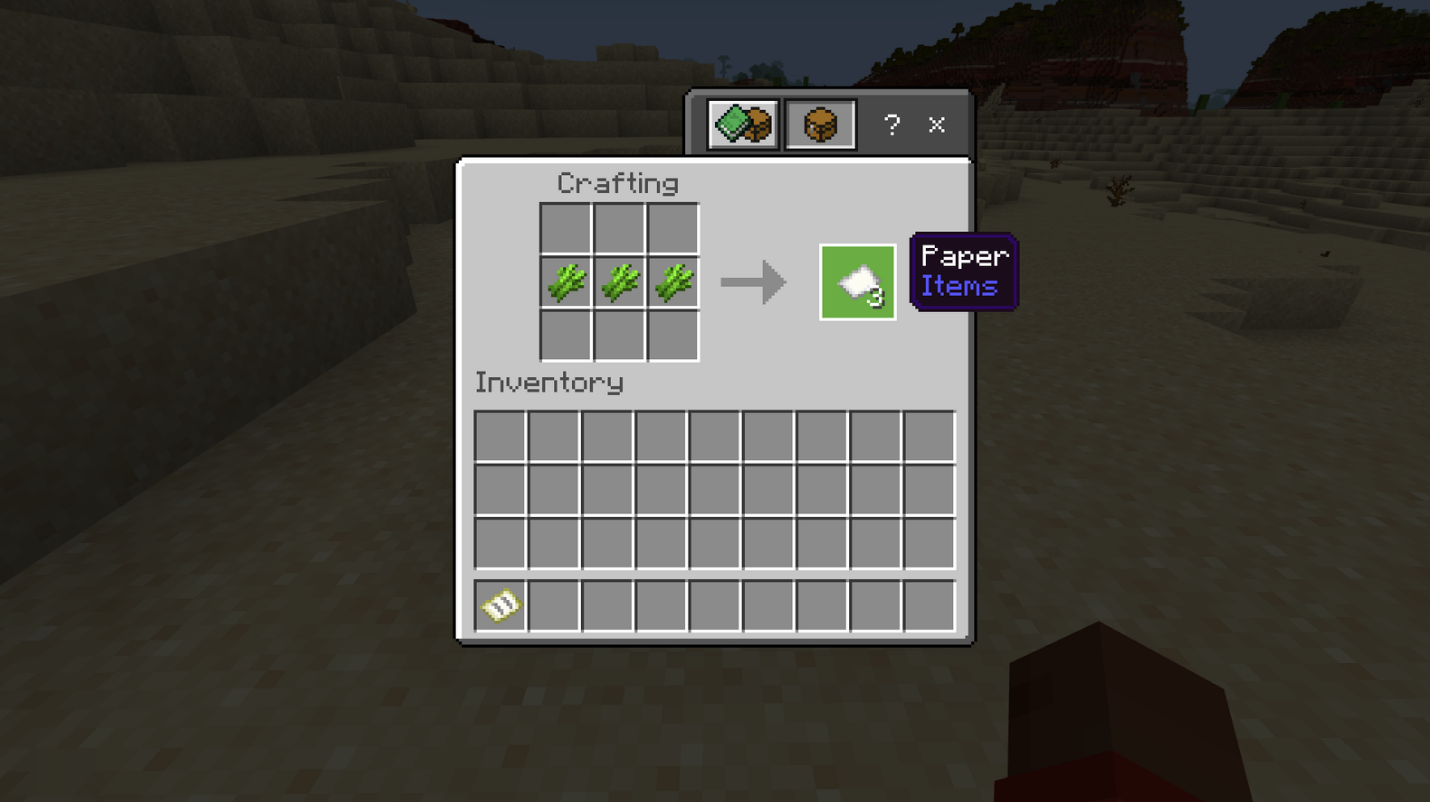
To craft a map, begin by gathering sugar cane, a common resource that grows near water in swamp and desert biomes. Arrange three pieces of sugar cane in a row on your crafting table to obtain three pieces of paper. You'll need at least nine pieces of sugar cane to make a map.
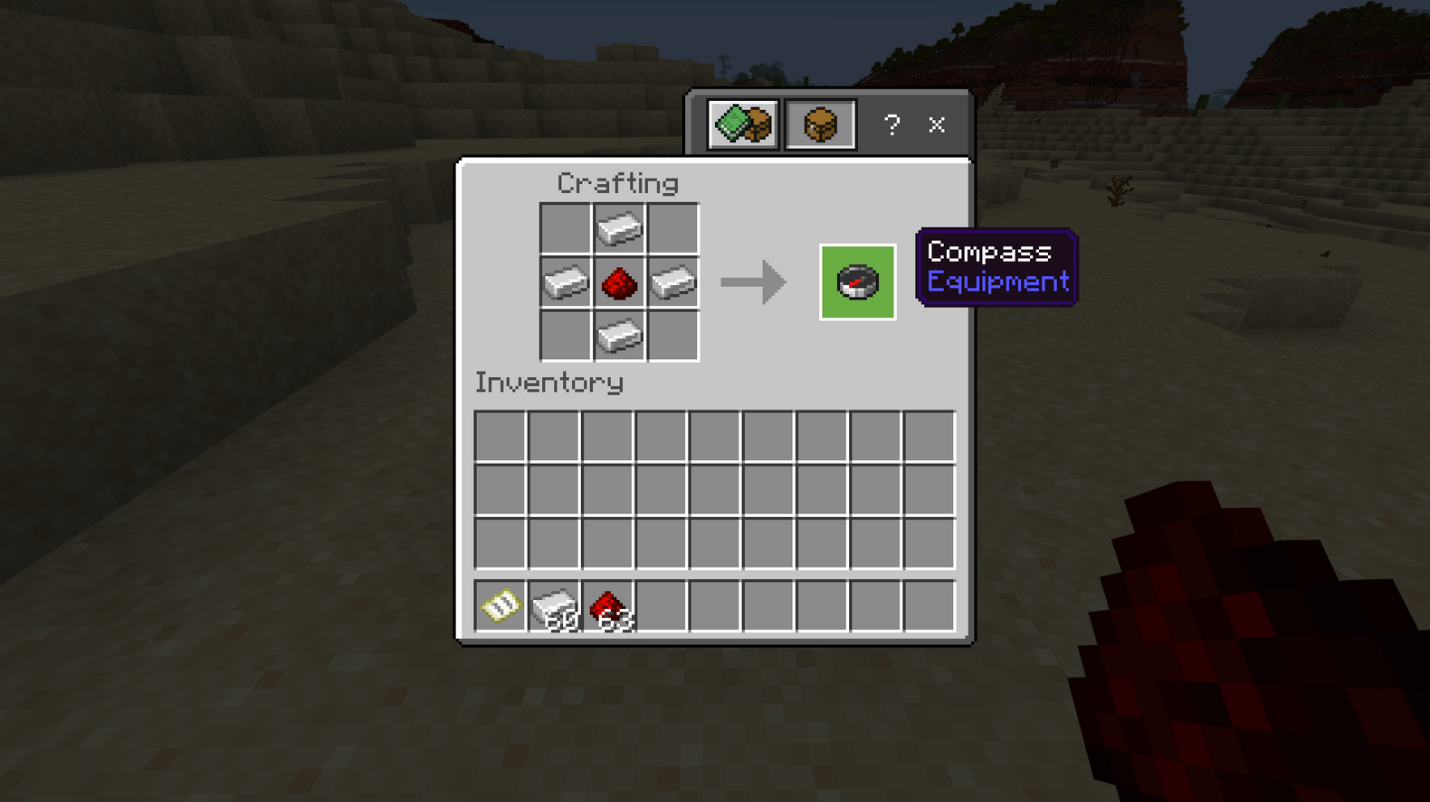
Next, craft a compass using four iron ingots and one piece of redstone dust. Iron ore and redstone dust can be found while mining, particularly in underground caves. Smelt the iron ore in a furnace to obtain four iron ingots, and then place the ingots in the cardinal directions of the crafting table, with the redstone dust in the center.
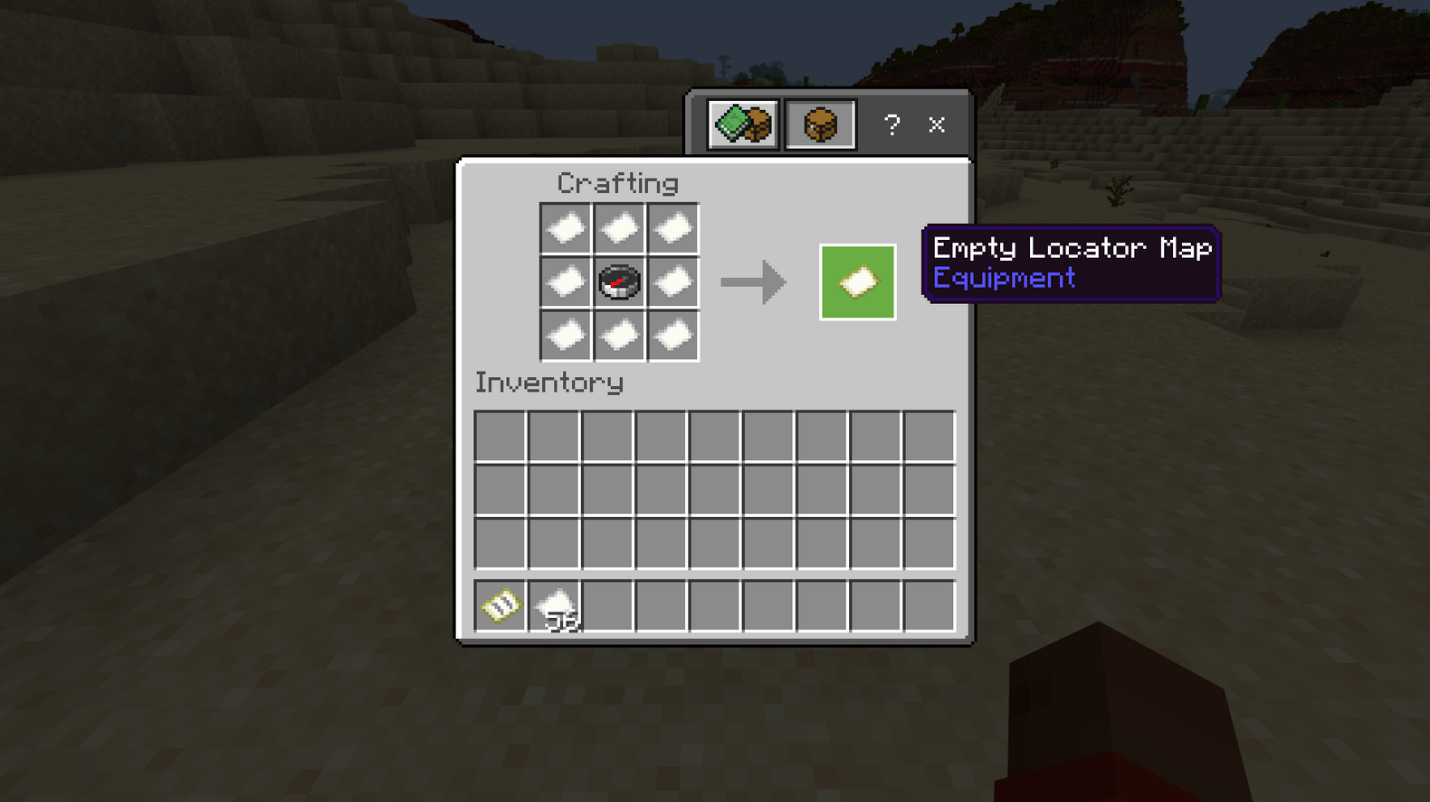
Once you have both the compass and the paper, you can finally create a map. Position the compass in the center slot of the 3x3 crafting table and place a piece of paper in each of the remaining nine slots. Congratulations, you now have an empty map!
Obtaining a Map
In addition to crafting a map, you can also acquire one by finding it in a chest or trading with a cartographer. Keep an eye out for treasure chests in sunken shipwrecks, as they have an approximately eight percent chance of containing a map. Strongholds' libraries are another location where you might find a map, with an approximate 11 percent chance. If you come across a cartographer in a village, you can purchase a map from them using seven to eight emeralds.
Using a Map
Once you have an empty map, it's time to put it to use. Equip the map and "use" it to instantly generate a representation of your surroundings. The map will now have a designated number, indicating that it is no longer empty.
As you explore your "Minecraft" world while holding the map, it will gradually fill in with the terrain and landmarks around you. A small white marker on the map indicates your current position, allowing you to track your movements.
Keep in mind that the map's displayed area is limited, and you'll need to make a new map or enlarge your existing one as you venture further from its range. To zoom out, combine the map with eight additional pieces of paper at a crafting table or with just one piece of paper at a cartography table. You can repeat this process up to four times, with each zoom level doubling the map's coverage.
Adding Custom Markers
To enhance your map further, you can add custom markers to denote specific locations. Start by crafting a banner using six pieces of wool of the same color in the top two rows and a stick in the bottom-middle slot of the crafting table. Use an anvil to give the banner a name, which will cost you one experience point.
Once you have your banner, head to the desired location and place it down. Hold the map and use it on the banner. If done correctly, a colored dot will appear on your map, representing the banner's location.
While your custom markers are visible on the map, you won't encounter many other icons. Your position is indicated by a white dot, and other players will also be represented by this dot.
By utilizing maps in "Minecraft," you can confidently explore your world, keep track of significant landmarks, and ensure you never lose your way. Happy adventuring!
Conclusion
If you're looking to take your "Minecraft" experience to the next level, we recommend playing on Gamever servers. Gamever offers a dynamic and engaging multiplayer environment where you can apply your newfound map-making skills and embark on exciting adventures with friends and fellow gamers.
By joining Gamever servers, you'll have the opportunity to showcase your navigation prowess, share maps with other players, and discover a wide range of user-created worlds. Engage in collaborative projects, tackle epic quests, or compete in thrilling PvP battles—all while utilizing your maps to their fullest potential.
Gamever provides a vibrant and welcoming community where you can connect with like-minded players, exchange tips and tricks, and embark on unforgettable journeys together. Whether you're a seasoned explorer or just starting your "Minecraft" adventure, Gamever servers offer an immersive multiplayer experience that will keep you engaged for hours on end.
So, why wait? Grab your maps, gather your friends, and dive into the world of Gamever servers. Unleash your creativity, navigate uncharted territories, and forge lasting memories in the ever-expanding universe of "Minecraft." Join Gamever today and embark on the ultimate multiplayer adventure!