
How to breathe underwater in Minecraft
Breathing underwater is a crucial skill in the world of Minecraft. It allows players to explore hidden treasures and delve into deep underwater caves that would otherwise be inaccessible without drowning.
Before embarking on your underwater adventures, it's important to equip yourself with the means to survive beneath the waves. Fortunately, there are several methods you can employ to extend your underwater breathing time and ensure a safe exploration experience.
Potion of Water Breathing
Crafting and using a Potion of Water Breathing is a reliable way to increase your underwater breath-holding capabilities. To create this potion, you'll need a Brewing Stand, which can be crafted using a Blaze Rod and three Cobblestones
To craft a water breathing potion in Minecraft, follow these steps:
- Craft Blaze Powder using 1 Blaze Rod.
- Craft a Crafting Table with 4 Wood Planks.
- Place the Crafting Table on the ground and open the 3x3 crafting grid.
- Craft a Brewing Stand by using 1 Blaze Rod and 3 Cobblestones.
- Place the Brewing Stand on the ground and open the brewing menu.
- Add Blaze Powder to the upper-left corner of the brewing menu to activate the Brewing Stand.
- Add a Water Bottle to one of the three bottom boxes in the brewing menu.
- Brew up to three water breathing potions at once by putting Water Bottles in the other two bottom boxes.
- Add Nether Wart to the top box of the brewing menu.
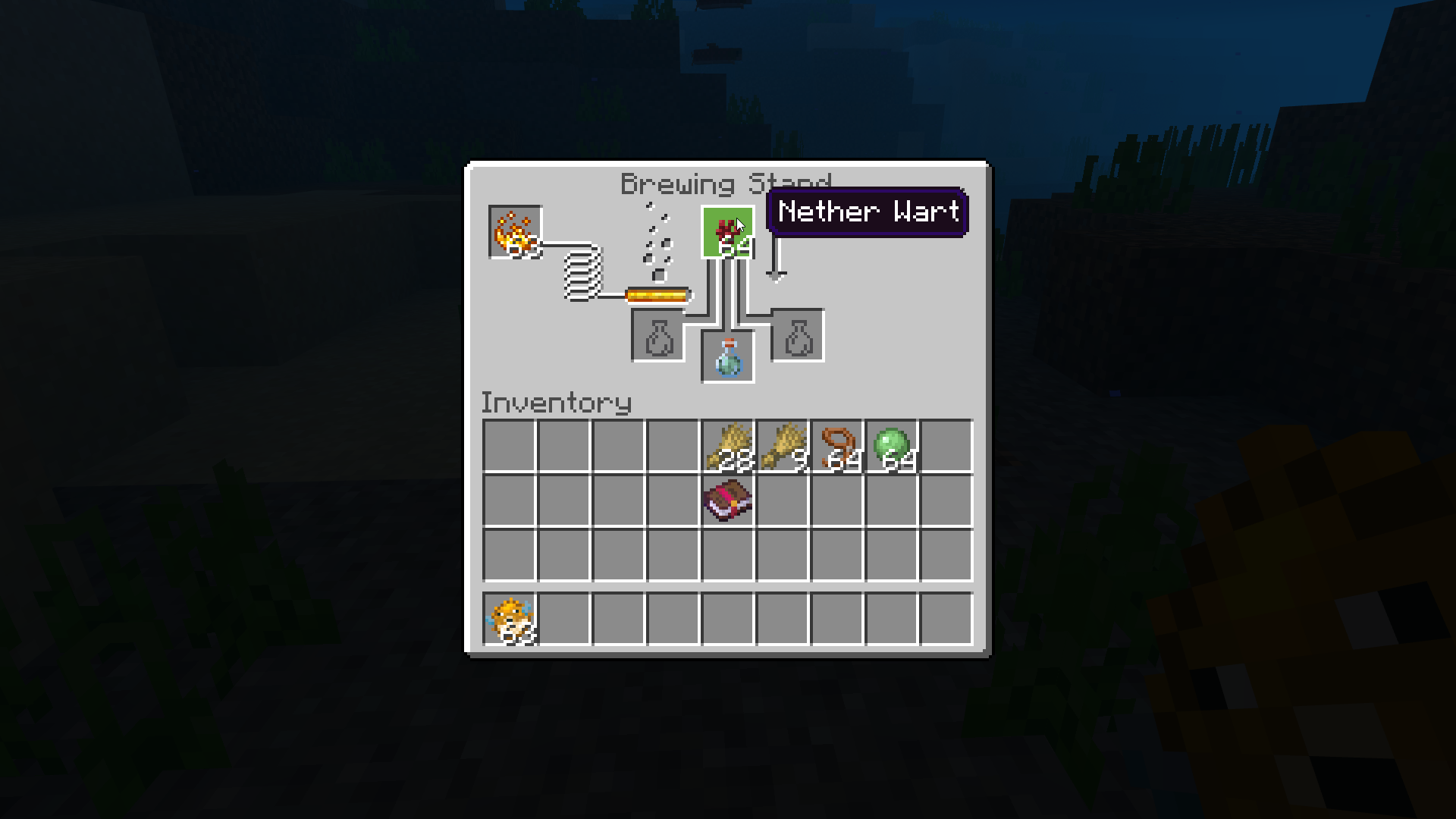
- Add a Puffer Fish to the top box of the brewing menu.

- When the brewing process is complete, the Awkward Potion will be replaced by a Potion of Water Breathing.
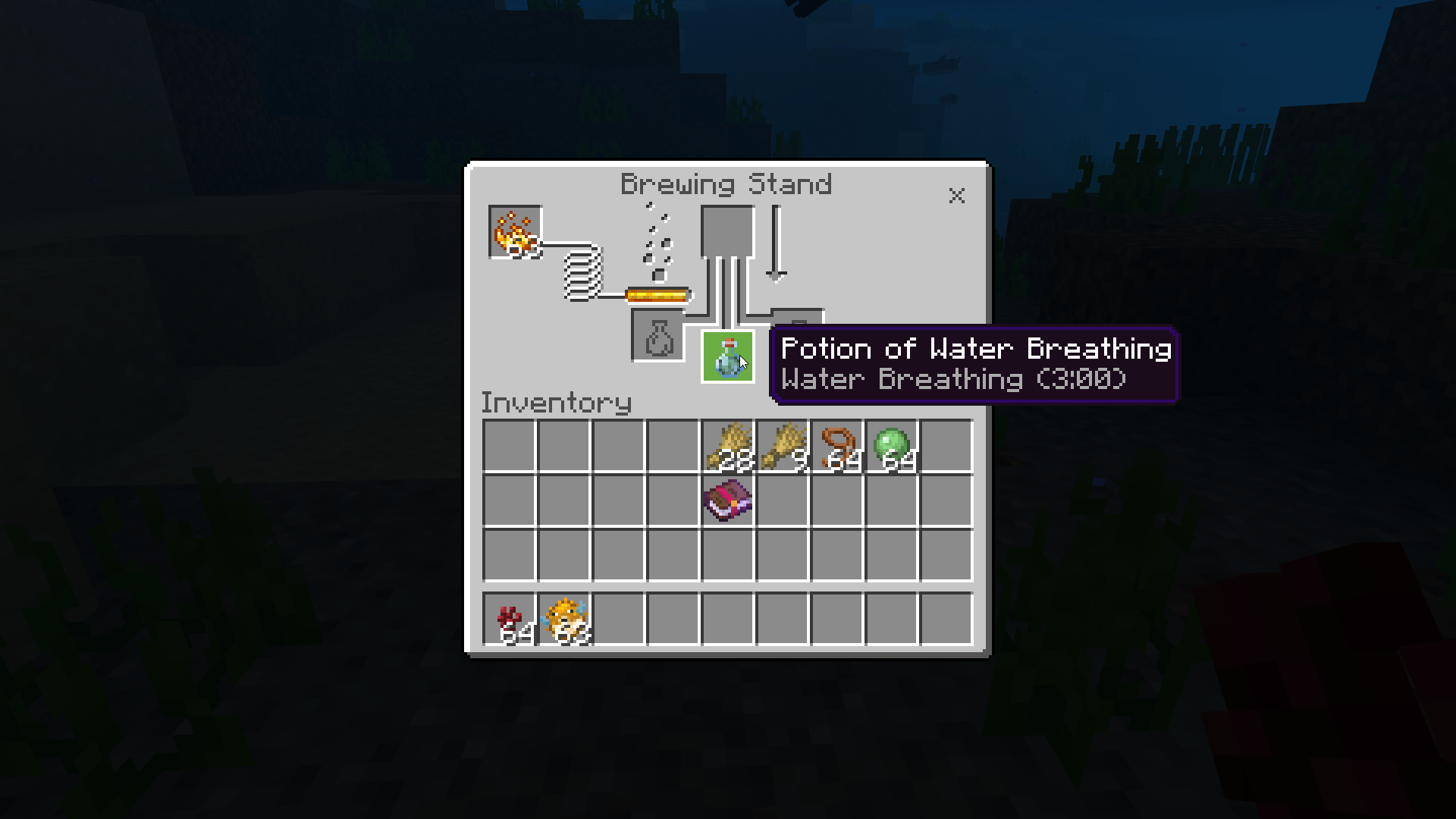
- To create a longer-lasting potion, add Redstone to the Potion of Water Breathing.
- To make a splash water breathing potion, add Gunpowder to the Potion of Water Breathing.
- To create a lingering water breathing potion, add Dragon's Breath to the Splash Potion of Weakness.
Turtle Shell Helmet
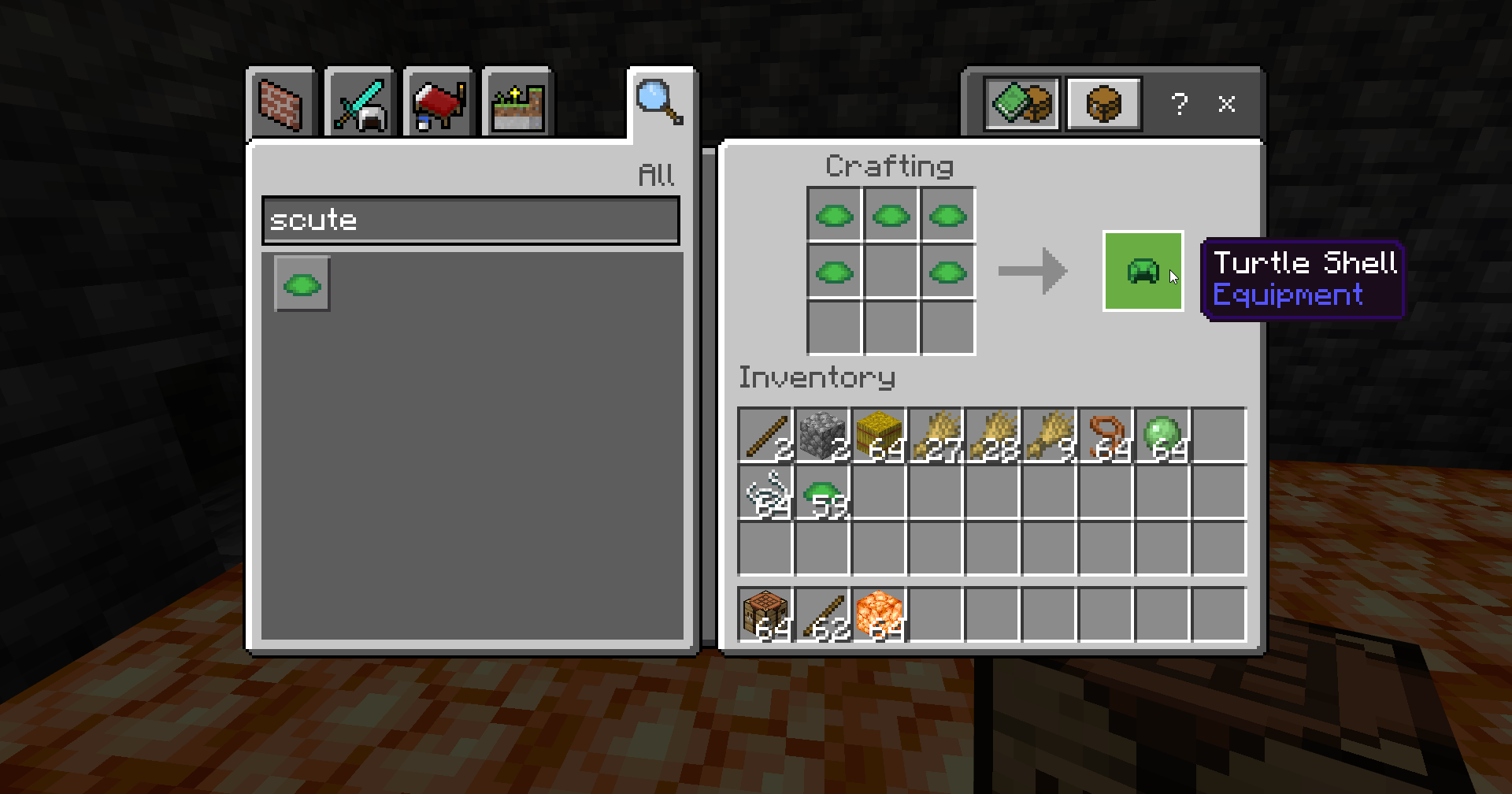
Equipping a Turtle Shell helmet grants you an additional 10 seconds of breathing time underwater. To craft a Turtle Shell, you'll need five Scutes, which are obtained from baby turtles when they mature into adults. Scutes can be collected by observing and protecting turtle hatchlings on beaches. Arrange the Scutes in a helmet formation on a Crafting Table to create the Turtle Shell helmet.
Conduits
Conduits are powerful blocks that provide various benefits when placed underwater. These blocks grant unlimited underwater breathing, along with underwater night vision and increased mining speed. Crafting a Conduit requires eight Nautilus Shells and one Heart of the Sea. Nautilus Shells can be obtained by defeating Drowned enemies or by fishing and trading with wandering traders. The Heart of the Sea can be found in buried treasure chests located in ocean ruins or shipwrecks. Combine these items in a crafting table to create a Conduit, which can be placed in Conduit Housing to activate its effects.
Conclusion
By utilizing these methods, you'll be able to explore the depths of Minecraft's underwater realms without the fear of suffocating. So, take a deep breath, equip yourself accordingly, and embark on thrilling underwater adventures in the vast Minecraft world.
However, to truly enhance your Minecraft experience and fully immerse yourself in this captivating world, we recommend using Gamever servers. Gamever servers provide a seamless multiplayer environment where you can connect with friends or fellow Minecraft enthusiasts from around the world. With Gamever's reliable infrastructure and lag-free performance, you can enjoy smooth gameplay and create memorable experiences together.
So, equip yourself with the necessary tools to breathe underwater, and with the help of Gamever servers, dive into the wonders of Minecraft. Uncover hidden treasures, explore breathtaking underwater landscapes, and make the most of the limitless possibilities this game has to offer. Happy crafting and underwater adventures!