
Valheim's New World Save System: Your World Is No Longer Two Files
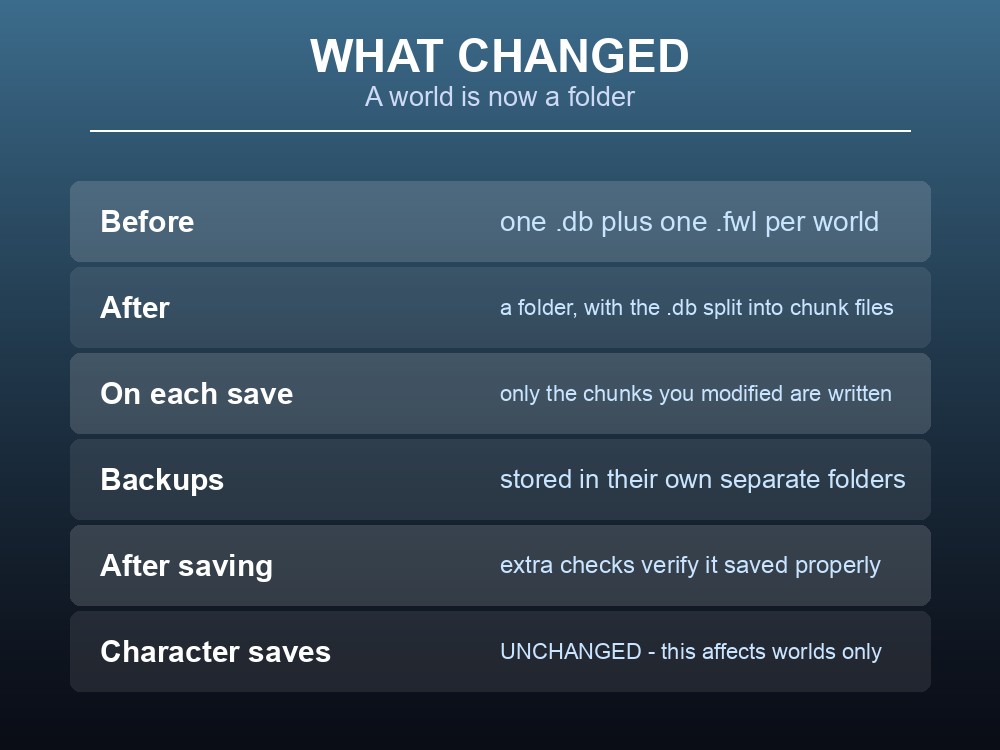
If you have ever backed up a Valheim world, you know the drill: grab the .db, grab the .fwl, done. That is changing. Iron Gate have rebuilt the world save system so that a world is now a folder containing many files, and only the parts you actually changed get written on each save. It is on the Public Test Branch now and has not yet reached the default branch — but if you run a server, or keep your own backups, it changes your routine. Here is exactly what is different.
What Changed
Iron Gate's stated purpose is two things: "to make the game save faster, and to decrease the risk of corrupt save files."
| Before | After |
|---|---|
One .db + one .fwl per world | A folder per world |
The .db written whole on every save | .db split into multiple chunk files |
| Whole-world writes | Only modified chunks are saved |
| Backups alongside saves | Backups in their own separate folders |
| — | Extra verification checks after saving |
The chunked write is the performance change. In Iron Gate's words: "the game now saves your world in smaller chunks, and only the chunks that have been modified since the last save will be affected."
The verification is the reliability change: "The save system performs extra checks after saving to make sure it saved properly, which reduces the risk of a corrupt save."
And there is a safety net for the migration itself: "When loading a world that is not chunked, a backup is made first so no data is lost in case of potential new bugs."
Note what is not affected. Iron Gate are explicit: "The new save system only affects world saves — character saves remain the same." Your character files keep working exactly as before.
Status: Public Test Only
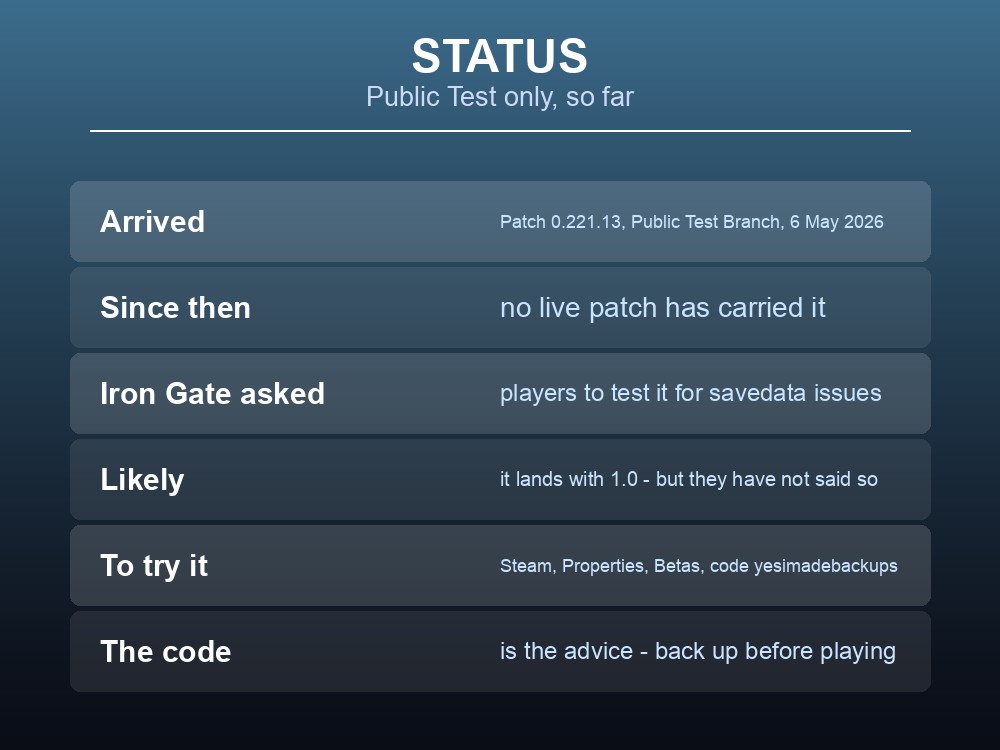
This has not shipped to the default branch. It arrived in Patch 0.221.13 on the Public Test Branch on 6 May 2026, and no live patch since has carried it.
Iron Gate then asked for help testing it, which tells you how carefully they are treating it:
"There is currently a patch out on the PTB that features a rework of the save system, and we would be eternally grateful if you wanted to switch over to the PTB and test it out. What we would ask you to be particularly attentive to is any issues with your savedata or with the network."
So the realistic expectation is that it lands with 1.0 on 9 September — but Iron Gate have not said that, and we are not going to claim it. What is certain is that it exists, it is finished enough to test publicly, and it is the direction the game is going.
Accessing the Public Test Branch, if you want to test against your own setup first:
- Right-click Valheim in your Steam library → Properties.
- Select Betas and enter the code
yesimadebackups. - The Public Test branch becomes selectable.
The access code is the advice. Iron Gate repeat it every time: "please ensure to create backups of your save files before playing."
What This Means If You Run a Server
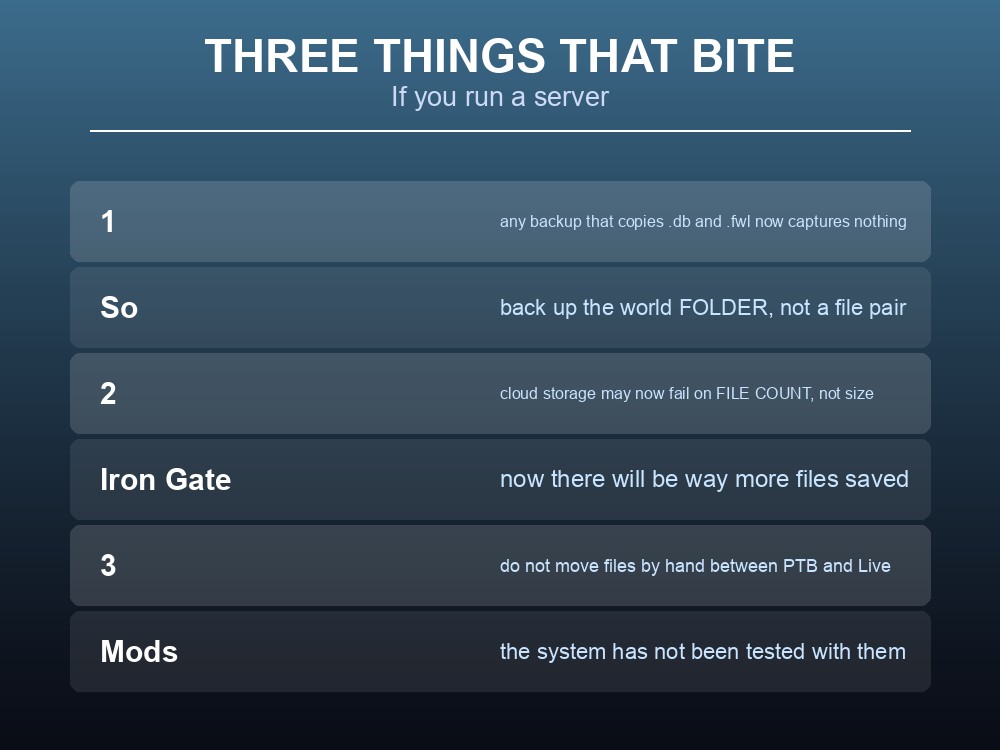
Three practical consequences, in the order they will bite:
1. Any backup routine that copies two files is now wrong. A script, a manual habit or a tool that grabs worldname.db and worldname.fwl will silently capture nothing once a world is chunked, because those files no longer exist in that form. Back up the world folder, not a file pair.
2. Cloud storage has a new failure mode — file count. This is the subtlest change and Iron Gate flagged it directly:
"There is a new limitation in cloud storage. Up until now it was only the total size of all saves. Some platforms have a limit in how many files can be saved — this was previously not a limitation, but now there will be way more files saved."
A world that fits comfortably by size may now fail by count. If you sync saves through any cloud service with a per-folder or per-account file limit, that is worth checking before 1.0 rather than after.
3. Do not shuffle files between branches by hand. Iron Gate's warning is specific: "if you intend to switch between the PTB and the Live branch of the game, it is not advisable to move your files around manually."
Mods are untested territory. "For users who are running Valheim with mods, please note that this system has not been tested with mods. While we don't believe there should be any issues relating to this, modding the game is always done at your own risk."
That compounds an existing 1.0 warning. Iron Gate's Ashlands guidance — the closest precedent we have — was to disable mods before you download the update, "otherwise the game will most likely not launch properly." Note the sequencing: before download, not before launch. On a server with automatic updates, that means knowing the update window in advance.
Preparing for the Change
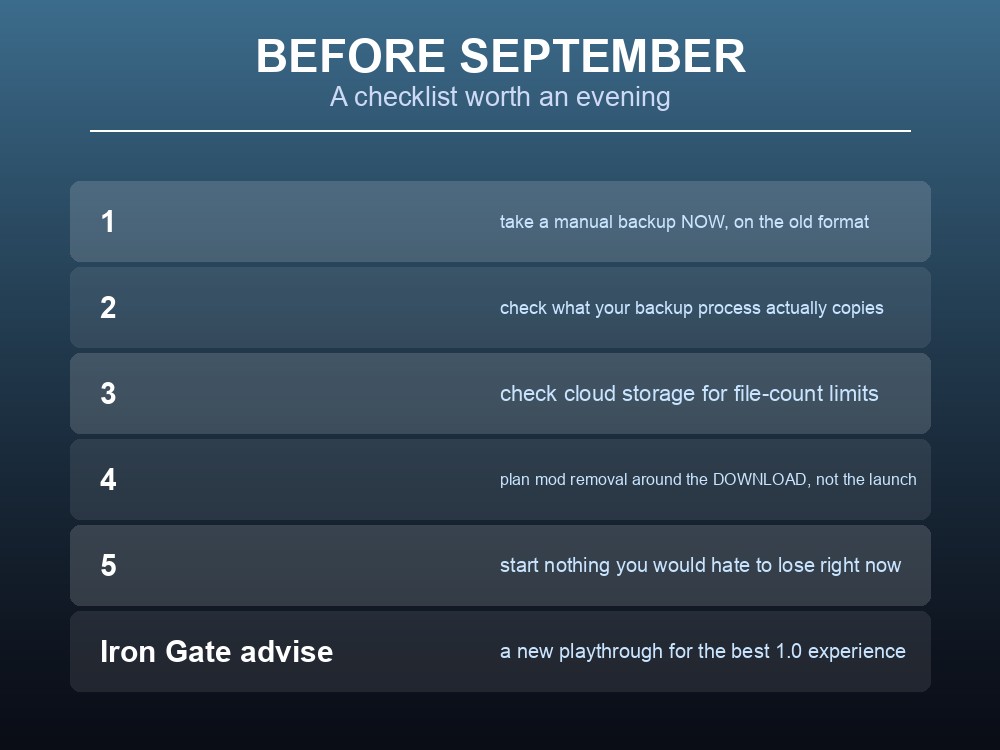
A checklist that costs an evening and covers the realistic risks:
- Take a manual backup now, on the current system, while a world is still a simple file pair. This is your known-good copy.
- Check what your backup process actually copies. If it names
.dband.fwl, it needs to become folder-based. - Check your cloud storage for file-count limits, not just size quotas.
- Plan your mod removal around the download, not the launch.
- Do not start a project you would hate to lose in the fortnight before a major version change — advice that applies to every Valheim update, not just this one.
Iron Gate's own top-level recommendation for 1.0 is worth repeating because it sidesteps most of this: "we recommend that you start a new playthrough to get the best possible Valheim experience" — while acknowledging "many of you will want to visit the Deep North as soon as you can."
For most groups the honest answer is a fresh world for Deep North and a preserved copy of the old one. That is cheaper than any migration argument, and it is what Iron Gate are steering people towards.
Practical tips
- A world is becoming a folder, not a
.db+.fwlpair. Update any backup routine that names those files.- Only modified chunks are written — saves get faster, especially on large worlds.
- Extra post-save verification reduces corruption risk.
- Loading an old, non-chunked world makes a backup first.
- Character saves are unaffected.
- Cloud storage may now fail on file count rather than total size.
- Do not move files by hand between the PTB and Live branches.
- The system is untested with mods — and mods should come off before you download a major update.
Running your own Valheim server
Save-format changes are exactly the moment when having proper backups stops being theoretical. A gamever Valheim server takes one-click backups you can roll back to, so a world can be captured before an update lands rather than after something has gone wrong, keeps your world online around the clock for up to 10 players, and handles updates so client and server versions do not drift apart.
Conclusion
Valheim's world save system has been rebuilt: instead of a .db and .fwl pair, a world is now a folder containing the .db split into chunk files, with backups in their own separate folders. Only modified chunks are written on each save, and the game runs extra checks afterwards to reduce corruption — and loading an older, non-chunked world makes a backup first. Character saves are unchanged. It has been on the Public Test Branch since 6 May 2026 and Iron Gate have asked players to test it specifically for savedata issues; it has not yet reached the default branch. For anyone running a server the three things that matter are: back up folders, not file pairs; check cloud storage for file-count limits, because "now there will be way more files saved"; and do not move files manually between branches. The system is untested with mods, and mods should come off before you download a major update, not before you launch it.
Want a backup you can actually roll back to? Rent a Valheim server at gamever.io — instant setup, one-click backups and updates, and 24/7 uptime. Start with a free trial and use promo code WELCOME.