
The Satisfactory Server HTTPS Management API

Since the 1.0 release, every Satisfactory dedicated server runs an HTTPS Management API — a small REST interface that lets outside tools read the server's state and control it (save the game, change options, shut it down) without anyone opening the game. It's what Discord bots, monitoring dashboards and home-automation setups talk to. This guide explains what the API is, how to find its address on your gamever server, how to generate the API token it needs, and some example calls — all framed for a gamever-hosted server.
What the HTTPS Management API is
Satisfactory 1.0 shipped two first-party interfaces: a lightweight UDP query API for cheap state polling, and the HTTPS API for detailed state and control. The HTTPS API is a JSON-over-HTTPS service: you send a POST naming a function and a data object, and the server answers with a data object (or an errorCode). Most control functions require an Admin-level token; a couple of read-only functions (like a health check) need no authentication at all.
Where the API lives (port and address)
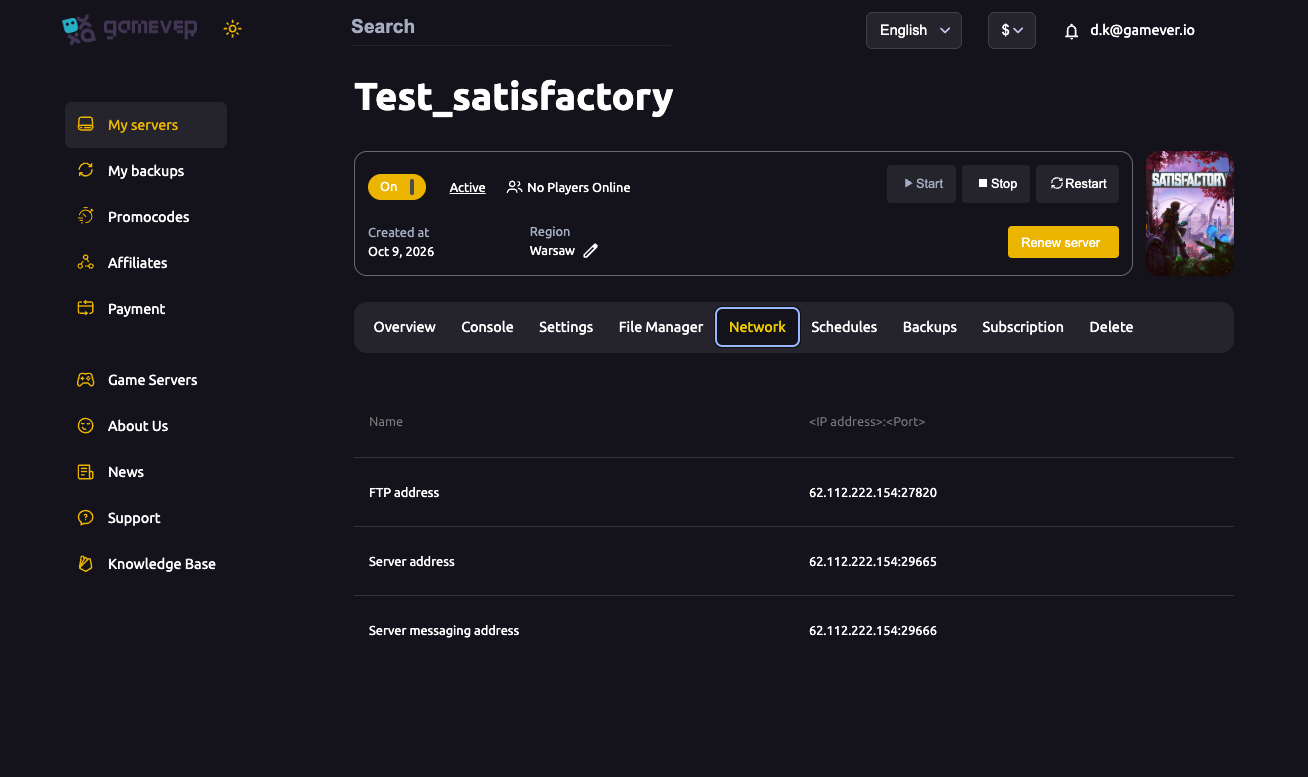
The HTTPS API listens on the TCP side of your game port — the same port players connect over. On gamever you don't open or forward anything; the port is already assigned and open. Open the Network tab in your panel and read your Server address — the IP and game port are what the API uses too.
| Item | Value |
|---|---|
| Host | Your server IP (Network tab) |
| Port | Your game port (e.g. 29665) — TCP side, the one shown as Server address |
| Base path | /api/v1 |
| Example base URL | https://62.112.222.154:29665/api/v1 |
| TLS | Self-signed certificate by default |
Because the default certificate is self-signed, command-line tools like curl need the -k (insecure) flag, or you must trust the certificate yourself. Always use the exact IP and port from your Network tab — see ports and connection troubleshooting.
Step 1 — generate an API token
Control functions need an Application Token, which acts as admin credentials. You generate one by running the Satisfactory server console command:
server.GenerateAPIToken
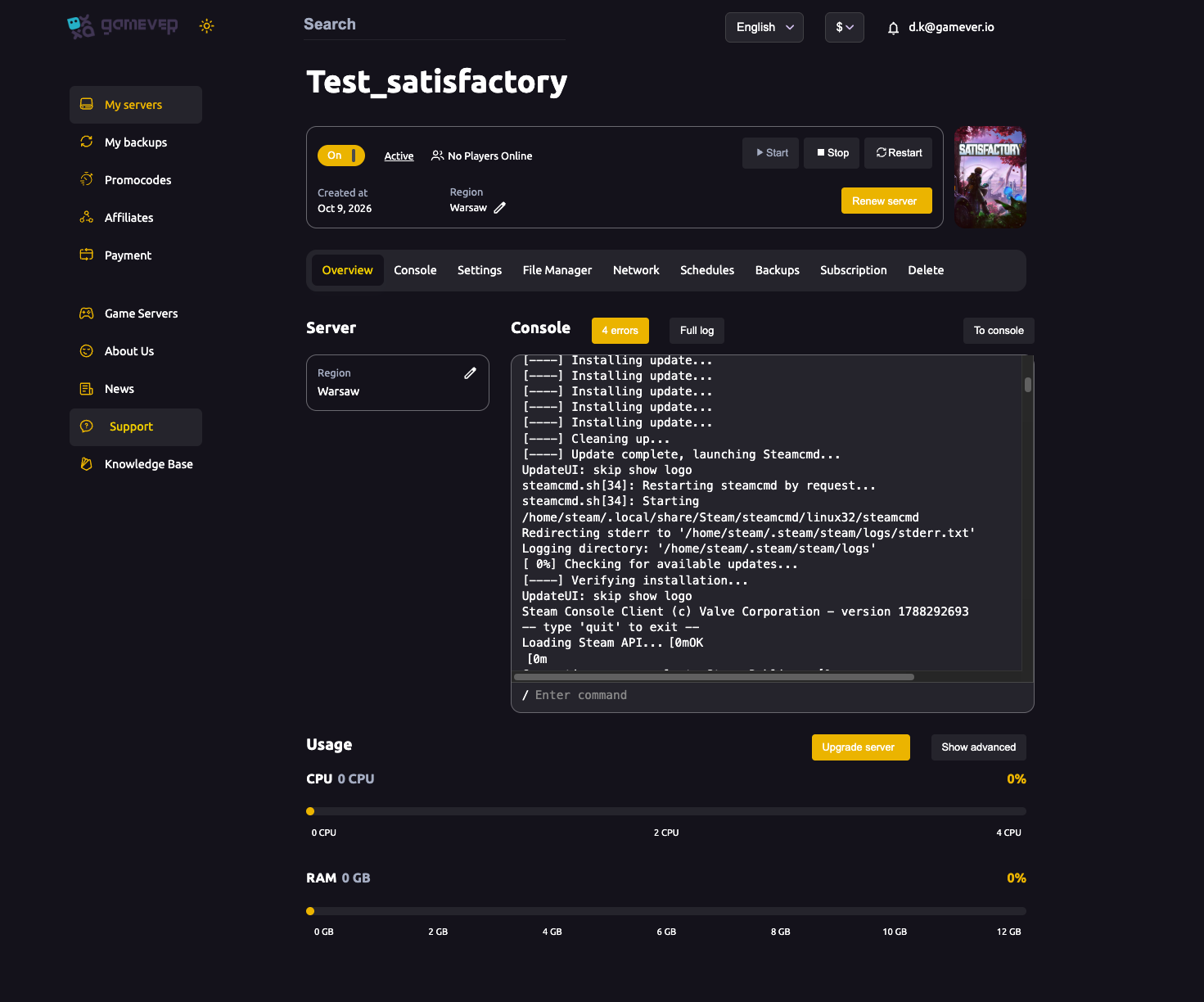
In Satisfactory, server console commands are run through the in-game Server Manager: connect to your gamever server, authenticate with the Admin Password you set when you claimed it (see connecting and claiming), and open the console there. The command prints a long token string — copy it somewhere safe. Your gamever panel's Console tab, meanwhile, is where you watch the server's log output and status.
If a token is ever exposed, run server.InvalidateAPITokens to revoke all previously generated tokens, then issue a fresh one.
Step 2 — example management calls
Every call is a POST to your base URL with a JSON body of {"function": "<Name>", "data": { ... }}. Control calls carry the token in an Authorization: Bearer <token> header. These are the common functions (all verified against the official API):
| Function | Auth | What it does |
|---|---|---|
HealthCheck | None | Confirms the API is up and reports tick rate. |
QueryServerState | Token | Returns live server state (ServerGameState) — players online, tick rate, session name. |
GetServerOptions | Token | Returns current and pending server options. |
SaveGame | Admin | Writes an immediate manual save of the current session. |
Shutdown | Admin | Shuts the server down gracefully (the recommended way to stop it via the API). |
A no-auth health check:
curl -k -X POST https://62.112.222.154:29665/api/v1 \
  -H "Content-Type: application/json" \
  -d '{"function":"HealthCheck","data":{}}'
An authenticated state query:
curl -k -X POST https://62.112.222.154:29665/api/v1 \
  -H "Authorization: Bearer <your-token>" \
  -H "Content-Type: application/json" \
  -d '{"function":"QueryServerState","data":{}}'
Saving and shutting down follow the same shape with "function":"SaveGame" or "function":"Shutdown". Prefer the API's Shutdown over an abrupt stop so the world saves cleanly — though for everyday restarts the panel's Overview controls are simpler and safer, since they keep the panel's status in sync.
Keeping the token private
An API token is a master key: anyone holding it can read your server, change its options, save over it or shut it down. Treat it exactly like your Admin Password:
- Never paste it into public configs, screenshots, Discord messages or a repo.
- Give it only to the specific bot or tool that needs it.
- Rotate it with
server.InvalidateAPITokens+ a freshserver.GenerateAPITokenif you suspect it leaked or when a co-admin leaves.
Additional Tips
- The API port is your game port — use the exact value from the Network tab, not the upstream default (7777). gamever assigns it for you.
- Self-signed by default — add
-kincurl, or import/trust the certificate in whatever tool you use. HealthCheckneeds no token — it's the safest first call to confirm you've got the address and port right before worrying about auth.- One revoke, all tokens —
server.InvalidateAPITokensinvalidates every issued token at once, so plan to re-issue to each tool afterwards. - For routine admin, use the panel — the API shines for automation (bots, dashboards, scheduled saves); for a quick restart or settings change, the panel's tabs are faster. See server settings.
Conclusion
The Satisfactory HTTPS Management API turns your server into something a bot or dashboard can watch and control: point any client at https://<your-ip>:<game-port>/api/v1, generate a token with server.GenerateAPIToken, and call functions like QueryServerState, SaveGame and Shutdown. Keep that token as private as your Admin Password, and your automation has everything it needs.
Rent your Satisfactory server at gamever.io — every port open out of the box, a built-in Console and panel controls, and 24/7 uptime for your factory. Free trial, promo code WELCOME.