
Sons of the Forest Server Console and Admin Commands

Running a Sons of the Forest server means occasionally having to step in — save before a risky change, remove a disruptive player, or shut the server down cleanly. On a gamever server you don't need any external tool for this: you become a recognized owner, then type commands straight into the panel's Console. This guide covers how to get admin rights through ownerswhitelist.txt and the exact console commands we can confirm work on a dedicated server.
Step 1 — Become a server owner
Admin rights on a dedicated server come from the owners whitelist, not from an in-game role. In the File Manager at /home/server/userdata/ there's a file called ownerswhitelist.txt. Each line is one owner's 17-digit SteamID64:
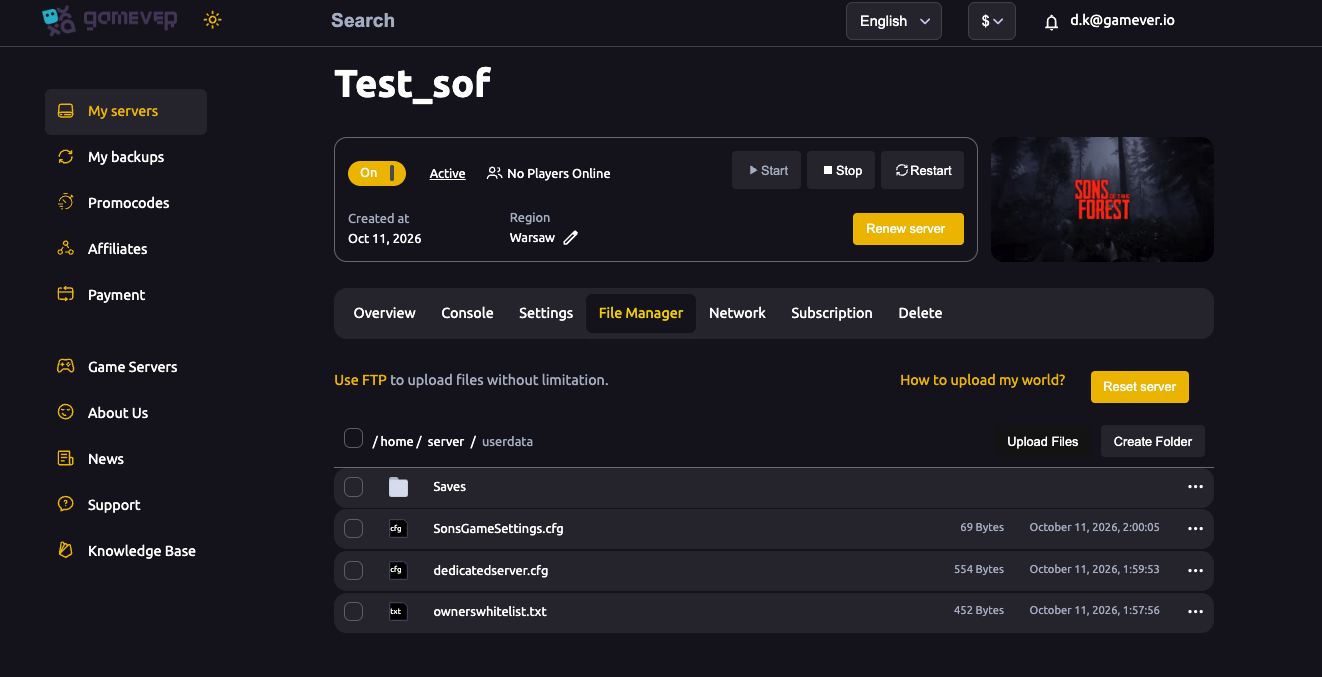
- Open File Manager →
/home/server/userdata/→ownerswhitelist.txt. - Add each owner's SteamID64 on its own line.
- Stop the server before editing, then start it again so the change is read at boot.
Listed owners are recognized automatically when they connect. For the full breakdown of the owners whitelist alongside the join and admin passwords, see passwords & admin access.
Step 2 — Open the Console
Server commands are typed into the gamever panel's Console tab — it's connected to your running server, so there's nothing to install and no password to re-enter. Open the panel, go to the Console tab, and type a command on the input line.
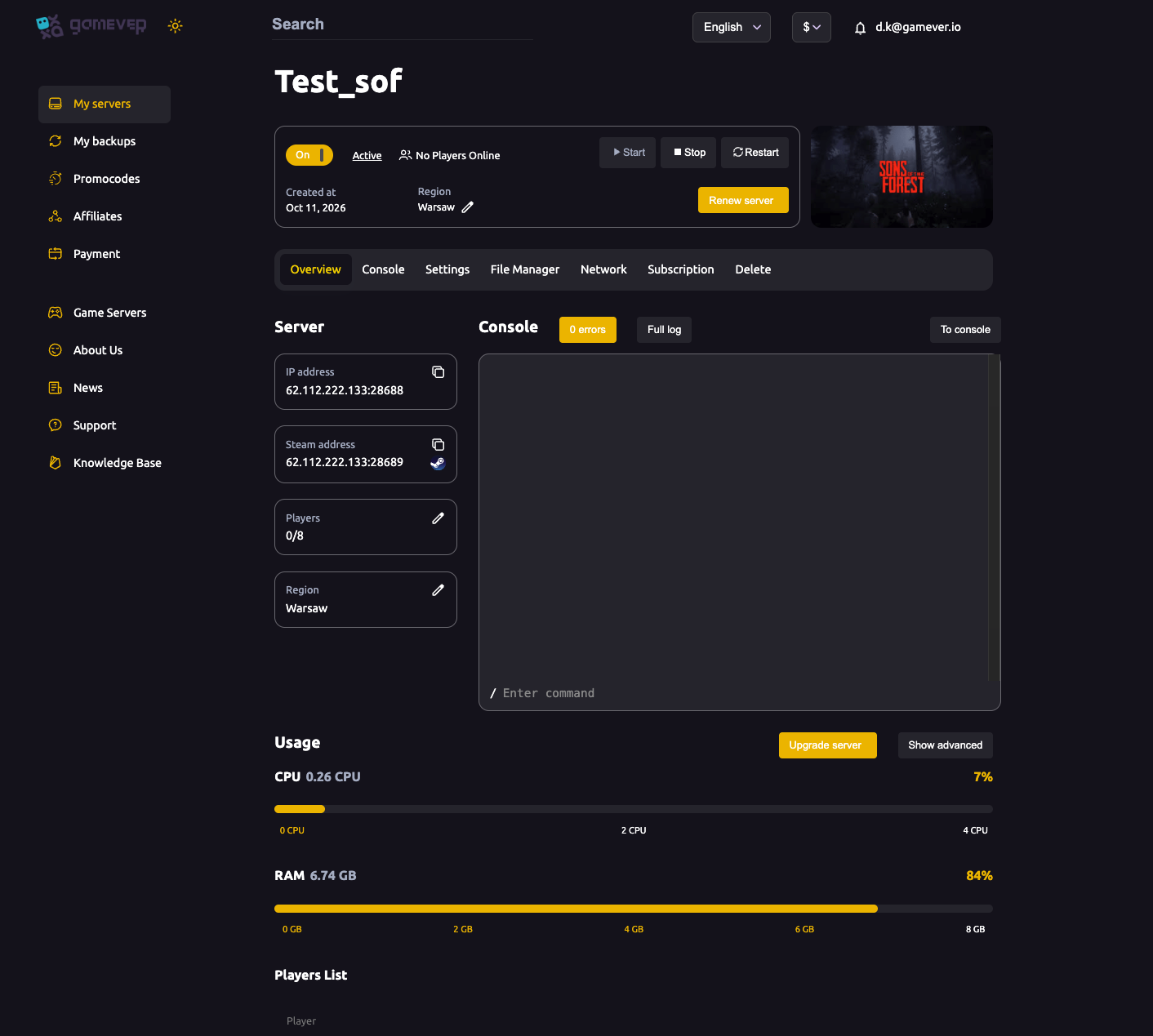
Server console commands
These are the commands a Sons of the Forest dedicated server accepts from its console. Type the command on its own; for kick, ban and unban, add the player's ID shown by list:
| Command | What it does |
|---|---|
help | Lists every available console command. |
list | Shows the currently connected players and their IDs — run this first to find the ID you need. |
save | Forces an immediate save of the game to disk. |
kick <playerID> | Disconnects a player from the server. |
ban <playerID> | Removes a player and blocks them from rejoining. |
unban <playerID> | Lifts a ban so the player can connect again. |
stop | Shuts the server down cleanly. |
A sensible habit is to run save before stop, and to run list before any kick or ban so you target the right player ID. After a stop, start the server again from the panel when you're ready.
Cheats are a setting, not a command
Sons of the Forest keeps cheat functionality off by default on a dedicated server, and it's controlled by the panel's Allow Cheats toggle (Settings → Server settings) rather than by a console command — so flipping it is a deliberate server-wide choice, not something a single player types in. See cheats & admin control for what that toggle does and when to use it. The in-game F1 "cheatstick" menu is a client-side feature and is separate from the server console commands above.
A note on RCON
Unlike many survival games, Sons of the Forest does not support RCON — there is no remote-console protocol, port or password to configure. If a guide tells you to set up RCON for Sons of the Forest, it's wrong. The panel Console is the supported way to run server commands, which is exactly why gamever wires it in for you.
Additional Tips
- Run
listfirst. The kick/ban commands need a player ID, andlistis how you read the current ones. - Save before you stop.
savethenstopavoids losing recent progress on a clean shutdown. - Edit the whitelist with the server stopped.
ownerswhitelist.txtis read at boot, so stop, edit, then start again. - Keep the owners list short. Everyone on it has full control — add only people you trust, and keep your admin password private.
- There's no RCON and no in-game admin command system — the panel Console is the tool, so you don't need any external client.
Conclusion
Admin control on a Sons of the Forest server is two steps: add your SteamID64 to ownerswhitelist.txt in the File Manager, then run commands from the panel Console — help, list, save, kick, ban, unban and stop. Cheats stay a deliberate toggle, and there's no RCON to wrestle with. Set up your owners, learn those seven commands, and you can manage the whole server from one browser tab.
Rent your Sons of the Forest server at gamever.io — a built-in Console, File Manager and owner controls, all in one panel with no RCON setup to fuss over. Free trial, promo code WELCOME.