
Sons of the Forest: How to Fix the Issue of Not Launching on PC
Before diving into solutions, it's crucial to understand the root causes behind the game's failure to launch. Common culprits include outdated graphics drivers, missing or corrupted game files, incompatible hardware, and conflicts with antivirus software or overlay apps.
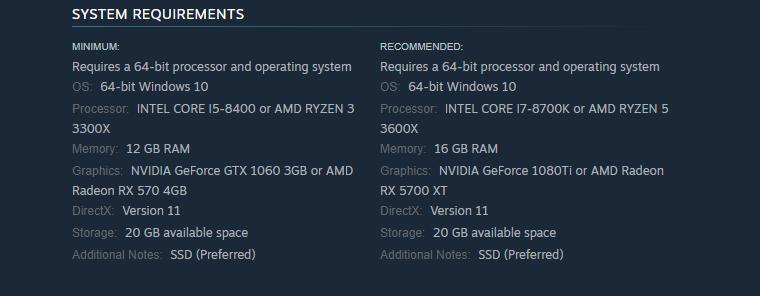
Check System Requirements
Ensure your PC meets the game's minimum requirements, including OS, processor, memory, graphics, and storage.
Run the Game as an Administrator
Grant administrative privileges to the game executable to resolve access issues.

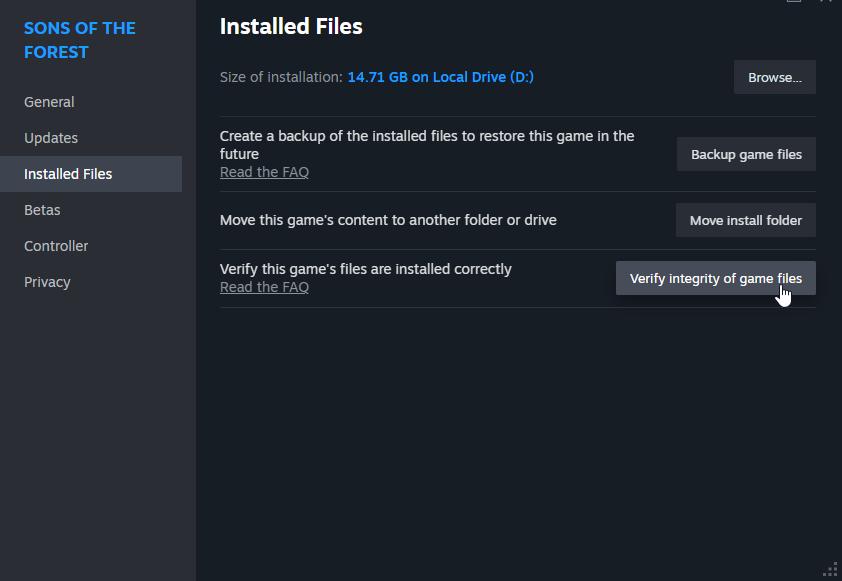
Verify the Integrity of Game Files
Use Steam to verify and repair any corrupted or missing game files.
Update Drivers
Ensure compatibility by updating the Visual C++ Redistributable packages.
Reinstall or update DirectX to address graphics-related compatibility issues.
Keep your graphics drivers up to date to optimize performance and compatibility.
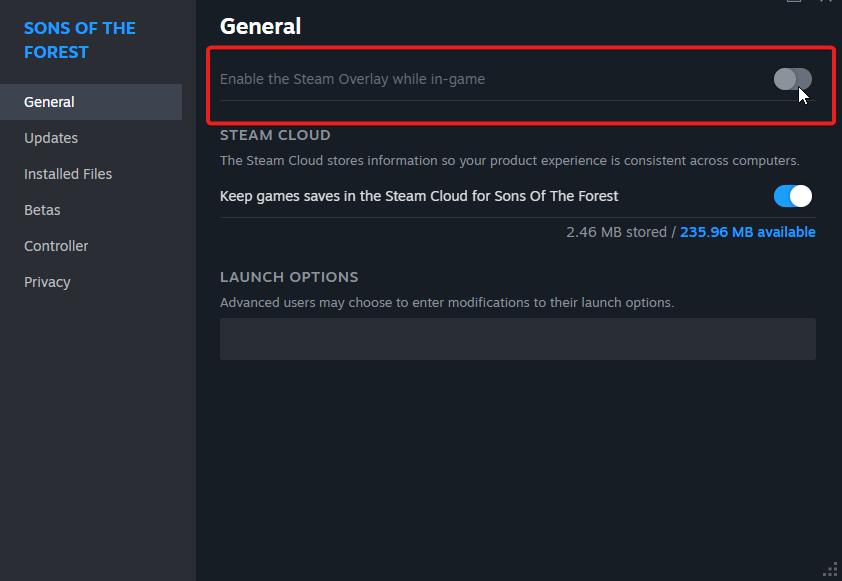
Disable Overlay Apps
Disable overlays from Steam or NVIDIA to prevent conflicts during game launch.
Install All Pending Windows Updates
Ensure your operating system is up to date to fix potential system-level issues.
Disable Antivirus and Firewall Programs
Temporarily disable security software to rule out interference with game launch.
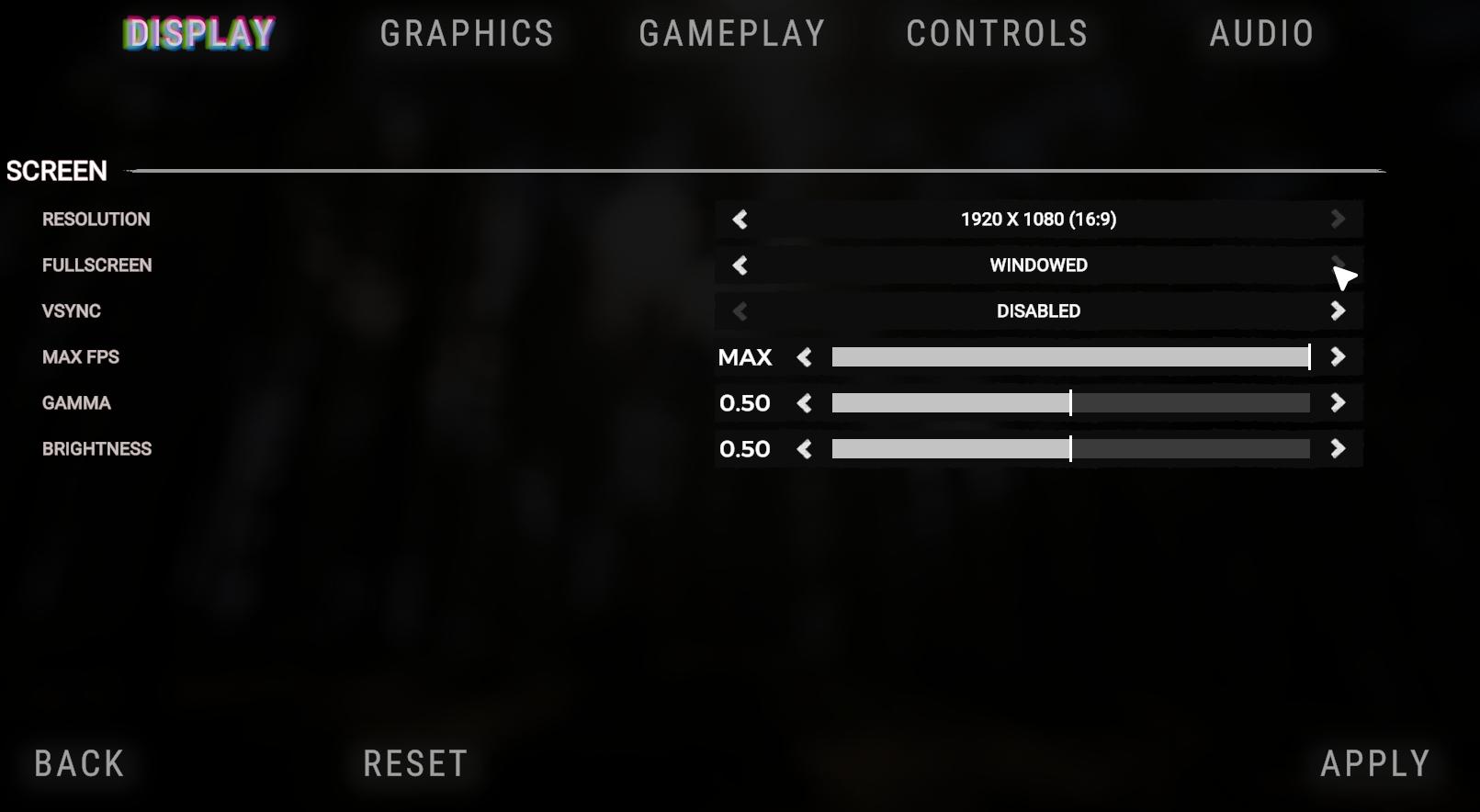
Launch the Game in Windowed Mode
Troubleshoot fullscreen display issues by launching the game in windowed mode.
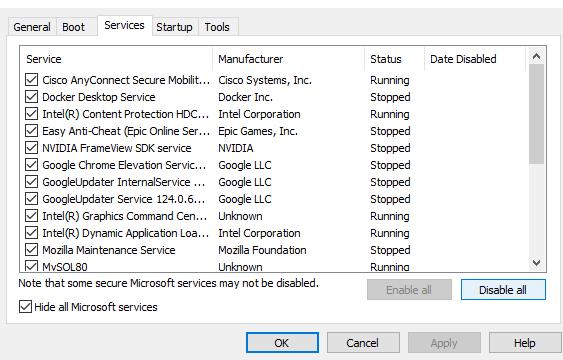
Perform a Clean Boot
Identify and resolve software conflicts by performing a clean boot of your system.
Close Background Processes
Free up system resources by closing unnecessary background processes.
Reset or Reinstalling Sons of the Forest
Reset the game to default settings to resolve persistent launch issues. If all else fails, reinstall the game to fix underlying installation issues.
Sons of the Forest offers a captivating gaming experience, but technical issues like the game not launching can dampen the excitement. Don't let initial setbacks deter you from exploring the mysterious world of Sons of the Forest—with perseverance and the right fixes, you'll soon be immersed in its chilling atmosphere once again.