
Project Zomboid SandboxVars.lua: Key Settings Reference
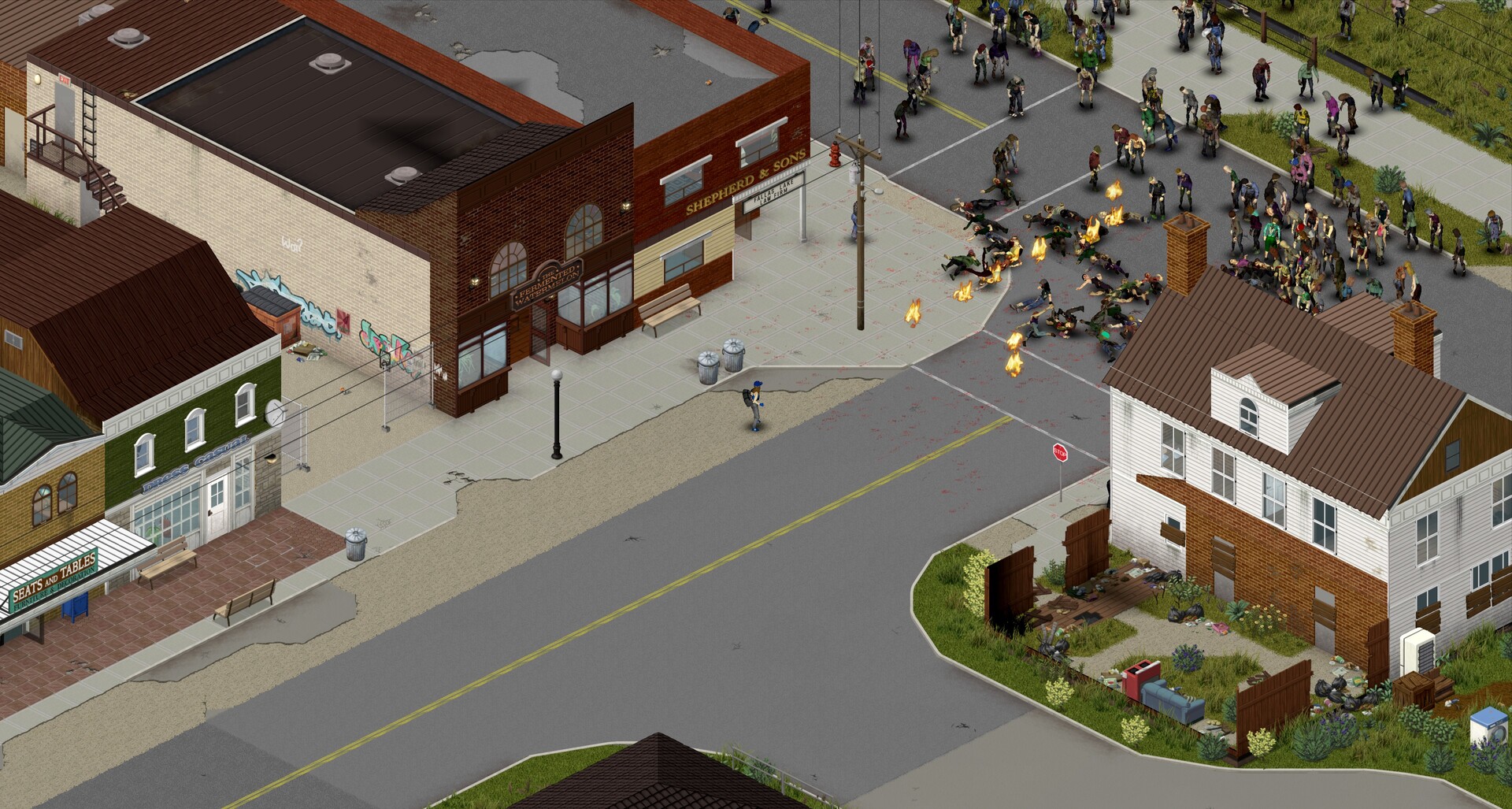
Project Zomboid keeps its gameplay difficulty in a single Lua file, <Servername>_SandboxVars.lua. It controls how many zombies spawn, how fast they move, how rare loot is, how quickly you level up and how long a day lasts. On your gamever server this file lives on the File Manager and you edit it with the server stopped. This guide is a reference to the keys that matter most — the exact names as they appear in the current Build 42 file (VERSION = 6) — so you can find and change them with confidence. For the step-by-step editing walkthrough, see sandbox settings; this page focuses on which keys to touch.
Where it lives
Open the File Manager and go to /home/configs/Server/. The sandbox file sits beside the main config:
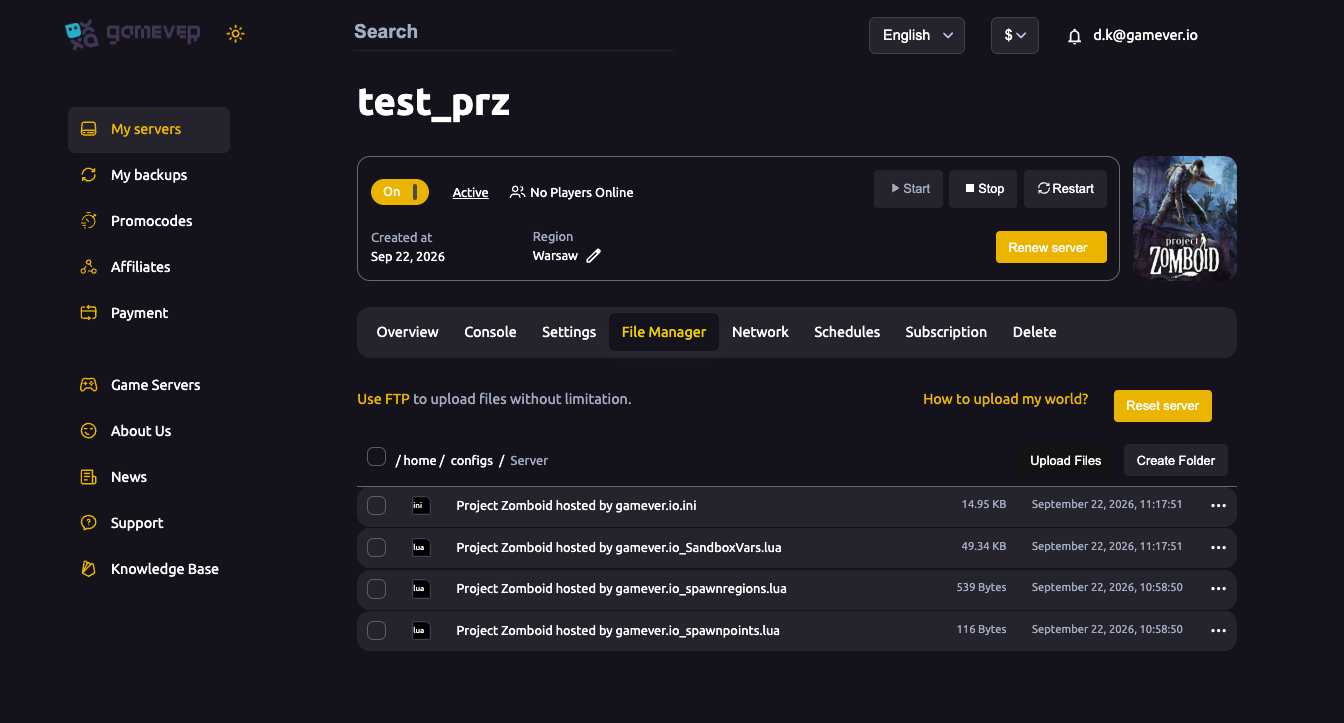
Always stop the server (Overview → Stop) before editing — the server rewrites this file on shutdown, so edits made while it is running are lost. Keep the Lua syntax valid: a missing comma, = or brace will stop the sandbox loading. Back up the file first.
SandboxVars.lua vs the main .ini
These are two different files and it is easy to confuse them:
<Servername>.iniholds connection, admin and rules settings — passwords, player slots, PVP, mods, ports. Most of these are exposed on Settings → Server Settings in the panel. See server settings explained.<Servername>_SandboxVars.luaholds the gameplay difficulty values below. The panel does not expose every one as its own field, so you edit the file.
Zombie population and spawns
The headline knob is Zombies, a preset that also sets the advanced multiplier for you:
| Key | What it does | Values / default |
|---|---|---|
Zombies | Overall zombie population preset. Changing it also sets PopulationMultiplier. | 1=Insane, 2=Very High, 3=High, 4=Normal (default), 5=Low, 6=None |
Distribution | How zombies are spread across the map. | 1=Urban Focused (default), 2=Uniform |
ZombieRespawn | Respawn preset for cleared areas. | 1=High, 2=Normal, 3=Low, 4=None (default) |
For fine control, the advanced values sit in the nested ZombieConfig = { ... } block:
Key (under ZombieConfig) | What it does | Default |
|---|---|---|
PopulationMultiplier | Total population multiplier. Set by Zombies, or type a custom number (e.g. Normal 0.65, High 1.2, Insane 2.5). | 0.65 |
PopulationStartMultiplier | Desired population at game start. | 1.0 |
PopulationPeakMultiplier | Desired population on the peak day. | 1.5 |
PopulationPeakDay | Day the population reaches its peak (1–365). | 28 |
RespawnHours | Hours before zombies may respawn in a cell. 0 disables respawn. | 0.0 |
RespawnUnseenHours | Hours a chunk must be unseen before it can respawn zombies. | 0.0 |
RespawnMultiplier | Fraction (0–1) of a cell's population that respawns each cycle. | 0.0 |
Zombie behaviour (ZombieLore)
Speed, strength and senses live in the nested ZombieLore = { ... } block:
Key (under ZombieLore) | What it does | Values / default |
|---|---|---|
Speed | Movement speed. | 1=Sprinters, 2=Fast Shamblers, 3=Shamblers, 4=Random (default) |
Strength | Damage per attack. | 1=Superhuman, 2=Normal (default), 3=Weak, 4=Random |
Toughness | How hard they are to kill. | 1=Tough, 2=Normal, 3=Fragile, 4=Random (default) |
Cognition | Navigation intelligence. | 1=Navigate+doors, 2=Navigate, 3=Basic (default), 4=Random |
Memory | How long they chase after losing you. | 1=Long, 2=Normal (default), 3=Short, 4=None |
Transmission | How the infection spreads. | 1=Blood+Saliva (default), 2=Saliva Only, 3=Everyone's Infected, 4=None |
Loot, respawn and XP
In Build 42 each loot category is a multiplier (0.00–4.00), not a rarity word. A few of the common keys:
| Key | What it does | Default |
|---|---|---|
FoodLootNew | Perishable food abundance. | 0.8 |
CannedFoodLootNew | Canned and dried food, drinks. | 0.6 |
WeaponLootNew | Melee weapons. | 0.6 |
RangedWeaponLootNew | Firearms (incl. attachments). | 1.2 |
AmmoLootNew | Loose ammo, boxes, magazines. | 0.6 |
MedicalLootNew | Medicine, bandages, first aid. | 0.6 |
HoursForLootRespawn | In-game hours before looted town/trailer-park containers respawn loot. 0 = never. | 0 |
SeenHoursPreventLootRespawn | If >0, loot won't respawn in zones seen within this many hours. | 0 |
MaxItemsForLootRespawn | Containers with this many items or more won't respawn. | 5 |
Experience gain moved into a nested MultiplierConfig = { ... } block in Build 42 (there is no top-level XpMultiplier any more):
Key (under MultiplierConfig) | What it does | Default |
|---|---|---|
Global | The rate at which all skills level up (0.00–1000.00). | 1.0 |
GlobalToggle | When true, every skill uses Global. Set false to use the per-skill values (Fitness, Strength, Axe, etc.) below it. | true |
World and time
| Key | What it does | Values / default |
|---|---|---|
DayLength | Real-time length of an in-game day. | 1=15 min … 4=1h30 (default) … 27=Real-time |
StartMonth / StartDay / StartTime | When the world begins. | 7 (July) / 9 / 2 (9 AM) |
WaterShutModifier | Days after the start date before the water supply cuts out. -1 disables. | 14 |
ElecShutModifier | Days after the start date before electricity cuts out for good. -1 disables. | 14 |
NightDarkness | How dark nights are. | 1=Pitch Black, 2=Dark, 3=Normal (default), 4=Bright |
Temperature / Rain | Global climate. | 3=Normal (default) each |
Additional Tips
- Stop the server before editing — it rewrites
SandboxVars.luaon shutdown and will overwrite live edits. - Keep the Lua valid — one stray comma or missing brace and the sandbox won't load. Back the file up first.
- Nested keys need context —
PopulationMultiplier,RespawnHoursand the senses sit insideZombieConfig/ZombieLoreblocks; don't add them at the top level. - The preset writes the advanced value — changing
ZombiesoverwritesZombieConfig.PopulationMultiplier, so set the preset first, then fine-tune. - Population changes apply to fresh ground — raising the count takes full effect in areas players haven't explored yet.
- Tune in single-player first if you're unsure — it produces the same keys, which you can copy across.
Conclusion
<Servername>_SandboxVars.lua is where Project Zomboid's real difficulty lives — zombie numbers and spawns, behaviour, loot, XP and the length of your days. On gamever you edit it in the File Manager with the server stopped, and the keys above are the ones worth knowing. For the editing walkthrough see sandbox settings, for the main .ini see server settings explained, and for population tuning to cut lag see fix server lag.
Rent your Project Zomboid server at gamever.io — a browser file editor and full FTP so you can tune every sandbox value, Build 42 ready. Free trial, promo code WELCOME.