
Playing With Strangers in Dragonwilds: Every Anti-Griefing Tool
RuneScape: Dragonwilds shipped its multiplayer protections for a specific reason, and Jagex said so plainly: players wanted "to share multiplayer worlds with strangers, but also wanting protections to insure against shenanigans and griefing." The result is a small set of tools that most people never turn on — because every one of them is opt-in. Here is all of them, and the order to set them up in.
The Three Protections
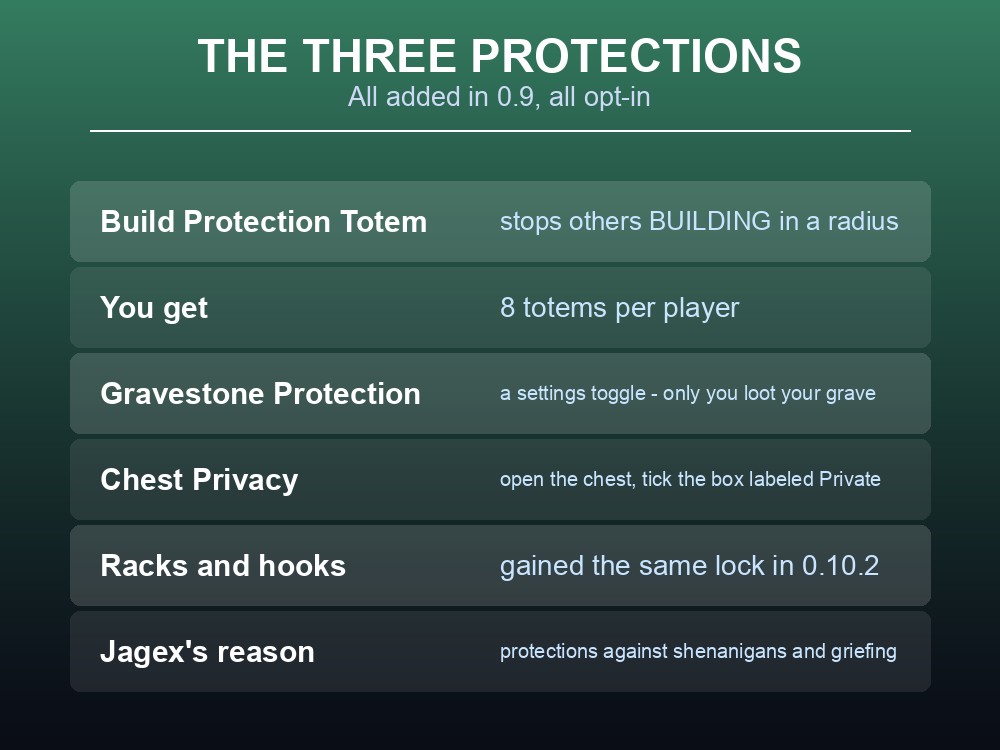
| Tool | What it stops |
|---|---|
| Build Protection Totem | Other players building inside a radius |
| Gravestone Protection | Other players looting your gravestone |
| Chest Privacy | Other players opening your chest |
All three arrived together in 0.9, listed under the heading "New multiplayer protections have been added."
Build Protection Totems are the headline, and the allowance is generous:
"We have added totems with a sphere around them that will prevent other players from building within that area. You will have 8 to place."
Eight totems per player. On a six-player server that is up to 48 protected bubbles, which is more than enough to cover a main base, satellite outposts and a few spots you want kept clear.
Note what a totem does and does not do. It prevents building inside the sphere. It is not a chest lock, not a door, and not a no-entry field — people can still walk in.
Gravestone Protection is a settings toggle, not a placed object: "A new option in gameplay settings so that other players will not be able to loot your gravestone." Jagex's framing elsewhere is clearer — "toggle on gravestone loot protection so that if you die, only you" can recover your things.
This is the one to turn on first, because it costs nothing and it protects the single worst loss in the game — a full inventory dropped somewhere dangerous.
Chest Privacy is a tick box: "Chests can now be locked by the owner. Just open the chest and check the box labeled Private." Cape Racks, Cape Hooks and Weapon Racks gained the same lock later, in 0.10.2.
Setting Up a Shared World
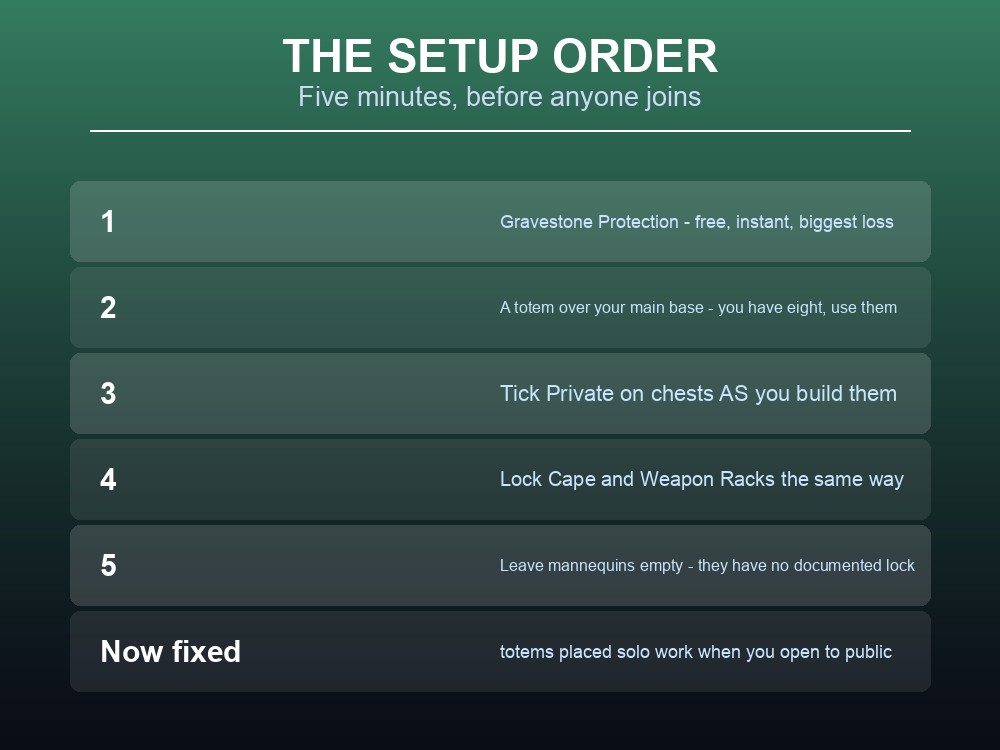
The order that wastes the least time:
- Turn on Gravestone Protection in gameplay settings. Free, instant, and it protects the worst-case loss.
- Place a Build Protection Totem over your main base before inviting anyone. You have eight — this is not a resource to hoard.
- Tick Private on every chest as you build it. Retro-fitting a base full of chests is where people give up.
- Lock your Cape and Weapon Racks the same way, as you place them.
- Leave mannequins empty of anything you would miss — they are named in none of the lock announcements.
Two totem behaviours worth knowing, both from fixes:
- Totems placed in a solo world now work when it becomes multiplayer. Jagex fixed both "Building Protection Totems will now take effect if placed in a single player world that is made into a multiplayer world" and a related case where "building totems no longer lose functionality for clients if placed in a solo world and then opened to public."
- There is a brief freeze when the first totem is placed in a world — a known issue, not a crash.
The first of those matters a lot in practice, because the natural workflow is exactly the broken one: build alone, protect it, then open the world up. That now works.
Server-Level Controls
Above the in-world tools sits the server itself, which splits people into three roles:
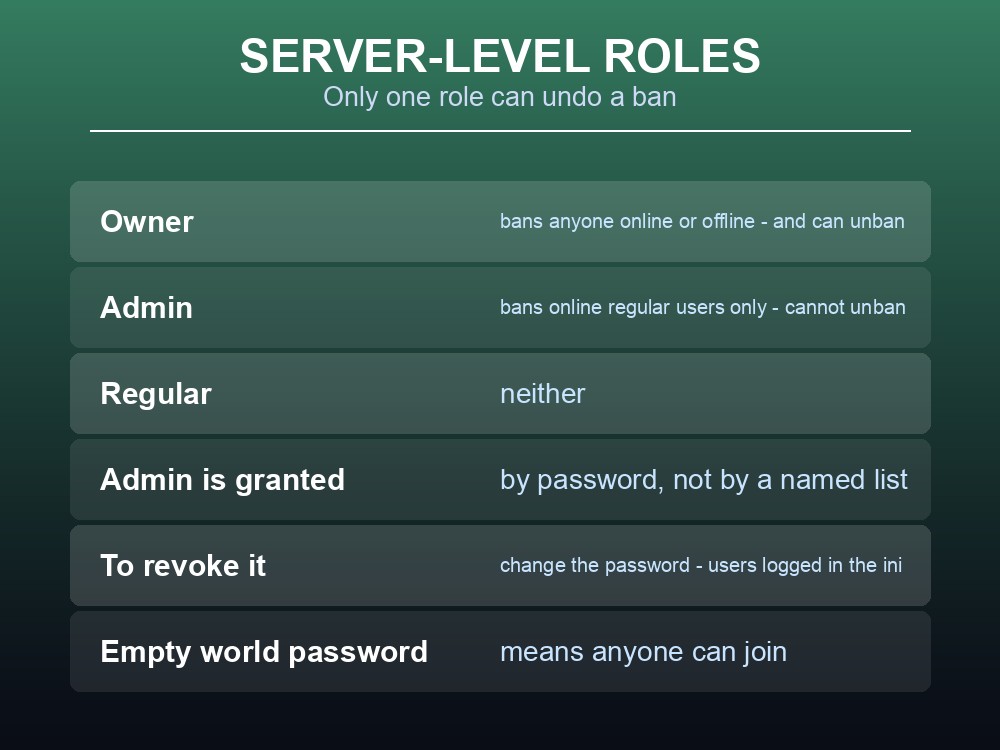
| Role | Can ban | Can unban |
|---|---|---|
| Owner | Anyone, online or offline | Yes |
| Admin | Online regular users only | No |
| Regular | No | No |
Two properties of this system catch people out:
- Only the Owner can unban. An Admin who bans someone in a bad mood cannot undo it.
- Admin is granted by knowing a password, not by a named list. So the only way to revoke Admin is to change the password — and everyone who has ever used it is recorded in
DedicatedServer.ini, which makes an audit a file read rather than a guess.
A world password is the blunt instrument. It is an optional config value that "will supersede any password stored in the world" — and if you leave it empty, anyone can join. For a world open to strangers by design that is the point; for a private group it is the first thing to set.
Backups are the tool that beats all of the above. No protection scheme is complete, and the honest answer to a bad session is to roll the world back rather than to audit who did what.
What Is Not Protected
Be realistic about the gaps, because Jagex have not claimed to close them:
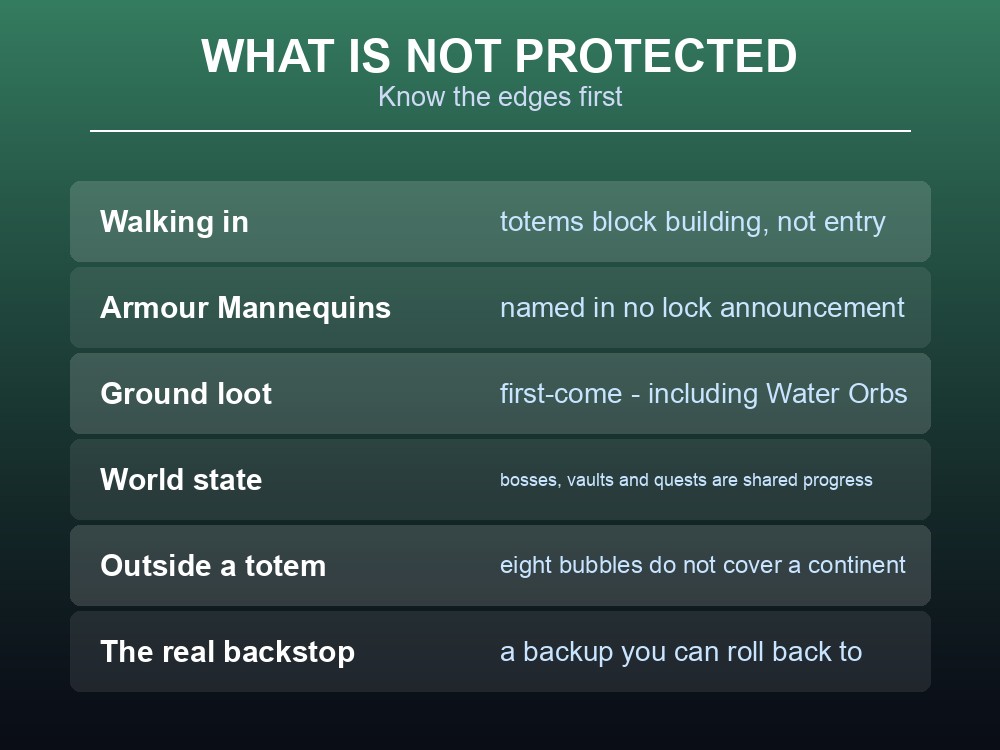
| Not covered | Detail |
|---|---|
| Walking into your base | Totems block building, not entry |
| Armour Mannequins | Named in no lock announcement |
| Taking loot off the ground | World items are first-come — including Water Orbs |
| World-state changes | Bosses killed, vaults opened, quests progressed |
| Anything outside a totem | Eight bubbles do not cover a continent |
Water Orbs are the everyday version of this, and worth agreeing on in advance: they are floating world items generated by Water Magic, they restore about a third of maximum health, and whoever reaches one takes it.
Shared world state is the deeper one. A group progresses through Ashenfall together, so someone opening a vault, felling a gate boss or advancing a quest changes the world for everybody. That is the design, not a flaw — but it is the reason six strangers on one world is a different proposition from six friends.
And one genuine per-player protection is worth remembering: progress in Custom Worlds and Creative Mode requires characters of the matching type, and does not transfer between world types. Character slots were raised from 4 to 8 to make keeping them separate practical.
Practical tips
- Turn on Gravestone Protection first. It is a settings toggle and it costs nothing.
- You get 8 Build Protection Totems — they block building, not entry.
- Totems placed in a solo world now work when you open it to multiplayer.
- Tick Private on chests and racks as you place them, not afterwards.
- Mannequins have no documented lock.
- Only the Owner can unban; Admin is revoked by changing the password.
- An empty world password means anyone can join.
- Ground loot is first-come, including Water Orbs.
Running your own RuneScape: Dragonwilds server
Every protection above is stronger when the world itself is yours: the Owner role belongs to whoever holds the config, the admin password can be rotated with a restart, and the real answer to a session that went badly is a rollback rather than an argument. A gamever Dragonwilds server gives you one-click backups for exactly that, keeps Ashenfall online around the clock for up to six players, and updates automatically so client and server versions never drift apart.
Conclusion
Dragonwilds' anti-griefing tools exist because players asked to share worlds with strangers "but also wanting protections to insure against shenanigans and griefing" — and all of them are opt-in. Gravestone Protection is a gameplay-settings toggle ensuring only you can loot your own grave. Build Protection Totems — eight per player — create spheres that stop others building inside them, and they now work correctly when a solo world is opened to multiplayer. Chest Privacy locks a chest to its owner via a tick box, with Cape Racks, Cape Hooks and Weapon Racks gaining the same in 0.10.2. Above those sit the server roles, where only the Owner can unban and Admin is revoked by changing the password. What none of it covers is people walking into your base, taking ground loot, or advancing shared world state — so set the totems and toggles before anyone joins, and keep backups for everything else.
Want a rollback for the session that goes wrong? Rent a Dragonwilds server at gamever.io — instant setup, one-click backups and updates, and 24/7 uptime. Start with a free trial and use promo code WELCOME.