
Passwords and Admin Access on Your Sons of the Forest Server
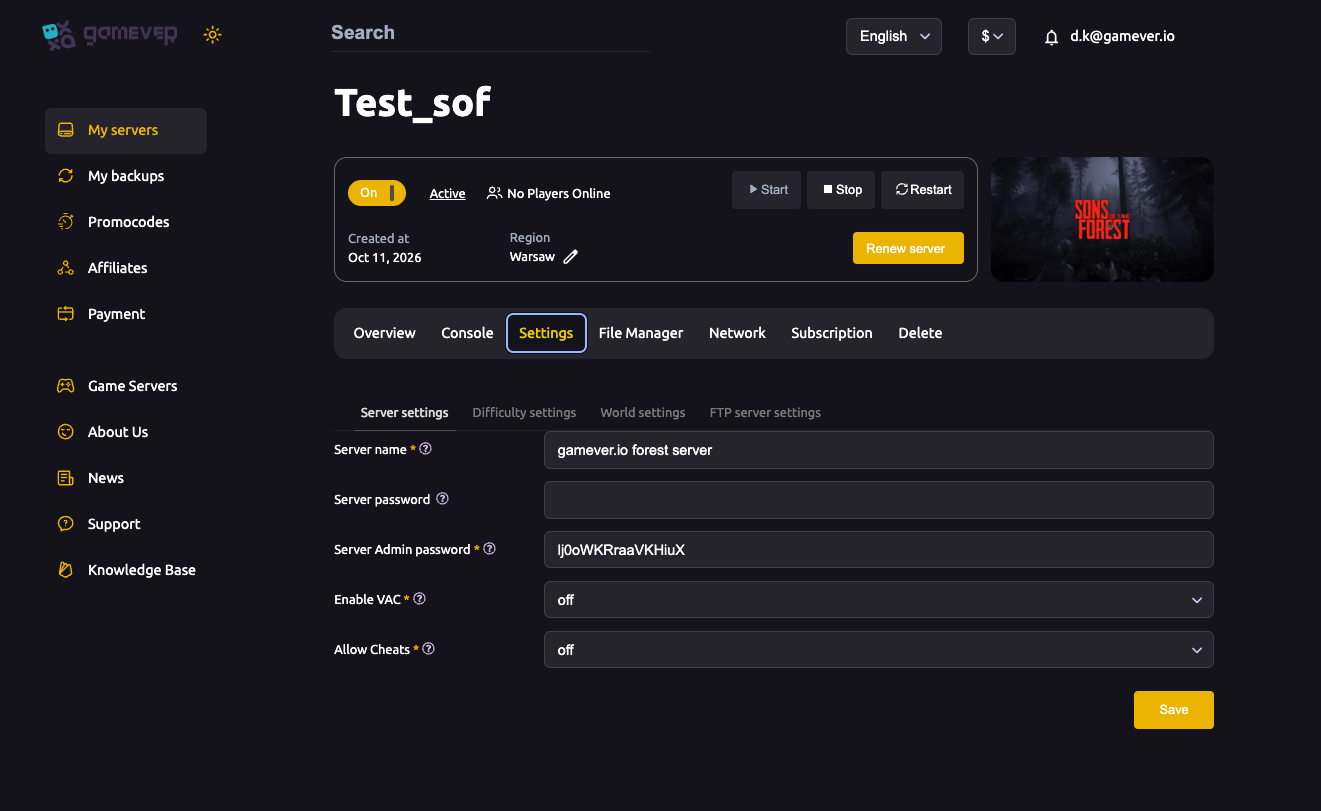
Three things control access to your Sons of the Forest server: the join password, the admin password, and the owners whitelist. On gamever the two passwords are fields on the Settings tab, and the whitelist is a file in the File Manager. Getting them right keeps your server private and your admins in control. This guide covers all three, plus VAC.
The two passwords
Sons of the Forest has two separate passwords — don't mix them up:
| Password | What it controls | Set it on |
|---|---|---|
| Server password | The join password ordinary players need to connect. Blank = open server; set one to keep it private. | Settings → Server settings |
| Server Admin password | Grants administrative control to whoever authenticates with it. Share it only with co-admins. | Settings → Server settings |
To gate your server, set a Server password and share it with your players. Keep the Server Admin password for yourself and any co-admins. To run an open server, leave the Server password blank (see server settings).
The owners whitelist
In the File Manager at /home/server/userdata/ there's an ownerswhitelist.txt file. This lists the accounts recognized as server owners/admins:
- Open File Manager →
ownerswhitelist.txtto view or edit it. - It's a small text file — edit it with the server stopped, then start again so the change is picked up.
- Use it alongside the admin password to make sure the right people have control.
VAC (Valve Anti-Cheat)
The Enable VAC toggle on Settings → Server settings adds Valve's anti-cheat protection. For a public server, leave it on — it's the simplest way to reduce cheating. Some private, trusted groups turn it off, but for anything open to strangers, keep it enabled.
Additional Tips
- Set the join password before sharing the address so the server isn't briefly open.
- Two passwords, two jobs — server password = join, admin password = control. Keep them different.
- Share the admin password sparingly — it hands over full control.
ownerswhitelist.txtis your owner/admin list — edit it in the File Manager with the server stopped.- Leave VAC on for public servers.
Conclusion
Access to your Sons of the Forest server is three controls: a Server password to decide who joins, a separate Server Admin password for your co-admins, and the ownerswhitelist.txt file for recognized owners — with VAC on top to keep cheaters out of a public server. Set the passwords on the Settings tab, manage the whitelist in the File Manager, and your server is exactly as open or locked-down as you want.
Rent your Sons of the Forest server at gamever.io — password controls, an owners whitelist and VAC, all from one panel. Free trial, promo code WELCOME.