
Passwords and Admin Access on Your 7 Days to Die Server

A 7 Days to Die server has two separate passwords, and they do very different jobs: the Server password controls who can join and play, while the Telnet Password controls remote administration. This guide explains both, how to use admin commands, and how Easy Anti-Cheat fits in.
The two passwords
Both are on Settings → Server settings:
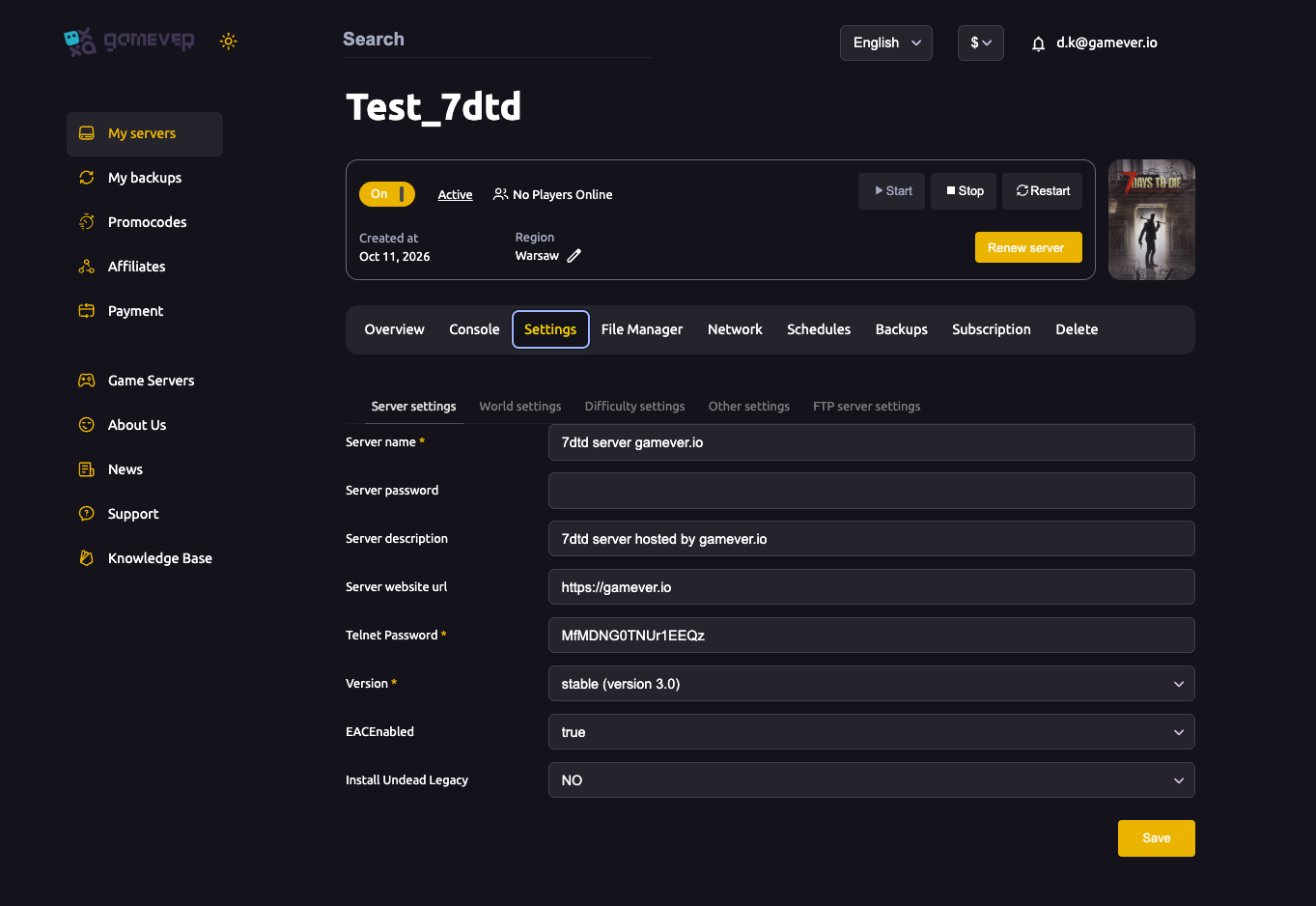
| Password | What it protects |
|---|---|
| Server password | Who can join and play. Leave blank for a public server; set one to make it private. Players type it when connecting by IP. |
| Telnet Password | Remote admin. 7 Days to Die uses Telnet for its remote console (not the classic RCON used by some other games). This password protects that console — always set a strong one. |
Change either, click Save, then Restart from Overview.
Making your server private
To keep your world to invited players only:
- Open Settings → Server settings.
- Set a Server password.
- Save, then Restart.
- Share the password only with your group alongside the IP.
Leave it blank and anyone who has the IP can join.
Running admin commands
You don't need to expose Telnet to the internet to administer your server — the panel gives you the easiest route:
- Use the Console on the Overview (or the Console tab) and its Enter command box to issue server commands live.
- In-game, a player set as admin can open the console and run commands directly.
Typical admin tasks include kicking or banning a disruptive player, giving items, and controlling the time or weather. The Telnet Password exists so that remote tools connecting to the console are authenticated — keep it secret.
A note on Easy Anti-Cheat (EAC)
The EACEnabled field (true/false) on the same tab turns Easy Anti-Cheat on or off:
- Keep it on for a normal vanilla server — it blocks common cheats.
- It usually has to be off to run certain mods — see install mods. Turning it off lowers your protection, so only do it when a mod requires it.
Additional Tips
- Set the Telnet Password even on a private server — it guards admin access.
- Blank Server password = public — set one for an invite-only world.
- Administer from the panel Console — no need to open Telnet to the world.
- EAC off = modding allowed but less protection — flip it deliberately.
- Save then Restart after changing a password.
Conclusion
Two passwords, two jobs: the Server password decides who plays, and the Telnet Password guards remote admin. Set both on the Server settings tab, administer your world from the panel Console, and keep EAC on unless a mod makes you turn it off. That's a server that's secure for your group and easy for you to run.
Rent your 7 Days to Die server at gamever.io — password controls, a browser admin console and anti-cheat, all in one panel. Free trial, promo code WELCOME.