
Palworld PvP & Guild Server Settings Explained
Most Palworld servers run with PvP switched off and everyone effectively friends — but the dedicated server actually has a full set of options for player-versus-player combat, friendly fire, death penalties and guild limits. Get these right and you can run a hardcore PvP world or a tightly tuned co-op guild server. Every one of these lives in PalWorldSettings.ini, and the most important rule is simple: stop the server before you edit it, or your changes get overwritten on the next restart.
Where these settings live
All of the toggles below sit inside one long line in PalWorldSettings.ini, under the [/Script/Pal.PalGameWorldSettings] header as part of OptionSettings=(...). The format is comma-separated Key=Value pairs with no spaces, so edit carefully and keep the surrounding parentheses intact.
- Stop the server first. Palworld rewrites the live config on shutdown, so editing a running server loses your work.
- Edit, save, then restart. Bring the server back up and the new rules apply.
- This article covers the PvP and guild keys specifically. For the full list of every option (capture rates, difficulty, breeding, day length and more), see 03-palworld-best-server-settings-1.0.md.
The PvP and damage toggles
These four keys decide whether players can hurt each other at all:
- bIsPvP — the master switch. Set to
Trueto enable PvP on the server. - bEnablePlayerToPlayerDamage — allows players to directly damage other players. Without this, "PvP" is mostly cosmetic.
- bEnableFriendlyFire — lets members of the same guild damage each other. Great for chaos, risky for organized teams.
- DeathPenalty — what you lose when you die. Values:
None(keep everything),Item(drop inventory items, keep equipment),ItemAndEquipment(drop both), orAll(drop items, equipment and your Pals on your team). Higher penalties raise the stakes of every fight.
For a PvP server, the death penalty is the single biggest lever on how punishing — and how tense — the experience feels.
Guild and raid-related settings
PvP rarely happens in a vacuum; guild rules shape who can loot whom and whose bases can be touched:
- bCanPickupOtherGuildDeathPenaltyDrop — if
True, players can grab items dropped by members of other guilds when they die. SetFalseto stop drive-by looting of rivals' corpses. - bEnableDefenseOtherGuildPlayer — controls whether other guilds' players can be attacked/damaged at your base. Tune this alongside PvP to allow or block base raiding.
Sizing your guilds and bases
A few keys control how large and persistent guilds are:
- GuildPlayerMaxNum — maximum players per guild. Smaller caps force more, smaller factions; larger caps suit one big community.
- BaseCampMaxNumInGuild — how many base camps each guild can build. More bases means more territory to defend (and to raid).
- bAutoResetGuildNoOnlinePlayers — if
True, a guild is automatically disbanded when none of its members have been online for a while. - AutoResetGuildTimeNoOnlinePlayers — the inactivity time (in hours) that triggers that reset. Useful for clearing abandoned guilds and their claimed land on a busy PvP server.
Two ready-to-use profiles
Hardcore PvP server — high stakes, raiding allowed:
bIsPvP=TruebEnablePlayerToPlayerDamage=TruebEnableFriendlyFire=False(keep teammates safe)DeathPenalty=ItemAndEquipmentbCanPickupOtherGuildDeathPenaltyDrop=TruebEnableDefenseOtherGuildPlayer=TrueGuildPlayerMaxNum=4,BaseCampMaxNumInGuild=4bAutoResetGuildNoOnlinePlayers=True,AutoResetGuildTimeNoOnlinePlayers=72
Co-op guild server — relaxed, build-focused:
bIsPvP=FalsebEnablePlayerToPlayerDamage=FalsebEnableFriendlyFire=FalseDeathPenalty=Item(mild sting, no equipment loss)bCanPickupOtherGuildDeathPenaltyDrop=FalseGuildPlayerMaxNum=10,BaseCampMaxNumInGuild=4bAutoResetGuildNoOnlinePlayers=False
Whichever you pick, you'll moderate it in-game with admin commands — set an AdminPassword, log in with /AdminPassword <pass>, then use /ShowPlayers, /KickPlayer and /BanPlayer to keep things fair. For the complete command reference, see our article Palworld Commands for Server Administrators. If you're prepping for the July 10, 2026 1.0 launch, also check 12-palworld-prepare-server-1.0-launch.md and 15-palworld-server-sizing-1.0-launch-wave.md so your slots and RAM match a PvP-sized crowd.
Running it on a gamever server
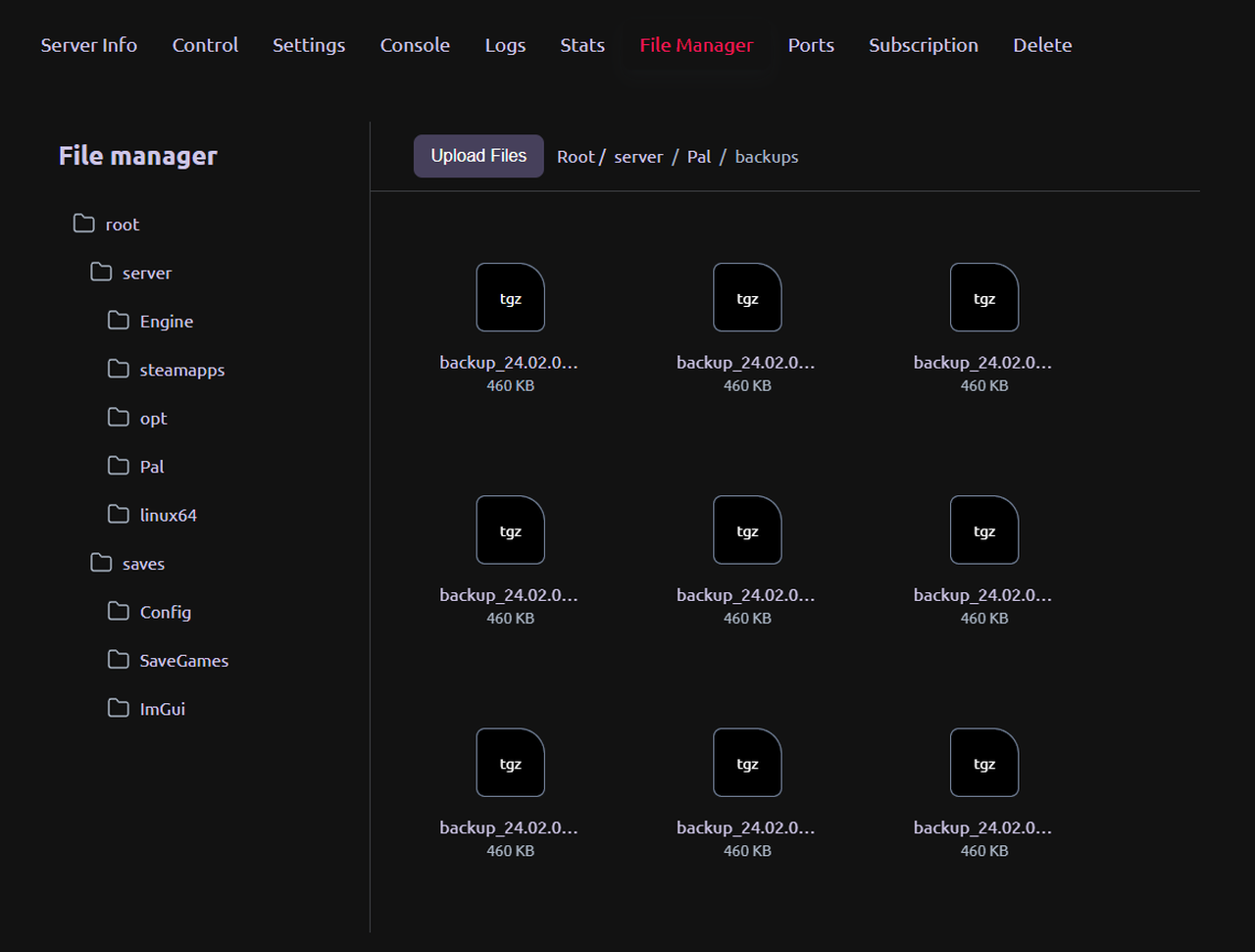
PvP servers tend to attract bigger, busier crowds — which is exactly where server-side stability matters. On a gamever Palworld server you edit PalWorldSettings.ini through the control panel, the server stops and restarts cleanly so your changes always stick, and one-click backups let you experiment with death penalties and guild caps without fear of breaking your world. The default 8211/UDP port and up to 32 player slots are handled for you, so you can focus on tuning the rules rather than the infrastructure.
Conclusion
PvP and guild settings turn a generic Palworld world into a server with real identity — a brutal raiding battleground or a cozy build-together community. Decide the stakes with bIsPvP and DeathPenalty, shape the social rules with the guild keys, always edit PalWorldSettings.ini with the server stopped, and lean on the full settings list for everything else.
Rent your Palworld server at gamever.io — instant setup, one-click backups and updates, online 24/7. Free trial, promo code WELCOME.