
Minecraft Commands Guide: How to use title, titleraw, and tellraw for screen messages
Sometimes you want the world to pause for a moment. A booming title appears on screen. A message flashes in the chat. Or a subtle subtitle guides the player through the next step. That’s where /title, /titleraw, and /tellraw come in. These commands don’t just send text - they create cinematic moments, narrate your world, and give feedback that feels clean and powerful.
Title command
The /title command displays large, centered text on the screen, and includes support for subtitles and fade timing. Syntax looks like:
/title <player> <action> <value>
There are multiple actions:
- title - main large text in the center
- subtitle - smaller text below the title

- actionbar - small bar above the hotbar
- times - sets fade-in, stay, and fade-out durations
- clear - clears current title
- reset - clears and resets settings to default
Example:
/title @p title {"text":"Boss Awakened!","color":"red","bold":true}
/title @p subtitle {"text":"Prepare for battle...","color":"gray"}
/title @p times 10 60 10
This will display the title with a subtitle under it and smooth fade timing. JSON formatting is used to set colors, styles, and more.
Titleraw command
The /titleraw command is a Bedrock Edition only command used to display title or subtitle text in JSON format. It behaves similarly to /title but provides slightly different control over how raw text is structured. Unlike /title, /titleraw does not support fade timings and is not available at all in Java Edition. /titleraw is not supported in Minecraft Java Edition.
Bedrock Syntax:
/titleraw <player> <action> <raw json>
Bedrock-only actions include:
- title
- subtitle
- actionbar
- times
- clear
- reset
/titleraw @a title {"rawtext":[{"text":"The gates are open!"}]}
If you're working in Java Edition, use /title instead with the same JSON formatting and added control over fade effects:
Tellraw command
This one sends messages to the chat, but with rich formatting, clickable text, hover events, and JSON styling. It doesn’t appear on-screen, but it’s still super useful for in-game dialogue, buttons, and narration. Syntax:
/tellraw <player> <raw json>
Example:
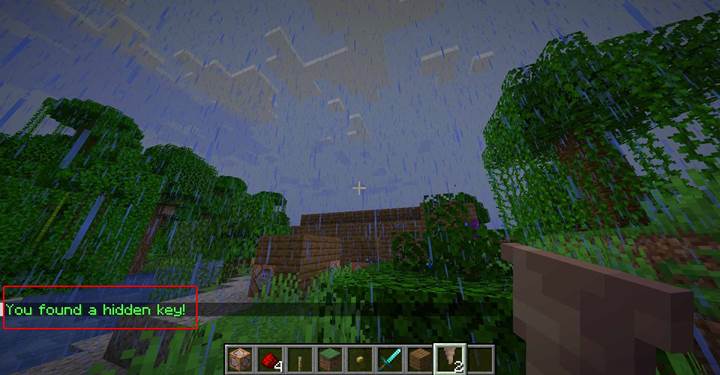
/tellraw @a {"text":"You found a hidden key!","color":"green"}
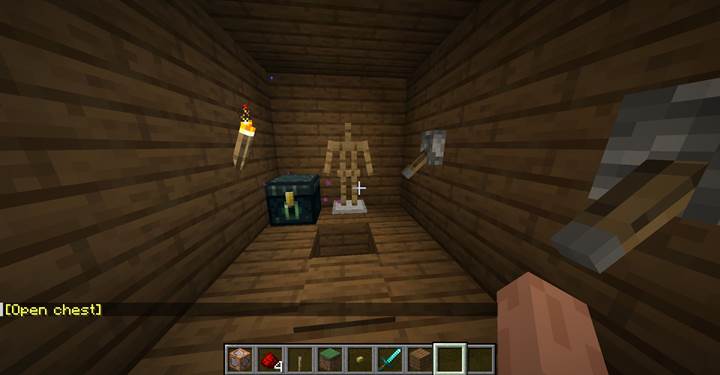
/tellraw @p [{"text":"[Open chest]","color":"yellow","clickEvent":{"action":"run_command","value":"/give @p chest"},"hoverEvent":{"action":"show_text","value":"Click to receive your reward!"}}]
|
Command
|
Message Type
|
Java Edition
|
Bedrock Edition
|
Uses JSON
|
Fade control
|
Interaction support
|
|
/title
|
Screen title, subtitle, actionbar
|
Yes
|
Yes
|
Yes
|
Yes
|
No
|
|
/titleraw
|
Screen title/subtitle (Bedrock only)
|
No
|
Yes
|
Yes (rawtext)
|
No
|
No
|
|
/tellraw
|
Chat message
|
Yes
|
Yes
|
Yes
|
No
|
Yes
|
Where and how to use
Use `/title` for dramatic cutscenes, boss warnings, checkpoint notices, or chapter intros. It’s great for when something big happens and you want to pause everything with text right in the player’s face.
Use `/subtitle` (via the title command) to add context or voice to what’s happening - like dialogue, alerts, or hints.
Use `/actionbar` when you want quick, subtle messages like “Objective Updated” or “Low Health!” without interrupting the player’s view.
Use `/tellraw` to build conversations, give feedback, or create clickable text for menus and events. It's amazing in puzzle maps and multiplayer.
Temple entrance cutscene with title and sound
Let’s build a cinematic moment for when the player steps into the entrance of an ancient temple. The goal is to combine all three screen message commands - `/title`, `/titleraw`, and `/tellraw` - with sound and particles to create a dramatic scene that feels like the start of something big.
Picture this: the player crosses a threshold. As soon as they step onto a pressure plate, a chain of commands fires. First, you stop any music or ambient noise that might be playing:
/stopsound @a music
/stopsound @a ambient
Then you display a huge glowing title:
/title @p title {"text":"The Temple of Shadows","color":"dark_purple","bold":true}
/title @p subtitle {"text":"Only the worthy may enter...","color":"gray","italic":true}
/title @p times 20 100 20
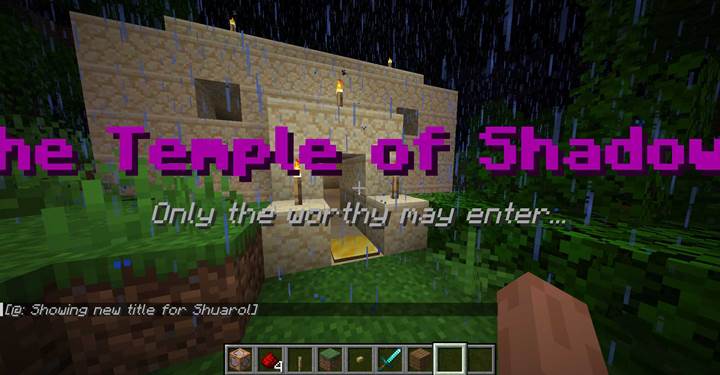
Now the temple responds. You trigger a deep ambient rumble with:
/playsound minecraft:entity.wither.spawn hostile @p ~ ~ ~ 1 0.5
And spawn a swirl of particles that rises around the doorway:
/particle minecraft:soul 120 65 120 0.5 1 0.5 0.02 40 force
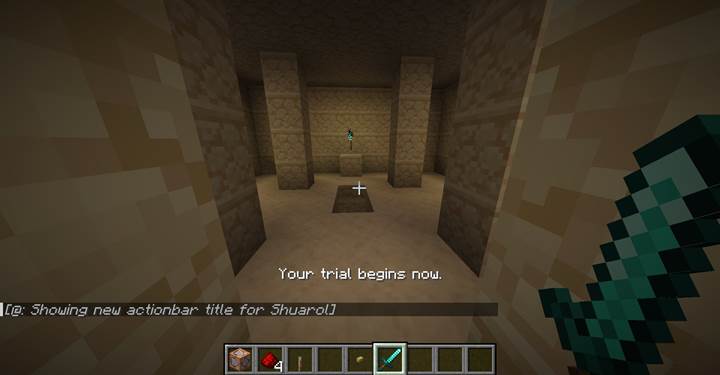
Once the sounds fade and the title disappears, a subtle actionbar message appears:
/title @p actionbar {"text":"Your trial begins now.","color":"white"}
Finally, to lock in the moment, you send a personalized message into the chat using:
/tellraw @p {"text":"You feel an ancient presence watching you.","color":"dark_gray","italic":true}
This full sequence uses all screen message types plus supporting commands to create something that feels like a scripted cutscene - all with no mods, no plugins, just command blocks and imagination. From here, you could teleport the player deeper into the temple, begin the puzzle sequence, or clone in a new chamber. Want to add dialog trees next with clickable responses? I can help with that too.
With /title, /titleraw, and /tellraw, you’re not just displaying text—you’re shaping how the player experiences your world. Master them, and your Minecraft world becomes more than a place—it becomes a story.