
Minecraft Commands Guide: How to use the attribute_modifiers component
Ever wanted a sword that makes you faster, boots that boost your health, or a stick that turns you into a giant when you hold it? Minecraft’s attribute_modifiers component is how you pull that off. The real trick is writing the SNBT format properly so the game accepts it - that’s where this guide comes in.

What is the attribute_modifiers component
This component lets an item apply attribute changes to the player when equipped or held. Think of it like built-in enchantments, but fully customizable and more powerful. The attribute_modifiers tag is a list of modifier compounds, and each one affects a specific attribute like movement speed, attack damage, or max health. These effects only apply when the item is in a valid slot, like mainhand, offhand, or armor. Items sitting in your inventory won't work.
How to write the SNBT format
You must define this tag as a list of NBT compounds. Each compound has the following keys:
type - this is the attribute you're modifying, like minecraft:attack_damage
slot - where the item needs to be to apply the effect, like mainhand, offhand, armor, etc
id - a unique string identifier (just make something readable)
amount - how much the attribute changes
operation - how the amount is applied, and this part matters a lot
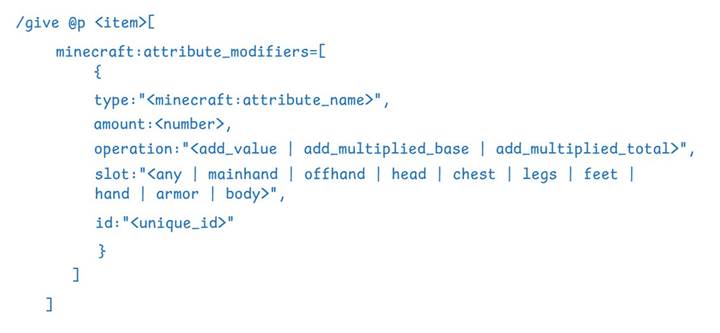
Here’s the basic structure:
/give @p diamond_sword[minecraft:attribute_modifiers=[{type:"minecraft:attack_damage",amount:6,operation:"add_value",slot:"mainhand",id:"custom:power"}]]
That command gives a diamond sword that boosts attack damage by +6 only when held in the main hand. The value must be written as a number, not a string. Strings go in quotes, numbers don't.
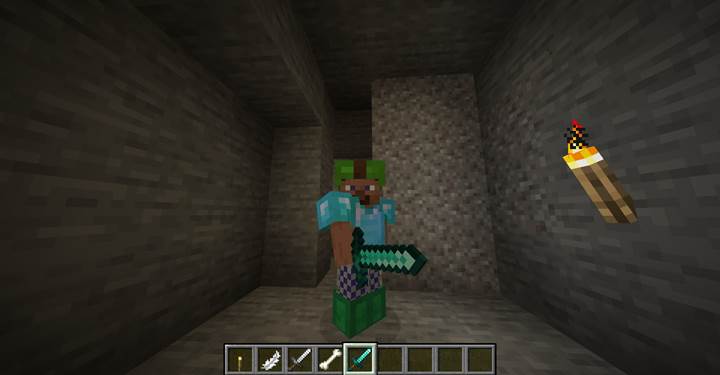
Understanding the operation types
There are three operation types and they determine how the amount affects the final value:
add_value - just adds the number directly
add_multiplied_base - multiplies the amount by the base value and adds it
add_multiplied_total - multiplies the amount by the total final value and adds it
For example, adding 0.2 with add_multiplied_base to speed (base 0.1) gives 0.1 + (0.2 0.1) = 0.12. Same 0.2 with add_multiplied_total would apply after all other effects are added. If you're just starting out, stick with add_value - it’s easiest to control.
Slot values and when modifiers apply
The slot key decides where the item needs to be. Valid values are:
mainhand, offhand - for tools, weapons, and held items
head, chest, legs, feet - for armor
armor - for any armor piece
hand - for either hand
body - full-body items
any - works in any of those slots
If you skip the slot key, it defaults to any, but it's good practice to be specific. If the item isn’t in one of these slots, the modifier won’t do anything. So a stick in your inventory won’t affect your stats, but if you hold it in hand - boom, you grow.

Jump higher when holding a feather
This command gives you a feather that greatly increases your jump strength:
/give @s minecraft:feather[attribute_modifiers=[{type:"minecraft:jump_strength",slot:"hand",id:"example:jump",amount:4,operation:"add_multiplied_base"}]]
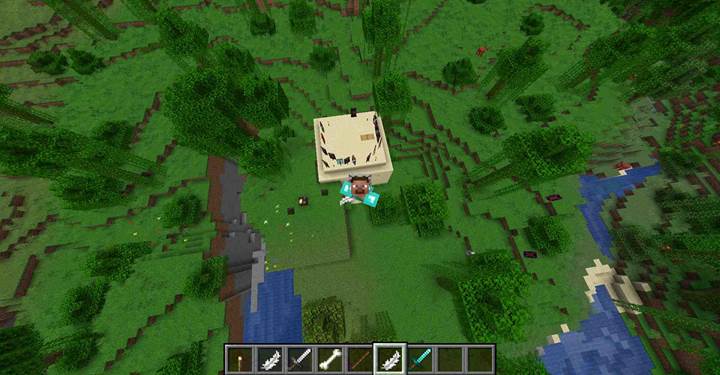
Just hold it in either hand, and your jumps will launch you much higher into the air. Perfect for parkour challenges, magic items, or cursed tools that mess with movement. You can fine-tune the amount to control how powerful the jump boost is.
Using UUIDs and best practices
The id key should be unique - it can be a readable name like "boost:speed", or a UUID string. Don’t reuse ids on the same item, or the game might merge them weirdly. Also, try to avoid using more than one modifier on the same type+slot+operation combo unless you really know what you’re doing, because they can override each other.
Using attribute_modifiers in custom quests
Let’s say you’re designing a boss fight where the player must wear a cursed helmet to enter the arena. The helmet reduces their max health by half using a modifier on the minecraft:max_health attribute with an amount like -10 and the operation add_value. Now the player feels vulnerable, and the stakes are higher.
Later, you reward them with a special apple — a kind of rejuvenating fruit, like a fairytale "apple of youth" — that boosts their max health dramatically. It applies a positive attribute modifier with minecraft:max_health, making the player feel stronger and revitalized. You could also give them boots that increase movement speed or gloves that boost attack damage. Attribute modifiers let you control progression, power scaling, and mechanical reward. You can even tie them to quest events — unlock an amulet that grants knockback resistance after defeating a specific mob, turning exploration into meaningful advancement.
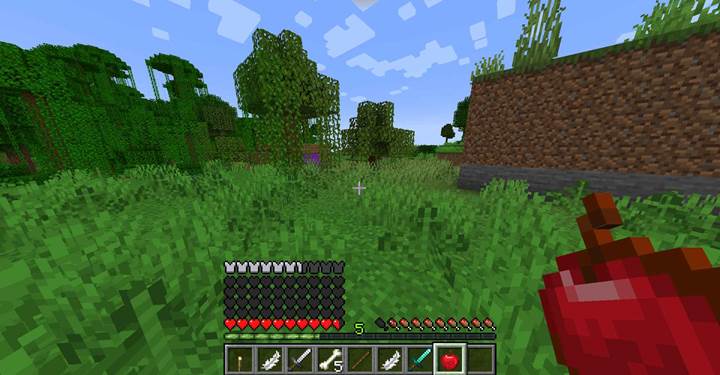
With attribute_modifiers, you’re not just giving players cool gear — you’re rewriting the rules of what gear can do. From stat boosts to weird transformations, this component is your toolkit for making epic equipment and unforgettable gameplay. Just master that SNBT format and your custom items will be unstoppable.