
Minecraft Commands Guide: How to use spawnpoint and setworldspawn for respawn control
You’ve built the perfect custom map, added epic traps and challenges, and suddenly players start respawning back at the very beginning after they die. Not fun. Or maybe you're trying to make a checkpoint system, but beds aren’t working out. That’s where these three commands come in to save your quest. With /spawnpoint, /setworldspawn, and /clearspawnpoint, you can tell Minecraft exactly where to bring players back to life, and it gives you a whole new level of control for designing adventures.
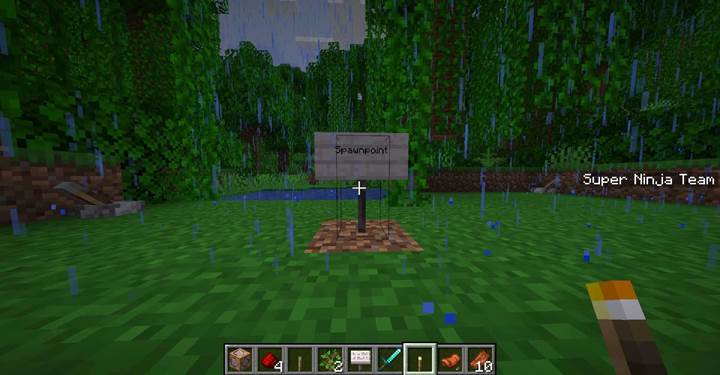
Spawnpoint
This is your main tool for setting personal respawn points for players. It works like a magical checkpoint. The full syntax is
/spawnpoint [targets] [pos]

The target can be a player name or something like @p, @a, or even a specific tagged player. The position is optional, and if you leave it blank, it just uses the player’s current location. So if you put this command in a command block under a pressure plate:
/spawnpoint @p
It will instantly set the nearest player’s respawn right there. But if you want it somewhere else, like after a dungeon boss room, you could do:
/spawnpoint @p 100 64 -100
This makes sure they come back at that specific spot. It’s great for checkpoint rooms, rest zones, or any moment where you want to save progress mid-map. Just remember: if they sleep in a bed afterward, it’ll overwrite this spawnpoint, so keep beds out of the way if you want to keep control.
Note: The /spawnpoint command only affects players in Survival and Adventure modes.
Setworldspawn
This command changes the global spawn for the whole world. It’s where all new players appear when they first join, and where players go if they don’t have a personal spawn. The syntax is
/setworldspawn [pos]
You can use it like
/setworldspawn
to make your current location the world spawn. Or use full coordinates:
/setworldspawn 0 64 0

This is super helpful for multiplayer hubs, map starts, or when you’re building a lobby for minigames. Just keep in mind that changing the world spawn also affects how the spawn chunk works. That chunk is always loaded, so redstone machines there will keep running no matter what. Use that for cool stuff like scoreboards or time triggers, but don’t overload it.
Clear spawnpoint
If you want to remove a player’s checkpoint and send them back to the world spawn, you’ll have to manually set their spawn to match the global one:
/spawnpoint @p <worldspawn-coords>
Or just destroy their bed! No joke — if they die without a personal spawn set, Minecraft sends them back to the global /setworldspawn point. So it’s all about keeping control over checkpoints and avoiding accidental bed saves.

Checkpoint after each puzzle room
Let’s make sure your players don’t rage-quit after solving a tough puzzle only to die in lava three rooms later. You can create a smooth, frustration-free experience by placing checkpoints after each challenge room using the /spawnpoint command.
Here’s how it works. At the end of each puzzle or logic room - maybe after they unlock a redstone door or press the final button - you place a pressure plate or tripwire that triggers a command block. Inside that block, you set the player’s personal spawn right there using this:
/spawnpoint @p
That’s the simplest version. It sets the nearest player’s respawn point to the location of the command block. You can make it even more precise by using coordinates like:
/spawnpoint @p 200 65 -150
If you want to get fancy and only apply it once, you can add a scoreboard condition or tag. That way, the checkpoint only activates the first time the player completes the room, and you don’t clutter the chat with constant updates.
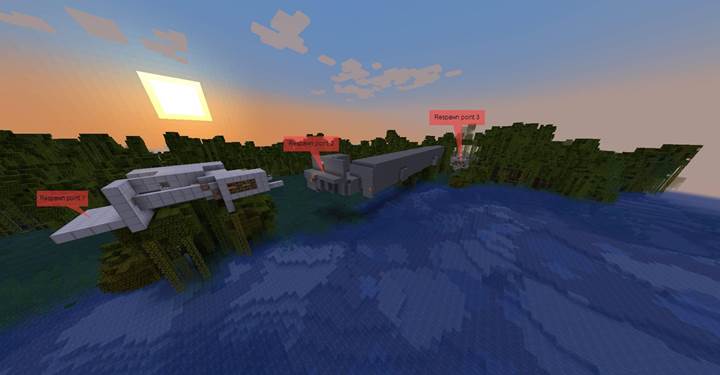
You could even add a title message like
/title @p title {"text":"Checkpoint saved!"}
so they get that satisfying feedback moment. Then, if they fall into a trap or fail the next room, they respawn right at the last puzzle they solved - ready to try again without losing progress.
Make sure to place these checkpoint triggers in safe spots, not on top of pressure-sensitive puzzles or lava pits. Bonus tip: you can also pair this with /effect to heal the player or give them a boost before the next section.
Want to add a final checkpoint before the boss fight? Just drop another one of these pressure plates at the last room, and you're good to go. Checkpoints like this keep your dungeon flowing and help players feel rewarded for their progress.
These three commands give you total control over how death works in your Minecraft world. You can create smart checkpoint systems, reset players to safe zones, or manage your multiplayer lobby like a pro. With /spawnpoint, /setworldspawn, and /clearspawnpoint, you’re not just telling players where to start—you’re shaping the entire journey from beginning to end.