
Minecraft Commands Guide: How to use scoreboard to track progress, actions, and logic
Minecraft becomes a whole new game when you start tracking things. How many enemies has the player killed? Did they pull the lever? Which stage of the puzzle are they on? These aren't things blocks or redstone can remember - but /scoreboard can. It gives you a powerful system of invisible counters, custom objectives, triggers, and logic gates that you control.
What /scoreboard does
The /scoreboard command manages objectives, stores numeric values tied to players or entities, and allows for powerful conditional logic in selectors. You can count kills, detect when a player runs a command, track when they complete a quest, or just use it as an invisible variable to control a system.
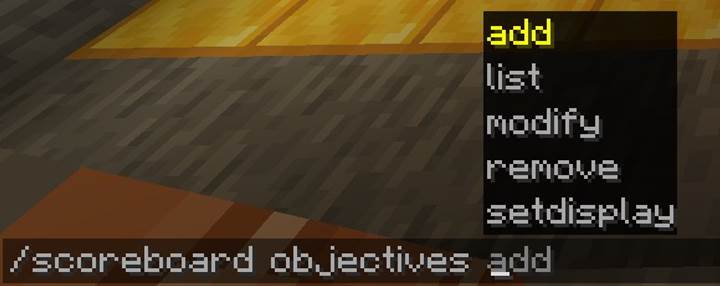
/scoreboard <subcommand> <arguments>
The scoreboard has two core parts: objectives (what you’re tracking) and values (who has what score).
Subcommand breakdown
|
Subcommand |
Description |
Example |
|
objectives add <name> <criterion> [displayName]
|
Create a new objective
|
/scoreboard objectives add keys dummy Keys Collected
|
|
objectives remove <name>
|
Delete an objective
|
/scoreboard objectives remove keys
|
|
objectives list
|
List all objectives
|
/scoreboard objectives list
|
|
objectives setdisplay <slot> <objective>
|
Show a score on screen
|
/scoreboard objectives setdisplay sidebar score
|
|
players set <target> <objective> <value>
|
Set a score manually
|
/scoreboard players set @p score 5
|
|
players add <target> <objective> <value>
|
Add to a score
|
/scoreboard players add @p kills 1
|
|
players remove <target> <objective> <value>
|
Subtract from a score
|
/scoreboard players remove @p mana 10
|
|
players reset <target> <objective>
|
Reset a score to nothing
|
/scoreboard players reset @p puzzle_progress
|
|
players operation <target1> <obj1> <operator> <target2> <obj2>
|
Math between scores
|
/scoreboard players operation @p total = @p a + @p b
|
|
players enable <target> <trigger>
|
Unlock /trigger for player
|
/scoreboard players enable @a unlock_door
|
|
players list <target>
|
Show all scores for player
|
/scoreboard players list @p
|
Objective types (criteria)
When creating an objective, you must define a criterion, which tells Minecraft what kind of thing to track.
Here are the most useful ones:
|
Criterion |
What it tracks |
Notes |
|
dummy
|
Manual control (default for logic)
|
Use with set/add/remove
|
|
trigger
|
Used with /trigger command
|
Player-controlled input
|
|
minecraft.killed:minecraft.zombie
|
Kills of specific entity
|
Any entity type
|
|
minecraft.custom:minecraft.jump
|
Player’s jump count
|
Use any statistic
|
|
minecraft.used:minecraft.carrot_on_a_stick
|
Usage of item
|
Any item stat
|
|
minecraft.mined:minecraft.stone
|
Blocks mined
|
Works for all blocks
|
|
minecraft.picked_up:minecraft.diamond
|
Items picked up
|
Use item ID
|
|
minecraft.crafted:minecraft.bread
|
Items crafted
|
Great for recipes
|
You can even create scoreboard variables that track specific advancements or custom functions with datapacks.

Display and visibility
Use this command to show an objective on the screen:
/scoreboard objectives setdisplay sidebar score
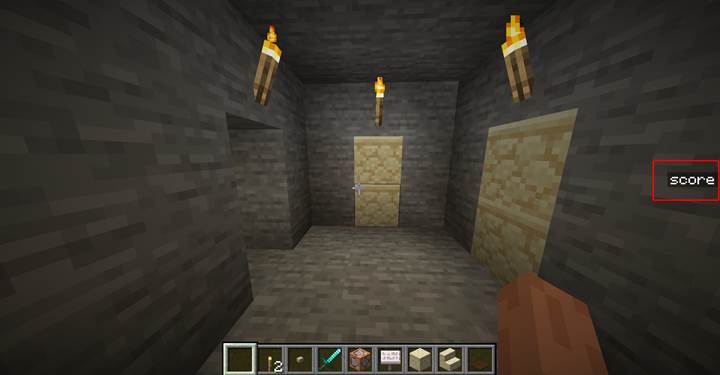
Or in other places:
- sidebar – shows the score on the side of the screen
- belowName – shows above player heads
- list – shows in the TAB player list
You can clear display with:
/scoreboard objectives setdisplay sidebar
Use scores in selectors
Try next commands to add keys to a player:
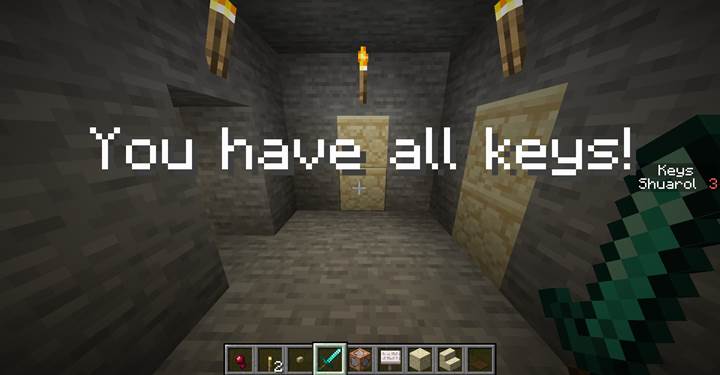
/scoreboard objectives add keys dummy
/scoreboard players set @p keys 3
Once you assign values, you can filter with them:
/execute as @a[scores={keys=3}] run title @s title {"text":"You collected all the keys!"}
Or trigger something when a player’s health drops low:
/execute as @a[scores={health=..5}] run function danger:warn_player
You can also use matches for score ranges: scores={stage=1..3} - means between 1 and 3
Best practices for logic
Use dummy objectives for custom states like puzzle_phase, boss_phase, has_key, or door_unlocked.
Use trigger objectives for player input with /trigger. You can gate it with enable:
/scoreboard objectives add door_button trigger
/scoreboard players enable @a door_button
Then the player types: /trigger door_button
And you catch it with: /execute as @a[scores={door_button=1}] run function door:open
This makes player-controlled inputs feel like real gameplay interaction.
Math with operations
You can add, subtract, multiply, divide, or compare two scores:
/scoreboard players operation @p total = @p a + @p b
/scoreboard players operation @p result = @p multiplier
This is great for resource management, time tracking, puzzle combinations, and boss mechanics.
Quest system using /scoreboard
Let’s build a multi-stage quest where the player must find three hidden keys to open a magic gate, fight a boss with health-based phases, and unlock a treasure room. We’ll use the /scoreboard command at every step—from simple counters to advanced logic operations. This example moves step by step from beginner to expert scoreboard usage, using command blocks or .mcfunction scripts.
Step 1: setting up objectives
Start by creating objectives to track each part of the quest.
/scoreboard objectives add keys dummy
/scoreboard objectives add gate_unlocked dummy
/scoreboard objectives add boss_health dummy
/scoreboard objectives add boss_phase dummy
/scoreboard objectives add treasure_collected dummy
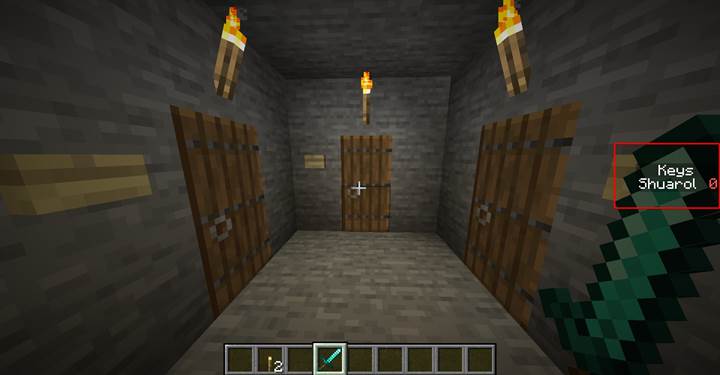
You can also make the "keys" objective visible to the player:
/scoreboard objectives setdisplay sidebar keys
Step 2: collecting the keys (basic counter)
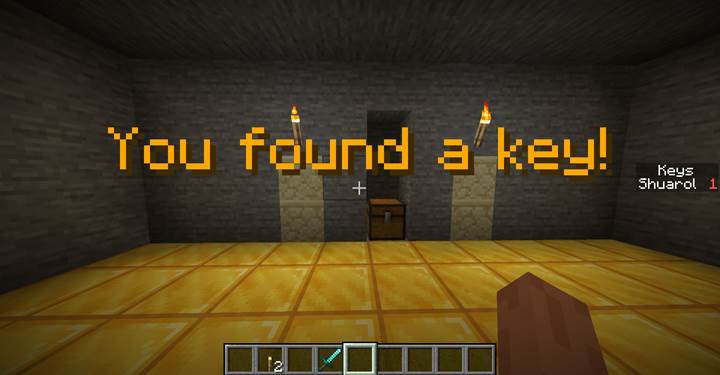
Place a hidden button or pressure plate near each key location. When the player finds it, run:
/scoreboard players add @p keys 1
/title @p title {"text":"You found a key!","color":"gold"}
/playsound minecraft:item.armor.equip_diamond player @p ~ ~ ~ 1 1
You do this three times in different rooms. Each adds one to the total.
Then check if the player has all three keys with a repeating command block:
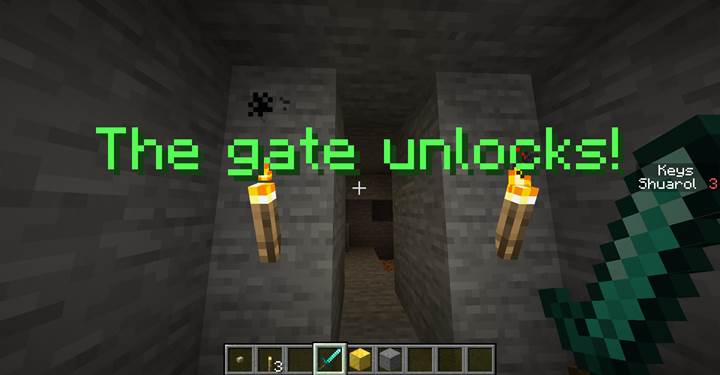
/execute as @a[scores={keys=3}] unless entity @a[scores={gate_unlocked=1}] run function quest:unlock_gate
In quest:unlock_gate:
/scoreboard players set @s gate_unlocked 1
/title @s title {"text":"The gate unlocks!","color":"green"}
/fill 100 64 100 100 66 100 air
/playsound minecraft:block.stone_button.click_on block @s ~ ~ ~ 1 1
Step 3: tracking boss health and phase (intermediate)
Summon a boss mob (e.g. Ravager) and assign a tag:
/summon ravager ~ ~ ~ {Tags:["boss"],CustomName:"Ancient Guardian"}
Place a repeating command block that constantly reads its current health:
/execute store result score boss boss_health run data get entity @e[tag=boss,limit=1] Health
Now add a logic block that checks for thresholds and changes phases:
/execute if score boss boss_health matches ..20 unless score boss_phase boss_phase matches 2 run function boss:phase2
In boss:phase2:
/scoreboard players set boss_phase boss_phase 2
/title @a title {"text":"The boss is enraged!","color":"dark_red"}
/attribute @e[tag=boss] minecraft:generic.attack_damage base set 20
/camerashake @a add 1.0 3s both
You can repeat the same logic for more phases using other thresholds and values.
Step 4: using math operations (advanced logic)
Let’s say the treasure room only unlocks if a few specific conditions are met. First, the boss must already be defeated. Second, the player needs to have collected at least one piece of treasure beforehand. And finally, they must not be carrying a cheat tag — meaning they didn’t try to bypass the rules or shortcuts. Only when all these requirements are true does the room open, rewarding honest progression.
You’d combine values like this:
First track the treasure:
/scoreboard objectives add treasures_collected dummy
/scoreboard players add @p treasures_collected 1
Then create a helper score to combine logic:
/scoreboard objectives add unlock_ready dummy
And use math:
/scoreboard players operation @p unlock_ready = @p gate_unlocked
/scoreboard players operation @p unlock_ready += @p treasures_collected
Then run this check:
/execute as @p[scores={unlock_ready=2}] unless entity @p[tag=cheater] run function quest:final_open
In quest:final_open:
/title @p title {"text":"The treasure vault opens!","color":"aqua"}
/fill 120 64 120 122 66 122 air
/playsound minecraft:entity.evoker.prepare_wololo master @p ~ ~ ~ 1 1
Step 5: reset and replay
At the end of the quest, you can clean scores with:
/scoreboard players reset @p keys
/scoreboard players reset @p gate_unlocked
/scoreboard players reset @p boss_health
/scoreboard players reset @p boss_phase
/scoreboard players reset @p unlock_ready
/scoreboard players reset @p treasures_collected
Or keep some values for a stat screen.
This full quest uses a /scoreboard to store player progress, trigger scripted moments, and manage a multi-phase boss. You can scale this system up to support branching quests, alternate endings, or team-based progress by just adding more objectives and selectors. The scoreboard system becomes your invisible memory and condition checker for the whole map.
The /scoreboard command is a powerful system Minecraft has for logic, tracking, and custom gameplay. It lets you remember things the world can’t see progress, triggers, stats, puzzle states, and player actions. If you’ve ever wanted to make your world react like a game, not just a sandbox—this is the command that makes it possible.