
Minecraft Commands Guide: How to use Item Components for Appearance and Interaction
When it comes to item customization, looks and sound can be just as powerful as stats. Ready to give your gear a personal touch? Let’s go.
Dyed color
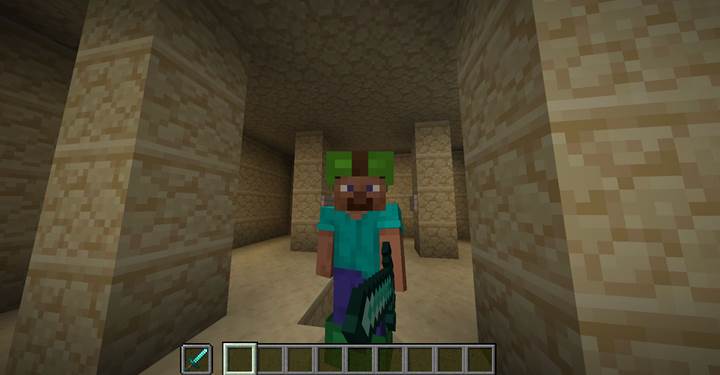
This component lets you tint dyeable items like leather armor or wolf armor. You can define the color using an integer (RGB combined) or an RGB float array. It’s perfect for team uniforms, color-coded gear, or thematic armor sets.
/give @s leather_helmet[dyed_color=8388403]
/give @s leather_boots[dyed_color=[0.2,0.8,0.4]]
Use float arrays like [0.5,1.0,0.2] for precise hues or simple decimal codes for fast results. This works only with dyeable items and makes them visually pop.
Custom model data
Want to replace the visual model of an item with your own custom one? This component is for you. Paired with a resource pack, each value of custom_model_data can point to a different JSON model.
/give @s bone[custom_model_data=42]
Use this in adventure maps or themed servers to make swords look ancient, tools look futuristic, or even turn a stick into a magic wand. Server-side, it's just a bone - client-side, it’s magic.
Enchantment glint override
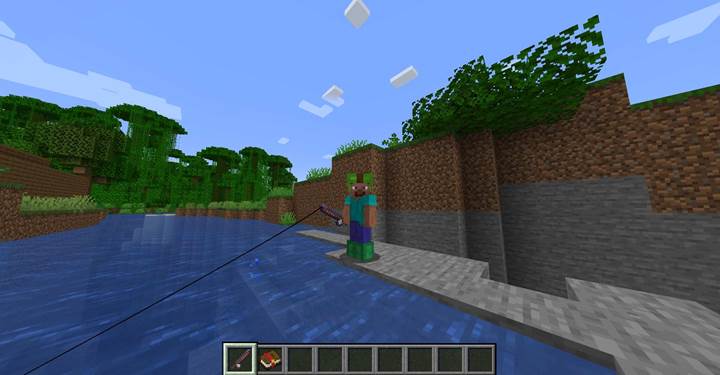
Tired of everything glowing with enchantment sparkle? This toggle lets you control the glint manually. Want a normal item to sparkle without any enchantments? Or want to hide the glint on an actually enchanted item?
/give @s carrot_on_a_stick[enchantment_glint_override=true]
/give @s enchanted_book[enchantment_glint_override=false]
Use this to create treasure, cursed items, or clean visuals for game items without misleading effects.
Note block sound
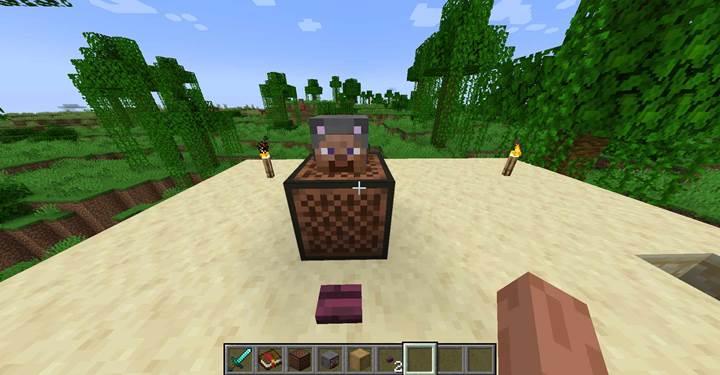
When a player head with this component is placed above a note block, it’ll play a specific sound instead of the default. Perfect for gags, boss items, quest feedback, or musical Easter eggs.
/give @p player_head[profile={name:"Steve"},note_block_sound="entity.villager.no"]
Now, place Steve’s head on a note block, and it plays the villager’s annoyed “No” sound. Ideal for pranks or narrative moments in maps.
Base color
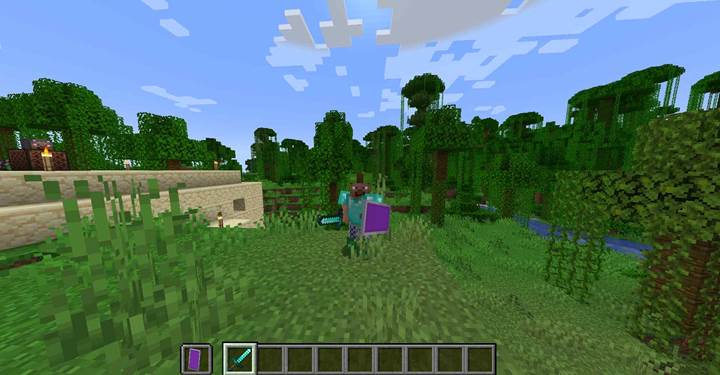
Used on shields with banners, this sets the base dye color of the banner applied to the shield. Combine with banner_patterns to fully design your heraldry.
/give @p shield[base_color="purple"]
This lets you pre-style shield colors via command - great for clans, factions, or themed loadouts.
Banner patterns
Layer designs onto a banner or shield directly in the command. Patterns include shapes like cross, skull, or triangle_top. Combine them to form logos or symbols.
/give @s black_banner[banner_patterns=[{pattern:"skull",color:"white"},{pattern:"cross",color:"red"}]]
It’s your way of embedding identity into gear - great for PvP kits, team flags, or treasure map clues.
Minecraft Item Components Summary
|
Component Name |
Effect Description |
Command Example |
|
dyed_color |
Applies a color to leather armor or items supporting dyes |
/give @s leather_helmet[dyed_color=8388403] |
|
custom_model_data |
Assigns model variants through resource packs |
/give @s bone[custom_model_data=42] |
|
enchantment_glint_override |
Forces or hides the glint effect regardless of enchantments |
/give @s experience_bottle[enchantment_glint_override=false] |
|
note_block_sound |
Changes the sound played when the head is on a note block |
/give @s player_head[note_block_sound="entity.item.pickup"] |
|
base_color |
Sets the base dye color of a banner or shield |
/give @s shield[base_color="lime"] |
|
banner_patterns |
Applies decorative banner patterns |
/give @s black_banner[banner_patterns=[{pattern:"triangle_top",color:"red"}]] |
These components don’t just change numbers — they change how your world feels. Blend them with storytelling and world design, and your players will notice the difference.