
Minecraft Commands Guide: How to use give and clear for quest creation
Have you ever dreamed of building a custom Minecraft quest where players receive powerful items, pay tribute to mysterious shrines, or lose a cursed object before entering a sacred temple? With the /give and /clear commands in Minecraft Java Edition, you can bring that fantasy to life. These commands are more than tools – they're the backbone of storytelling and puzzle design in command-driven adventures. And with the power of datapacks and .mcfunction files, your world can react intelligently to every player move.
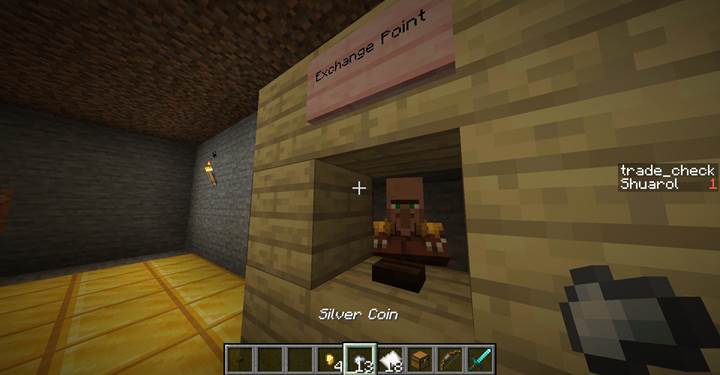
Give-command
The /give command lets you place any item directly into a player's inventory. It’s the perfect way to reward players or prepare them for challenges ahead. The syntax is:
/give <player> <item>[<components>] <count>
For example:
/give @p bow[minecraft:custom_name=["Dragonbow"],minecraft:enchantments={"minecraft:power":5,"minecraft:flame":1}] 1
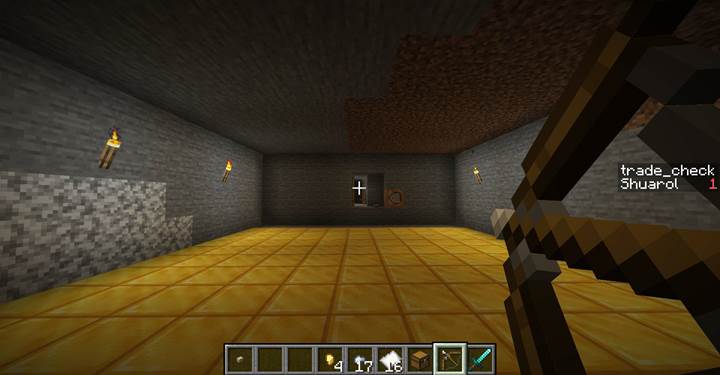
This gives the nearest player a bow named Dragonbow with Power V and Flame I. You can use this command to grant enchanted weapons, quest items, or even books with written lore.
Clear-command
The syntax:
/clear <player> [item] [data] [maxCount]
Example:
/clear @p gold_ingot
Removes all gold ingots from the player. Want to remove exactly 5?
/clear @p gold_ingot 5
This is extremely useful for puzzles or rituals that demand payment before continuing the quest.

Combine /give and /clear for dynamic quests
The real power of these commands comes when they work together. Let’s say a player trades 10 emeralds for a mystical map. Here’s how you’d do it with command blocks:
- First, use /clear to check and remove the emeralds.
- Then, if successful, use /give to reward the player.
In .mcfunction format:
clear @p emerald 0 10
give @p map[minecraft:custom_name=["Map to the Lost City"]] 1
This sequence ensures players can’t cheat and that rewards are properly earned.
Create trade sequences with datapacks
In Java Edition, you implement custom logic using datapacks, not behavior packs. This allows you to write .mcfunction scripts that run automatically in your world and react to specific player actions. Here's how to create a simple trade system where players exchange a Silver Coin for a Merchant Token using only the /give and /clear commands.
Step 1 Set up your datapack structure
Inside your world folder (the one with level.dat), go to:
world/datapacks/
Create a new folder named:
TradeSequencePack/
Inside it, add a file pack.mcmeta with the following content:
{
"pack": {
"pack_format": 71,
"description": "Trade Sequence Puzzle Pack"
}
}
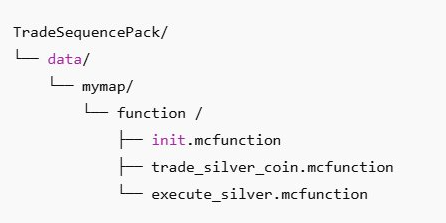
Then create the following structure:
TradeSequencePack/
Step 2 Write the trade logic
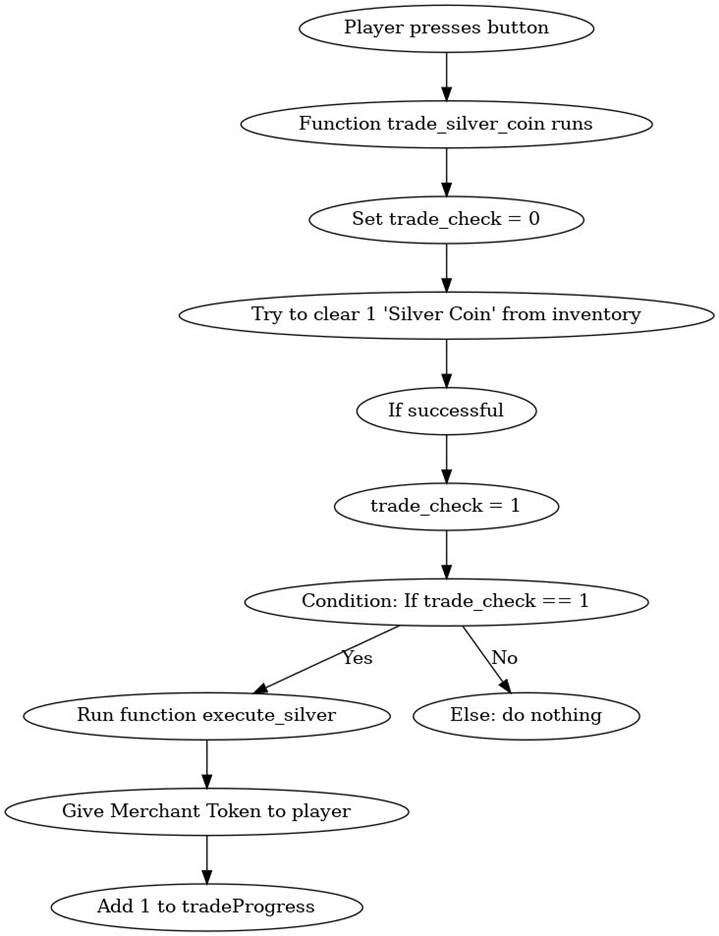
This setup uses a scoreboard to track trade attempts and ensures the player only gets a reward if the correct item is found and removed.
init.mcfunction
scoreboard objectives add tradeProgress dummy "Trade Progress"
scoreboard objectives add trade_check dummy
trade_silver_coin.mcfunction
scoreboard players set @s trade_check 0
execute store result score @s trade_check run clear @s iron_nugget[minecraft:custom_name=["Silver Coin"]] 1
execute if score @s trade_check matches 1 run function mymap:execute_silver
execute_silver.mcfunction
give @s paper[minecraft:custom_name=["Merchant Token"]] 1
scoreboard players add @s tradeProgress 1
This setup guarantees the trade only happens if the player has an iron nugget named "Silver Coin" with the new item components system. The token is granted only if the item is actually removed from their inventory.
Step 3 Trigger the trade in-game
Now that the datapack is ready, you must make it accessible to players who have no idea how it works behind the scenes. Here's how you do that.
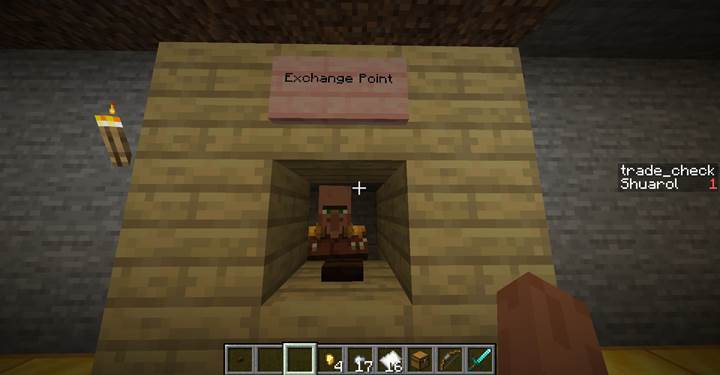
Place a button next to an NPC, a statue, a shrine — anything thematic. Behind the button, use a command block with:
/function mymap:trade_silver_coin
This will make the button run the trade check on whoever presses it.
- If the player has a Silver Coin, it’s removed and they receive the Merchant Token
- If they don’t, nothing happens
You can use /say, /title, or a note block sound to give them feedback if you want.
Step 4 Reload and test
After placing the datapack:
1. Type /reload in-game
2. Give yourself a test coin:
3. /give @p iron_nugget[minecraft:custom_name=["Silver Coin"]] 17
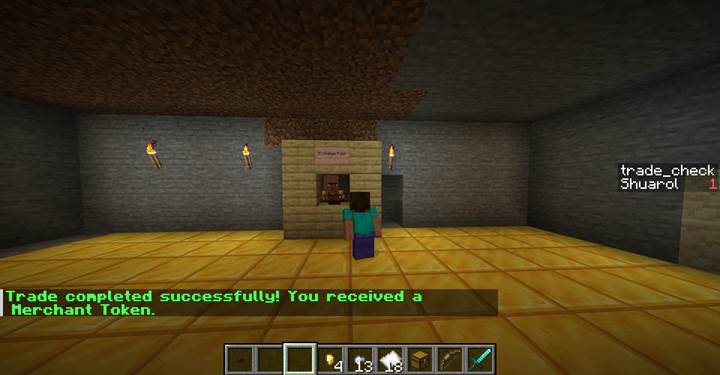
4. Press the button — and receive your Merchant Token!
How it works for players
Players do not need to know anything about the datapack. All they see is a button or trigger and a result. Here's the gameplay flow:
1. They find or receive a Silver Coin during a quest.
2. They discover a shrine or NPC who offers something in exchange.
3. They click a button (or step on a pressure plate).
4. If they carry the right item — it's taken, and they get a reward.
5. If not — nothing happens, and they know they’re missing something.
This creates real interactive storytelling using only /give, /clear, and datapack scripting.
With just two basic commands /give and /clear — you now have the power to build entire questlines. You control how items are exchanged, when progress is granted, and who is rewarded. Using datapacks and .mcfunction files, your world becomes programmable, reactive, and immersive — all without a single mod. This trade system is just the beginning. Add more functions, chain puzzles together, or make entire dungeons revolve around item-based mechanics — it all starts here.