
Minecraft Commands Guide: How to use gamerule, difficulty and daylock
Hey there, fellow Minecrafters! Ever wanted to tweak your game to fit your unique style?
Gamerule command
Imagine having the power to control the very rules of your Minecraft world. That's exactly what the /gamerule command offers. It's like being the director of your own blockbuster, setting the stage just the way you like it.
To use it, simply type:
/gamerule <ruleName> <value>
Here, <ruleName> is the specific rule you want to adjust, and <value> is what you want to set it to. Most of the time, this will be either true or false.
For instance, tired of losing all your hard-earned items upon an untimely demise? Keep your inventory intact with:
/gamerule keepInventory true
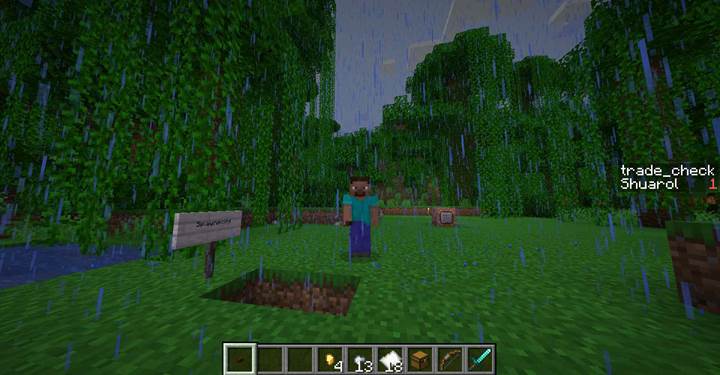
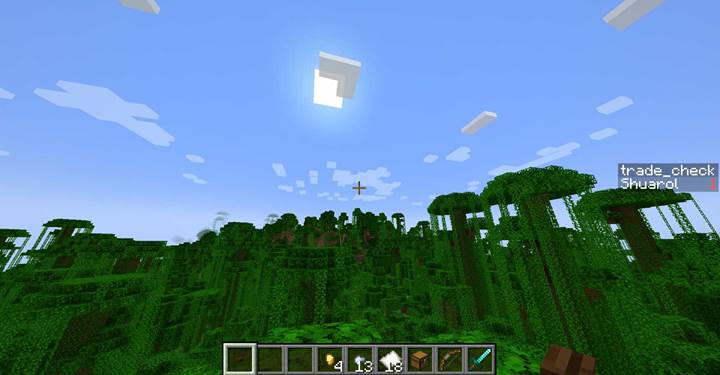
Want to halt the relentless march of time and bask in eternal daylight? Say no more:
/gamerule doDaylightCycle false
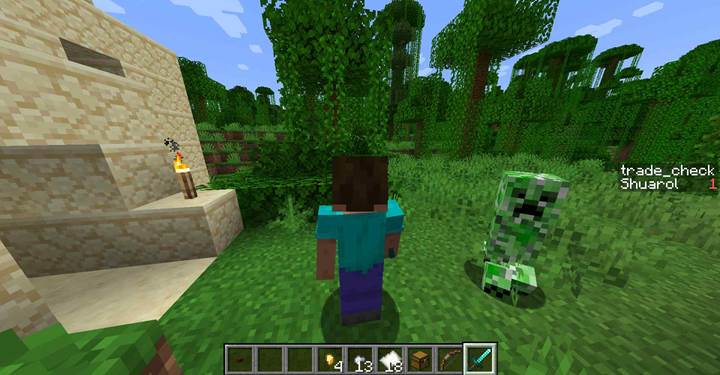
And if those pesky creepers are wreaking havoc on your meticulously crafted builds, prevent mob-induced destruction with:
/gamerule mobGriefing false
These commands put the power in your hands, letting you shape the game world to your liking.
Difficulty command
Feeling like the game is too much of a cakewalk or perhaps a tad too punishing? Adjust the game's challenge level on the fly with the /difficulty command. It's like turning the dial on your favorite video game to set the perfect level of challenge.
The syntax is straightforward:
/difficulty <level>
Where <level> can be:
- peaceful: No hostile mobs, and health regenerates quickly. Perfect for builders and those who prefer a serene experience.
- easy: Hostile mobs spawn but deal less damage. A gentle introduction to survival challenges.
- normal: The standard Minecraft experience. Mobs are challenging but fair.
- hard: For those seeking a true test. Mobs are tougher, and survival becomes a thrilling endeavor.
For example, to set the game to Hard mode:
/difficulty hard
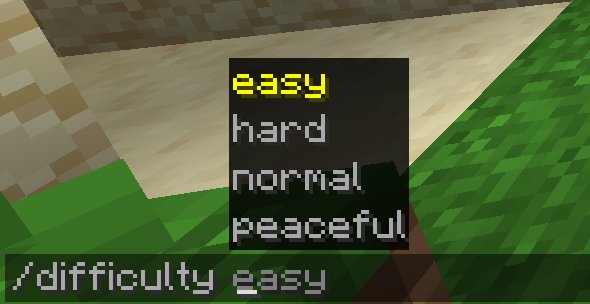
This command allows you to tailor the game's challenge to match your mood and playstyle.
Daylock command
Ever wished for perpetual daylight to keep those zombies at bay? The /daylock command is your go-to. By locking the time of day, you can ensure the sun never sets on your adventures.
To activate eternal day:
/daylock true
And if you ever long for the beauty of a Minecraft sunset again:
/daylock false
This command is especially handy for creative projects where lighting consistency is key.
In Minecraft, the /gamerule command allows players and server administrators to customize various aspects of the game's behavior. This command can enable or disable specific features, providing greater control over the gameplay experience.
Set a Game Rule
/gamerule <rule_name> <value>
Example:
/gamerule doInsomnia false
This command disables the spawning of phantoms during nighttime.
Check the Current Value of a Game Rule:
/gamerule <rule_name>
Example:
/gamerule doMobSpawning
This command displays whether natural mob spawning is enabled in the world.
Categories and Parameters of the /gamerule Command:
Game rules can be grouped into categories based on their effects on the game:
Mob Behavior:
|
Rule Name
|
Values
|
Description
|
|
doMobSpawning
|
true/false
|
Determines if mobs can spawn naturally.
|
|
doMobLoot
|
true/false
|
Specifies whether mobs drop items upon death.
|
|
mobGriefing
|
true/false
|
Controls if mobs can alter the environment (e.g., creepers destroying blocks).
|
|
doInsomnia
|
true/false
|
Enables or disables phantom spawning when players haven't slept.
|
|
doPatrolSpawning
|
true/false
|
Allows or prevents the spawning of patrols.
|
|
doTraderSpawning
|
true/false
|
Controls the spawning of wandering traders.
|
|
doWardenSpawning
|
true/false
|
Determines if wardens can spawn.
|
|
forgiveDeadPlayers
|
true/false
|
Decides if neutral mobs stop being aggressive after the targeted player dies.
|
|
universalAnger
|
true/false
|
When enabled, angered neutral mobs attack any nearby player, not just the one who angered them.
|
Player Behavior:
|
Rule Name
|
Values
|
Description
|
|
keepInventory
|
true/false
|
Determines if players retain their inventory after death.
|
|
naturalRegeneration
|
true/false
|
Specifies whether players naturally regenerate health when their hunger is full.
|
|
doImmediateRespawn
|
true/false
|
Players respawn immediately without seeing the death screen.
|
|
playersSleepingPercentage
|
0-100
|
Sets the percentage of players required to sleep to skip the night.
|
|
disableElytraMovementCheck
|
true/false
|
Disables the server's movement check for players wearing elytra, which can help reduce lag.
|
|
disablePlayerMovementCheck
|
true/false
|
Disables the server's general movement check for players.
|
|
pvp
|
true/false
|
Enables or disables player versus player combat.
|
Environmental Behavior:
|
Rule Name
|
Values
|
Description
|
|
doDaylightCycle
|
true/false
|
Controls whether the day-night cycle progresses.
|
|
doWeatherCycle
|
true/false
|
Determines if weather changes naturally.
|
|
doFireTick
|
true/false
|
Specifies whether fire spreads and extinguishes naturally.
|
|
doVinesSpread
|
true/false
|
Controls if vines can spread to adjacent blocks.
|
|
lavaSourceConversion
|
true/false
|
Determines if new lava source blocks can form.
|
Damage and Death:
|
Rule Name
|
Values
|
Description
|
|
fallDamage
|
true/false
|
Specifies if players take damage from falling.
|
|
fireDamage
|
true/false
|
Determines if players take damage from fire and lava.
|
|
drowningDamage
|
true/false
|
Controls whether players take damage from drowning.
|
|
freezeDamage
|
true/false
|
Specifies if players take damage when inside powder snow.
|
|
respawnBlocksExplode
|
true/false
|
Determines if beds or respawn anchors explode in invalid dimensions.
|
Drops and Loot:
|
Rule Name
|
Values
|
Description
|
|
doTileDrops
|
true/false
|
Specifies if blocks drop items when broken.
|
|
doEntityDrops
|
true/false
|
Determines if non-mob entities drop items upon destruction.
|
By utilizing these game rules, players can tailor their Minecraft experience to suit their preferences, creating unique and customized gameplay environments.
With the /gamerule, /difficulty, and /daylock commands at your disposal, you're the master of your Minecraft domain. So go ahead, experiment with these tools, and create a Minecraft world that's uniquely yours!