
Minecraft Commands Guide: How to use can_place_on for puzzle quest logic
Adventure Mode in Minecraft is built for controlled environments - puzzle dungeons, quest maps, and challenge-based gameplay where the player must interact with the world only under specific conditions. The can_place_on component is essential for that control. It allows you to restrict block placement so that a player can only place specific items on defined surfaces.
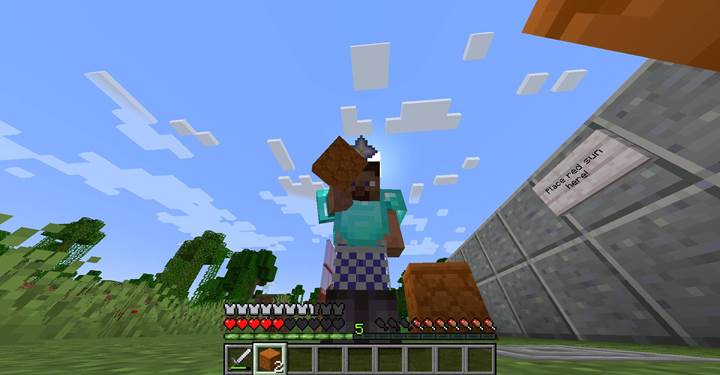
The can_place_on component determines which blocks a block item can be placed against when held by a player in Adventure Mode. If the component is not present, players can’t place the block at all in that mode. When it is defined, the item can be placed only on the blocks listed in the component. It supports block IDs, block tags, specific NBT filters, and block state conditions. This gives you powerful control over map structure and item utility.
Pseudo-structure format
Before looking at command examples, here’s the SNBT format shown with placeholder types to help understand the structure:
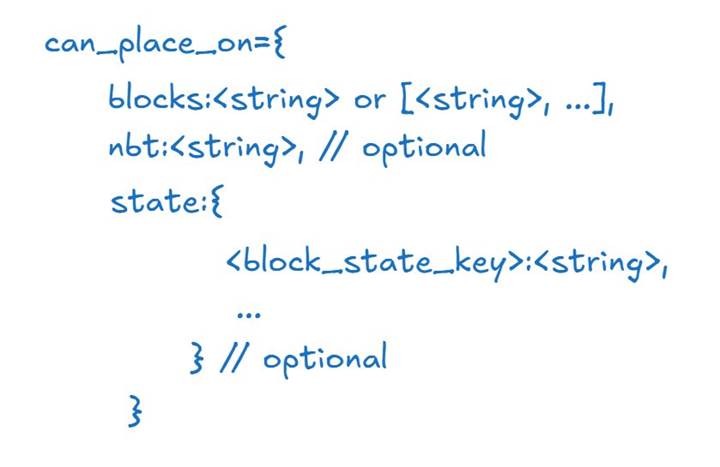
The blocks field defines which blocks are valid placement surfaces. You can use a single block ID like "sandstone", a list of IDs, or a tag like "minecraftplanks". Optionally, use nbt to restrict placement to block entities with specific data or use state to filter based on properties like block orientation.
Basic example
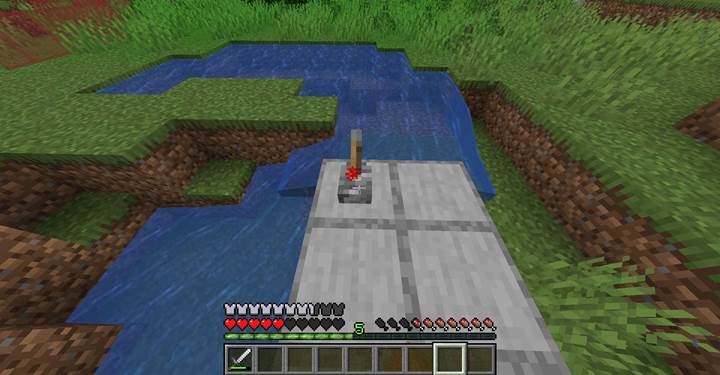
Imagine a puzzle chamber where the player must reactivate ancient machinery by restoring a broken lever mechanism. The solution requires placing the lever only on a smooth stone slab embedded in the control wall.
/give @p lever[custom_name={text:"Power Lever"},can_place_on={blocks:"minecraft:smooth_stone"}]
This ensures that the lever cannot be used anywhere else in the dungeon, preserving the logic of the puzzle. Only when placed on the correct surface will the mechanism respond — making placement part of the challenge, not just decoration.
Filter by block state
You can further restrict where the item can be placed by defining state conditions. For example, maybe you want a redstone block that can only be placed on trapdoors that are closed and facing north:
/give @p redstone_block[can_place_on={blocks:"minecraft:oak_trapdoor",state={open:"false",facing:"north"}}]
With this configuration, the item won’t be placeable on trapdoors in any other configuration. This allows for high-precision logic in puzzle and adventure maps.
Key tile that can only go on ancient tiles
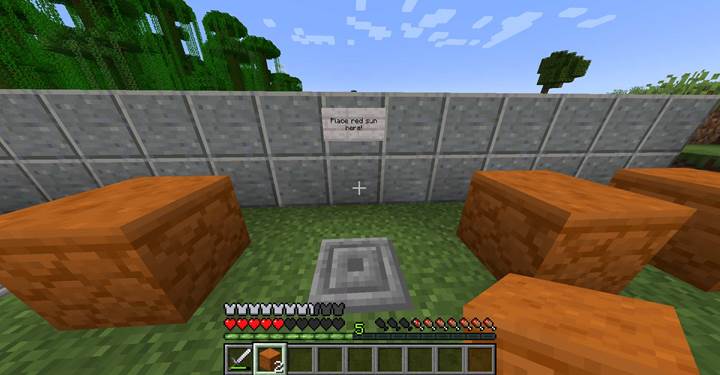
Imagine a puzzle where the player must place a specific decorative block on an ancient altar to unlock a sealed passage. Only one block fits — the others are rejected. You want the placement to work only if the player uses a red sandstone block on top of chiseled stone bricks.
/give @p red_sandstone[custom_name={text:"Sun Altar Stone"},can_place_on={blocks:"minecraft:chiseled_stone_bricks"}]
This creates a precise fit: players must find the correct block and surface combination. It mimics placing a carved stone into a socket, adding weight and clarity to puzzle-solving without using redstone.
Combine with other components for advanced logic
You can pair can_place_on with components like unbreakable, glider, or consumable to create layered gameplay tools. For example, a block that can only be placed on a glowing ore vein, and upon placement, activates a detector that gives the player a gliding item. Or a map where players must carry specific plates to the correct pedestal for it to function, reinforcing quest-based item progression.
The can_place_on component is critical for designing structured gameplay in Minecraft Adventure Mode. It allows you to specify exactly which blocks an item can interact with, enabling precise control over player actions, puzzle flow, and world manipulation. Use it to ensure placement logic matches your design, and build systems that reward attention and progression.