
Minecraft Commands Guide: How to use attribute and tag to control entity states and logic
In Minecraft, the world isn't just made of blocks - it's also made of logic. That’s exactly what the /attribute and /tag commands are built for. With them, you can fine-tune every creature’s strength, speed, and health, and control what events happen to whom and when. These commands might seem like background tools, but they’re at the core of every smart quest, boss fight, and custom mechanic.
/attribute
The /attribute command changes how an entity performs by adjusting its core stats. These aren't temporary effects like potions – when you set base values, you’re making persistent changes to core stats like movement speed or health. You can make a boss run faster in phase two, make a villager tankier for protection, or create a fast, weak enemy that spams attacks. Each attribute affects the actual behavior of the mob or player.

Syntax:
/attribute <target> <attribute> get|base|modifier ...
You can get current values, set new base values, or add complex modifiers. The most common is changing the base stat directly.
Here’s a detailed table of all the available attributes in Minecraft:
|
Attribute ID |
Controls |
Default (player) |
|
minecraft:generic.max_health
|
Max health (2 = 1 heart)
|
20.0
|
|
minecraft:generic.movement_speed
|
Walk speed
|
0.1
|
|
minecraft:generic.attack_damage
|
Melee damage
|
1.0
|
|
minecraft:generic.armor
|
Armor points
|
0.0
|
|
minecraft:generic.armor_toughness
|
Strong hit resistance
|
0.0
|
|
minecraft:generic.knockback_resistance
|
Chance to resist knockback
|
0.0
|
|
minecraft:generic.attack_speed
|
Time between hits
|
4.0
|
|
minecraft:generic.follow_range
|
How far mobs detect targets
|
32.0
|
|
minecraft:generic.luck
|
Affects loot rolls
|
0.0
|
|
minecraft:generic.jump_strength
|
Only for horses
|
varies
|
|
minecraft:horse.jump_strength
|
Horse jump height
|
varies
|
|
minecraft:zombie.spawn_reinforcements
|
Reinforcement spawn chance
|
0.0
|
For example, to make a boss hit like a truck, you'd run:
/attribute @e[tag=boss] minecraft:generic.attack_damage base set 20
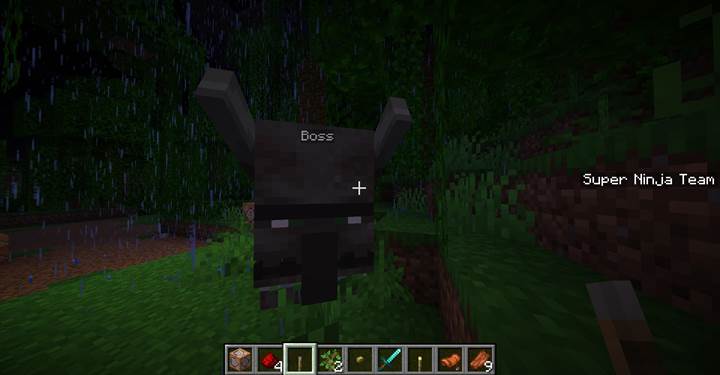
To make a Warden move faster as it gets angry:
/attribute @e[tag=boss] minecraft:generic.movement_speed base set 0.3
To boost a player’s health for a reward:
/attribute @p minecraft:generic.max_health base set 40
This change is permanent unless reset manually.
/tag
Tags are simple labels you can attach to any entity. They don’t do anything by themselves, but they become extremely powerful when you use them in conditions. You can tag a zombie as “boss,” a player as “cursed,” or an NPC as “spoken_to” and then use those tags in /execute, /tp, /title, or any conditional logic. Tags are completely invisible and stay until removed or the entity despawns.
Syntax:
/tag <target> add|remove|list <tag_name>
You can use tags to mark progress, unlock stages, filter mobs, and define roles in custom logic.
Here’s a breakdown of what each tag action does:
|
Action |
Description |
Example |
|
add
|
Adds a tag to the target
|
/tag @e[type=zombie,limit=1] add boss
|
|
remove
|
Removes a tag
|
/tag @e[tag=boss] remove boss
|
|
list
|
Shows all tags on the target
|
/tag @s list
|
|
usage in selectors
|
Filters entities by tag
|
/execute as @e[tag=!done] run ...
|
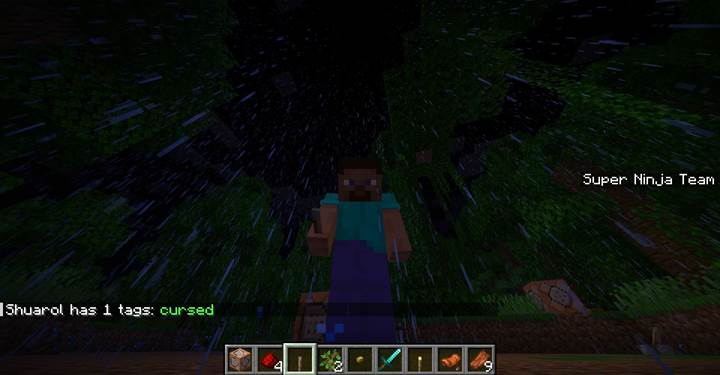
For example, after a player finishes a riddle, tag them:
/tag @p add finished_riddle
Later, teleport only those who solved it:
/tp @a[tag=finished_riddle] 100 64 100
Or mark a mob as activated during a boss phase:
/tag @e[type=wither,limit=1] add enraged
Then play a roar only once:
/execute as @e[tag=enraged] run playsound minecraft:entity.ender_dragon.growl ...
You can use tags as switches, memory, conditions, and dialogue triggers. They're one of the most essential tools in every mapmaker’s logic flow.
Attribute vs tag
Both commands work best together. /attribute changes how things behave - how fast, how strong, how much health. /tag tracks what has happened to them or what role they play. A smart boss fight might start with a tag “phase1,” then swap to “phase2” when health is low, and raise speed and damage through attributes at the same time.
Here’s a quick comparison:
|
Command |
Type of control |
Persistent |
Affects gameplay |
Best for |
|
/attribute
|
Stats and performance
|
Yes
|
Yes
|
Custom behavior, strength, balance
|
|
/tag
|
Logic and event tracking
|
Yes
|
Indirectly
|
Progress, conditions, filters
|
They’re especially strong when combined with /execute, /scoreboard, /trigger, /function, and all your cinematic commands like /title and /playanimation.
Boss phase switch using attributes and tags
Let’s create a boss fight where the enemy changes behavior once its health drops below a certain point. In phase one, the boss moves slowly and deals low damage. In phase two, it becomes enraged - faster, stronger, more aggressive. You control this using /attribute to boost stats and /tag to mark the current phase so it only triggers once. This system makes the boss feel dynamic and responsive, even though it’s all scripted with commands.
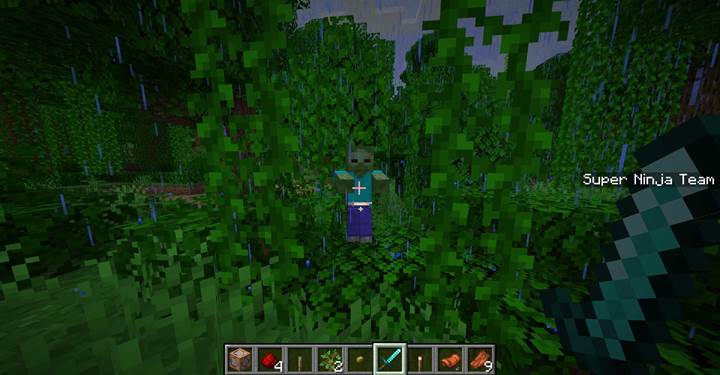
The fight starts with the boss summoned like this:
/summon zombie ~ ~ ~ {Tags:["boss","phase1"]}
You give it a calm movement speed and light damage:
/attribute @e[tag=boss,limit=1] minecraft:generic.movement_speed base set 0.1

/attribute @e[tag=boss] minecraft:generic.attack_damage base set 4
Now the fight begins. You place a repeating command block with this check:
/execute as @e[tag=boss,scores={Health=..10}] unless entity @e[tag=phase2] run function boss:enter_phase2
That waits until the boss’s health drops to 10 or less and ensures the tag phase2 doesn’t already exist.
In the function boss:enter_phase2, you put:
/tag @s add phase2
/tag @s remove phase1
/attribute @s minecraft:generic.movement_speed base set 0.25
/attribute @s minecraft:generic.attack_damage base set 10
/title @a title {"text":"The boss is enraged!","color":"dark_red"}
/playsound minecraft:entity.wither.spawn hostile @a ~ ~ ~ 1 1
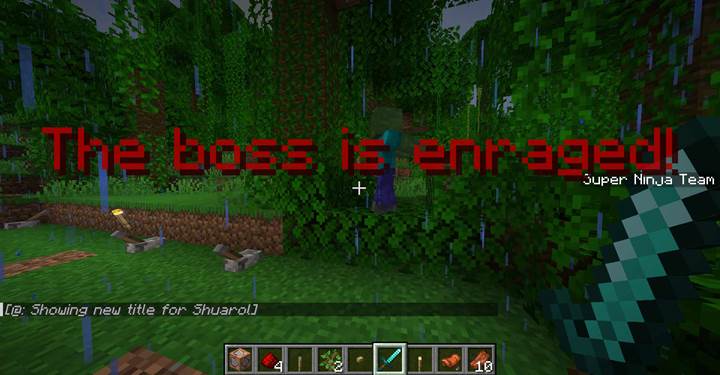
Now the boss becomes faster and stronger, the screen flashes a warning, and sound plays across the arena. Because of the tag, this can’t happen again - the command is blocked by unless entity @e[tag=phase2].
This logic makes the boss feel alive and reactive. You could easily add even more phases by repeating the same idea with different thresholds and tags - phase3, final_form, stunned, etc. Add movement speed, max_health, and knockback resistance as needed to scale difficulty.
And the same trick works for puzzles too. You could tag a player when they collect an item, and use that tag to unlock a chamber, trigger traps, or change the behavior of mobs they encounter later. These commands aren’t visible on screen, but they’re the logic brain behind everything dynamic. Want to connect this to a camera cutscene next, or use attributes to make a puzzle monster super slow but dangerous? Let’s build that next!
The /attribute and /tag commands are the invisible backbone of smart Minecraft systems. If you want to create dynamic characters, multi-phase battles, branching quests, or just really clean logic in your world, these are the tools you’ll use again and again. Attributes let you control how something behaves, and tags let you control when and why. Use them to bring your mobs and events to life with precision and logic hidden just under the surface.