
Minecraft Commands Guide: How to design custom repair logic for quest gear
Repairing gear in Minecraft doesn’t have to follow vanilla rules. With the repairable and repair_cost components, you can control exactly how items are restored through anvils. These components let you define which materials can repair your items and how much XP it costs.

The repairable component lets you define which materials can be used to repair an item in an anvil. This overrides Minecraft’s default repair rules. The component accepts a single item ID, a list of item IDs, or a block tag with a hash symbol. The item must also be damageable for repair to function. When the player combines the damaged item with the correct ingredient, the anvil restores durability just like vanilla repairs would - but with your chosen logic.
What is the repair_cost component
The repair_cost component lets you increase the XP cost of repairing, renaming, or combining an item. It adds a flat number of levels on top of the normal cost Minecraft would apply. This is useful when you want to make powerful gear harder to maintain or limit overuse of easily repaired equipment. The value must be a non-negative integer, and it stacks with any natural anvil penalties.
Use this general structure to understand the format and define your own custom repair logic:
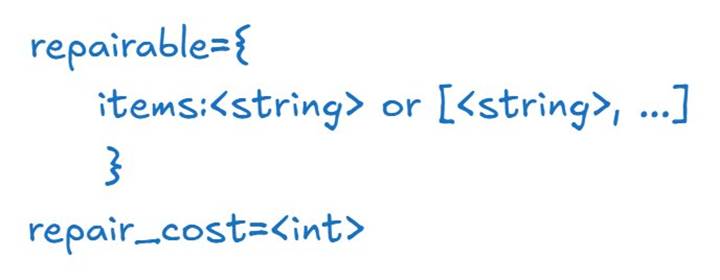
For items, use an item ID like "stick", a tag like "minecraftplanks", or a list of item IDs like ["iron_ingot", "diamond"]. The repair_cost is an integer like 0, 2, or 5.
Basic example
Here’s how to make an iron sword that can be repaired with emeralds and costs an extra 3 XP levels every time it's modified in an anvil:
/give @p iron_sword[repairable={items:"emerald"},minecraft:repair_cost=3]
This sword uses emeralds instead of iron ingots and is more expensive to repair or rename.

Use tags or multiple repair materials
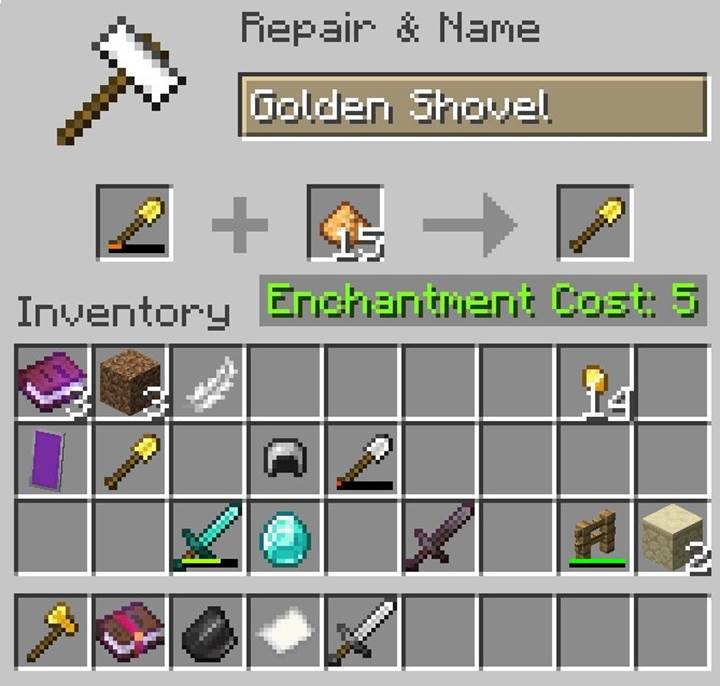
You can define a group of acceptable repair materials either as a list or with a tag. Let’s say you want a golden shovel that can be repaired with either glowstone or gold nuggets:
/give @p golden_shovel[repairable={items:["glowstone_dust","gold_nugget"]},minecraft:repair_cost=1]
This setup gives players options when restoring the item and allows you to tie repairs to resource themes or difficulty settings.
Quest item with exotic repairs
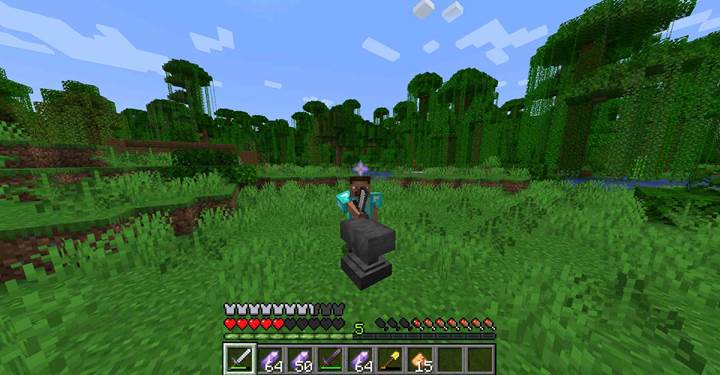
Imagine a story item that’s important to the player’s quest - a spectral blade that can only be repaired using amethyst shards. To make the item feel rare and expensive, you also set a high repair cost.
/give @p netherite_sword[display={Name:'{"text":"Spectral Blade"}'},repairable={items:"amethyst_shard"},minecraft:repair_cost=2]
This sword fits seamlessly into an adventure setting. The player must seek specific resources to keep it maintained, and the XP cost discourages casual use or spam-repairing.
Combine with durability mechanics
You can combine repairable and repair_cost with other components like max_damage and damage to create fragile, expensive, or story-driven gear. For example, a dagger that starts partially broken, can only be repaired with quartz, and becomes costly to maintain over time:
/give @p iron_sword[damage=75,max_damage=150,repairable={items:"quartz"},minecraft:repair_cost=4]
This gives the player an incentive to conserve the item’s use until they’re ready to invest resources.
The repairable and repair_cost components give you complete control over how items are maintained in Minecraft. Define unique materials, adjust XP costs, and integrate gear into your world’s economy or lore. From quest weapons to class-specific tools, these components help you shape item progression with precision.