
Minecraft Commands Guide: How to create puzzle quests with teleportation
Teleporting isn't just for getting around fast. In Minecraft adventure maps, teleportation can be the heartbeat of your quest. You can drop players into mysterious chambers, scatter them across hidden rooms, or yank them into traps if they choose the wrong answer.
How teleportation commands work
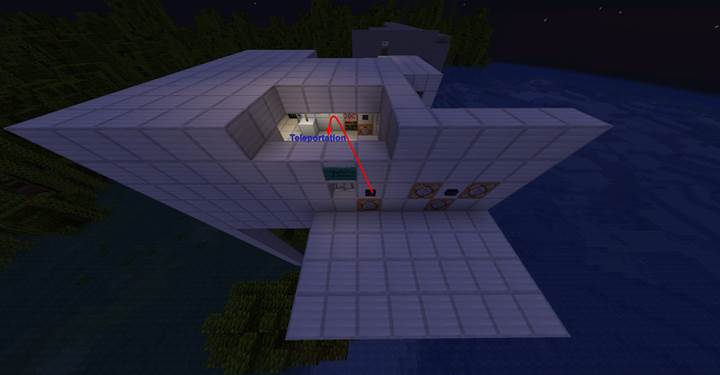
Minecraft gives you two main ways to teleport: /tp and /spreadplayers. The /tp command is the one you'll use most. It's simple: choose who you're teleporting, and where they're going. You can use exact coordinates, relative movement, or even teleport players to other entities. You can also control which way they're facing when they arrive by using yaw and pitch. So if you want them to face a boss, a wall of text, or a suspicious lever, this is your tool.
Using /tp and /teleport
The /tp and /teleport commands are the same - one's just a shorter version. The full syntax looks like this:
/tp <target> <x> <y> <z> [<yaw> <pitch>] or /tp <target> <destination>.
You can also do /tp @p PlayerName to teleport a player to another player.
And /tp @s ~ ~5 ~ will lift the player 5 blocks into the air - great for lifts, altars, or floating puzzle effects.
Add yaw and pitch like /tp @s 100 64 -20 180 0 and they'll teleport facing a specific direction. This lets you guide their attention in scripted scenes or dramatic reveals.
What /spreadplayers adds to your toolkit
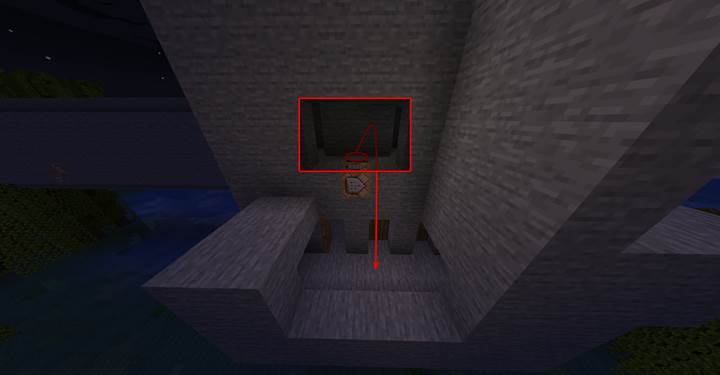
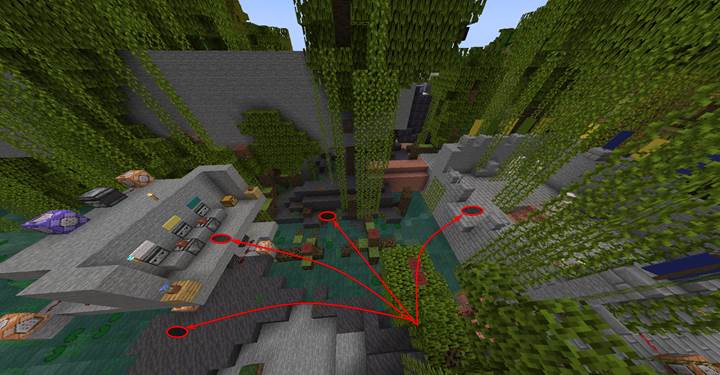
While /tp is great for precision, /spreadplayers is what you use when you want chaos, surprise, or fair separation. You can scatter all players across a wide zone so they start in different rooms. For example: /spreadplayers 0 0 5 30 false @a will place every player randomly within 30 blocks of 0 0, at least 5 blocks apart. Perfect for PvP, co-op puzzle chambers, or “escape your room” challenges.
Making a teleport-based quest
Now let’s combine these commands to build an actual quest. First, use /spreadplayers in a function like start_quest.mcfunction to split players into rooms:
spreadplayers 0 0 4 10 false @a.
Then run a sequence like schedule function yourpack:room1_question 40t to begin individual challenges. Inside room1_question.mcfunction, teleport the player into a small area:
tp @a[x=0,z=0,distance=..3] 100 64 0
and use /tellraw to show a question from an NPC. Set up different pressure plates or buttons. The correct one runs room1_correct.mcfunction with
tp @p 110 64 0 and a message like say You answered correctly! The wrong answer triggers room1_wrong.mcfunction with tp @p 90 20 0 and say You have been trapped! Now the player is in a punishment room or death drop. You can repeat this for multiple players in parallel.
Where this works best
Teleportation fits everywhere in quest design. Use it to move players between scenes, create surprises, skip long walks, or punish failure. It’s ideal for escape rooms, branching dialogue paths, or time-limited puzzle chambers. You can also simulate magic portals, dream sequences, or dramatic shifts by combining teleportation with sound and visual effects. Gamever servers are perfect for this kind of creative multiplayer design — you set the rules, and everyone explores the consequences.
When teleporting, always make sure the target coordinates are safe. Never teleport players directly into blocks. It’s best to teleport them slightly above the ground, like to y=65 if your floor is at 64. Also, be careful with /spreadplayers at high altitudes - players might fall and die. Add a slow falling effect or teleport them to solid floors. Finally, don’t teleport players into unloaded chunks during sequences. Use preloaded zones or spacing tricks to keep everything smooth.
Quest example
Let’s put everything together into a real gameplay scenario. In this quest, each player is teleported to their own room. Inside, an NPC asks a question. If the player answers correctly, they are teleported to the exit. If they answer wrong, they fall into a trap. The goal is for all players to escape at the same time by solving their own puzzle sections.
To build this, create a datapack with the following structure:
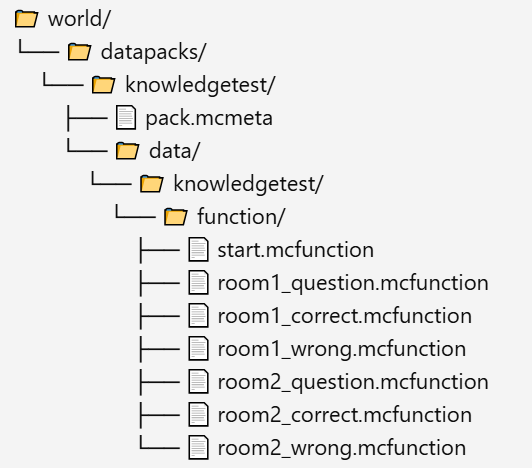
In your ‘pack.mcmeta’ file, add this content:
{
"pack": {
"pack_format": 71,
"description": "Quest: The Knowledge Trial"
}
}
The ‘start.mcfunction’ file should begin the challenge by scattering players into separate areas and scheduling the questions:
spreadplayers 0 0 5 10 false @a
schedule function knowledgetest:room1_question 40t
schedule function knowledgetest:room2_question 60t
This spreads players near (0, 0) with spacing, then calls the first and second room question functions shortly after.
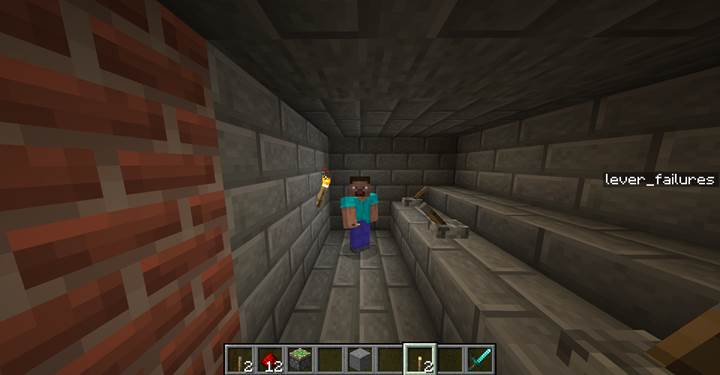
Inside ‘room1_question.mcfunction’, teleport the first player into their room and show the NPC message:
tp @a[x=0,y=64,z=0,distance=..5] 100 64 0
tellraw @a[x=100,y=64,z=0,distance=..3] {"text":"NPC: What do you get if you combine fire and sand?","color":"gold"}
The correct answer button should run ‘room1_correct.mcfunction’:
tp @p 110 64 0
say You answered correctly. The door opens.
The wrong answer triggers ‘room1_wrong.mcfunction’:
tp @p 90 20 0
say That was incorrect... You fell into a trap!
Room 2 is set up the same way in ‘room2_question.mcfunction’, for example:
tp @a[x=10,y=64,z=0,distance=..5] 200 64 0
tellraw @a[x=200,y=64,z=0,distance=..3] {"text":"NPC: How many sides does a cube have?","color":"gold"}
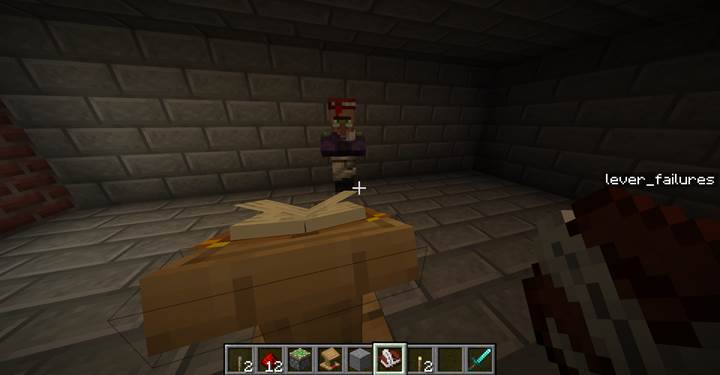
To run the quest, use a command block with:
/function knowledgetest:start
Each answer option (button or plate) in the rooms should be linked to either the correct or wrong function.
To keep things organized, use coordinate filters or tags to make sure the right player gets the right question. Use command blocks inside rooms for input, and consider adding a global win trigger when all players reach the exit using something like:
execute if entity @a[x=...,z=...,distance=..3] run say Everyone escaped!
This type of setup turns simple teleportation into a complete multiplayer puzzle quest - and it’s fully modular so you can expand it with more rooms or riddles. Let me know if you’d like a downloadable datapack version of this structure.
Teleportation gives you total control over space in Minecraft. With just a few function files, you can create full stories — where every step, mistake, and success leads players to a new place. Try building your own quest on Gamever — and see how far teleportation alone can take your players.