
Minecraft Commands Guide: How to build talking puzzles with /say and /tell
There’s something magical about walking into a quiet room in Minecraft, stepping on a pressure plate, and suddenly hearing the voice of an ancient spirit whispering riddles into your chat. Or maybe it’s a statue that speaks only once, offering a mysterious quest. Conversation puzzles can turn an ordinary build into something immersive, fun, and memorable. And the best part? You can do it all with a few clever uses of chat commands like /say, /me, and /tell.
Choosing the right commands
There are five main commands you’ll use: /say, /me, /tell, /msg, and /w.
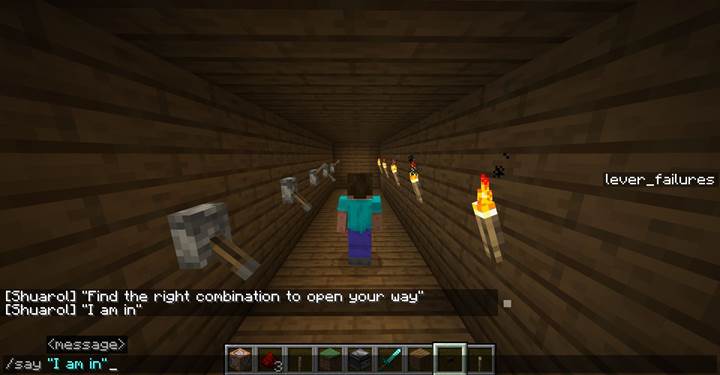
The command /say sends a message to everyone on the server and looks like it’s coming from the server itself.
/me shows an action like "Steve looks around nervously".
/tell, /msg, and /w all send private messages to one player.
They’re basically the same thing, just different shortcuts.
Use /say for public announcements, /me for mood or story hints, and /tell when you want a message to feel personal, like a secret or a whisper from a hidden NPC.
Here’s a clean and clear table that compares the commands /say, /me, /tell, /msg, and /w — showing how they differ, what they’re used for, how the output looks, and when to use each one.
|
Command |
Visibility |
Output format |
Use case |
Example |
Notes |
|
/say
|
Everyone on server
|
[Server] message
|
Public message from the world
|
say The wall hums softly...
|
Looks like server is speaking
|
|
/me
|
Everyone on server
|
*PlayerName action*
|
Adds emotion or narration
|
me shivers as the wind blows in
|
Feels like roleplay text
|
|
/tell
|
One player only
|
PlayerName whispers: message
|
Personal message (private whisper)
|
tell @p You feel watched...
|
Feels like an NPC whisper
|
|
/msg
|
One player only
|
Same as /tell
|
Same as /tell
|
msg @a[tag=quest] Your journey begins.
|
Just a shorter alias of /tell
|
|
/w
|
One player only
|
Same as /tell
|
Same as /tell
|
w Steve You forgot something...
|
Alias for quick typing
|
Use /teammsg (or /tm) for team-only chat#
And there's one more command worth mentioning when it comes to in-game communication: /teammsg.

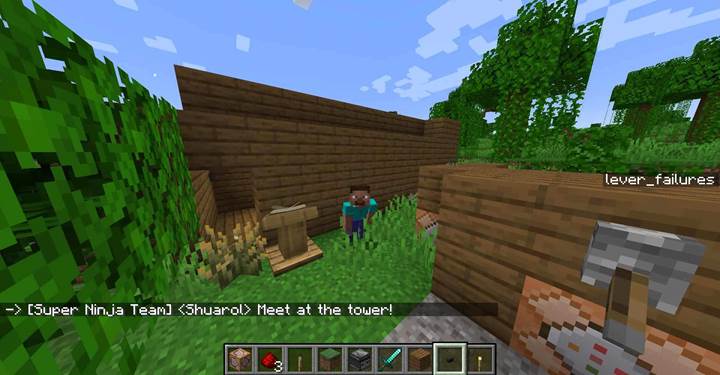
The /teammsg command, also usable as /tm, lets you send a message only to players on the same team as you. It's like a private team chat. You need to have teams set up using the /team command first — if you're not on a team, the message won't go through.
/teammsg Meet at the tower!/tm Watch out, enemies nearby!Only teammates will see the message in chat. This is useful in PvP games, team quests, or any multiplayer scenario where players are grouped and need to communicate without revealing info to others.
Building a talking wall
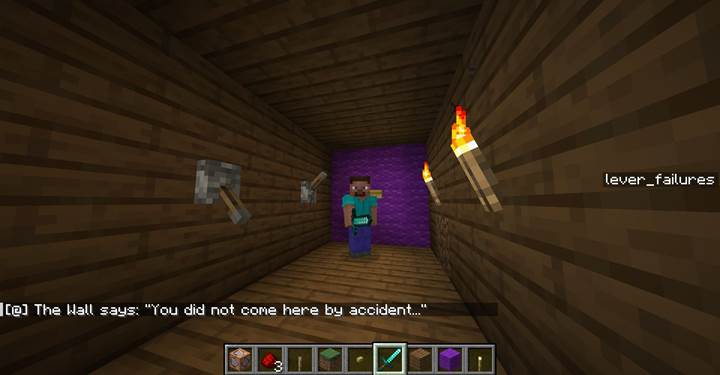
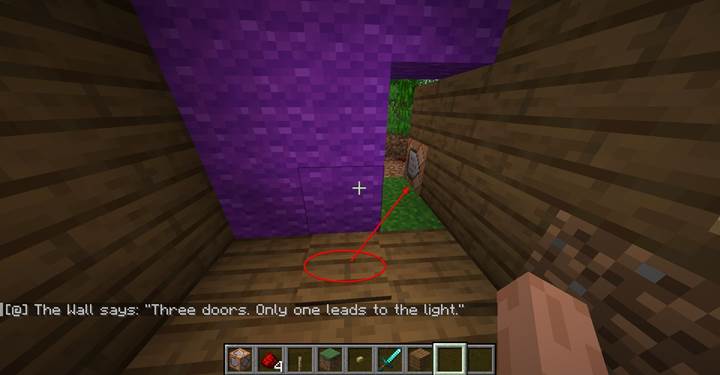
Let’s say you want to create a room with a mysterious wall that speaks when a player presses a button. First, create a datapack with a simple function or use command blocks. Inside your function file, write this:
say The Wall says: "You did not come here by accident..."
then maybe another line like
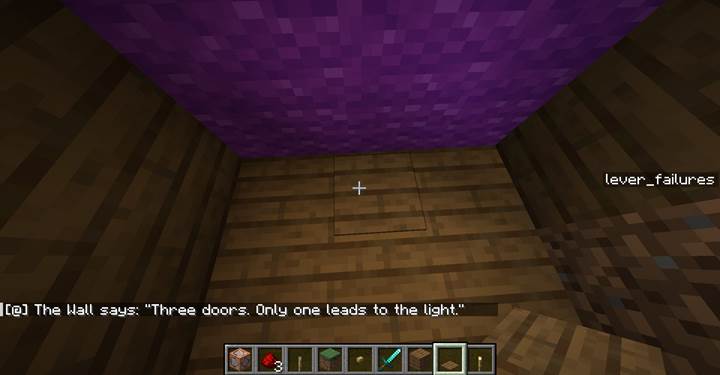
say The Wall says: "Three doors. Only one leads to the light."
You can put the command block right behind the button or pressure plate and trigger
/function talkingwall:speak
when the button is pressed. Now your wall has a voice. It’s a great way to drop clues for a puzzle or just add atmosphere.
Creating a one-time whisper from an NPC
If you want something more subtle and personal, use /tell and a proximity check. Imagine a statue that only whispers once, when a player gets close. Your function might look like this:
execute as @a[distance=..3,nbt=!{Tags:["quest_started"]}] run tag @s add quest_started
then
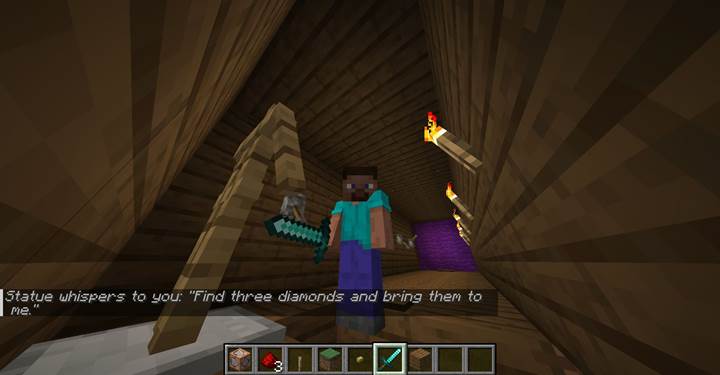
execute as @a[tag=quest_started] run execute as @p[distance=..5] at @s run execute as @e[type=armor_stand,limit=1,sort=nearest] run tell @p "Find three diamonds and bring them to me."
This command chain first tags any player who enters the 3-block radius and hasn’t yet triggered the event. Then, for each tagged player, it selects the nearest player within 5 blocks and runs the command from their location.
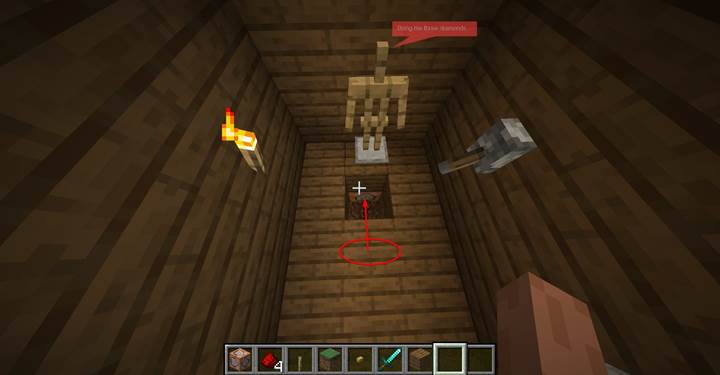
From there, it finds the nearest armor stand and executes the /tell command from its perspective. Since /tell displays the name of the executor as the message sender, the player sees something like: Statue whispers to you: Find three diamonds and bring them to me.
This makes sure the player only hears it once, and only if they’re close enough. You can run this function on every tick or use a command block with a repeating setting. It’s perfect for hidden quests or secret dialogue.
Combining messages with puzzle logic
You can take it further by combining these messages with redstone triggers, item checks, or even scoreboards. Maybe the wall gives you a riddle and only opens the door if you step on the correct pressure plate. Or an NPC whispers a challenge, and you must collect three diamonds to complete it. You can use /execute if entity or /execute if score to check progress and give different messages depending on what the player has done. That’s how you turn simple messages into real puzzle mechanics.
Design tips for immersive puzzles
Keep the messages short and clear, but give them flavor. A message like "Door unlocked" is boring. Try something like "You have made the right choice... the passage is open". Always test your range with distance selectors so messages trigger at the right time. Use tags to make sure players don’t get spammed with repeats. And mix /say and /tell to create layers - public statements from the world and private whispers from the unknown.
The magic of these puzzles is how alive they feel. A wall that speaks once and never again. A ghost that only talks if you’re alone. A mysterious book that sends you messages when you hold it. With a little setup, you can make players feel like they’re in a world full of secrets — especially fun when shared with friends on a Gamever server, where you can co-create stories, test mechanics, and explore ideas together. No mods. No add-ons. Just clever use of commands and a little creativity.
Conversation puzzles are one of the easiest ways to make your Minecraft world feel alive and full of story. With just a few simple commands like /say or /tell, you can turn blocks into characters, spaces into scenes, and players into curious explorers.
Tip: By the way, if you're ever unsure about how to use any of these chat commands, just type /help or /? followed by the command name. For example: /help tell. It’s a quick way to check syntax without leaving the game.