
Managing Your Palworld Server with the REST API

Palworld ships with a first-party REST API — an HTTP interface built into the dedicated server that lets outside tools read server info and run admin actions without anyone being logged into the game. It's the modern, officially supported way to wire up a Discord bot, a status dashboard, or a scheduled announcer, and on a gamever server you turn it on from the control panel. This guide covers what the API manages, how to enable it, and — importantly — how to keep it off the public internet. It also clears up a couple of "settings" that older guides invented and that don't actually exist.
What the REST API can do
The API exposes a small, fixed set of endpoints under a base path of /v1/api. Requests and responses are JSON, and it splits cleanly into read actions (GET) and admin actions (POST):
| Method | Endpoint | What it does |
|---|---|---|
GET | /v1/api/info | Server name, version and world GUID |
GET | /v1/api/players | Connected players (name, ID, ping, level, location) |
GET | /v1/api/settings | Current server settings (read-only) |
GET | /v1/api/metrics | Performance: FPS, uptime, player and base counts |
POST | /v1/api/announce | Broadcast a message to everyone online |
POST | /v1/api/kick | Disconnect a player by user ID |
POST | /v1/api/ban | Ban a player by user ID |
POST | /v1/api/unban | Lift a ban |
POST | /v1/api/save | Force an immediate world save |
POST | /v1/api/shutdown | Graceful shutdown after a delay, with a message |
POST | /v1/api/stop | Stop the server immediately |
That's the whole surface: server info, the live player list, announcements, kick/ban/unban, save and shutdown. Note that GET /v1/api/settings is read-only — the API reports your configuration but doesn't change it live, so you still tune rules through the panel's Settings tabs.
Enable it in the gamever panel
The API is off by default. Turning it on is two things: an admin password and a config flag.
1. Set an Admin Password. The API authenticates with HTTP Basic auth using the fixed username admin and your server's AdminPassword — so it won't accept a connection until that password is set. Open Settings → Server settings, fill in the Admin Password field, and Save.
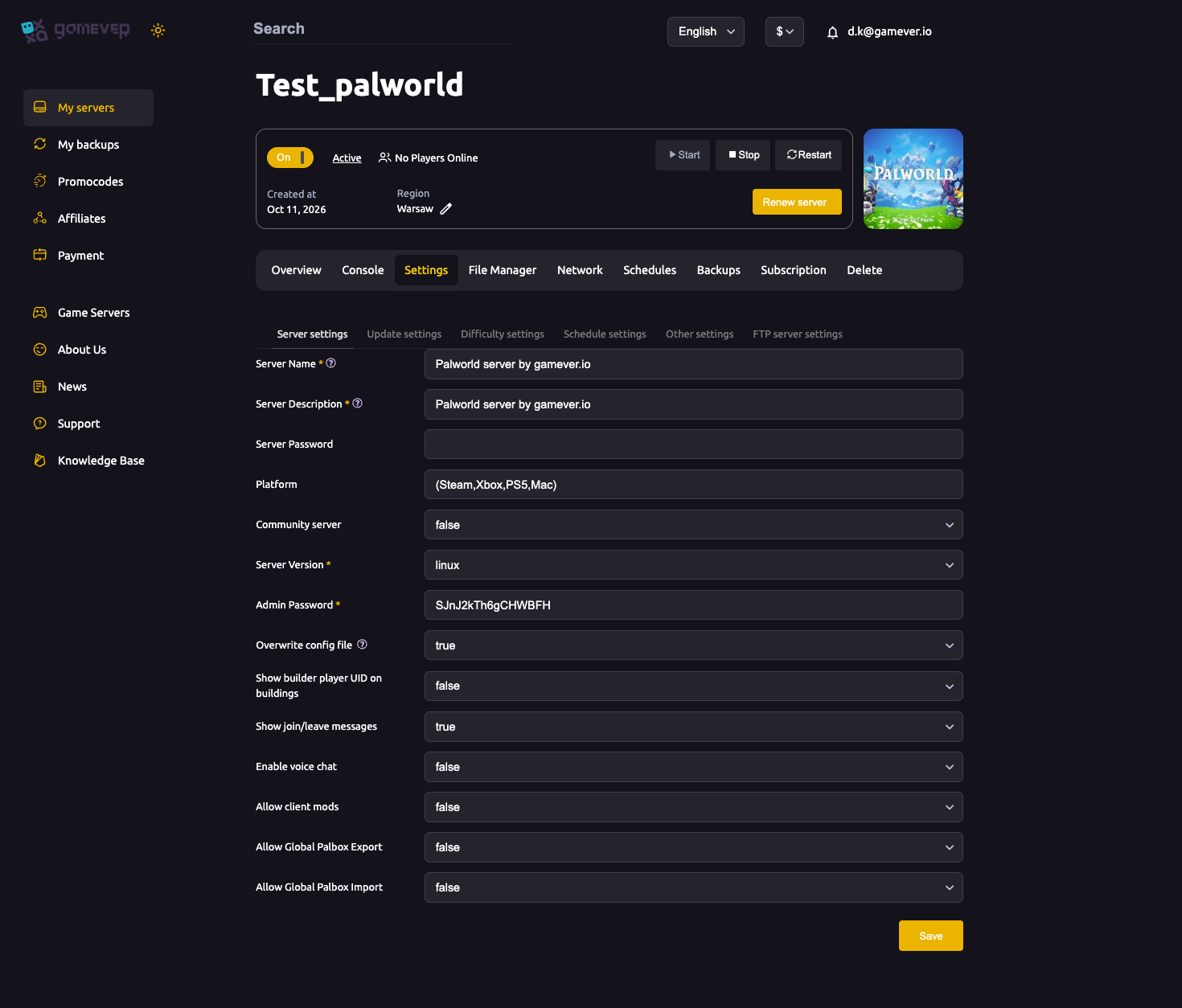
2. Switch the API on in the live config. The enable flag lives in PalWorldSettings.ini. Stop the server, open the File Manager, edit Pal/Saved/Config/LinuxServer/PalWorldSettings.ini, and set:
| Key | Value | Purpose |
|---|---|---|
RESTAPIEnabled | True | Turns the REST API on |
RESTAPIPort | the port it listens on (Palworld's example uses 8212) | Where the API is served |
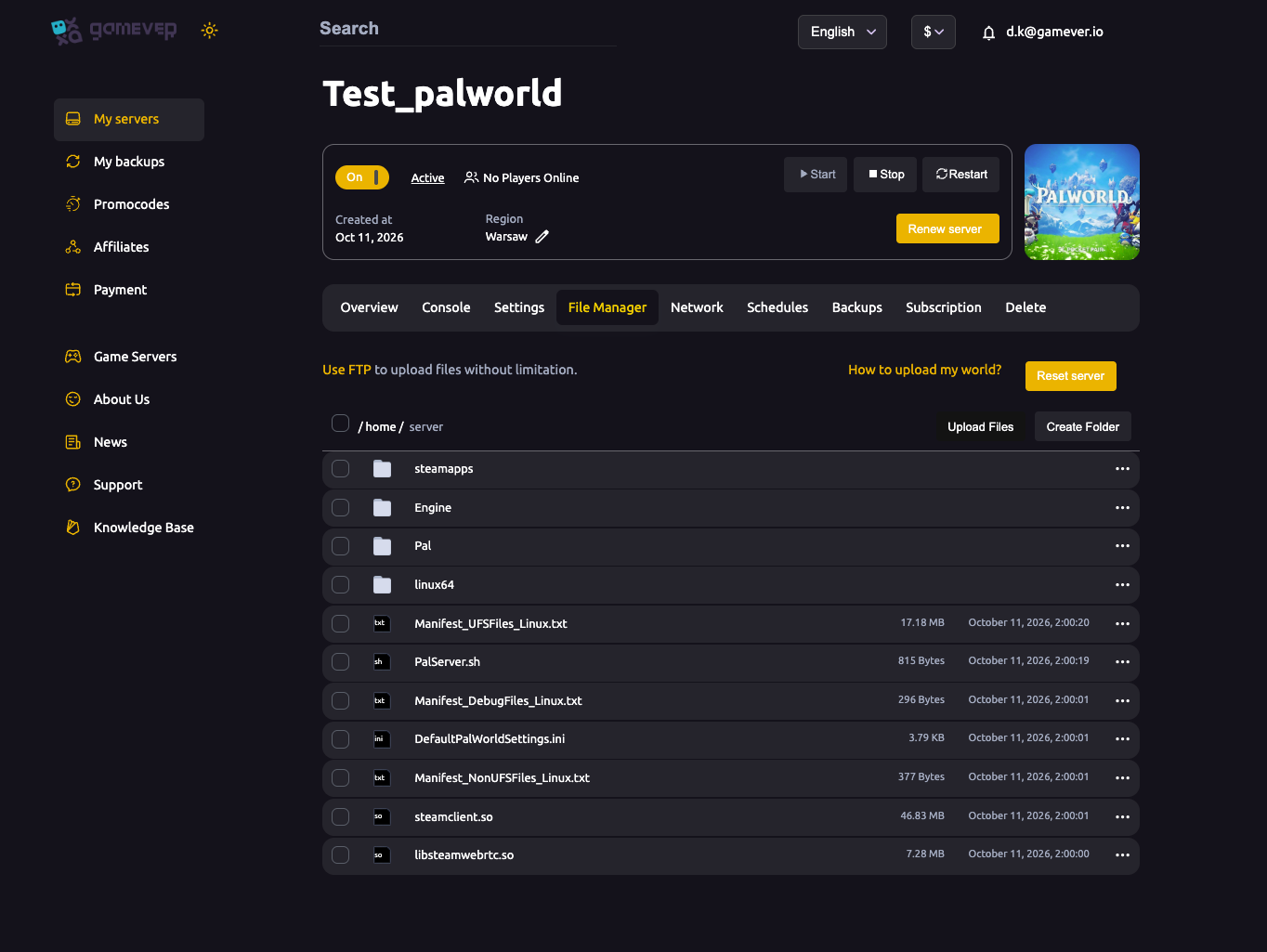
One gotcha specific to the panel: if Overwrite config file is set to true, the panel rewrites PalWorldSettings.ini from its own fields on restart, which can wipe keys it doesn't manage — including RESTAPIEnabled. Set Overwrite config file to false before you hand-edit the ini for the REST keys, then Start the server to apply.
Keep it off the public internet
This is the part most guides skip. The REST API is plain HTTP, and HTTP Basic auth only base64-encodes the password — it is not encrypted. Anyone who can reach the port and knows the admin password effectively owns your server: they can ban everyone, save, and shut it down. Pocketpair's own guidance is that the API is not meant to be exposed to the internet — treat it as a local-network / trusted-connection tool.
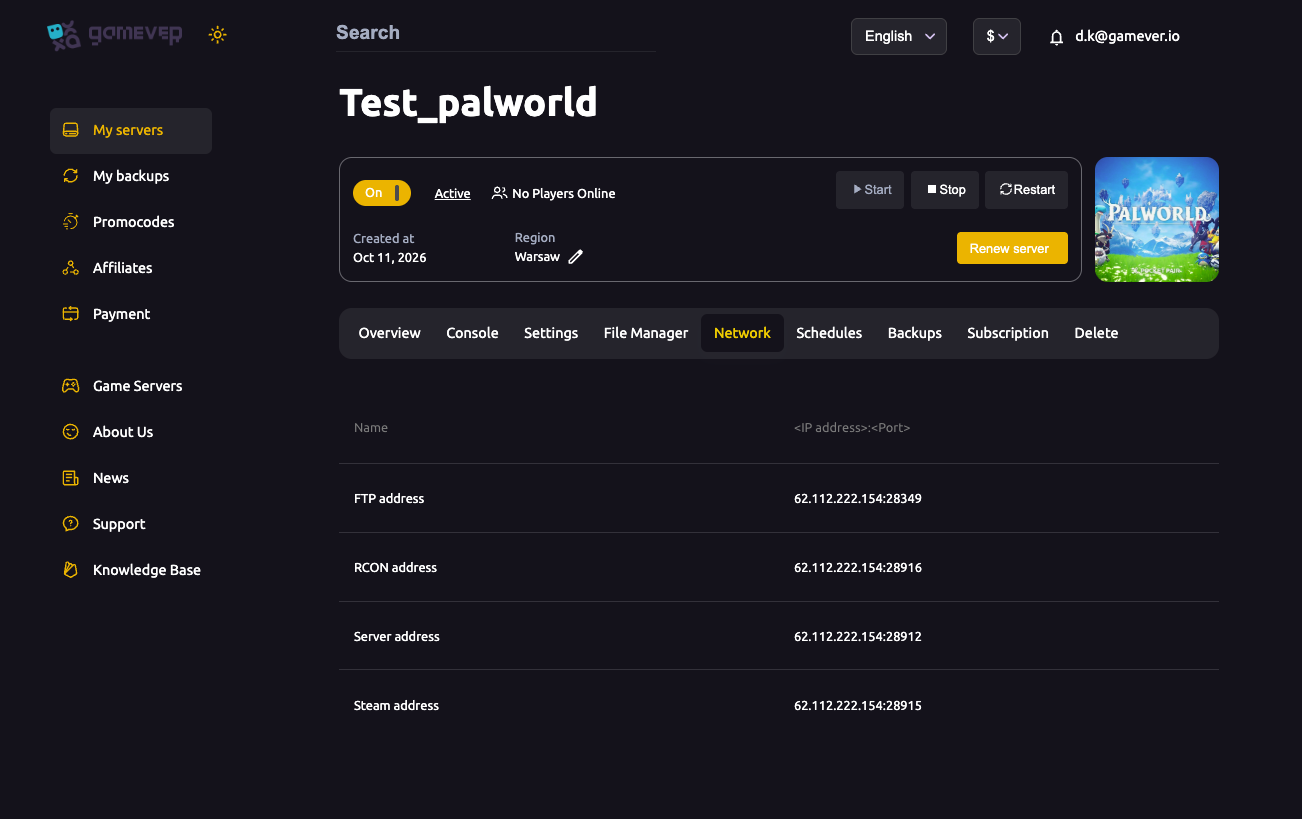
On gamever this works in your favour: ports are panel-assigned and firewalled, so the API isn't hanging open on the public internet the way a hand-rolled self-host often is. For everyday admin you usually don't need to expose it at all — the panel's built-in Console and the Settings → Server settings controls already cover announcing, kicking, banning, saving and restarting with no open port and no password flying over plain HTTP. Reserve the REST API for genuine external automation, keep the Admin Password long and private, and if you need to reach the API from an outside automation host, open a Support ticket so the port can be handled safely rather than left wide open.
Myth-buster: settings that don't exist
Older Palworld hosting guides reference a few things that were never real. Don't waste time hunting for them:
- There is no "PalMigrationTool." Palworld ships no such migration utility. Moving a world between hosts is just copying the save folder under
Pal/Saved/SaveGames/— see migrate your server to a new host. Don't go looking for a tool that doesn't exist. - There is no "RCON v2,"
RCONProtocolVersion, orRCONRealTimeMonitoring. These keys were invented by third-party guides;PalWorldSettings.inicontains no such fields and adding them does nothing. The real network/admin keys areRESTAPIEnabled,RESTAPIPort,RCONEnabled,RCONPortandAdminPassword. Palworld does still have a legacy RCON interface (its port appears on your Network tab), but the REST API is the first-party, JSON-based option and the one worth building new tooling against.
Additional Tips
- Set the Admin Password first — the API rejects every request until it's set, and it's your only credential.
- Overwrite config file = false before hand-editing the ini, or the panel can strip your
RESTAPIEnabledline on restart. - Test with
GET /v1/api/info— it's harmless and confirms the API is up and your password works. - Don't expose the port publicly. Plain HTTP + base64 auth means anyone who can reach it controls the server.
- Prefer the panel for day-to-day admin. The built-in Console and Server-settings controls cover announce/kick/ban/save/restart with zero setup — see why your server isn't showing in the community list for more on the Server settings tab.
- Back up before any destructive action.
shutdownandstopare fine, but pair big changes with a backup — see restore a backup.
Conclusion
Palworld's REST API is a clean, first-party way to manage your server from outside the game: read server info, metrics and the player list, broadcast announcements, kick or ban players, save and shut down — all over a small set of /v1/api endpoints. On gamever you enable it with an Admin Password in Server settings and RESTAPIEnabled=True in the live config, and because ports are panel-managed it stays off the open internet where it belongs. Skip the imaginary "PalMigrationTool" and "RCON v2" settings — build against the real API instead.
Rent your Palworld server at gamever.io — Admin Password, live config access, a built-in web console and panel-managed ports, so admin automation is powerful without being exposed. Free trial, promo code WELCOME.