
Is Sons of the Forest Crossplay?

"Is Sons of the Forest crossplay?" is one of the first things groups ask before renting a server — usually because a friend is on PlayStation or Xbox and wants to join. The honest answer is no: Sons of the Forest is a PC-only game, there is no console version, and there is no cross-platform play. This guide lays out exactly what that means, who can play together on a gamever dedicated server, and how to get your group connected.
The short answer: no crossplay, PC only
Sons of the Forest launched on Steam and, as of 2026, has only ever been released on PC via Steam. There is no PlayStation, Xbox or Nintendo Switch version, and no crossplay between any platforms. Developer Endnight Games has said it would like to bring the game to consoles at some point but has given no firm plans and no release date — so for now, hosting and playing Sons of the Forest means everyone is on a PC running the Steam copy.
That's actually good news for simplicity: because there's only one platform, there are no platform-matching settings to worry about, no separate crossplay toggle, and no "which store is your friend on?" puzzle. If they own Sons of the Forest on Steam, they can join your server.
| Question | Answer |
|---|---|
| Is there a console version? | No — PC (Steam) only. |
| Crossplay (PC ↔ console)? | No consoles exist, so no crossplay. |
| Cross-store (Steam ↔ Epic/Xbox app)? | Sold on Steam only — everyone is on the same Steam build. |
| Can my console friend join? | Only if they play the Steam PC version. |
Who can play together on your server
A Sons of the Forest co-op session — and therefore a gamever dedicated server — supports up to 8 players. All eight must be on the PC/Steam version of the game, running the same game version as the server. A dedicated server is the best way to play with a full group, because it stays online 24/7: nobody has to act as host, and your friends can drop in whenever they want rather than waiting for one specific person to be online. For the full breakdown of the cap and how to read your slots, see max players.
How your friends join a gamever server
Because there's no crossplay layer and no platform invites to manage, inviting friends is just a matter of sharing your server address. Everything you need is on the Overview tab of your gamever panel.
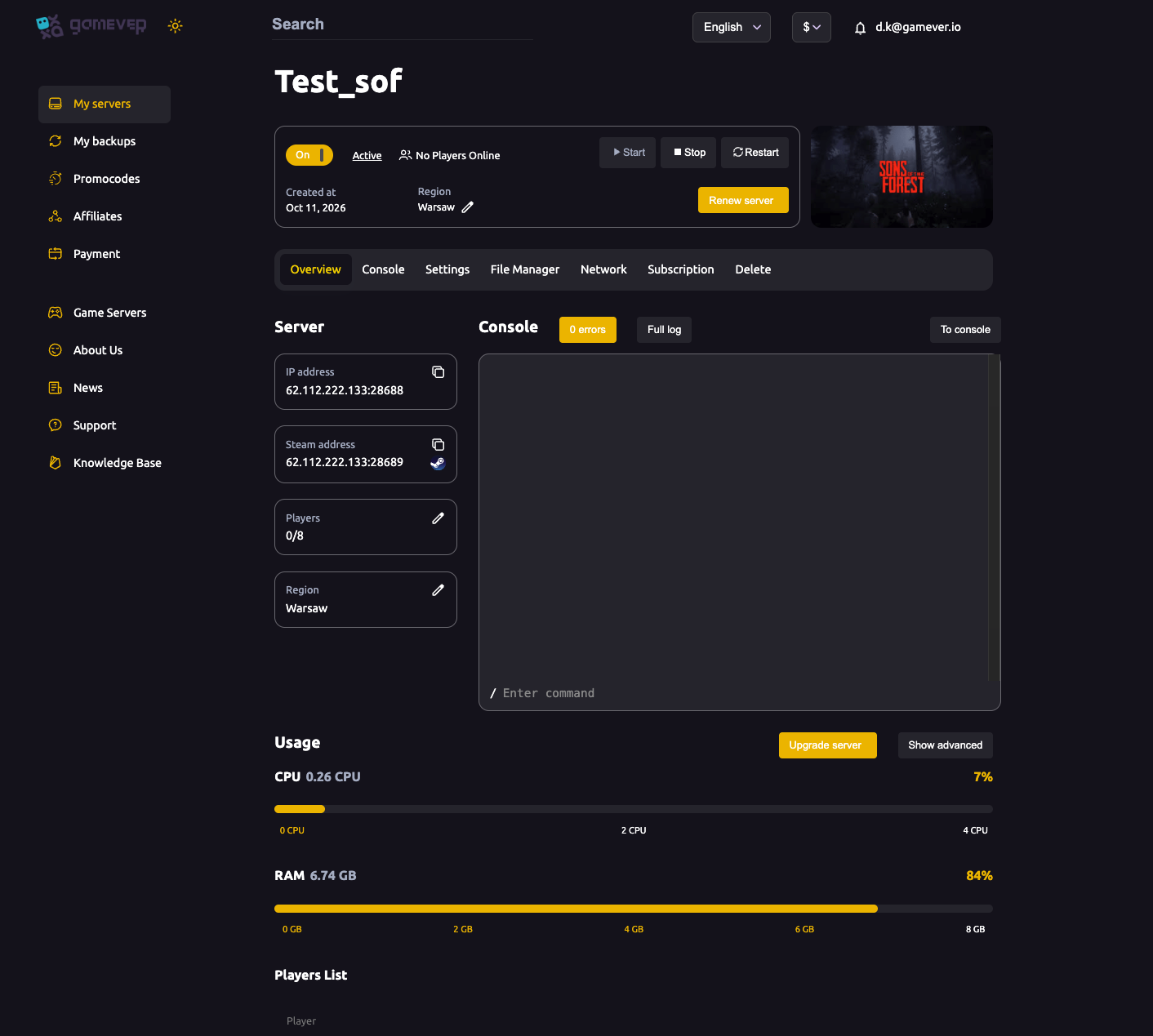
- Copy your IP address from Overview (for example
62.112.222.133:28688). This is the server address, not the Steam query address. - Share it with your group. Each player opens Sons of the Forest and goes to Multiplayer → Dedicated Servers, where they can find your server in the browser or use Join by IP and paste the address.
- Give them the password if you've set one, so they can connect — see password & admin.
That's the whole invite flow. There are no friend codes, no cross-platform account linking and no Steam-invite dependency — just the IP from your panel. If you're setting the server up for the first time, the full walkthrough is in getting started.
Additional Tips
- Everyone needs the Steam PC version — a console or mobile copy can't join because those versions don't exist.
- Match the game version. Players on an older or beta Steam branch than the server can fail to connect; keep the group on the same build.
- Share the
:28688IP, not the:28689Steam address — the IP is the one players join with. - Set a password before you share the address, so the server isn't briefly open to strangers.
- No crossplay settings to configure — there's nothing to toggle, because there's only one platform.
Conclusion
Sons of the Forest has no crossplay and no console release — it's a PC/Steam game, so every one of your up-to-eight co-op players joins from a PC. The upside is that hosting is refreshingly simple: there are no platform settings to wrestle with, just an IP address to share from your panel. Set a password, copy the address, and your group is surviving the peninsula together.
Rent your Sons of the Forest server at gamever.io — instant setup, room for a full 8-player group, and a one-click panel with no crossplay headaches to configure. Free trial, promo code WELCOME.