
Icarus Admin and Console Commands: A Practical List

Once you can run admin commands on your gamever Icarus server, the day-to-day job of moderating a session gets a lot easier — kicking a disruptive player, banning a repeat offender, or bringing everyone back to the lobby to pick a new prospect. This guide is a practical, verified list of what those commands actually are and how to run them. It assumes you have already set an admin password and logged in; if you haven't, start with getting admin access on your Icarus server, then come back here.
The most important thing to understand up front: Icarus has no developer console and no RCON. You don't open a console window, and you don't send commands from the control panel or a remote RCON tool. Every admin command is typed straight into the in-game chat box, prefixed with a forward slash. That design decision shapes everything below.
How you run commands
With your server running, join it in-game as you normally would, open the chat, and authenticate for the current session:
/AdminLogin YourAdminPassword
This grants admin rights to your player, for this session only — if you disconnect and rejoin, you log in again. The admin password is the one set in the panel's Server admin password field (Settings), or in ServerSettings.ini via the File Manager. If that password is left blank, any joining player can claim admin, so always set one.
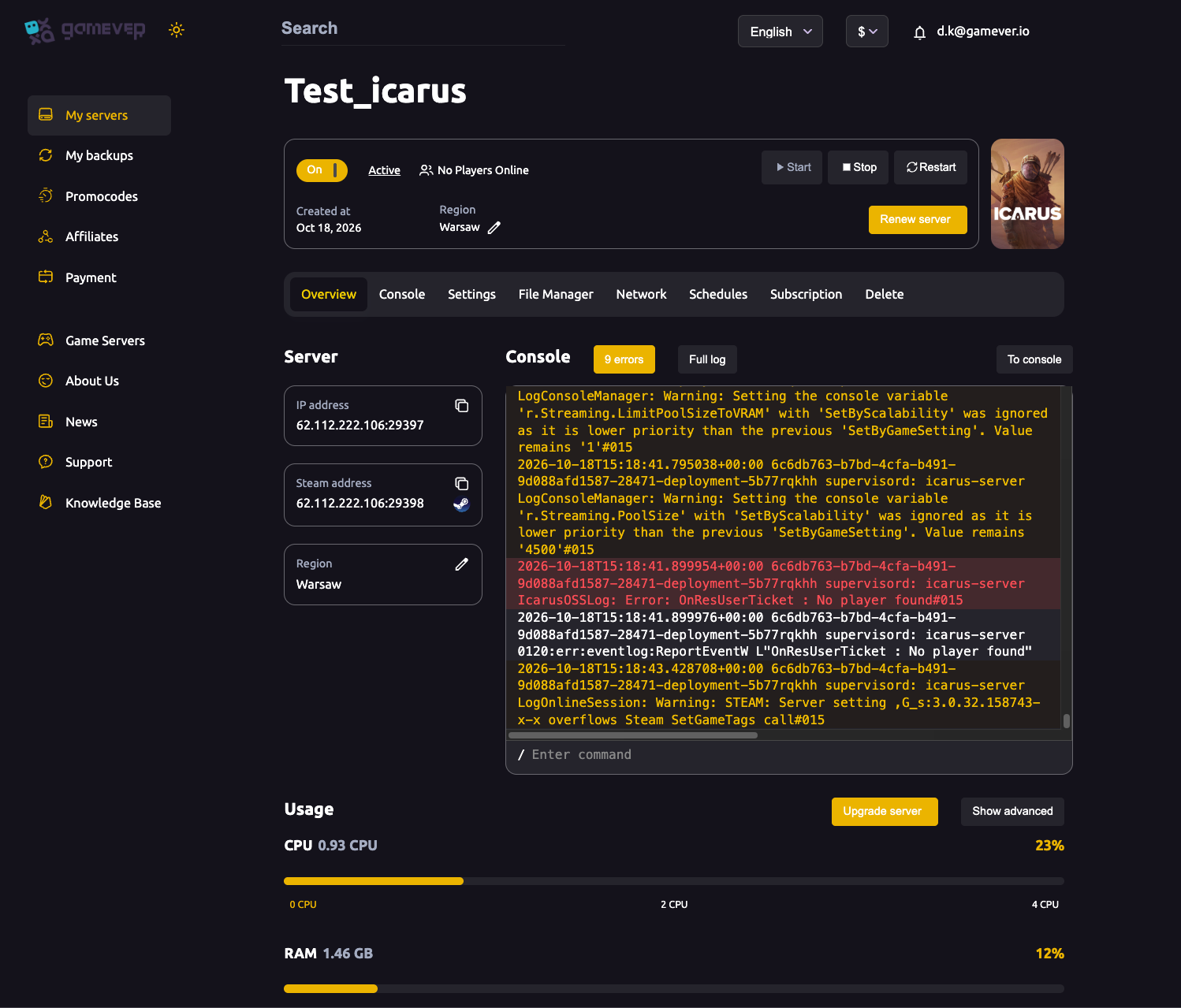
The panel's Console tab and the Overview console preview are for reading the live server log and spotting errors — useful for confirming a ban or a lobby return took effect — but Icarus admin actions themselves are issued in the game's chat, not the panel console.
Verified admin and session commands
The official Icarus wiki (icarus.fandom.com) was unreachable at the time of writing, so the list below is limited to the commands that multiple authoritative server-admin references agree on. The full, current reference lives on the official Icarus wiki — check it for anything not shown here, and run the in-game help if your build exposes more.
All commands are typed into in-game chat with a / prefix.
| Command | What it does |
|---|---|
/AdminLogin [Password] | Grants admin rights to your player for the current session. Required before any other command works. |
/KickPlayer [SteamID or PlayerName] [Reason] | Removes a player from the server. They can rejoin immediately. |
/BanPlayer [SteamID or PlayerName] [Reason] | Removes a player and adds them to the server's saved ban list. |
/UnbanPlayer [SteamID or PlayerName] | Removes a player from the ban list so they can rejoin. |
/AdminSay [Message] | Broadcasts a message to every player currently on the server. |
/ReturnToLobby | Returns the server to the prospect-select lobby (ending the current session for everyone online). |
/ReturnToLobbyWhenEmpty | Returns the server to the lobby automatically once the last player disconnects. |
That short moderation-and-session set is the honest extent of what is reliably documented. Icarus does not offer chat commands for item spawning, god mode, creative mode, teleporting, or controlling time and weather — those simply aren't part of the dedicated-server admin surface. If a list elsewhere promises them, treat it with caution and verify against the official wiki before relying on it.
Why there's no RCON
Icarus has no RCON listener. Because the panel assigns ports generically, you may still see an RCON port listed on the Network tab, but the Icarus server will not answer on it — that's expected, not a misconfiguration. Server moderation is done entirely through the in-game chat commands above, so you (or a trusted player you've given the admin password to) need to be joined to the session to act.
Prospects, not persistent worlds
Icarus runs one prospect (world) at a time, which is why the lobby commands matter so much. Switching to a different prospect or map means returning the whole server to the lobby and loading a new one — there's no hot-swapping worlds while players stay connected. /ReturnToLobby is the clean way to do this; /ReturnToLobbyWhenEmpty lets you queue the change so nobody gets dropped mid-session.
Additional Tips
- Set the admin password before you ever go public. A blank admin password means any joiner can
/AdminLoginwith nothing and take control. Set it in the panel's Server admin password field, Save, then Restart. - Admin is per session. Expect to run
/AdminLoginagain every time you reconnect — it is not remembered across joins. - Use SteamID over names for bans. Player names can be changed or duplicated; a SteamID is unambiguous, which matters most for
/BanPlayerand/UnbanPlayer. - Watch the Console tab to confirm actions. A kick, ban or lobby return shows up in the live server log — handy when a command appears to do nothing in chat.
- Prefer
/ReturnToLobbyWhenEmptyfor planned changes. It avoids yanking players out mid-run when you want to switch prospect or map later. - Keep the admin password private. Anyone who has it can moderate — and un-ban — so share it only with people you trust to co-admin.
Conclusion
Admin on an Icarus server is deliberately lean: there's no developer console, no RCON, and no cheat-style spawn or god commands — just a tight set of in-game chat commands for logging in, kicking, banning, broadcasting, and returning the server to the lobby. Log in with /AdminLogin, moderate with /KickPlayer, /BanPlayer and /UnbanPlayer, talk to the room with /AdminSay, and manage prospect changes with /ReturnToLobby and /ReturnToLobbyWhenEmpty. For anything beyond this core set, check the official Icarus wiki, and make sure you've completed admin access setup first.
Rent your Icarus server at gamever.io — a clean control panel, File Manager and FTP access, and the admin password set up in a couple of clicks so you can get straight to moderating. Free trial, promo code WELCOME.