
How to use tripwire hooks with command blocks in Minecraft
Tripwire hooks may look simple, but they behave differently from buttons, levers, or pressure plates. Unlike previous sources that only activate on direct interaction or stepping, tripwire activates whenever something crosses the string - a player, a mob, or even an item. It’s like a laser trigger in a secret lair. We’ve already explored how to use buttons, levers, and pressure plates in our previous adventure chapters. Now it’s time for reactive wires that watch every step.
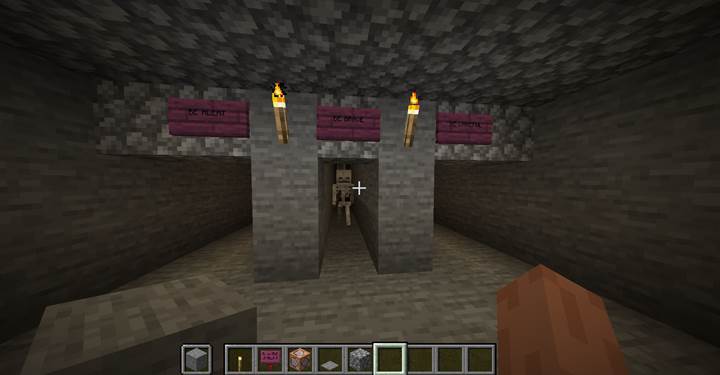
The trigger in the hallway
You walk down the corridor and open a heavy door. Suddenly - a sharp snap echoes behind you. Was it a string? There’s no time to think. Music swells, panic rises. A groan comes from the shadows. You’ve activated a trap. Behind the scenes, a command block linked to the tripwire hook was triggered:
/execute if block -63 73 47 minecraft:tripwire_hook[attached=true, powered=true] run summon zombie -64 73 42

This command checks if the tripwire is powered (someone stepped through it), and spawns a zombie just behind the player. The zombie appears at exact coordinates. Be careful: if you use a repeat command block, zombies will keep spawning - including when the zombies themselves cross the tripwire. You can prevent this by using a one-time activation or scoreboards to track if the trap has been used.
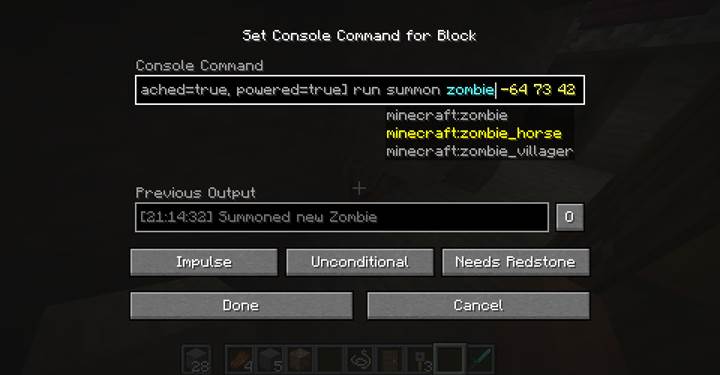
You’re not limited to zombies - you can summon:
- skeletons: `summon skeleton ~ ~ ~`
- creepers: `summon creeper ~ ~ ~`
- iron_golem: `summon iron_golem ~ ~ ~`
- or even invisible mobs with potion effects
To add tension, we can display a full-screen warning:
/title @a title {"text":"Watch out!","color":"red","bold":true}
And trigger music:
/execute if block -69 73 47 minecraft:tripwire_hook[attached=true, powered=true] run playsound minecraft:music.underwater master @a -64 73 47 1 1
That sound is haunting and perfect for a scare. Other great sounds:
- `minecraft:ambient.cave`
- `minecraft:entity.wither.spawn`
- `minecraft:music_disc.11`
- `minecraft:entity.ender_dragon.growl`
Labyrinth of strings and fear
Now the player enters a darker corridor - a labyrinth of turns, shadows, and danger. Here, tripwire is perfect. You can hide it at ankle height, stringing it across turns or corners. Use it together with pressure plates for layered triggers. Inside this maze, players rely on sound, awareness, and reflexes.
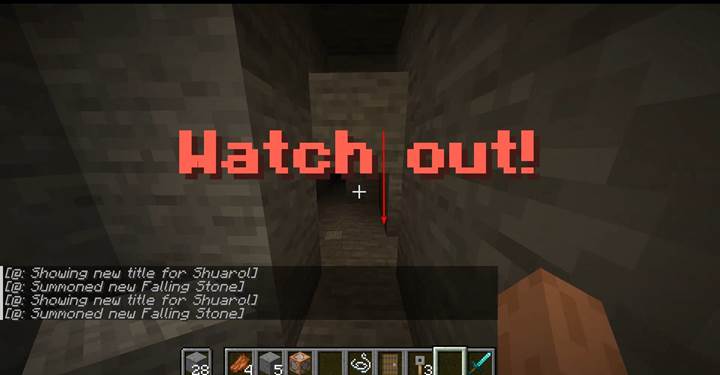
The next trap: a falling rock.
/execute if block -63 73 71 minecraft:tripwire_hook[attached=true, powered=true] run summon minecraft:falling_block -64 76 71 {BlockState:{Name:"minecraft:stone"},Time:1}
This command creates a falling block - in this case, a block of stone above the player. It will fall and can deal damage. You can replace "stone" with:
- `sand` or `gravel` - classic falling blocks
- `anvil` - extra dramatic and damaging
- `red_concrete` or other blocks for custom visuals
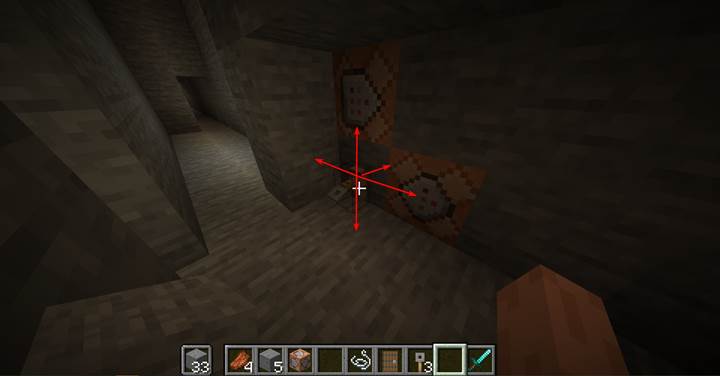
Another version just removes a support block:
/execute if block ... run setblock <above> air
Both work well in confined spaces.
You can even stack multiple command blocks around the hook to create full trap sequences: falling debris, sound effects, sudden mobs. But be careful not to overload the player - sometimes one clear action with strong atmosphere is better.
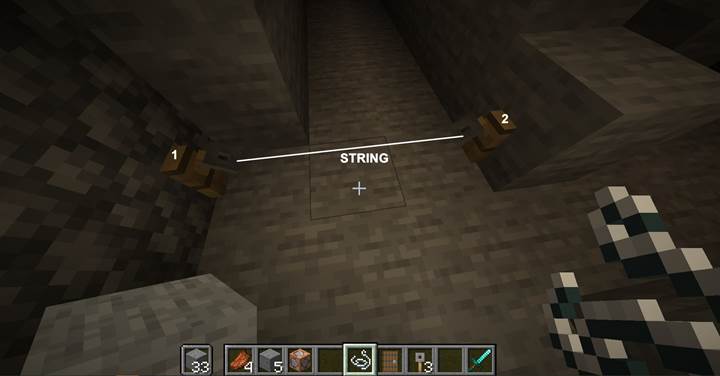
The arrow corridor
A long hallway. The player walks forward. Suddenly - an arrow streaks from the shadows. In a dark space, they don’t even know where it came from.
/execute if block -69 73 128 minecraft:tripwire_hook[attached=true, powered=true] run summon minecraft:spectral_arrow -66 75 141 {Motion:[0.0,0.0,-2.0]}
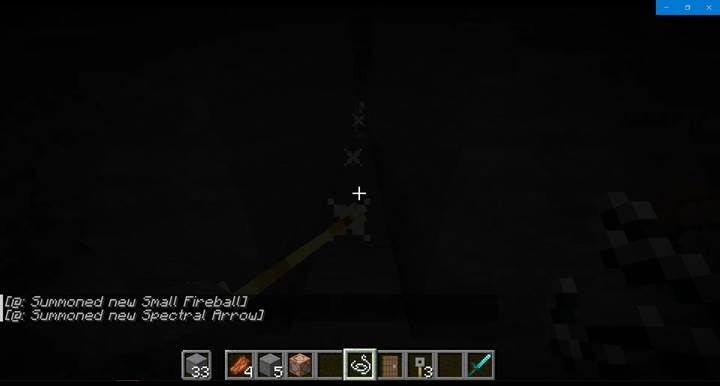
This summons an arrow flying straight along Z from position 141 to 130. Let’s break it down:
- `spectral_arrow` - a glowing arrow (you can use `arrow` too)
- `Motion:[0.0,0.0,-2.0]` - means it flies straight along Z (negative direction)
- First value = X motion, second = Y motion (up/down), third = Z motion
You can also use:
/execute ... run summon minecraft:small_fireball -66 75 141 {Motion:[0.0,0.0,-2.0]}
This summons a fireball - fiery and dangerous. Alternatives include:
- `large_fireball` - bigger boom
- `shulker_bullet` - slow tracking projectile
- `area_effect_cloud` - splash potion trap
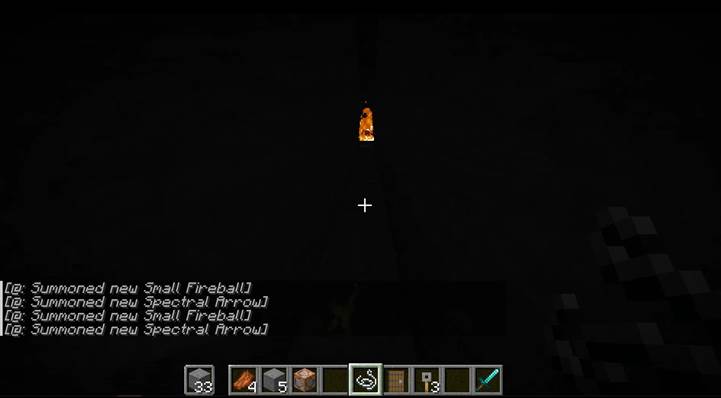
Direction matters. Positive Z = forward, negative Z = toward the player. Positive Y = up. You can also adjust Motion to angle shots - like `[0.5,0.2,-1.0]` for a diagonal arc.
And if you want to test all this with your friends, Gamever gives you a server where you control everything - the traps, the logic, the world. Play together, build stories, and challenge each other with redstone and imagination.
Tripwire hooks give you hidden triggers, fast reactions, and sudden twists. They’re perfect for mazes, tombs, dungeons, or intense hallway sequences. The examples in this guide are just starting points — you can create more traps, puzzles, and cinematic encounters.