
How to use the shelf block for item storage and automation in Minecraft The Copper Age
The Copper Age update redefines Minecraft’s approach to storage by introducing the shelf - a hybrid between a functional container and a decorative block. Unlike traditional chests or barrels, the shelf displays its contents visibly while interacting with redstone, creating new opportunities for inventory management, loadout switching, and creative automation. Its design blends form and function, offering three display slots that double as a compact storage solution and a programmable component in redstone systems. This convergence of visibility, accessibility, and interactivity makes the shelf one of the most advanced additions to Minecraft’s storage ecosystem since the introduction of the barrel in 2018.
Craft and install your shelf
The shelf is crafted using six matching stripped logs placed along the top and bottom rows of a crafting table, yielding six shelves of the same wood type. Every wood variant in the game - from oak and cherry to bamboo and warped - produces a distinct shelf design, allowing seamless integration into any architectural style. The block itself is half as deep as a regular cube, giving it the slim profile of a vertical slab. This shallow geometry allows shelves to function as both furniture and wall décor, doubling their value as design elements in survival bases and interior builds.
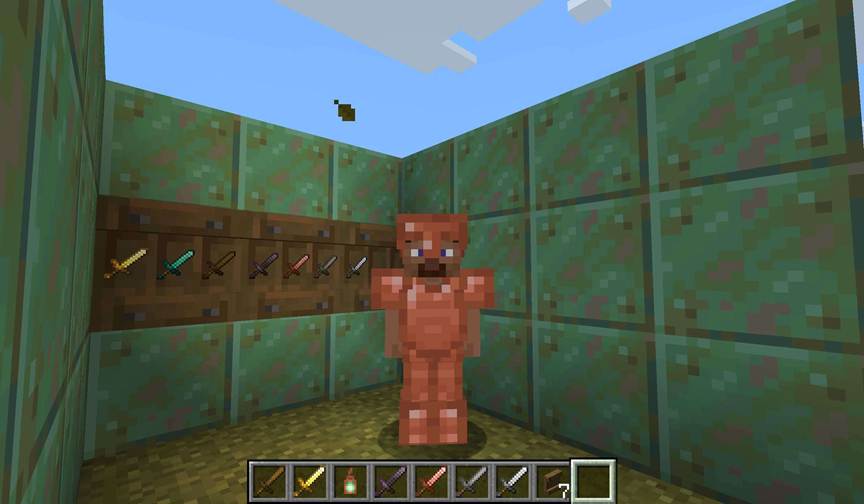
Once placed, the shelf displays three visible compartments corresponding to its internal inventory slots. Each slot can hold one stack of any item type - or a single unstackable item such as a sword or tool. The number of items is not shown visually, only the object’s icon, emphasizing aesthetics over quantitative precision. Items are inserted by right-clicking on an empty slot and retrieved by right-clicking again with an empty hand. When interacting with a slot that already holds an item while holding another, the two instantly swap. The shelf therefore acts as a rapid exchange system rather than a deep storage unit, favoring accessibility and presentation over volume.
Connect redstone and automate swaps
When powered by redstone, the shelf’s behavior transforms dramatically. The three visible slots merge into a single interactive interface capable of swapping multiple hotbar items at once. Interacting with a powered shelf replaces the three rightmost hotbar slots with the shelf’s stored items, or vice versa. When two shelves are connected side by side and powered simultaneously, the swap extends to six hotbar slots; three connected shelves allow a full hotbar exchange. This enables players to design armories, tool stations, or loadout selectors where entire equipment sets can be switched instantly with a single click.
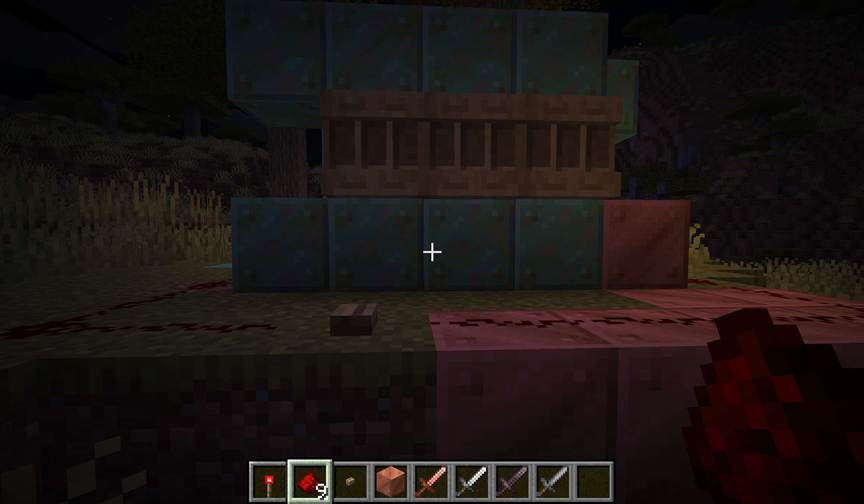
Powered shelves automatically link with adjacent powered shelves, prioritizing connections to the left. Their powered texture displays as a solid front panel with no dividing lines, visually indicating synchronization.
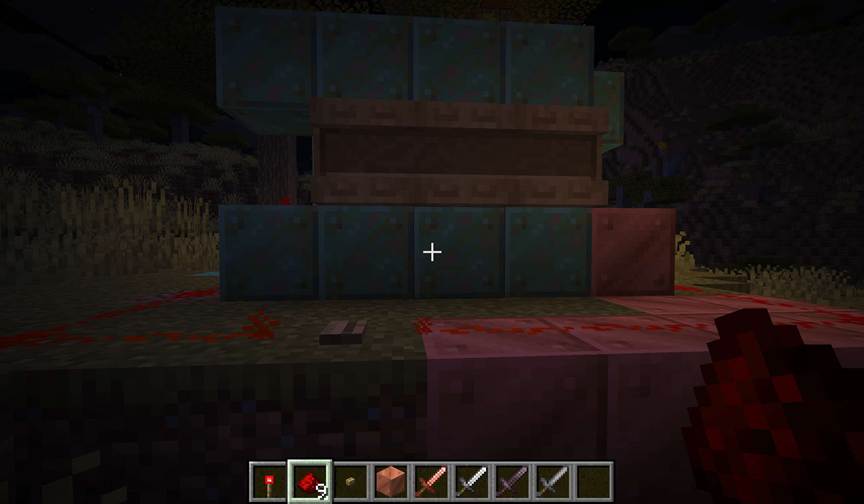
Builders can integrate levers, pressure plates, or tripwires to automate activation - for instance, triggering a weapon loadout when entering a combat arena or equipping underwater tools before diving. The precision of the redstone timing system ensures that shelves can participate in even the most intricate contraption sequences. Unlike dispensers or crafters, which perform single actions, shelves act as reversible hotbar caches, bridging inventory management and redstone logic.
Measure and control with comparators
In addition to swapping items, shelves can act as redstone input sources through comparators. The output strength depends on which slots are filled: one signal for the left slot, two for the middle, and four for the right. When multiple slots contain items, their signals combine for a total output of up to seven. This binary-style encoding makes the shelf uniquely suited for compact control circuits. Builders can use shelves as manual code inputs, storage-based sensors, or visual state indicators in automated systems.
In advanced setups, shelves can replace levers and buttons as dynamic toggle interfaces. Placing or removing items directly changes comparator output without requiring separate switches. For example, inserting an item into the middle slot could open a hidden door, while filling all three could activate a redstone-powered display. This modular signal system invites experimentation, turning everyday storage into a programmable logic device that remains visually integrated within builds. Its hybrid nature makes it one of the few components that serve both technical and decorative functions simultaneously.
Integrate with hoppers and droppers
Automation extends beyond player interaction. Shelves can exchange items with hoppers and droppers, making them compatible with established redstone logistics networks. A hopper beneath a shelf extracts items from left to right, while a hopper or dropper facing into the shelf inserts items in the same order. This predictable indexing allows engineers to design precise refill and withdrawal systems, such as self-restocking tool racks or automated sorting displays. The interaction direction is critical: shelves only accept items from front or side inputs that target their inventory directly.
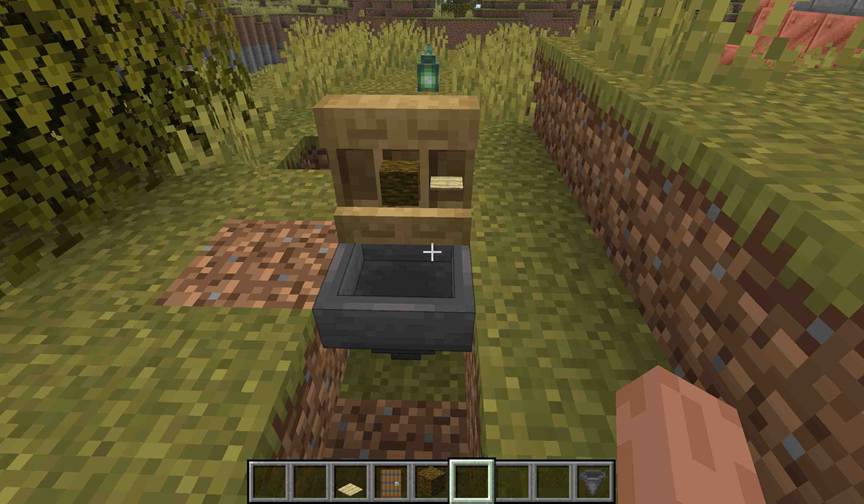
Careful redstone management is required to avoid signal interference. If a shelf and its hopper are powered by the same circuit, item flow halts, since powered hoppers suspend transfer activity. Separating control lines or using repeaters with delay intervals ensures continuous synchronization between visual display and functional storage. This precision enables builders to maintain automated refill systems for consumables such as rockets, food, or potions - especially when combined with hotbar swapping. By connecting hoppers to powered shelves, entire loadouts can not only be swapped but also refilled automatically after each use, closing the loop between gameplay and design.
Redefine storage through design
While the shelf’s redstone capabilities invite technical experimentation, its greatest contribution lies in aesthetic integration. Because shelves visibly display their contents, they transform storage areas into curated showcases. Builders use them to frame valuable tools, organize workstations, or line libraries and museums with meaningful artifacts. Different wood types provide distinct trims and tonal palettes, from pale oak minimalism to dark mangrove warmth, letting storage blend naturally into diverse architectural styles.
In multiplayer builds, shelves also enhance readability and communication. Players can identify item categories visually without opening inventories, streamlining teamwork in communal bases or roleplay environments. The ability to link multiple shelves through redstone or automation creates modular systems that scale elegantly, from compact starter rooms to sprawling industrial hubs. Ultimately, the shelf represents Minecraft’s evolving philosophy of design through mechanics - turning everyday function into an expressive tool for creativity. It bridges the gap between aesthetic storytelling and technical mastery, redefining what storage means in a game where every block can tell a story.