
How to Use the Digital Clock in Rust
Greetings, survivors and Rust enthusiasts! Frank here with a juicy tutorial that's about to crank up your Rust experience. Ever wished you had a digital clock to keep track of time or set alarms in the game? Well, your wish just came true with Rust’s September 2024 update, which introduced the shiny new Digital Clock. Let’s learn how to use this tool to make your in-game life more organized.

Getting Started with the Digital Clock
If you want to deploy a Digital Clock in Rust, you’ll need to have Building Privilege on a vertical surface. This is the surface where you’ll mount your clock.
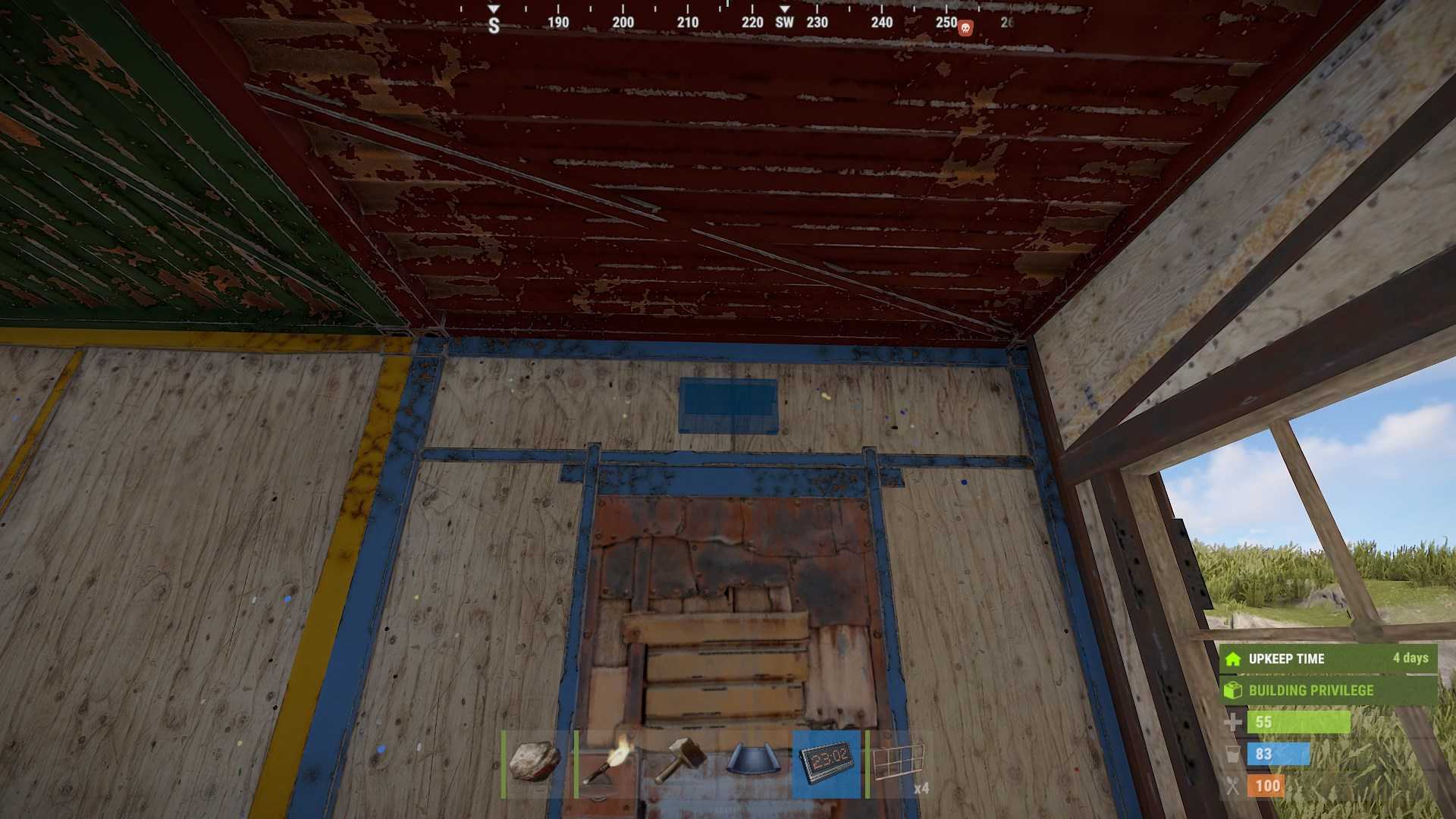
With that sorted, grab your Wiring Tool – you’ll need it to connect the clock’s Power-In and Power-Out ports. Remember, the clock requires one power source to function, but if you want to utilize the power-out features, you might need additional power.
Setting Up Your Digital Clock
Once you’ve placed the Digital Clock, it’s time to wire it up. Connect the Power-In port to your power source. If you want the clock to control other components, like lights or alarms, connect the Power-Out port to those components. Here’s a cool trick: you can use the clock’s Power-Out feature to trigger alarms or lights at specific times, which is perfect for keeping track of events or setting reminders.
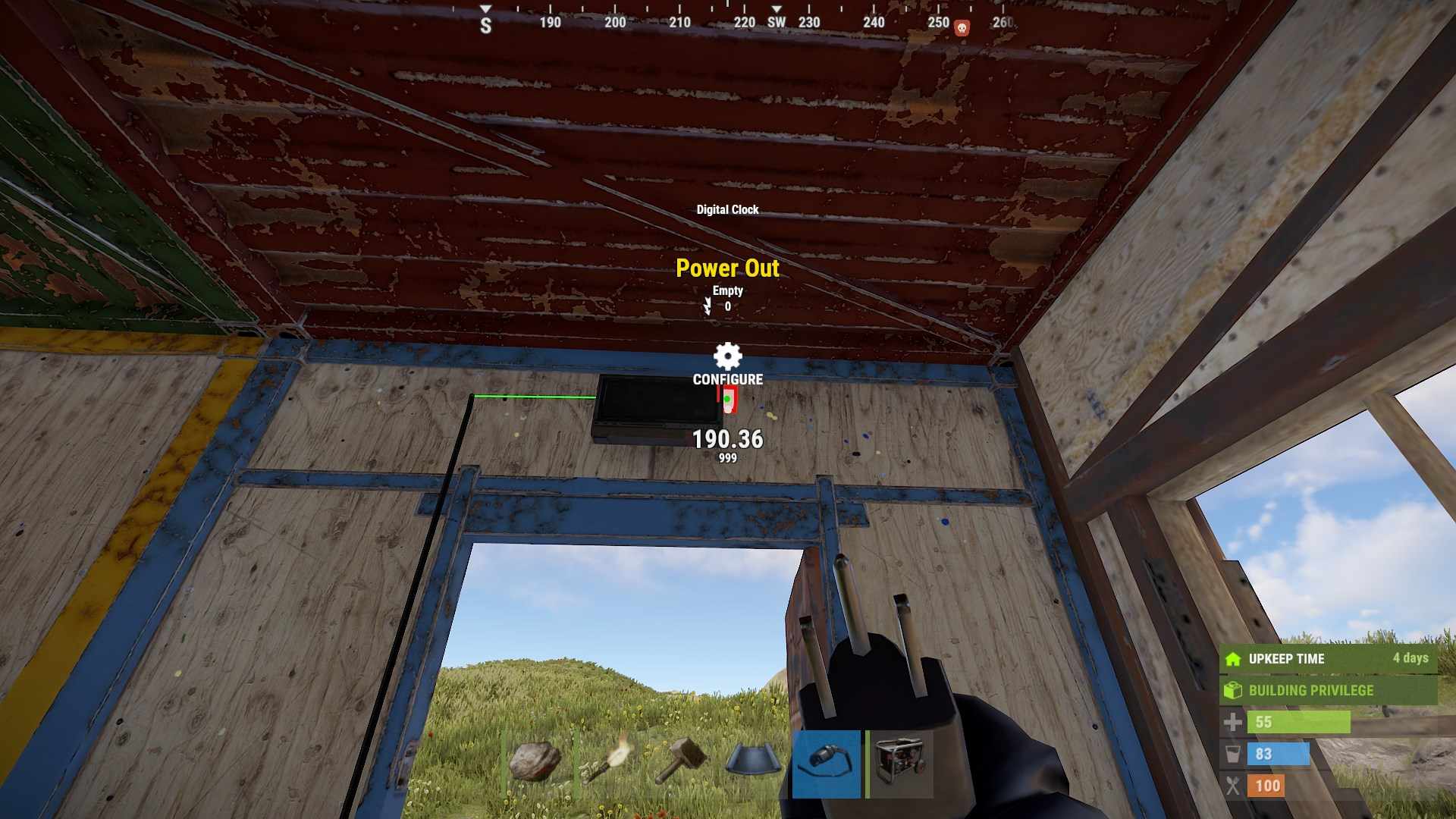
Configuring Alarms
One of the standout features of the Digital Clock is its alarm system. To set an alarm, simply look at the clock and press the "E" key. This will bring up the ALARMS menu. In this menu, you can enter any time you wish in military format and save it. Each Rust day, if your alarm is set, it’ll briefly trigger the connected light or sound component until the next minute ticks over. You can have up to five active alarms on a single Digital Clock. Also, there’s an auditory icon for muting alarms if you don’t want to be disturbed.
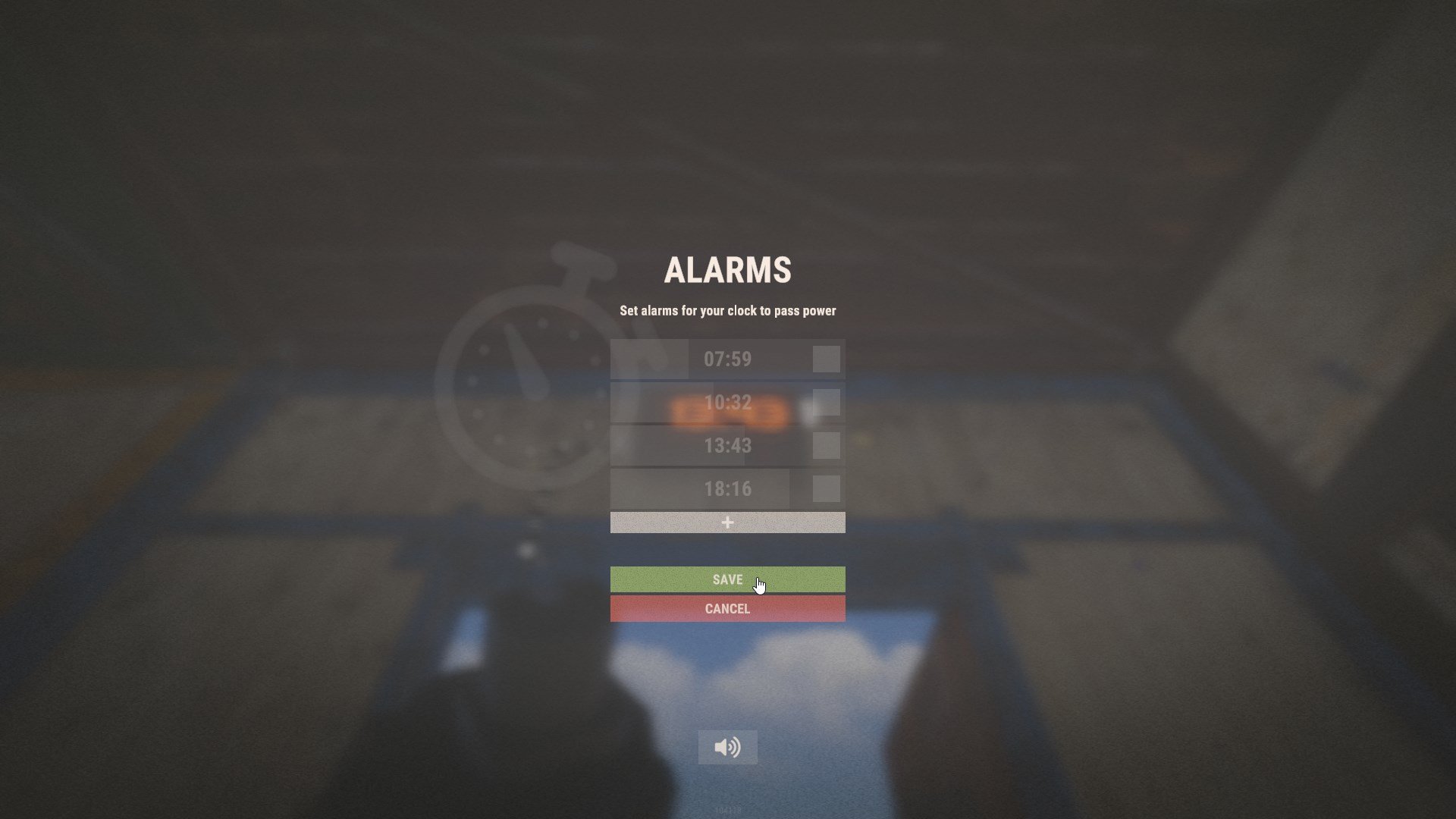
Practical Uses and Fun Ideas
The Digital Clock isn’t just a pretty face – it’s a tool with real potential. For instance, you can use it to create a sophisticated alarm system for your base. Imagine having a laser detector that triggers the clock and a counter to log how many times it’s been triggered. You can even combine this setup with a timer to monitor how long it’s been since the last trigger, helping you keep tabs on potential intruders or curious visitors.

You can extend the functionality of your Digital Clock with some additional electrical components. For instance, adding a switch to reset the clock or using multiple timers and counters can turn it into a full-fledged system for tracking time and events in Rust. This could be super useful for coordinating activities with friends or managing complex in-game tasks.
In a nutshell, the Digital Clock in Rust is more than just a tool for checking time – it’s a versatile piece of tech that can enhance your gameplay by helping you set alarms, monitor activities, and integrate with other electrical components. Whether you’re keeping track of time or creating complex alarm systems, this new addition opens up a world of possibilities. So, get out there, start experimenting, and make your Rust adventures even more organized and exciting!