
How to Use Server Admin Panel and Commands in Duckside
So, you're ready to take the reins and become the ultimate admin in Duckside? Sweet! Whether you're looking to manage players, tweak settings, or just get creative with game mechanics, the admin commands in Duckside are your key to total control. This guide will walk you through everything you need to know to master the admin panel and make the server your playground.
Accessing the Admin Panel
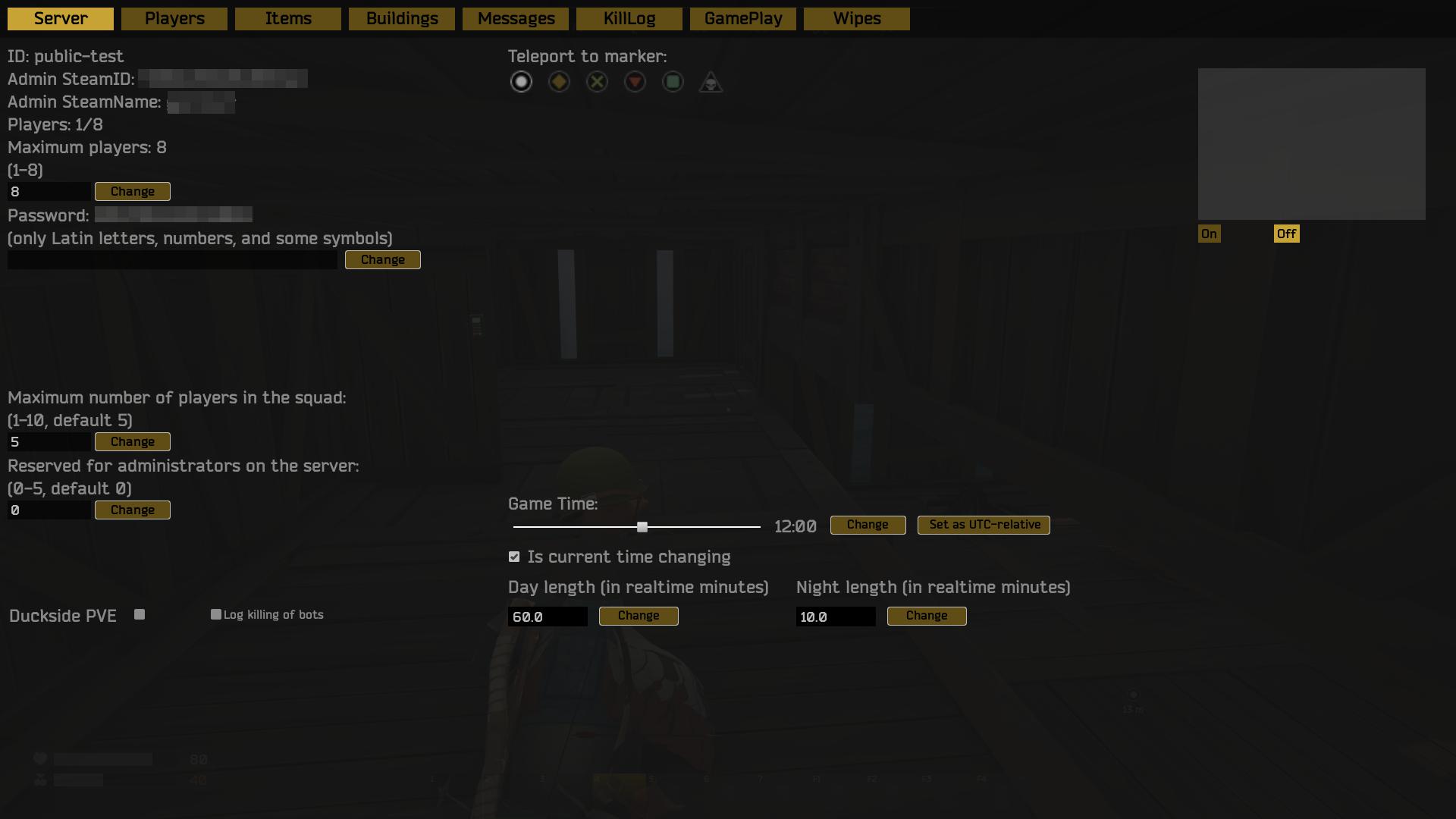
First things first: hit F10 to pull up the admin panel. This is your command center, where all the magic happens. Here, you’ll find everything from managing players and setting up game rules to controlling the world’s resources. If you're running the server, this is where you'll spend most of your time tweaking and perfecting the game.
Controlling the Server
At the top of the admin panel, you’ll notice some basic info about your server: the ID, your SteamID, and your SteamName. This is just your server's passport. What’s more interesting is the Players: X/120 indicator that shows you how many people are currently online, along with the Maximum Players field. You can crank up that number if you want a crowded server, or dial it back for a more intimate experience. Just enter a new number, hit "Change", and boom, your player cap is updated.
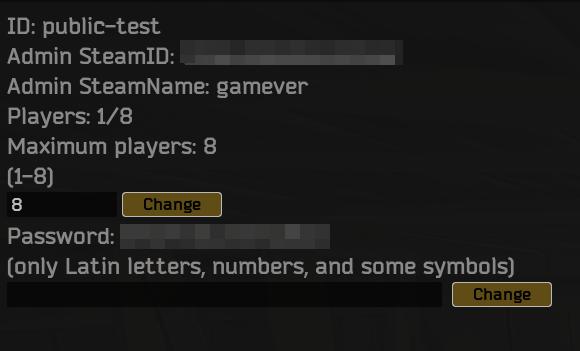
And don’t forget the Password field. If you want to keep randoms from joining, slap a password on the server. If you're feeling generous and want to open the gates, leave it blank and press "Change" to unlock the server.
Squad Settings
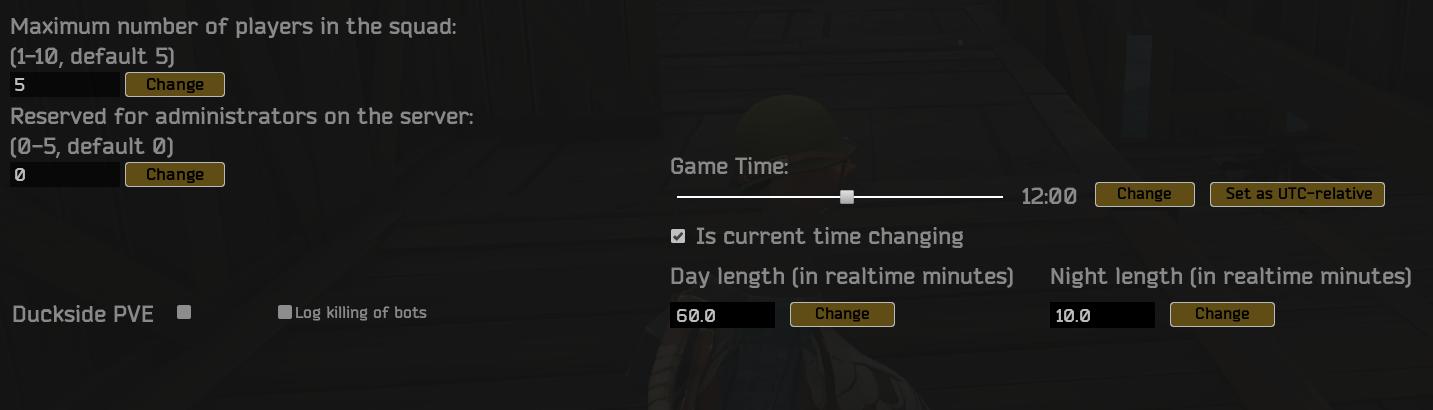
Want to organize epic team battles? The Maximum players in the squad field lets you decide how big squads can be. You can crank this up to allow huge war parties or keep it small for tactical missions. Admins can also reserve player slots with the Reserved for admin on the server field, so you and your team always have a seat, even when the server's jam-packed.
PvP, PvE, and More Gameplay Tweaks
Duckside offers the perfect balance of PvP and PvE with the Enable Partial PVE setting. This allows you to designate the central part of the map as a PvP zone while keeping other areas PvE, giving players a mix of heart-pounding action and peaceful exploration. If you're looking to keep track of NPC kills, just flip the switch on NPC kill log to track every bot takedown in the chat.
Feeling like teleporting? No problem! With Teleport to Marker, just place a marker on the map and zap yourself there in an instant. No more tedious walking—admin perks for the win!
Time and Day Control
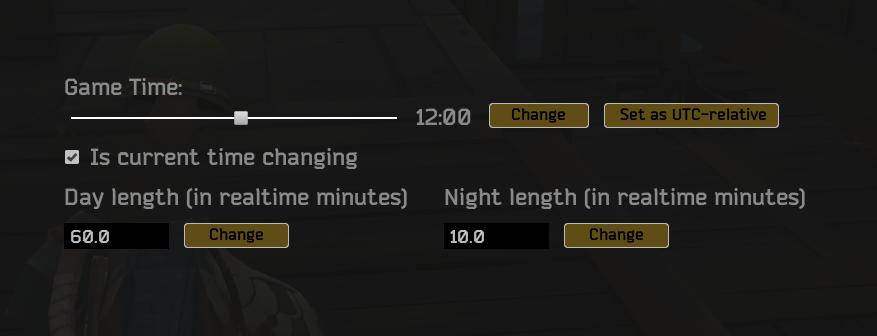
Ever wished you could control time? Now you can! The Game Time Settings let you stop or run the in-game clock, adjusting the day/night cycle to fit your style. Whether you want long, peaceful days or short, intense nights, the power is in your hands. Simply adjust the sliders, and the server's time flow will bend to your will.
Managing Players
The Player List section shows who’s hanging out on your server. From here, you can:
- Assign or remove admin privileges
- Ban or unban players
Got someone causing trouble? Ban them with a few clicks. Or, if you want to be generous, lift that ban and give them a second chance.
Spawning Items and Starter Kits
Sometimes, you just need to give players a little something extra. The Items panel lets you spawn items directly into the world. Everything spawns in max stack counts, which is especially handy if you're gearing up new players. But, be careful not to mess with the Starter Pack Backpack, unless you want to wipe someone’s inventory completely.
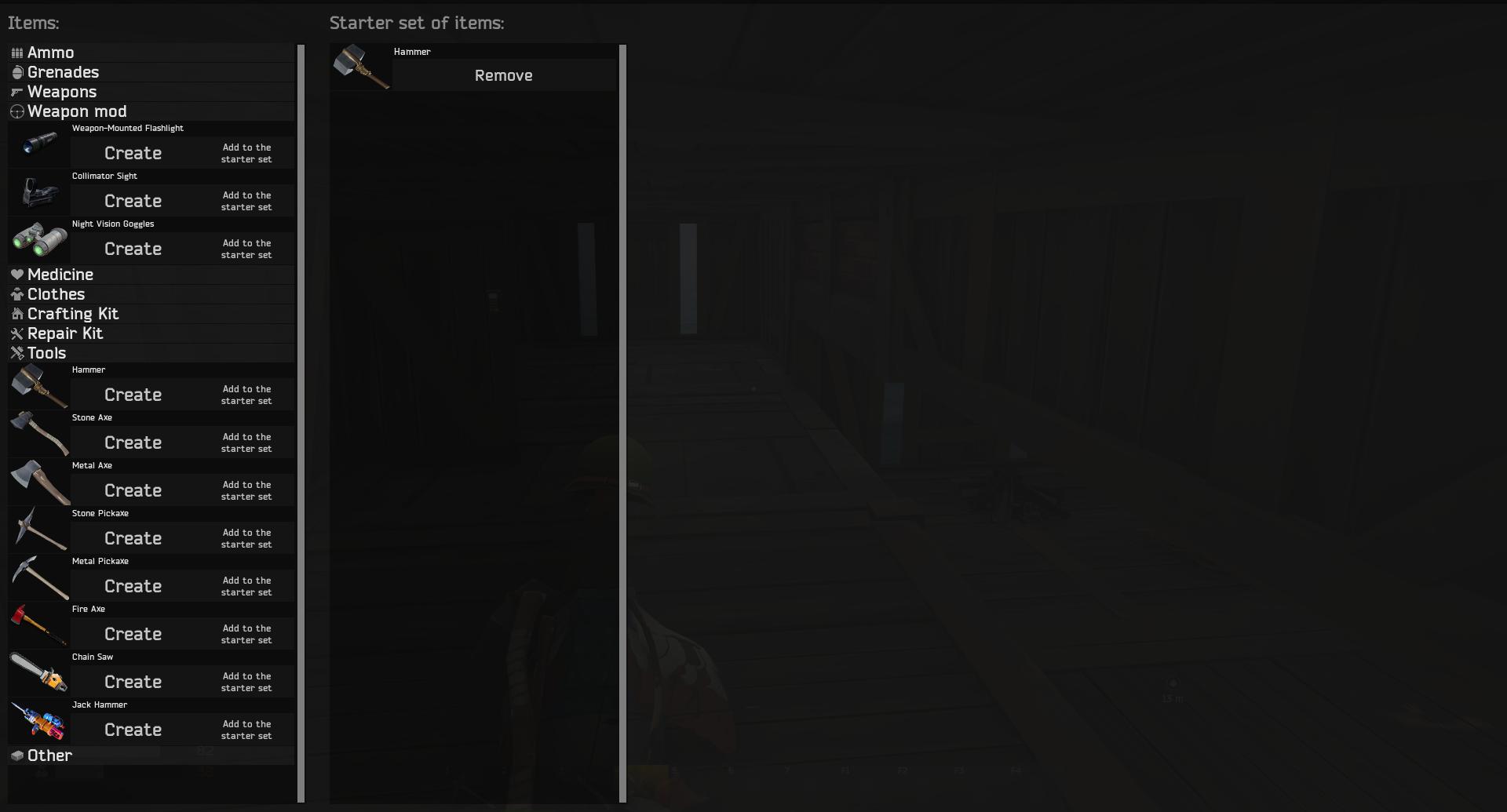
You can also set up starter kits that new players will receive when they join the server. Just add or remove items in the Starter Kit section, and every new player will start with those goodies. A perfect way to give your server a unique twist right from the get-go.
Destroying Bases
Base management is important in Duckside, especially when things get crowded. The Buildings section lists all the bases on the server. As an admin, you can destroy a base’s idol, which will trigger its decay. This can come in handy if someone’s built an ugly base in the middle of nowhere that no one’s using.
Messaging Players
Communication is key. The MOTD (Message of the Day) allows you to send an orange-colored one-time message to all players when they log in. If you want to send a message multiple times, use the Message field, set a time interval, and send red-colored messages to your heart’s content. Everyone will know exactly who’s in charge!
Gameplay Settings
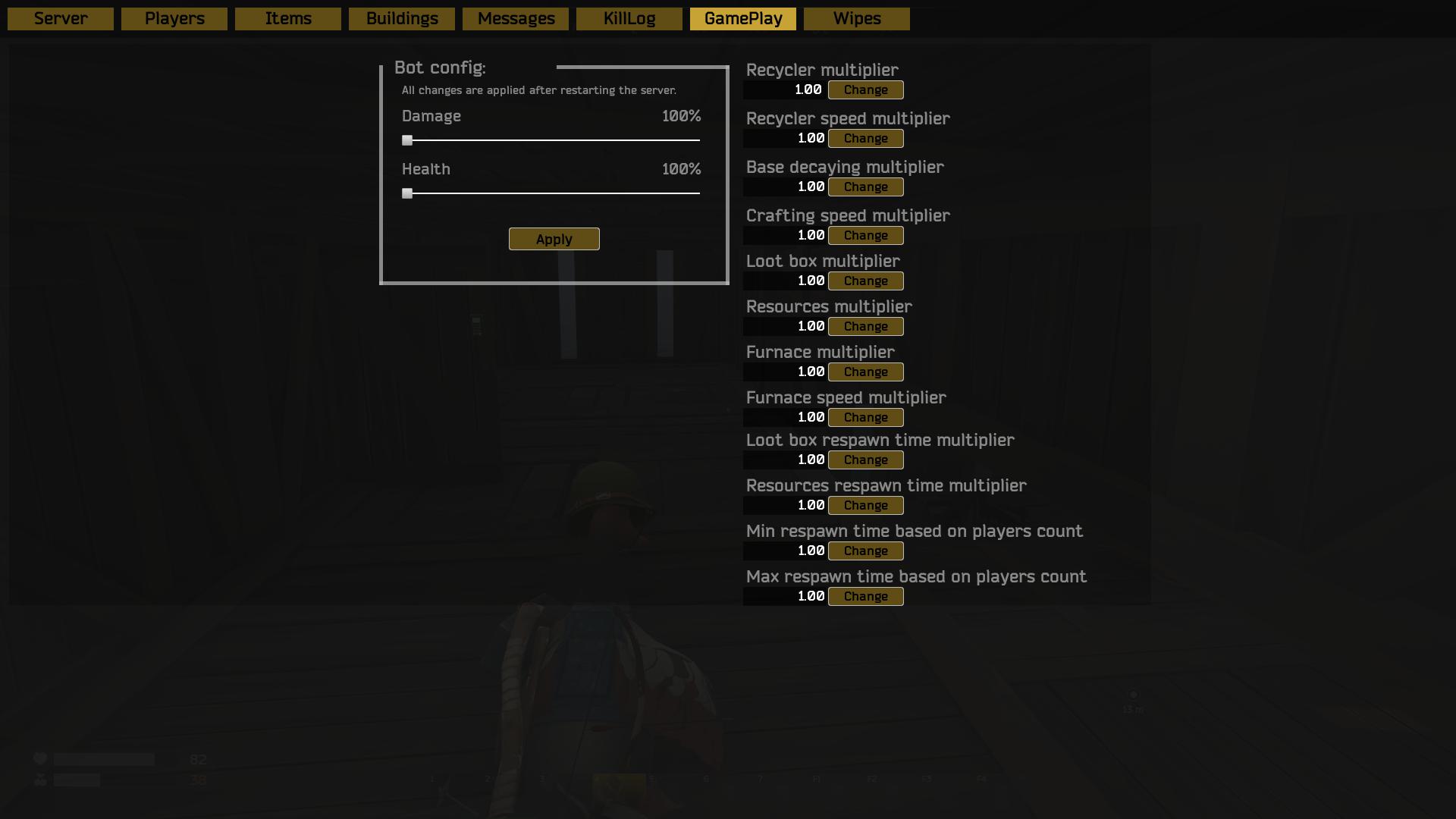
Here’s where things get really fun. Want to up the challenge? Head to the Bot Config to boost NPC damage and health. You can also speed things up with multipliers:
- Recycler: Speed up recycling and increase its output.
- Crafting: Make crafting faster or slower depending on your preference.
- Loot: Control the drop rate from barrels and loot boxes.
- Resources: Adjust how much players get from trees, ore, and more.
- Furnace: Change how quickly furnaces work and how much output they generate.
Basically, these multipliers let you fine-tune every aspect of the game, from how fast players can craft to how much loot they find. Play around with the settings until the server runs just how you like it.
Wipes
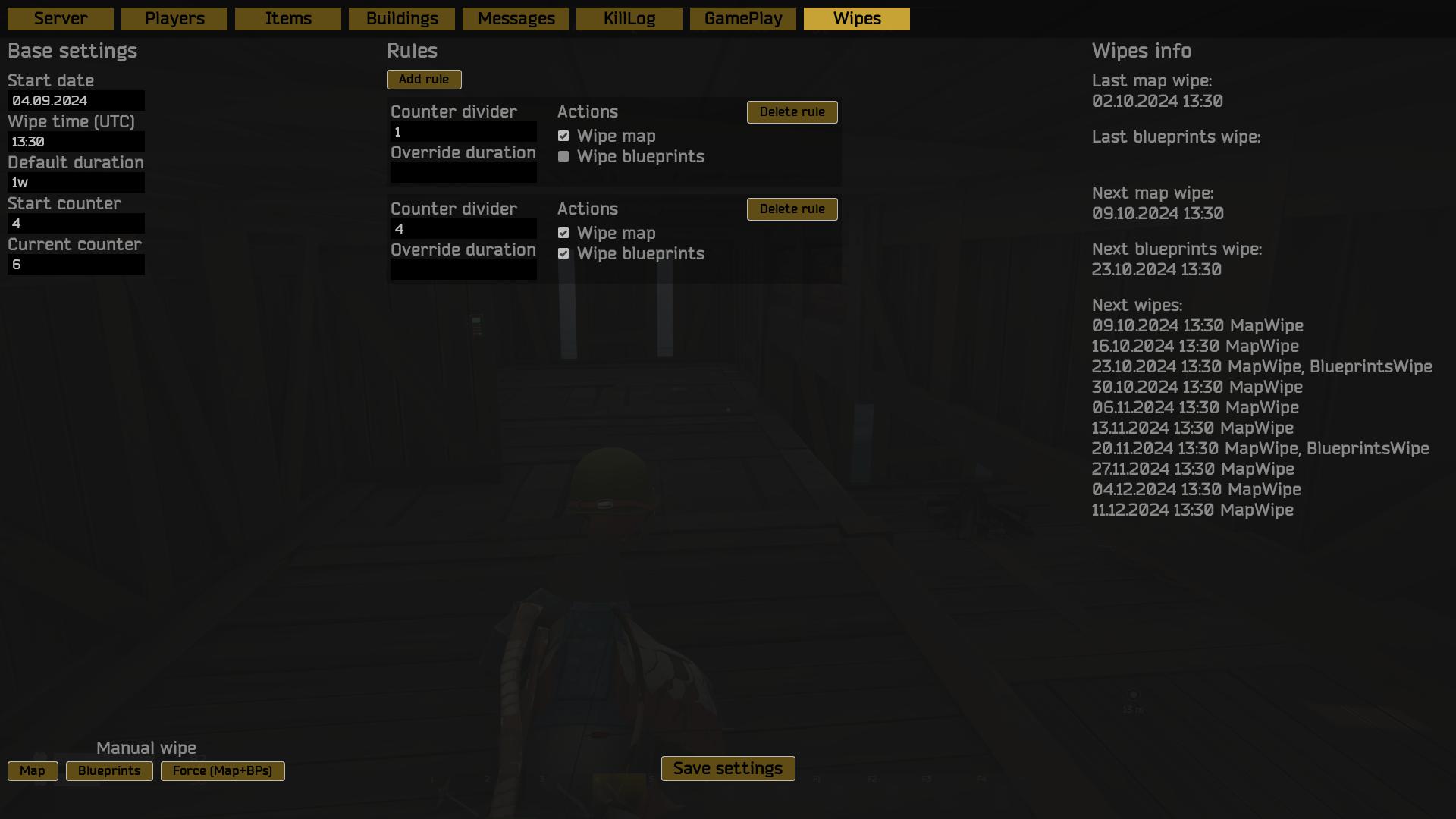
Wipes are a crucial part of keeping the game fresh, and Duckside has an awesome wipe system. In the Wipes section, you can set your wipe cycle with full control over when and how wipes occur. For example, you can have a map wipe every Friday and a full map + blueprints wipe every fourth Friday. Just enter the wipe start date, time, and duration, and let the system handle the rest. You can also override wipe durations with special rules, so you're always in control of when a fresh start happens.
And there you have it—Duckside server admin commands made easy. Whether you want to manage players, tweak the gameplay, or set up a perfect world for epic battles, this guide has you covered. Now go out there and make your server the best one out there! Enjoy the ride, and remember: with great power comes great responsibility. Keep it fair, keep it fun, and let the adventures begin!