
How to use Observers in Minecraft for block matching
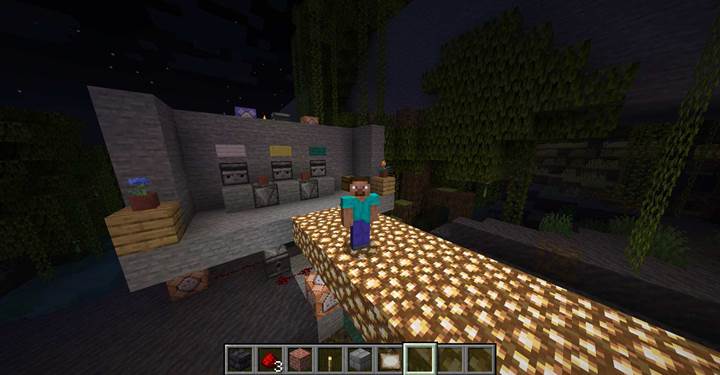
After crossing the light-sensitive bridge from our previous challenge, we arrive at a small platform filled with item stands, vibrant signs, and strange blocks that look like eyes. Yes, those are observers - and today, we're going to figure out what exactly they're watching.
This is a simple beginner's guide meant to show how observer blocks function through a few primitive but clever mechanisms. We've already covered buttons, levers, tripwires - and now it's time to get into reactive components that detect changes without direct player interaction.
What is an Observer?
An observer is a redstone component that watches the block directly in front of its "face" - the side that looks like a big gray eye. When that block changes (e.g. a new block is placed, a crop grows), the observer emits a redstone pulse from its back - marked by a tiny red dot.
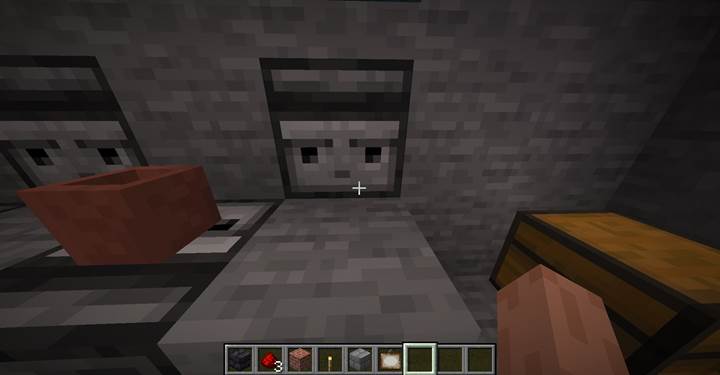
> Note: Observers only detect block state changes. That means walking past them, dropping items, or stepping nearby won't trigger them. You must directly change the block it's looking at. It has to be touching the block - no gaps.
This pulse can power redstone dust, a repeater, or go straight into a command block. That makes them ideal for creating tight, reactive puzzles in your Minecraft world or Gamever-powered adventure maps.
Puzzle 1 Matching Blocks on Pedestals
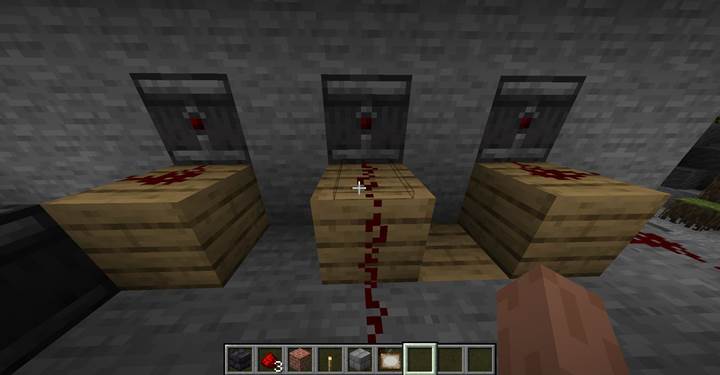
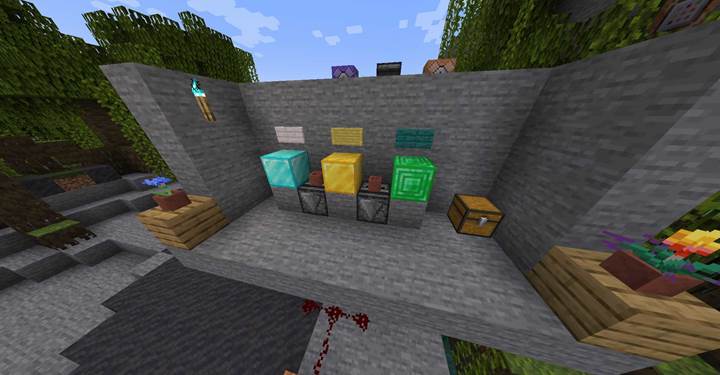
The platform contains three item stands with colored signs - red, green, and blue. In the chest, the player finds a gold block, emerald block, and diamond block. The goal: place the right block under each colored sign.
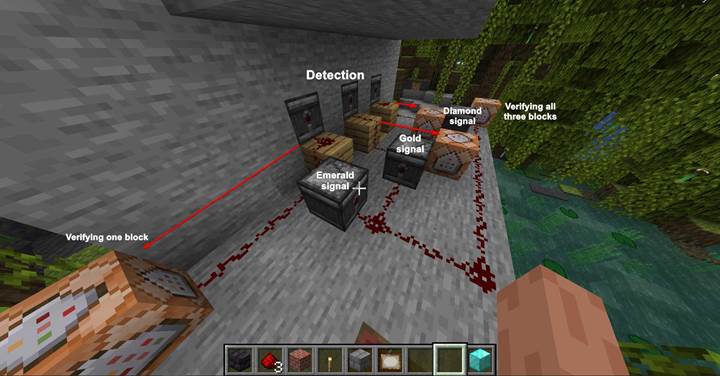
Each correct location has an observer facing inward, watching for the appearance of a specific block. When the right block is placed, the observer sends a signal to a command block that checks correctness.

Example command:
/execute if block -81 69 132 minecraft:diamond_block run tellraw @p {"text": "Diamond!"}
You can create variations such as:
/execute if block -79 69 132 minecraft:gold_block run playsound minecraft:block.note_block.pling master @p ~ ~ ~
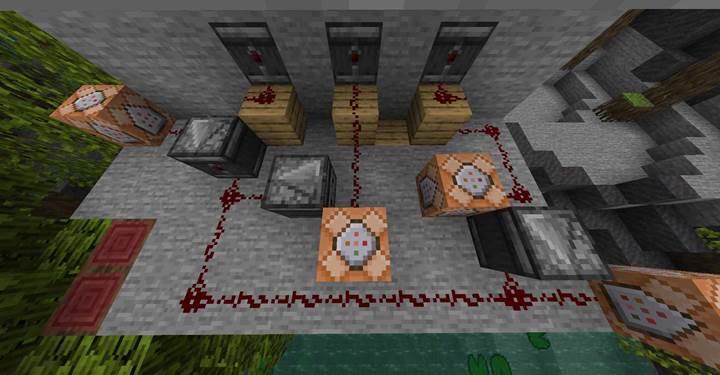
Show redstone dust carrying a signal from the observer to a command block.
/execute if block -77 69 132 minecraft:emerald_block run particle minecraft:happy_villager ~ ~1 ~ 0.2 0.5 0.2 0.1 10 force
This gives feedback like sound effects or particles when a block is correctly placed.
Puzzle 2 Verifying All Three Blocks
Each observer that detects a correct placement is connected via redstone dust, and on each line sits a second observer - the "second level" detector. These detect the redstone signal itself changing - since redstone dust state is also a block update!
When all three signals are active, a final command block is triggered:
/execute if block -81 69 132 minecraft:diamond_block if block -79 69 132 minecraft:gold_block if block -77 69 132 minecraft:emerald_block run setblock -82 71 133 minecraft:soul_torch
This sets a soul torch next to the player, a sign that the puzzle has been solved. Players using Gamever servers can use mod managers to set this kind of interaction up instantly.
This logic structure can easily be expanded - you can switch the final output to be a trapdoor, particle burst, or custom sound.
Puzzle 3 Flower Pot Detection
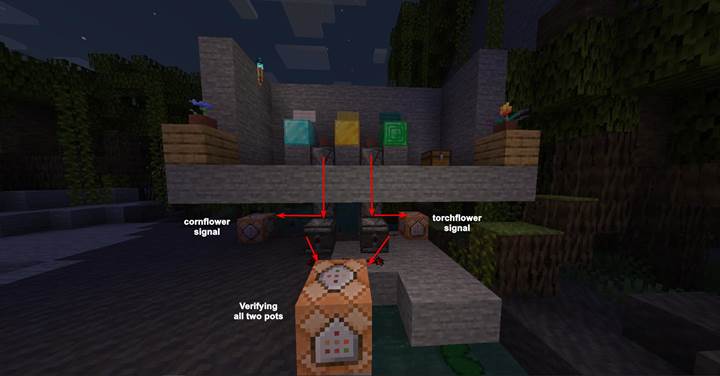
Back on the platform, players also find two flower pots, one with torchflower and one with cornflower. A third pot is empty, and in the chest lies an extra empty pot.
The player must break the two existing flowers and replant them correctly between marked blocks.
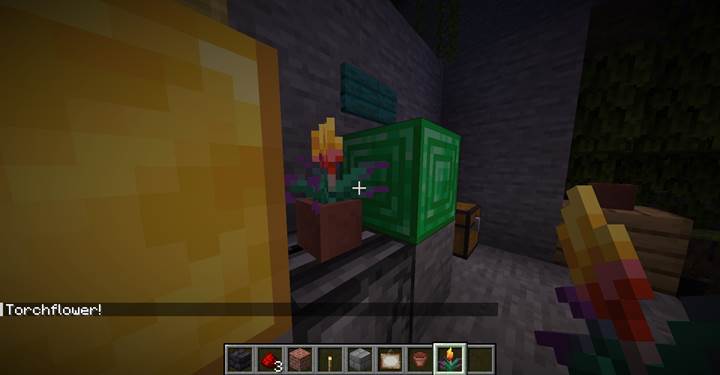
To verify correctness, the system uses commands like:
/execute if block -80 69 132 minecraft:potted_cornflower run tellraw @p {"text": "Cornflower!"}
/execute if block -78 69 132 minecraft:potted_torchflower run tellraw @p {"text": "Torchflower!"}
This allows very fine-grained checking. You can even detect specific flowers, mushrooms, or saplings this way. One caveat: players using mods or special resource packs on Gamever might need to account for custom block IDs.
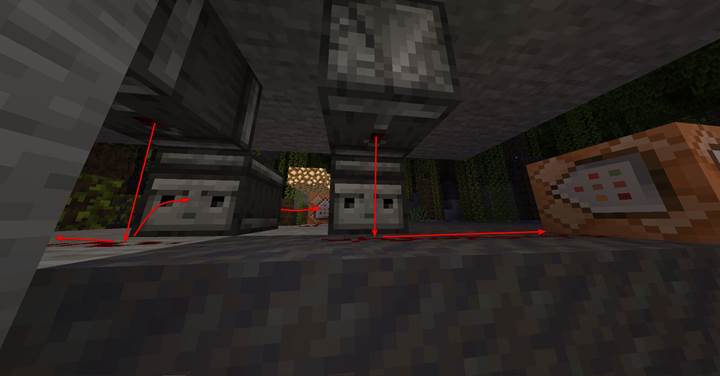
> Tip: Observers can send signals vertically downward, making them perfect for vertical chains. In our case, a stack of observers works like a signal pipe, carrying the output to a hidden layer below.
In this build, once both flowers are placed correctly, two more observers (watching the redstone lines below) trigger a final combined check:
/execute if block -78 69 132 minecraft:potted_torchflower if block -80 69 132 minecraft:potted_cornflower run setblock -75 71 133 minecraft:soul_torch
This places the second soul torch on the platform. It's a visual signal to the player that all parts of the puzzle are now complete.
The Final Trigger
Behind the scenes, a repeating command block waits on the roof. When they are, it places a block in front of a waiting observer - causing it to fire one last signal to a final command block.
This last command block teleports the player to the next zone:
/teleport @p 200 70 100
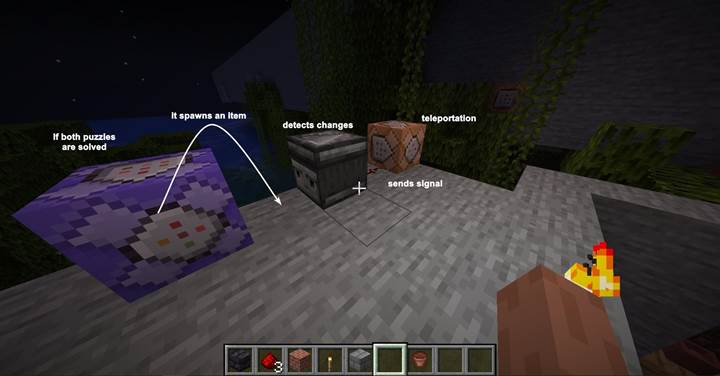
You can use Gamever's server tools to track player position and progression across puzzle stages, or modify this to spawn a new entity or cutscene.
Wrapping Up
Observers are incredibly flexible. You can use them for traps, hidden triggers, crop-based puzzles, or synchronized block swaps. They're silent, fast, and compact - perfect for maps that want logic without clutter.
Imagine a heist map where touching a relic sets off a chain reaction - or a haunted forest where growing a mushroom triggers whispers in the dark.
And remember: even in a world full of levers and buttons, sometimes it's what you don't press that makes all the difference, especially if you're building it with Gamever - powerful hosting that just works.